Content Management Software: Your Ultimate Guide to Choosing & Scaling in 2026
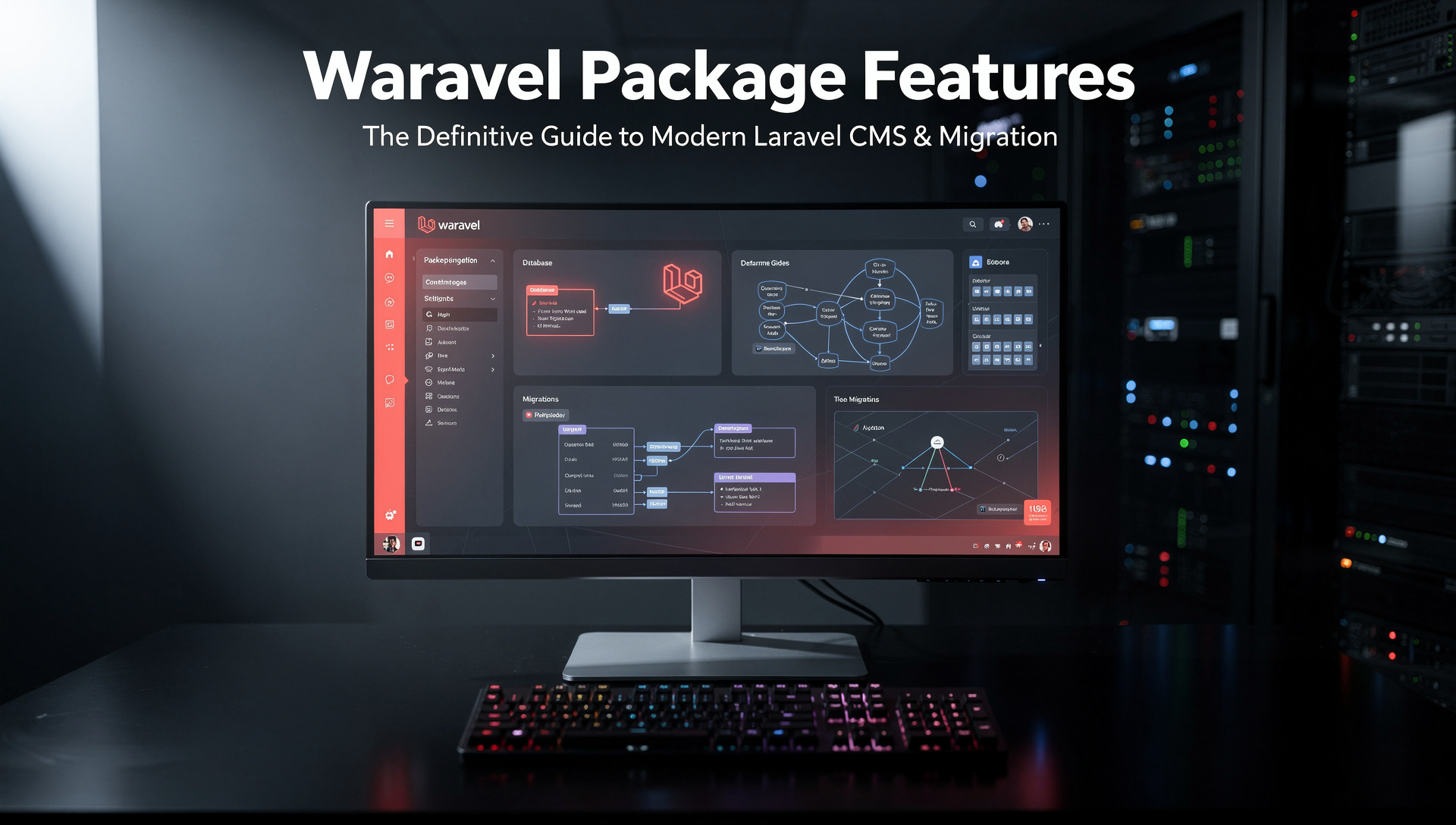
Discover the power of modern CMS platforms to streamline workflows, boost team productivity, and drive digital growth. Learn how to hire the right talent and leverage the best tools for your business.
Hire CMS Experts TodayWhat is Content Management Software?
Content Management Software (CMS) is the foundational engine behind nearly every modern website and digital experience. At its core, a CMS is an application that allows users to create, manage, modify, and publish digital content without requiring deep technical expertise in web programming languages. It separates the content (text, images, videos) from the code and design, enabling non-technical teams to update websites efficiently. This democratization of web publishing has been revolutionary, empowering marketers, editors, and business owners to take direct control of their digital presence. From simple blogs to complex enterprise portals and e-commerce giants, a robust CMS provides the structure and tools necessary to compete in the digital arena.
The evolution of CMS platforms has moved far beyond basic text editors. Modern systems are integrated digital experience platforms (DXPs) that handle multimedia libraries, user roles and permissions, SEO tools, multi-channel publishing, and often include built-in e-commerce, marketing automation, and analytics. Choosing the right CMS is not just a technical decision; it's a strategic business choice that impacts your team's workflow, your site's performance, your security posture, and your ability to scale. Whether you're building a new site or considering a user migration from an older platform, understanding the landscape is critical.
When evaluating CMS options, don't just look at today's needs. Consider your growth trajectory. Can the platform handle a sudden 10x increase in traffic? Does it integrate with the martech stack you plan to adopt next year? A platform like Laravel offers unparalleled scalability and customization, making it a future-proof choice for ambitious projects.
CMS Categories: Find Your Perfect Fit
The Three Pillars of CMS
Content Management Software can be broadly categorized to help you narrow your search:
- Traditional/ Coupled CMS: The classic model where the backend (content management) and frontend (presentation layer) are tightly intertwined. Platforms like WordPress, Joomla, and Drupal (in its standard form) dominate this space. They are user-friendly and offer thousands of themes and plugins, but can sometimes be bloated and less flexible for complex, multi-channel deployments.
- Headless/ Decoupled CMS: These systems separate the content repository (the"body") from the presentation layer (the"head"). Content is delivered via APIs to any frontend—websites, mobile apps, smart devices, digital signage. This offers immense flexibility for developers and is ideal for omnichannel strategies. Platforms like Contentful, Strapi, and Laravel-based solutions excel here.
- Hybrid CMS: The best of both worlds. They offer a traditional, user-friendly editing experience for marketers while providing robust headless APIs for developers to push content to other channels. This model is gaining rapid adoption as businesses seek to balance agility with user-friendliness.
Your choice depends heavily on your team's skills. A traditional CMS might be perfect for a content-heavy marketing site, while a headless system is non-negotiable for a tech startup building a React Native app and a web portal simultaneously. For a deep dive into how modern platforms stack up, see our Laravel CMS Comparison.
The Architectural Shift: Why Headless is Winning
The debate between traditional and headless CMS is central to modern web architecture. A traditional CMS, recognizable by its all-in-one WordPress Logo dashboard, delivers a complete, monolithic package. This simplicity is its strength and weakness. While easy to set up, it can become a tangled web of plugins, leading to security vulnerabilities and performance bottlenecks.
Headless CMS, on the other hand, treats content as pure data. This future-proofs your investment because your content can be reused across any new technology that emerges. It also inherently improves performance optimisation by allowing developers to build lightning-fast, static frontends. The trade-off is a steeper initial learning curve and the need for more developer involvement to build the presentation layer.
Many businesses are now opting for a transition. If you're considering moving from a monolithic system to a more flexible, performant architecture, exploring a WordPress to Laravel migration could unlock significant benefits in speed, security, and scalability.
Enterprise-Grade Content Management Software
For large organizations, a CMS is more than a publishing tool; it's a mission-critical system for digital transformation. Enterprise CMS (ECMS) solutions prioritize:
- Scalability & High Availability: Handling millions of page views, global traffic, and complex loads.
- Advanced Governance & Compliance: Sophisticated workflow approvals, audit trails, role-based access control (RBAC), and support for regulatory standards (GDPR, HIPAA, etc.).
- Multi-site & Multi-language Management: Centralized control over dozens or hundreds of regional sites and languages from a single dashboard.
- Deep Integration Capabilities: Seamless connection with CRM (like Salesforce), ERP (like SAP), and other enterprise systems.
- Robust Security: Enterprise-grade authentication (SAML, OAuth), regular penetration testing, and dedicated security patches.
While proprietary suites like Adobe Experience Manager exist, modern enterprises are increasingly turning to powerful open-source frameworks like Laravel, which can be custom-built into an ECMS that perfectly fits unique business processes, avoiding vendor lock-in and exorbitant licensing fees. For a showcase of such capabilities, review our core features that set Waravel apart.
Key Features & Benefits of Modern CMS Platforms
Intuitive User Experience
A great CMS minimizes training time. Look for WYSIWYG editors, drag-and-drop builders, intuitive media libraries, and contextual help. The admin interface should empower, not hinder, your content team. This is crucial when you need to hire staff today and have them productive immediately.
Security & Compliance
With cyber threats rising, your CMS must be a fortress. Regular automated updates, strong password policies, SSL support, and granular user permissions are non-negotiable. Open-source platforms with active communities, like Laravel, often provide faster security patches than some commercial products.
Performance & SEO
Speed is a ranking factor and a user experience pillar. Modern CMS should offer built-in caching, image optimization, clean code output, and easy meta tag management. A fast site retains visitors and converts better, directly impacting your bottom line.
Extensibility & Ecosystem
No CMS does everything out-of-the-box. A vibrant ecosystem of plugins, extensions, and integrations (e-commerce, email marketing, analytics) is vital. Whether you need specific WordPress tools or powerful Laravel packages, extensibility determines long-term viability.
Scalability & Future-Proofing
Your chosen platform must grow with you. Can it handle a product catalog that expands from 100 to 10,000 items? Can it support a membership system or a new mobile app? Architecturally sound platforms prevent costly re-platforming down the road.
Collaboration & Workflow
Enterprise content creation is a team sport. Features like content staging, editorial calendars, scheduled publishing, version history, and multi-level approval workflows are essential for managing complex content operations efficiently and maintaining brand consistency as outlined in a strategic brand building guide.
Making the Strategic Choice: WordPress vs. Modern Frameworks
The WordPress Logo is synonymous with website building for a reason. It powers over 40% of the web due to its unparalleled ease of use, vast theme/plugin ecosystem, and low barrier to entry. For many small businesses, blogs, and simple sites, it remains a perfectly valid choice. However, as businesses scale and digital ambitions grow, the limitations of a one-size-fits-all monolithic platform become apparent.
Performance can degrade under heavy traffic or with too many plugins. Security requires vigilant maintenance due to its vast attack surface. Customization beyond plugins often requires fighting the core architecture. This is where modern PHP frameworks like Laravel shine. Laravel provides developers with elegant, expressive tools to build custom applications tailored to exact business needs. It's not a CMS out of the box, but it can be transformed into a world-class CMS—or you can use solutions built on it that offer a Laravel CMS like WordPress experience with superior performance and control.
The decision often boils down to: Do you want to configure a product (WordPress) or build a tailored solution (Laravel)? For complex, high-performance, or unique digital experiences, the investment in a custom Laravel build pays dividends in speed, security, and long-term total cost of ownership. If you're on the fence, our October CMS comparison provides insight into another Laravel-based option.
The Migration Imperative: Moving to a Better CMS
Many businesses reach an inflection point where their current CMS becomes a bottleneck. Migration—moving all content, users, and data to a new platform—can seem daunting. The fear of breaking URLs, losing SEO rankings, or having downtime paralyzes decision-making. However, with modern tools and planning, migration can be smooth and highly rewarding.
Successful migration hinges on a meticulous plan: content audit, URL mapping, SEO preservation, data integrity checks, and stakeholder communication. The goal is a seamless transition where the end user notices only improvement. For businesses looking to escape the constraints of WordPress, automated solutions exist. You can learn how to migrate your entire WordPress site to Laravel without losing a single byte of data using Waravel’s automated tools, turning a complex project into a manageable process.
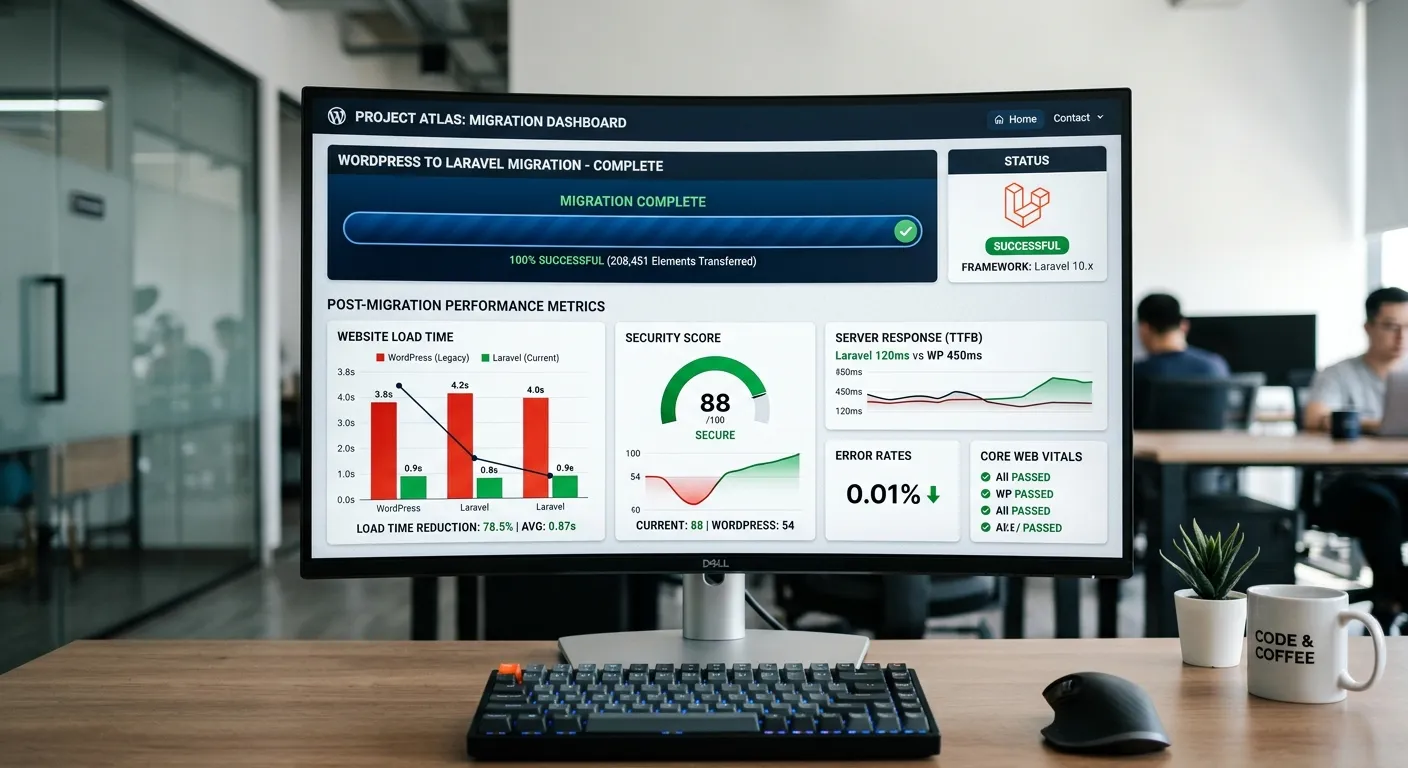
Post-migration, the benefits are tangible: dramatically faster page loads, a reduction in security incidents, a cleaner and more maintainable codebase, and the freedom to innovate without platform constraints. It’s a strategic upgrade that positions your digital presence for the next decade.
Hiring the Right Talent for Your CMS Project
Choosing the right Content Management Software is only half the battle. You need the right team to implement, customize, and manage it. The skills required vary drastically by platform:
- For WordPress: Look for developers proficient in PHP, JavaScript, and the WordPress REST API. Experience with popular page builders (Elementor, Divi) and SEO plugins (Yoast) is a plus. Be wary of"plugin jockeys" who rely solely on pre-built solutions without understanding underlying code.
- For Headless CMS: You need frontend specialists (React, Vue.js, Next.js) who can consume APIs and build engaging interfaces, alongside backend developers to manage the CMS itself.
- For Laravel & Custom Builds: Seek senior PHP/Laravel developers with a deep understanding of MVC architecture, software design patterns, performance optimization, and security best practices. These roles are more specialized and command higher rates but deliver greater value for complex projects.
Whether you need a freelance expert for a short-term migration or a full-time developer to build a custom platform, defining the required skill set is critical. Partnering with a specialized agency can also provide access to a full spectrum of talent, from UI/UX designers to DevOps engineers. To start building your dream team, post your job requirement today and tap into a global pool of CMS experts.
The best CMS developers aren't just technicians; they are business problem solvers. During interviews, present a real business challenge (e.g.,"Our blog loads slowly with 500 posts") and ask for their approach. Their answer will reveal their depth of understanding about performance, caching strategies, and database optimization far more than a list of known plugins.
Frequently Asked Questions (FAQ)
What is the most cost-effective Content Management Software for a small business?
For a true small business just starting, open-source platforms like WordPress or Joomla offer a low initial cost. However,"cost-effective" must consider total cost of ownership (TCO). Over time, plugin subscriptions, premium themes, developer hours for fixes, and potential security incidents can add up. A more modern approach is to start with a scalable, secure foundation like a Laravel platform. While initial development may be higher, its clean architecture and performance can reduce long-term maintenance costs and prevent expensive re-platforming later.
Can I migrate from WordPress without losing my SEO rankings?
Absolutely. Preserving SEO is the #1 priority in any migration. It requires careful planning: conducting a full audit of all indexed URLs, implementing 301 redirects for any changed URLs, migrating all meta tags (title, description), header tags (H1, H2), and alt text for images. The content itself must remain identical. Using a specialized WordPress migration tool designed for this purpose automates much of the process, ensuring data fidelity. The result should be a faster, more secure site with identical content structure, allowing search engines to seamlessly transfer your ranking equity.
How does a headless CMS improve website performance?
A headless CMS improves performance architecturally. First, it allows developers to use modern, lightweight JavaScript frameworks (like Next.js, Nuxt.js, or Gatsby) that can generate static pages or use server-side rendering, resulting in blisteringly fast load times. Second, it decouples the content backend from the frontend, so a slowdown in the admin panel doesn't affect the public site. Third, content delivered via APIs can be easily cached at the edge using CDNs, serving it globally with minimal latency. This focus on performance optimisation is built-in, not bolted-on with plugins.
What ongoing maintenance does a CMS require?
All CMS platforms require maintenance. For traditional systems like WordPress, this is critical and frequent: updating the core, themes, and plugins weekly to patch security vulnerabilities; monitoring performance; managing backups; and reviewing user access. For modern frameworks like Laravel, maintenance is more structured and often less frantic—applying framework updates, monitoring server logs, optimizing databases, and updating composer packages. The key difference is that a well-built Laravel application has fewer external dependencies than a WordPress site with 30+ plugins, reducing the"update fatigue" and risk of conflicts.
When should I consider custom CMS development over an off-the-shelf product?
Consider custom development when your business processes are unique and cannot be efficiently modeled by configuring an existing product. If you need complex, multi-step editorial workflows, deep integration with proprietary internal software, a highly specific data model, or require extreme performance and security standards, a custom solution is the answer. It's also a strategic move to own your core digital infrastructure rather than renting it. Exploring Laravel custom development services can provide a tailored system that evolves perfectly with your business, offering a competitive advantage no off-the-shelf CMS can match.
Ready to Power Your Digital Presence with the Right CMS?
Whether you're launching a new site, planning a critical migration, or need to scale your existing platform, having the right Content Management Software and the expert team to manage it is the key to success. Don't let your CMS hold your business back.
Explore our case studies to see real-world results, or learn more about us and our expertise.