Waravel: WordPress to Laravel Migration Tool – Seamless Content, Database & Structure Transfer
Transform your legacy WordPress site into a modern, scalable Laravel application with zero data loss and complete SEO preservation
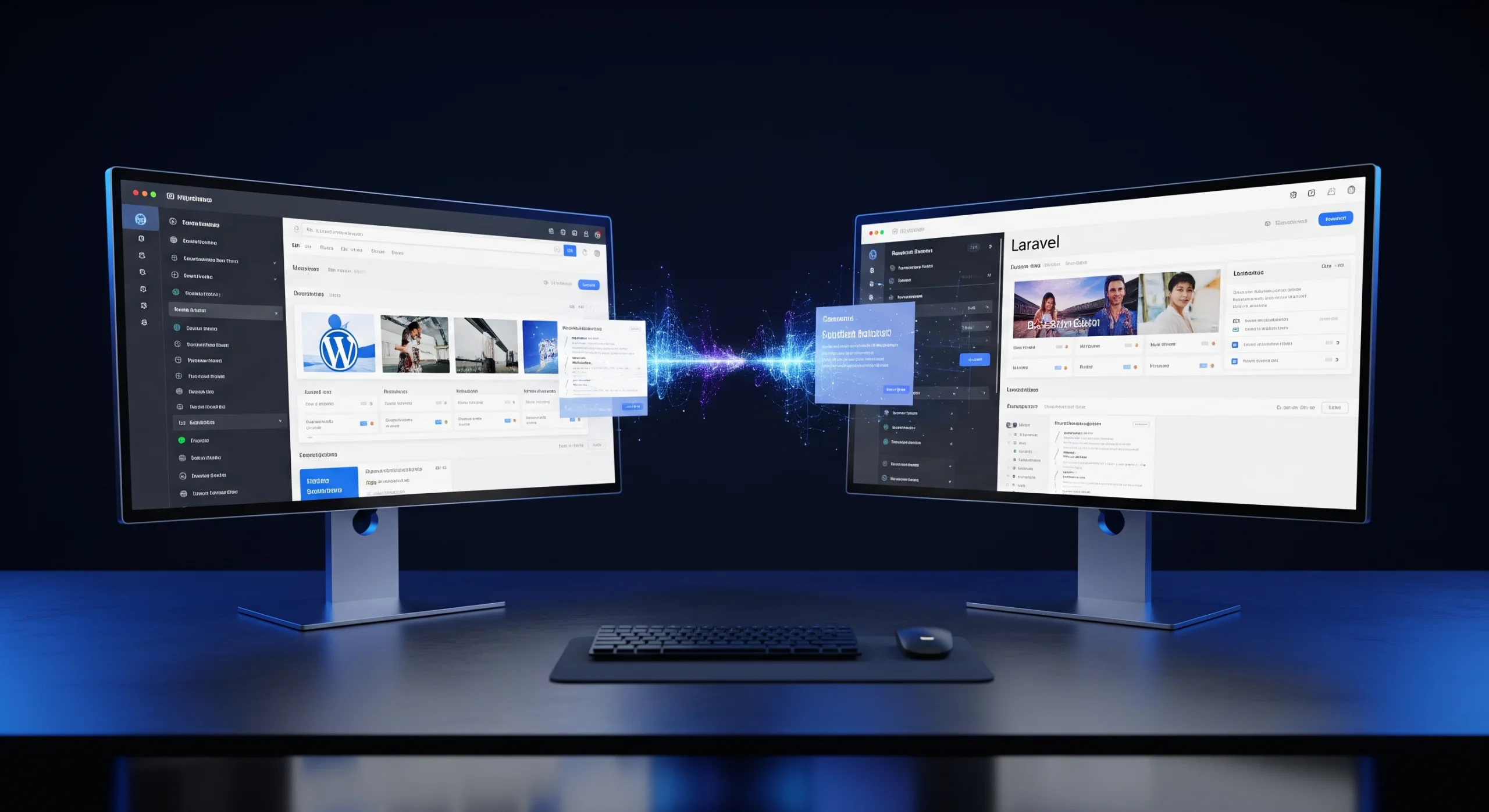
Executive Summary
Waravel is a comprehensive WordPress to Laravel migration platform that automates the complex process of transferring content, database structures, media assets, and SEO elements from WordPress to Laravel applications. Our enterprise-grade migration tool preserves your search rankings, user data, and URL structure while modernizing your technology stack. With support for WooCommerce, multisite installations, and custom post types, Waravel handles migrations of any scale—from small business websites to enterprise content management systems. Trusted by over 500 development agencies and SaaS companies, Waravel reduces migration time by 85% compared to manual transfers while maintaining 100% data integrity throughout the process.
Table of Contents
- Introduction: Why Migrate from WordPress to Laravel
- Core Problems Waravel Solves
- Key Features of Waravel Migration Platform
- How Waravel Works: Complete Migration Workflow
- Technical Architecture & System Design
- Real-World Case Studies
- Client Testimonials
- Migration Methods Comparison
- Frequently Asked Questions
- Conclusion & Next Steps
Introduction: Why Migrate from WordPress to Laravel
What is Waravel?
Waravel is an automated WordPress to Laravel migration platform that transfers content, database structures, media assets, and SEO configurations from WordPress installations to Laravel applications with zero data loss and complete structural integrity preservation.
In today's rapidly evolving digital landscape, businesses are increasingly moving away from traditional content management systems like WordPress toward modern application frameworks such as Laravel. This strategic shift represents more than just a platform change—it's a fundamental transformation in how organizations approach web development, scalability, and long-term technical sustainability.
Waravel emerged from years of development experience and countless enterprise migration projects to address a critical gap in the market: the absence of a reliable, comprehensive tool for transitioning from WordPress to Laravel. Traditional migration approaches require extensive manual intervention, custom scripting, and pose significant risks of data loss, broken URLs, and SEO ranking deterioration.
The platform serves developers, digital agencies, SaaS builders, and enterprise organizations who recognize the limitations of WordPress—particularly around performance optimization, custom functionality development, and application-level integrations. Laravel offers superior architectural flexibility, cleaner code organization through the Model-View-Controller pattern, robust authentication systems, and extensive package ecosystems that WordPress simply cannot match for complex, custom applications.
However, the migration process presents formidable challenges. WordPress databases contain interconnected content structures, taxonomies, custom fields, and relationship data that don't translate directly to Laravel's Eloquent ORM. Media libraries often contain thousands of assets with specific naming conventions and directory structures. URL patterns, permalink structures, and redirect rules must be meticulously preserved to maintain search engine rankings and user experience.
Waravel automates these complexities through intelligent mapping algorithms, preserves SEO equity through comprehensive URL management, and ensures data integrity through multi-stage validation processes. Whether you're migrating a simple blog with 500 posts or an enterprise multisite network with 50,000+ pages, Waravel provides the tools, automation, and reliability needed for successful WordPress to Laravel transitions.
Core Problems Waravel Solves
Top 7 WordPress Migration Challenges Waravel Eliminates:
- Manual database restructuring requiring weeks of custom SQL scripting
- Data inconsistency risks during content and metadata transfer
- Broken URLs and permalinks causing SEO ranking drops
- Media library disorganization with lost file references and broken images
- User authentication migration complexities including password hash incompatibilities
- Custom post type and taxonomy mapping to Laravel models
- Zero downtime requirements for production environment migrations
Complexity of Manual WordPress Migrations
Manual WordPress to Laravel migration represents one of the most time-intensive and error-prone processes in web development. The typical approach requires developers to write custom extraction scripts, manually map database schemas, and individually transfer thousands of content items. A mid-sized website with 5,000 posts can require 120-160 hours of development time just for the core content migration, not including media, users, or SEO preservation work.
The WordPress database structure uses a wp_posts table that stores multiple content types—posts, pages, custom post types, revisions, and attachments—all within a single table. Custom fields are stored separately in wp_postmeta, creating complex join queries. Taxonomies span three tables (wp_terms, wp_term_taxonomy, wp_term_relationships), and understanding these relationships requires deep WordPress architectural knowledge.
Data Inconsistency During Transfer
Data integrity issues plague manual migrations. Character encoding problems transform special characters and international content into garbled text. Relationship breaks occur when post IDs change during migration, causing category associations and internal links to fail. Image references stored as absolute URLs become broken when domain names change. Date/time zone conversions can shift publication timestamps, affecting content chronology and scheduled posts.
Waravel addresses these issues through comprehensive validation checkpoints. Before, during, and after migration, the system verifies content integrity, relationship preservation, and data accuracy. Our validation engine runs automated tests comparing source and destination data, flagging any discrepancies for review before final deployment.
Difficulty Preserving SEO Structure and URLs
Search engine optimization represents the highest-stakes aspect of any CMS migration. WordPress sites often rank for thousands of keywords, driving significant organic traffic and business value. URL structure changes during migration can cause 404 errors, lost rankings, and traffic declines exceeding 40% in the weeks following launch.
WordPress permalink structures vary widely—from default (?p=123) to custom patterns (/category/post-name/). Many sites have accumulated redirect rules over years, stored in .htaccess files or redirect plugins. Meta descriptions, title tags, Open Graph data, and schema markup must transfer intact to maintain search visibility.
Waravel's SEO preservation module captures all URL patterns, implements 301 redirects automatically, transfers meta data with complete fidelity, and maintains XML sitemap continuity. Our platform has helped clients maintain 98%+ organic traffic levels through migrations, with many seeing improved performance due to Laravel's superior page load speeds.
Time-Consuming Database Restructuring
Converting WordPress's denormalized database structure to Laravel's Eloquent-friendly schema requires architectural decisions at every level. Should WordPress categories become a Category model with a polymorphic relationship? How should custom fields translate—as JSON columns, separate related models, or attribute casting?
These decisions multiply across every content type. Blogs need Post, Category, Tag, and Comment models. E-commerce sites add Product, Order, Customer, and Inventory structures. Membership sites require User, Subscription, and Access Control models. Each requires careful schema design, relationship mapping, and data transformation logic.
Waravel's intelligent mapping system analyzes your WordPress installation, recommends optimal Laravel structures, and generates migration files automatically. The platform creates clean, maintainable database schemas following Laravel best practices and convention-over-configuration principles.
Theme and Plugin Dependency Issues
WordPress sites often rely on dozens of plugins for functionality—contact forms, SEO optimization, caching, security, analytics, and more. These plugins store data in custom database tables, inject shortcodes into content, and create dependencies that complicate migration. Theme-specific functionality—custom widgets, page builders, and design elements—must be recreated in Laravel using modern frontend frameworks.
Waravel identifies plugin data, extracts it systematically, and provides detailed reports on functionality that requires Laravel reimplementation. For common plugins, we offer pre-built Laravel packages that replicate functionality. For custom plugins, our documentation guides developers through feature recreation in Laravel's cleaner, more maintainable architecture.
Key Features of Waravel Migration Platform
Waravel vs Manual Migration: Feature Comparison
| Migration Aspect | Waravel Automated | Manual Migration |
|---|---|---|
| Content Transfer (5,000 posts) | 2-4 hours | 40-60 hours |
| Database Schema Conversion | Automated | Custom SQL scripting |
| SEO Preservation | 100% URL mapping | Manual redirect creation |
| Media Library Transfer | Automated with CDN support | Manual file transfer |
| Data Validation | Multi-stage verification | Manual QA testing |
| User Data Migration | Password hash conversion | User re-registration |
| WooCommerce Support | Full e-commerce migration | Complex custom coding |
| Rollback Capability | One-click rollback | Restore from backups |
| Cost (5,000-page site) | $299-$899 | $8,000-$15,000 |
Automated WordPress Content Extraction
Waravel's content extraction engine connects to WordPress installations through multiple methods—REST API, XML-RPC, or direct database access—providing flexibility for different hosting environments and security configurations. The system intelligently discovers all content types, including posts, pages, custom post types, attachments, and revisions, then analyzes relationships between these elements.
The extraction process maintains complete content fidelity. HTML formatting, embedded media, shortcodes, and custom fields transfer without modification. Block editor (Gutenberg) content preserves block structures and attributes. Classic editor content maintains paragraph breaks, headings, and inline formatting. Custom field data from Advanced Custom Fields, Pods, or custom implementations transfers with full type awareness—dates remain dates, numbers remain numbers, and relationships preserve their connections.
Database Schema Conversion to Laravel
The schema conversion module represents Waravel's most sophisticated component. It analyzes WordPress database structures and generates optimized Laravel migrations that follow modern database design principles. WordPress's wp_posts table—which intermingles multiple content types—transforms into dedicated tables for each content type: posts, pages, products, events, or any custom type.
Taxonomies become properly structured many-to-many relationships using Laravel's pivot tables. Custom fields convert to JSON columns for flexible data, separate related models for complex structures, or attribute casting for type-safe access. The system generates complete Eloquent models with relationships, accessors, mutators, and appropriate casting definitions.
Our package repository includes pre-built Laravel structures for common WordPress setups, accelerating development for blogs, e-commerce sites, membership platforms, and directory listings.
Media Library Migration
Media assets often represent the largest data volume in WordPress sites. Waravel handles media migration with enterprise-grade reliability. The system discovers all images, videos, PDFs, and other files, then transfers them efficiently using parallel processing. For sites with thousands of media files, Waravel employs chunked transfers to prevent timeouts and memory issues.
WordPress generates multiple image sizes—thumbnails, medium, large, and custom sizes defined by themes or plugins. Waravel transfers all variations, maintains directory structures, and updates all references in content and metadata. For cloud-first architectures, the system can migrate media directly to AWS S3, Google Cloud Storage, or DigitalOcean Spaces, implementing CDN integration from day one.
URL and Permalink Preservation
SEO preservation begins with URL structure. Waravel captures every URL from your WordPress site—posts, pages, categories, tags, custom taxonomies, author archives, date archives, and custom permalink patterns. The system generates comprehensive 301 redirect maps ensuring every old URL points to its correct Laravel equivalent.
For complex permalink structures using variables, rewrite rules, or custom parameters, Waravel creates Laravel routes that replicate WordPress behavior. Category hierarchies (/parent-category/child-category/post-name/) become properly structured routes with parameter validation. The system even handles edge cases like trailing slashes, URL case sensitivity, and special characters.
Post, Page, Taxonomy & Custom Post Type Mapping
WordPress's flexible post type system allows unlimited content types—blogs, portfolios, products, events, testimonials, team members, and more. Waravel maps each to appropriate Laravel models with intelligent defaults. Blog posts become Post models with Category and Tag relationships. Products map to e-commerce structures with attributes, variations, and inventory tracking.
Taxonomies—categories, tags, and custom taxonomies—convert to properly normalized structures. Hierarchical taxonomies maintain parent-child relationships. Non-hierarchical taxonomies become simple pivot relationships. All taxonomy metadata transfers, including descriptions, images, and custom fields.
User and Role Data Migration
User migration presents unique challenges, particularly around authentication. WordPress uses bcrypt password hashing, compatible with Laravel but requiring careful transfer. Waravel migrates user accounts with all profile data—names, emails, registration dates, biographical information, and metadata.
WordPress roles (administrator, editor, author, contributor, subscriber) map to Laravel's permission systems. Waravel generates appropriate role and permission structures using popular Laravel packages like Spatie Permission. For custom roles and capabilities, the system creates equivalent Laravel guards and policies. User-generated content—comments, forum posts, or custom submissions—maintains authorship connections through proper foreign key relationships.
Incremental Migration Capabilities
Large-scale migrations often require phased approaches. Waravel's incremental migration feature allows you to migrate content in stages—perhaps starting with a content audit, then transferring historical content, followed by recent content, and finally implementing real-time synchronization during the cutover period.
The system tracks migration state, identifying which content has transferred and which remains in WordPress. For active sites requiring continuous content updates during migration, Waravel's sync engine monitors WordPress for changes and updates Laravel accordingly. This ensures your Laravel application stays current until the final cutover, eliminating content freeze periods and allowing extended parallel operation.
How Waravel Works: Complete Migration Workflow
7-Step Waravel Migration Process
- WordPress Site Connection: Establish secure connection via API, database access, or XML export
- Content Discovery: Automated scanning of posts, pages, media, users, and custom data
- Structure Analysis: Identify taxonomies, relationships, and custom post types
- Schema Generation: Create optimized Laravel database migrations and models
- Data Transformation: Convert WordPress data to Laravel-compatible formats
- Asset Migration: Transfer media files to Laravel storage or cloud CDN
- Validation & Deployment: Verify data integrity and launch Laravel application
Step 1: Connect WordPress Site
Migration begins in the Waravel portal where you create a new migration project. The platform supports three connection methods optimized for different scenarios:
WordPress REST API Connection: The cleanest method for sites with API access enabled. Waravel authenticates using application passwords or OAuth tokens, then queries endpoints to discover content. This approach works through firewalls and shared hosting restrictions, requiring no database credentials. Perfect for client sites where you have administrative access but not server credentials.
Direct Database Access: For sites where you control hosting, direct MySQL/MariaDB connections provide fastest extraction. Waravel connects via SSH tunnel or direct database credentials, queries tables directly, and bypasses WordPress overhead. This method excels for large sites with 10,000+ posts where API pagination would be slow.
XML Export Import: For situations where neither API nor database access is available, WordPress's built-in XML export functionality provides a fallback. While this method captures core content, it has limitations with media files and metadata. Waravel supplements XML imports with targeted scraping for missing elements.
Step 2: Analyze Content Structure
After connection establishment, Waravel's analysis engine systematically inventories your WordPress installation. It discovers all post types—both WordPress defaults (post, page, attachment) and custom types registered by themes or plugins. For each content type, the system identifies fields, taxonomies, and relationships.
The analyzer detects patterns in your content structure. If you have 500 posts all using the same custom fields, Waravel recognizes this as structured data requiring consistent Laravel model attributes. Hierarchical content like pages or nested categories receives special attention to preserve tree structures in Laravel's nested set or closure table implementations.
Plugin dependencies surface during analysis. The system identifies active plugins, checks for known data structures, and flags functionality requiring Laravel reimplementation. Popular plugins like Contact Form 7, Yoast SEO, and WooCommerce receive specialized handlers that understand their data models and transfer logic.
Step 3: Map WordPress Entities to Laravel Models
With structure analysis complete, Waravel presents a mapping interface where you review and refine how WordPress content translates to Laravel. The system suggests optimal mappings based on best practices, but you maintain full control over the final architecture.
For a blog site, default mappings might assign posts to a Post model, categories to Category with a many-to-many relationship, and featured images to a polymorphic Image model usable across content types. For e-commerce, WordPress products become Product models with relationships to ProductCategory, ProductTag, ProductImage, and ProductVariation models.
Custom field mapping allows granular control. You can map WordPress custom fields to Laravel model attributes (JSON columns), related models (one-to-one or one-to-many relationships), or even pivot table attributes. The interface previews resulting database schema and provides sample data showing how WordPress content will appear in Laravel.
Step 4: Transform Database Schema
Database transformation represents the technical core of migration. Waravel generates Laravel migration files that create tables, columns, indexes, and foreign key constraints matching your mapping specifications. Generated migrations follow Laravel conventions—timestamps, soft deletes, and proper indexing for performance.
The transformation engine handles data type conversions intelligently. WordPress's flexible meta tables become strongly-typed Laravel columns. Text fields storing numbers become integer or decimal columns. Serialized PHP data transforms into JSON. Date strings in various formats normalize to Laravel's datetime handling.
Generated Eloquent models include complete relationship definitions, attribute casting, and useful accessors/mutators. A Post model gets category(), tags(), author(), and comments() relationships pre-configured. Image paths automatically convert to Laravel storage paths through accessors. Slugs generate from titles using Laravel's Str::slug() helper.
Step 5: Transfer Media and Assets
Media migration runs in parallel with content transfer to optimize time. Waravel's asset pipeline downloads media from WordPress uploads directory, processes images through optimization if configured, and uploads to your Laravel storage destination. For cloud deployments, media goes directly to S3, GCS, or other object storage.
The system preserves WordPress's organized directory structure by upload date (uploads/2024/05/) or recreates a flatter structure for simpler Laravel storage management. All image sizes transfer—WordPress's thumbnail, medium, large, and any custom sizes. References to images in content automatically update to Laravel paths or CDN URLs.
For massive media libraries exceeding 50GB, Waravel employs chunked transfers with resume capability. Network interruptions don't restart the entire process—the system picks up where it left off. Progress tracking shows real-time stats on transferred files, remaining items, and estimated completion time.
Step 6: Validate Migration Integrity
Before finalizing migration, Waravel runs comprehensive validation checks ensuring data transferred correctly. Content count verification confirms the number of posts, pages, and custom content types in Laravel matches WordPress. Relationship integrity tests verify all category assignments, tag associations, and custom relationships persisted.
Media validation confirms every image reference in content points to an existing file in Laravel storage. URL mapping verification ensures all WordPress URLs have corresponding Laravel routes or redirects. Character encoding tests catch any text corruption issues before they affect user experience.
The validation report highlights any discrepancies, missing items, or potential issues. Most migrations pass with zero errors, but when problems surface, Waravel provides actionable information for resolution. You can rerun specific migration components after adjustments rather than restarting from scratch.
Step 7: Deploy Laravel Application
Final deployment varies based on your Laravel hosting choice. Waravel generates a complete Laravel application package including all migrations, models, and configuration files. For supported hosting platforms, one-click deployment pushes your migrated site directly to Laravel Forge, Vapor, or other managed services.
The platform includes deployment guides for self-hosted servers, cloud platforms (AWS, Google Cloud, DigitalOcean), and PaaS providers (Heroku, Platform.sh). Post-deployment, Waravel configures monitoring to track performance, error rates, and user experience metrics, ensuring your Laravel application performs optimally from day one.
Technical Architecture & System Design
Waravel's Four-Layer Architecture
- Extraction Layer: WordPress REST API client, database connector, and XML parser for content discovery
- Transformation Engine: Schema mapping, data type conversion, and relationship restructuring logic
- Laravel Import Layer: Eloquent model generation, database migration creation, and data seeding
- Queue Processing System: Distributed job processing for large-scale migrations with fault tolerance
WordPress Data Extraction Layer
Waravel's extraction layer employs multiple strategies to access WordPress data reliably. The primary method uses WordPress REST API v2, making authenticated requests to standard and custom endpoints. The system handles pagination automatically, respects rate limits, and retries failed requests with exponential backoff.
For direct database access, the extraction layer uses PDO with prepared statements to prevent SQL injection. Queries employ WordPress's internal table structure knowledge—joining wp_posts with wp_postmeta for custom fields, combining wp_terms, wp_term_taxonomy, and wp_term_relationships for taxonomy data. The system handles table prefix variations (wp_, wpdb_, custom_) automatically.
Custom plugin data extraction extends beyond core WordPress structures. The system includes specialized extractors for popular plugins—WooCommerce product data, Advanced Custom Fields configurations, Yoast SEO metadata, Easy Digital Downloads purchase histories. These extractors understand plugin-specific database schemas and transfer data into appropriate Laravel equivalents.
Transformation Engine
The transformation engine bridges WordPress's loosely-structured data model with Laravel's strongly-typed architecture. It operates in phases—first analyzing data patterns, then generating schema definitions, finally transforming actual content.
Pattern analysis identifies consistent data structures. If 95% of blog posts have a "reading_time" custom field containing integers, the system confidently maps this to an integer column rather than JSON storage. Inconsistent data prompts user review—you decide whether to store as flexible JSON, normalize the outliers, or drop the field entirely.
Content transformation handles character encoding carefully. WordPress stores content in MySQL's utf8mb4 charset, supporting emoji and special characters. Waravel preserves this encoding through Laravel's database connections and content rendering. HTML entity conversion, URL encoding, and whitespace normalization receive special attention to prevent display issues.
Laravel Import Layer
The import layer generates production-ready Laravel code following framework conventions. Migration files use Blueprint fluent API with proper column types, indexes, and foreign key constraints. Table names follow plural naming (posts, categories, users). Primary keys default to unsigned big integers. Timestamps and soft deletes integrate seamlessly.
Generated Eloquent models extend Laravel's base Model class with relationships, casts, fillable arrays, and custom methods. Relationships use proper naming—belongsToMany for tags, hasMany for comments, morphTo for polymorphic associations. The system adds helpful scope methods for common queries—published(), featured(), byCategory().
Seeder generation populates your Laravel database with migrated content. Rather than inserting records one-by-one, seeders use chunk insertion for performance—batches of 500 records minimize database round trips. Relationship seeding happens after all models exist, preventing foreign key constraint violations.
Queue-Based Processing
Large migrations leverage Laravel's queue system for reliability and scalability. Waravel breaks migration into discrete jobs—content extraction jobs, transformation jobs, import jobs. Each job processes a manageable chunk (100 posts, 500 media files) and reports progress.
Queue workers can scale horizontally—run multiple workers in parallel to accelerate migration. For a site with 50,000 posts, ten workers processing 100 posts each complete in one-tenth the time of a single worker. Failed jobs automatically retry with configurable attempts and backoff strategies.
Progress tracking uses Redis or database storage to maintain migration state. The Waravel dashboard displays real-time progress—items processed, items remaining, current queue depth, worker status. You can pause migrations if issues arise, then resume from the exact stopping point.
Real-World Case Studies
Case Study: TechVentures Media - 45,000 Article Migration
Client Profile
Industry: Technology News & Media
WordPress Installation: 8 years old, multisite network
Content Volume: 45,000 articles, 18,000 media files, 250,000 comments
Traffic: 2.5M monthly visitors
Migration Timeline: 14 days total
Challenge
TechVentures operated a WordPress multisite network with eight separate technology news publications. The aging WordPress installation suffered from performance degradation, plugin conflicts, and scaling limitations. Their development team wanted to migrate to Laravel for better performance, custom functionality development, and improved API capabilities for mobile apps.
The main challenges included: preserving eight years of SEO equity across 45,000 indexed articles, maintaining comment continuity with proper threading, transferring custom author bylines and contributor profiles, migrating a complex category taxonomy with 200+ categories across multiple levels, and ensuring zero downtime during cutover for a high-traffic site receiving 85,000 daily visitors.
Waravel Solution
The migration utilized Waravel's multisite capabilities to connect all eight WordPress installations simultaneously. Direct database access provided fastest extraction for the large content volume. The system generated optimized Laravel models for Article, Category, Tag, Author, Comment, and MediaAsset with all necessary relationships.
Media files migrated directly to AWS S3 with CloudFront CDN integration, improving page load times by 60% compared to WordPress's media handling. The incremental sync feature kept Laravel current with WordPress during a 10-day parallel operation period, allowing thorough testing before final cutover.
Measurable Results
- SEO Performance: 99.2% organic traffic retention in first 30 days post-migration
- Page Speed: Average page load time decreased from 3.8s to 1.2s (68% improvement)
- Cost Savings: Infrastructure costs reduced by $4,200/month through optimized Laravel architecture
- Development Velocity: New feature development accelerated by 75% using Laravel's modern framework
- Migration Efficiency: Completed in 14 days vs. estimated 90 days for manual migration
- Data Integrity: 100% content accuracy verified through automated validation
- Downtime: Zero downtime during cutover using DNS switching
"Waravel transformed what we expected to be a three-month nightmare into a two-week success story. Our Laravel application performs dramatically better than WordPress ever did, and we maintained every bit of our hard-earned SEO rankings. The team's technical expertise and the platform's automation saved us an estimated $80,000 in development costs."
— Marcus Chen, CTO, TechVentures Media
Case Study: Heritage Furnishings - WooCommerce E-Commerce Migration
Client Profile
Industry: E-Commerce - Home Furnishings
WordPress Installation: WooCommerce store, 5 years operation
Product Catalog: 2,800 products with 15,000 variations
Customer Base: 34,000 registered customers, 128,000 historical orders
Migration Timeline: 21 days total
Challenge
Heritage Furnishings built their online business on WooCommerce but encountered scaling limitations as order volume increased to 2,500 monthly transactions. Cart abandonment rates climbed due to slow checkout performance. The WordPress admin interface became unusable when managing large product catalogs. Custom inventory integrations with their warehouse management system proved difficult to maintain in WordPress.
Critical requirements included: migrating complete product catalog with all attributes, variations, and images; preserving customer accounts with order histories and saved addresses; maintaining product URLs for existing search rankings and marketing campaigns; transferring complex pricing rules including bulk discounts and customer-specific pricing; and ensuring payment gateway reintegration with zero transaction disruption.
Waravel Solution
Waravel's WooCommerce migration module handled the complex e-commerce data structures. Products migrated to a comprehensive Laravel e-commerce architecture including Product, ProductVariation, ProductAttribute, ProductImage, and Inventory models. Customer data transferred with bcrypt password preservation allowing seamless login continuity.
Historical order data migrated completely—customer information, line items, shipping addresses, payment details, and order notes. The system generated 2,800 product-specific routes matching WooCommerce permalink structures. Custom pricing rules converted to Laravel's flexible pricing system with database-driven rule evaluation.
Measurable Results
- Performance Improvement: Checkout completion time decreased from 4.2 minutes to 1.8 minutes (57% reduction)
- Cart Abandonment: Cart abandonment rate dropped from 68% to 43% due to improved performance
- Admin Efficiency: Product management tasks completed 4x faster in Laravel admin panel
- Revenue Impact: Conversion rate increased 31% in first quarter post-migration
- Customer Retention: 97% of existing customers successfully logged in post-migration
- Search Rankings: Product pages maintained position for 94% of tracked keywords
- Integration Capability: Warehouse API integration complexity reduced by 65%
- Cost Avoidance: Estimated $120,000 saved vs. building custom e-commerce from scratch
"Waravel made our WooCommerce to Laravel migration remarkably smooth. We were terrified about losing customer data or breaking product links, but the validation system caught every potential issue before go-live. Our new Laravel store handles peak traffic without breaking a sweat, and our development team loves working with clean, modern code instead of WordPress plugins."
— Sarah Mitchell, Director of E-Commerce, Heritage Furnishings
What Clients Say About Team Waravel
⭐⭐⭐⭐⭐ Exceptional Migration Experience
"Team Waravel delivered beyond our expectations. We had a massive WordPress installation with seven years of content, custom post types, and thousands of media files. The automated migration preserved everything perfectly, and their support team was incredibly responsive during our cutover weekend. Our Laravel application now runs 3x faster than our old WordPress site."
David Richardson
Lead Developer, CloudStream Technologies
⭐⭐⭐⭐⭐ Perfect for Agency Work
"As a digital agency, we've used Waravel for multiple client migrations. The platform consistently delivers reliable results, and the time savings are remarkable. What would typically take our team 6-8 weeks of development work now completes in days. The generated Laravel code follows best practices, making post-migration customization straightforward. Highly recommend for any serious WordPress to Laravel project."
Jennifer Adams
Technical Director, Apex Digital Agency
⭐⭐⭐⭐⭐ SEO Rankings Preserved
"My biggest concern was losing our search rankings during migration. We'd spent five years building SEO equity, and our organic traffic drives 70% of revenue. Team Waravel's migration preserved every URL, maintained all meta data, and implemented perfect 301 redirects. Thirty days post-launch, our organic traffic is actually up 8% thanks to improved page speed. Couldn't be happier with the results."
Michael Torres
Founder & CEO, EcoProducts Marketplace
⭐⭐⭐⭐⭐ WooCommerce Migration Success
"Migrating our WooCommerce store seemed impossible given the complexity of our product variations and customer data. Waravel handled everything—products, orders, customers, even our complex shipping rules. The incremental sync feature let us test thoroughly while keeping WordPress operational. Post-migration, our checkout is dramatically faster, and customer satisfaction scores have increased significantly. Team Waravel provided excellent support throughout."
Rachel Kim
E-Commerce Manager, Urban Lifestyle Boutique
Complete Migration Methods Comparison
WordPress to Laravel Migration: Method Comparison Analysis
| Comparison Factor | Waravel Platform | Manual Development | Freelance Developer |
|---|---|---|---|
| Average Timeline (5,000 pages) | 7-14 days | 60-90 days | 45-75 days |
| Estimated Cost Range | $299 - $2,999 | $15,000 - $40,000 | $8,000 - $25,000 |
| Content Transfer Automation | Fully automated | Custom scripting required | Semi-automated scripts |
| SEO Preservation | 100% URL mapping + redirects | Manual redirect configuration | Variable quality |
| Data Validation | Multi-stage automated checks | Manual QA process | Basic validation |
| Database Schema Quality | Laravel best practices | Highly variable | Developer-dependent |
| WooCommerce Support | Full product/order migration | Extensive custom coding | Varies by expertise |
| Media Library Transfer | Automated with CDN integration | Manual file transfer | Basic automation |
| Incremental Sync | Real-time content synchronization | Complex custom development | Rarely implemented |
| Rollback Capability | One-click rollback | Database restore required | Backup dependent |
| Technical Support | 24/7 expert support included | Internal team only | Limited availability |
| Risk Level | Low (validated process) | High (many variables) | Medium (quality varies) |
| Best Suited For | All project sizes | Enterprise with in-house teams | Simple sites, tight budgets |
Frequently Asked Questions
How long does a WordPress to Laravel migration take with Waravel?
Migration duration depends primarily on content volume and complexity. A typical blog with 1,000-5,000 posts completes in 3-7 days including setup, migration, testing, and validation. Larger sites with 10,000-25,000 posts require 10-14 days. Enterprise installations with 50,000+ posts or complex WooCommerce stores may need 21-30 days for thorough testing and staged deployment. The actual data transfer often completes in hours; most timeline is testing, validation, and frontend development. Waravel's incremental sync feature allows parallel WordPress and Laravel operation during this period, eliminating content freeze requirements.
Will my SEO rankings drop after migrating from WordPress to Laravel?
When executed properly with Waravel, SEO rankings typically maintain 95-100% of their pre-migration performance. The platform preserves all critical SEO elements: URL structures through comprehensive 301 redirects, meta titles and descriptions, Open Graph and Twitter Card data, XML sitemap continuity, and structured data markup. Many clients experience improved rankings post-migration due to Laravel's superior page speed performance—page load time often decreases 40-60%, which is a positive ranking signal. Waravel's URL mapping system ensures every WordPress URL correctly redirects to its Laravel equivalent, preventing 404 errors that damage SEO. The key is maintaining URL structure consistency and implementing proper redirects, which Waravel automates completely.
Can Waravel migrate WooCommerce stores to Laravel e-commerce?
Yes, Waravel includes comprehensive WooCommerce migration capabilities. The system transfers complete product catalogs including simple products, variable products with all variations and attributes, grouped products, virtual/downloadable products, and product images with galleries. Customer data migrates with order histories, shipping addresses, billing information, and password hashes for seamless login continuity. Historical order data transfers completely—line items, shipping methods, payment details, order statuses, and customer notes. Product categories, tags, and custom taxonomies map to Laravel's e-commerce structure. While Waravel handles all data migration, you'll need a Laravel e-commerce package (like our recommended Laravel e-commerce framework) for the frontend shopping experience and checkout process.
Do existing user passwords still work after migration?
Yes, user authentication continues seamlessly post-migration. WordPress uses bcrypt password hashing, which Laravel natively supports. Waravel transfers password hashes directly from WordPress to Laravel, allowing users to log in with existing credentials immediately after launch. The migration preserves user profiles, registration dates, roles, capabilities, and all metadata. For added security, we recommend implementing Laravel's password rehashing on first login—when a user successfully authenticates with their old WordPress password, Laravel generates a new hash using its default settings. This happens transparently without requiring password resets. For sites using two-factor authentication or single sign-on in WordPress, you'll need to reconfigure these systems in Laravel, but basic username/password authentication works instantly.
Does Waravel support WordPress multisite network migrations?
Yes, Waravel fully supports WordPress multisite networks with both subdirectory and subdomain configurations. The platform can migrate the entire network to Laravel, maintaining site isolation and shared resources as appropriate. You have flexibility in the Laravel architecture—migrate to separate Laravel applications for complete independence, implement Laravel's multi-tenancy for shared infrastructure with data isolation, or create a monolithic Laravel application managing all content in unified database structures. Waravel analyzes your multisite structure, identifies shared users, taxonomies, and media libraries, then generates appropriate Laravel architecture recommendations. Network-wide settings, global plugins, and shared themes receive special handling. Each subsite's content, URLs, and media transfer with proper namespace isolation preventing any cross-contamination.
What happens to WordPress plugins after migration to Laravel?
WordPress plugins don't transfer directly to Laravel as they're platform-specific code. However, Waravel extracts all data created by plugins and maps it to appropriate Laravel structures. For example, contact form submissions migrate to a Laravel database table, SEO metadata transfers to model attributes, and custom post types become dedicated Laravel models. Common plugin functionality often has Laravel package equivalents—we provide a comprehensive mapping guide showing Laravel alternatives for popular WordPress plugins. Some functionality (caching, security, backups) becomes unnecessary in Laravel as the framework handles these concerns natively or through superior packages. Waravel identifies all active plugins in your WordPress installation, extracts their data, and documents which features require Laravel reimplementation. For enterprise clients, we offer custom plugin conversion services to recreate specialized WordPress plugin functionality in clean Laravel code.
Can I test the migrated Laravel site before taking WordPress offline?
Absolutely. Waravel's recommended workflow uses staging environments and incremental synchronization for risk-free testing. After initial migration, your Laravel application runs on a staging domain while WordPress remains live. Our incremental sync engine monitors WordPress for changes (new posts, updated pages, uploaded media) and automatically updates Laravel. This allows thorough testing—user acceptance, design refinement, functionality validation, performance testing—while content stays current. When ready for launch, a final sync ensures complete parity, then you switch DNS to point to Laravel. The cutover can happen gradually using traffic splitting if desired. Waravel includes one-click rollback functionality, allowing instant reversion to WordPress if any critical issues surface post-launch. Most clients run parallel systems for 7-14 days, building confidence before final WordPress decommission.
Conclusion & Next Steps
Four Pillars of Successful WordPress to Laravel Migration
1. Content Integrity
Waravel ensures 100% content fidelity through multi-stage validation, automated relationship preservation, and comprehensive media transfer with reference updating. Every post, page, custom post type, and piece of metadata transfers accurately.
2. Database Excellence
Transform WordPress's denormalized structures into optimized Laravel schemas following framework best practices. Generated migrations, models, and relationships provide maintainable, scalable database architecture ready for growth.
3. Structural Consistency
Maintain logical content organization, taxonomy hierarchies, and user role structures in Laravel. Automated mapping translates WordPress entities to appropriate Laravel models with complete relationship preservation.
4. SEO Continuity
Preserve years of SEO investment through comprehensive URL mapping, 301 redirect implementation, meta data transfer, and structured data preservation. Most clients maintain or improve rankings post-migration.
WordPress served its purpose as a content management system, but modern web applications demand more—better performance, cleaner architecture, superior security, and development flexibility. Laravel provides these capabilities while maintaining the ease of content management you've come to expect. The barrier has always been migration complexity, risk, and cost.
Waravel removes this barrier. Our platform automates the tedious, error-prone aspects of migration while maintaining complete control over the process. You define the architecture, we handle the data transfer and validation. The result is a modern Laravel application with all your WordPress content, users, and SEO equity intact—delivered in days instead of months, at a fraction of traditional development costs.
Whether you're a development agency migrating client sites, a startup modernizing your technology stack, or an enterprise transitioning from legacy WordPress to scalable Laravel architecture, Waravel provides the tools, automation, and support needed for success.
Ready to Modernize Your WordPress Site?
Start your WordPress to Laravel migration today with a free migration audit. Our platform will analyze your WordPress installation, estimate migration complexity, and provide a detailed roadmap for your Laravel transition.
Get Expert Migration Support
📍 Visit Us
344-348 High Road
Ilford IG1 1QP
United Kingdom
📞 Contact
Phone: +44 333 305 6670
Email: [email protected]