Unlock Your Digital Potential: The Ultimate Guide to Choosing and Mastering a Modern Content Management System
Navigate the complex landscape of CMS platforms, from traditional giants to modern Laravel-powered solutions, and discover the strategic power of a well-chosen system for your business growth.
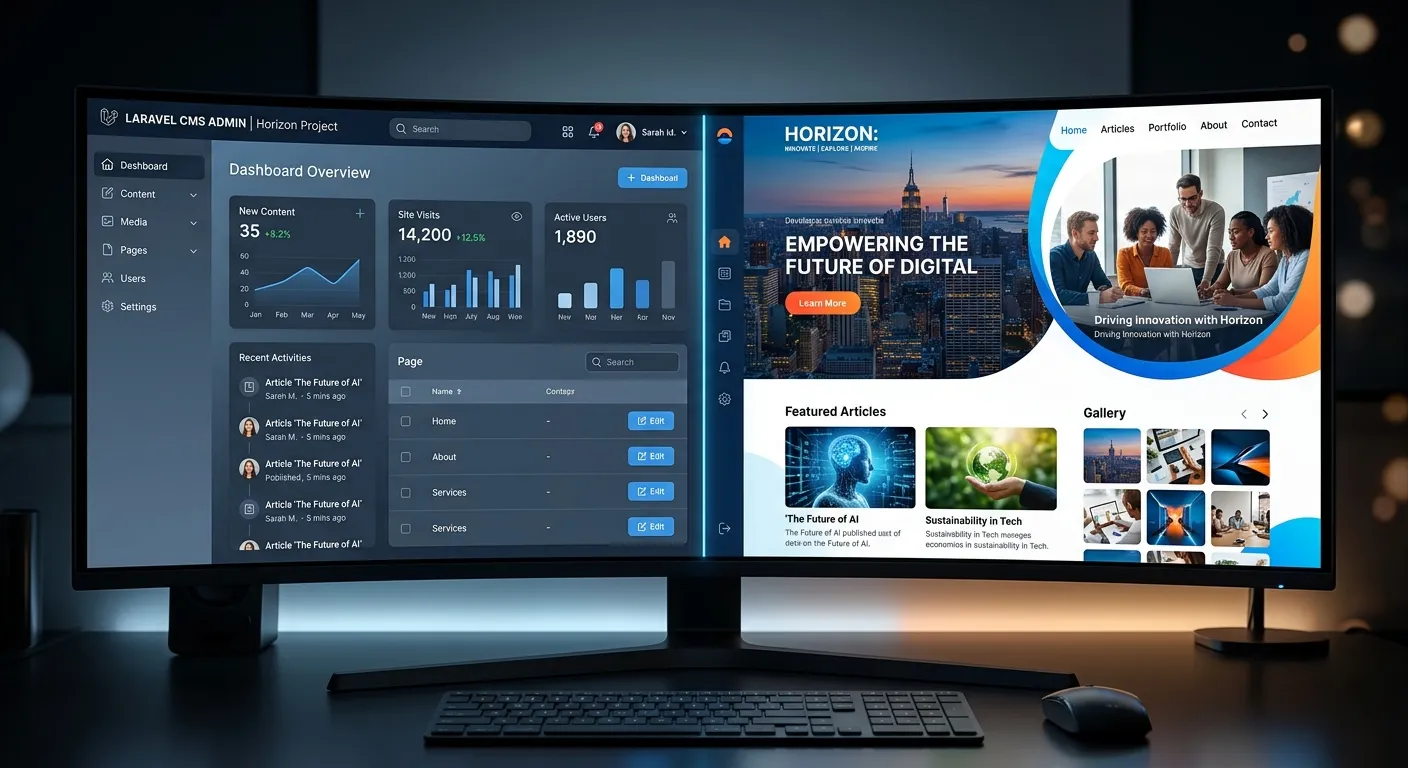
CMS Platforms Decoded: Your Multi-Category Overview
Understanding the different types of CMS is the first step to making an empowered decision for your digital presence.
The Monolithic Workhorses
Traditional CMS platforms like WordPress, Joomla, and Drupal combine the content repository, admin panel, and front-end presentation layer into a single, integrated system. They are renowned for their user-friendly interfaces, vast plugin ecosystems, and relatively low barrier to entry. For many organizations, including educational institutions managing their digital portals, a traditional CMS offers a solid foundation. For instance, a university website built on a robust CMS provides a centralized hub for news, course materials, and student resources.
Pro-Tip:
While traditional CMS platforms are great for getting started, they often face challenges with scalability, performance, and security as a site grows. Regular maintenance, including updates and performance optimisation, becomes critical to prevent slowdowns and vulnerabilities.
The key advantage is the all-in-one nature, allowing non-technical staff to manage content effectively. However, this tight coupling can become a limitation when you need to deliver content to multiple channels (web, mobile app, IoT devices) or require highly customized functionality beyond what plugins can offer.
The Agile Content Engines
A headless CMS decouples the content backend from the presentation layer. It provides a content repository and API, allowing developers to fetch content and display it on any front-end framework (React, Vue.js, a mobile app, etc.). This architecture offers unparalleled flexibility for creating omnichannel digital experiences.
Brands that require a consistent content experience across a website, a native mobile app, and digital kiosks often turn to headless solutions. It empowers front-end developers to use their preferred tools while content teams work in a clean, focused interface. However, it requires more development resources upfront and shifts the burden of building the presentation layer entirely to the development team.
Expert Insight:
Adopting a headless CMS is a strategic move that aligns with modern digital branding principles. It future-proofs your content by making it channel-agnostic, allowing your brand story to adapt seamlessly to new technologies and platforms as they emerge.
The Best of Both Worlds: Power & Flexibility
Modern Laravel-powered Content Management Systems represent a powerful hybrid approach. They offer the developer-friendly, robust architecture of the Laravel PHP framework combined with intuitive content management capabilities. Platforms like Waravel provide a sophisticated admin panel that feels familiar to WordPress users but is built on a secure, scalable, and performant Laravel foundation.
This model is ideal for businesses that have outgrown traditional CMS limitations but don't want the full complexity of a pure headless setup. You get a structured backend, a flexible presentation layer, and the ability to deeply customize every aspect of your application. For projects requiring complex data relationships, custom workflows, or high-traffic performance, a Laravel CMS is often the superior choice. Exploring a detailed Laravel CMS comparison can reveal the specific advantages for your use case.
Migrating to a Laravel-based system, such as through a service like Migrate WordPress to Laravel Effortlessly, allows organizations to retain their valuable content while upgrading their technology stack for better security, speed, and long-term maintainability.
Core Benefits of a Modern Content Management System
A well-implemented CMS is more than a tool; it's a strategic asset that drives efficiency, brand consistency, and growth.
Streamlined Content Operations
Empower marketing teams, editors, and department heads to publish, update, and schedule content without relying on developers. Advanced workflows, version control, and collaborative editing tools turn content creation from a bottleneck into a smooth, efficient process. Modern systems even offer powerful tools for bulk operations, something often lacking in legacy platforms.
Unified Brand Consistency
A CMS enforces design templates and component libraries, ensuring every page and post aligns with your brand guidelines. This is crucial for institutions and large enterprises where multiple contributors are involved. It transforms your website from a collection of pages into a cohesive digital brand asset, a principle detailed in our Strategic Brand Building Guide.
Enhanced SEO & Performance
Modern CMS platforms are built with search engine optimization and site speed as core priorities. They provide intuitive controls for meta tags, structured data, clean URLs, and automatic sitemap generation. Combined with robust caching and optimized code architecture—like that found in a Laravel Platform—they ensure your site ranks well and delivers a fast user experience, which is directly tied to conversion rates and user satisfaction.
Robust Security & Scalability
Legacy CMS platforms are frequent targets for attacks due to their widespread use and plugin vulnerabilities. A modern, well-architected Content Management System, especially one built on a framework like Laravel, provides a more secure foundation. Regular, non-breaking updates, strong authentication, and principled architecture allow your site to scale securely with your business, handling traffic spikes and growing content libraries without compromise.
Future-Proof Flexibility
Your digital needs will evolve. A flexible CMS allows for the integration of new technologies—be it AI-powered content suggestions, e-commerce functionality, or advanced membership systems—without requiring a complete rebuild. This extensibility is a hallmark of systems that prioritize developer experience and clean code, allowing for custom development services to seamlessly extend core functionality.
Comprehensive Analytics & Insight
Beyond publishing, a modern CMS provides valuable data on content performance. Understand what resonates with your audience, track user journeys, and make data-driven decisions to refine your content strategy. This closed-loop system turns your CMS into a central hub for both delivery and measurement, aligning perfectly with data-informed core features of advanced platforms.
Strategic Implementation: From Selection to Launch
Choosing the Right CMS: A Framework for Decision-Making
Selecting a Content Management System is a strategic decision with long-term implications. It's not about finding the"best" CMS in a vacuum, but the best one for your specific needs, team skills, and growth trajectory. Start by conducting a thorough audit of your current and future requirements.
- Team & Skills: Who will be using it? Do you have in-house Laravel developers, or are you reliant on a marketing team familiar with WordPress? The learning curve matters.
- Content Complexity: Are you managing simple blog posts, or complex product catalogs with custom fields, multilingual support, and intricate relationships?
- Integration Needs: Must the CMS connect with a CRM, ERP, payment gateway, or third-party SaaS tools? API-first architecture may be critical.
- Performance Demands: Expected traffic levels and page speed requirements can rule out some platforms. A high-traffic news portal or e-learning platform like a Cms Bahria University portal would have different demands than a small business brochure site.
- Budget & Total Cost of Ownership: Consider not just the initial license or development cost, but ongoing expenses for hosting, updates, security, plugins, and developer support.
For many businesses realizing the limitations of their current platform, a migration becomes the logical next step. A well-planned user migration process ensures that both content and user accounts are transferred securely and accurately to the new system.
The Migration Imperative: Upgrading Your Foundation
Many organizations find themselves on a CMS that no longer serves their ambitions. Perhaps it's a legacy system, a WordPress site buckling under custom code and plugin bloat, or a proprietary platform that's too expensive to modify. Migration to a modern Content Management System is a project that requires careful planning but offers immense strategic reward.
Critical Migration Considerations:
- Content Integrity: The #1 fear is losing data. Using automated tools designed for this purpose, like those detailed in our guide on how to migrate your entire WordPress site to Laravel, mitigates this risk entirely.
- SEO Preservation: Maintaining URL structures, meta data, and sitemaps is non-negotiable to protect hard-earned search rankings. A proper migration includes 301 redirects and SEO metadata transfer.
- User Experience Continuity: The admin interface for your team should be intuitive or familiar. Platforms like Waravel are built with a Laravel CMS like WordPress in mind, ensuring a smooth transition for content editors.
- Functionality Parity & Enhancement: Map all existing features and plugins. The goal isn't just to replicate but often to improve and streamline during the migration.
Successful migration is more than a technical lift-and-shift; it's an opportunity to audit your content, refine your information architecture, and launch on a platform built for the next decade of your growth. Reviewing real-world case studies can provide valuable insights into the process and outcomes.
Frequently Asked Questions About Content Management Systems
Get clear, actionable answers to the most common questions we hear from businesses evaluating their CMS options.
WordPress is a monolithic, all-in-one CMS designed for ease of use with a vast plugin ecosystem. A Laravel-based CMS (like Waravel) uses the Laravel PHP framework as its foundation, offering a more developer-centric, secure, and scalable architecture. The key difference is in the underlying philosophy: WordPress prioritizes user-friendliness and extensibility via plugins, which can sometimes lead to performance and security issues. A Laravel CMS prioritizes clean code, maintainability, and performance, giving developers full control to build custom functionality without relying on potentially conflicting plugins. It's the difference between buying a pre-fabricated house and architecting a custom-built one. For a deeper analysis, see our Laravel CMS October alternative comparison.
The complexity depends on the size and customization of your WordPress site. For a standard site with posts, pages, and media, automated migration tools have made the process remarkably straightforward, handling content, users, and SEO metadata. For highly customized sites with complex post types and plugin data, the migration requires more planning to map and transfer that custom functionality into the new Laravel structure. The critical step is using a reliable tool or service designed for this specific purpose. Our WordPress Migration Tool and comprehensive guide on WordPress to Laravel migration outline the exact process to ensure a smooth, lossless transition.
Absolutely. The backend admin panel for content management can be designed to be just as intuitive, if not more so, than WordPress's classic editor or Gutenberg. The difference is that this user-friendly interface is built on top of a robust, secure framework. Platforms like Waravel invest heavily in creating a clean, logical admin experience that content editors love. The complexity of Laravel is abstracted away from the end-user. They see a simple interface for creating pages, managing menus, and uploading media, while developers enjoy the powerful, structured backend. It provides the best of both worlds: ease of use for marketers and editorial teams, and unparalleled power and flexibility for developers.
All software requires maintenance, but the type and intensity vary. A traditional CMS with dozens of third-party plugins requires constant updates for security patches and compatibility, which can be a significant operational burden. A modern, well-architected Laravel CMS has a more streamlined maintenance cycle. Core framework updates are less frequent and backward-compatible, and since custom functionality is built directly into the codebase (not via unstable plugins), there are fewer moving parts to manage. Key maintenance tasks include applying framework updates, monitoring server performance, backing up data, and reviewing security logs. Leveraging the right Laravel packages can automate much of this, turning maintenance from a chore into a managed process.
Yes, a modern CMS is exceptionally well-suited for large, complex institutions. A university manages a vast array of content: departmental websites, course catalogs, faculty profiles, research publications, news articles, event calendars, and student portals. A CMS allows decentralized content management—enabling each department to manage its own pages—while maintaining central oversight, brand control, and security. Key features for such an institution include robust user role permissions, multilingual support, advanced search, integration with student information systems, and the ability to handle high concurrent traffic. A scalable, secure platform like a Laravel-powered CMS is ideal for this environment, as it can be customized to model the complex organizational structure and workflows unique to higher education.
Ready to Transform Your Digital Content Strategy?
Stop wrestling with a CMS that holds you back. Whether you're planning a new build or a strategic migration from a legacy system, the right platform unlocks growth, security, and unparalleled creative control.
Explore our About Us page to learn more about our expertise, or review our Terms of Service.