Unlock the Power of Laravel: Exploring Waravel's Comprehensive Content Management System Features and How They Elevate Your Web Presence
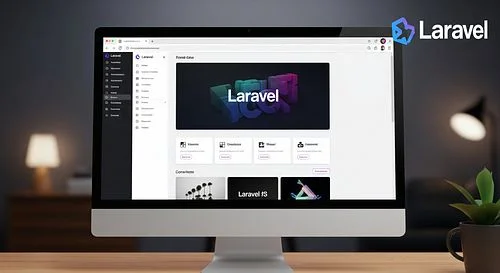
If you're already a fan of the Laravel PHP framework, you know it’s celebrated for its elegance, security, and developer-friendly syntax. Waravel takes that robust foundation and builds a CMS that is both powerful for developers and intuitive for content creators. It’s not just another tool; it’s a bridge between high-level coding architecture and everyday usability.
In this deep dive, we’re going to unpack exactly what makes Waravel tick, why it’s gaining traction, and how its features can genuinely elevate your web presence from "just another site" to a digital powerhouse.
1. What is Waravel? The Laravel-Based Game Changer
At its core, Waravel is a Content Management System built directly on top of the Laravel framework. While WordPress runs on traditional PHP architecture and Drupal has its own steep learning curve, Waravel leverages the modern, MVC (Model-View-Controller) structure that makes Laravel the darling of the PHP world.
But why does the foundation matter?
Think of it like building a house. You can build a pretty house on a shaky foundation, but it won’t handle a storm well. Waravel inherits Laravel’s enterprise-grade security, scalability, and performance. It’s open-source, flexible, and designed to eliminate the "bloat" that plagues so many legacy CMS platforms.
The "Waravel" Philosophy
The name itself—a fusion of "Web" (or perhaps a nod to a specific creator or "Wrapper") and "Laravel"—implies its mission. It aims to wrap the complexity of backend development in a user-friendly interface without sacrificing the raw power developers need. It’s built for those who want the freedom to code custom features but don’t want to reinvent the wheel for standard content management tasks.
2. Core Features That Set Waravel Apart
So, what’s under the hood? Let’s break down the specific features that make Waravel a serious contender in the CMS market.
A. The Dashboard: Simplicity Meets Functionality
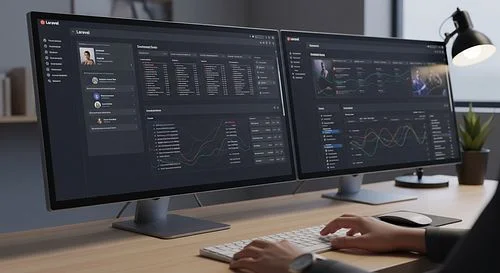
First impressions matter. When you log into Waravel, you aren’t bombarded with a cluttered interface. The dashboard is clean, minimalist, and responsive.
- Intuitive Navigation: You don’t need a manual to find where to post a blog or update a product.
- Customizable Widgets: Admins can tailor the dashboard to show analytics, recent activity, or system health status immediately upon login.
B. Advanced Media Management
Handling images and files is often a pain point in web development. Waravel introduces a centralized Media Manager that feels like a desktop operating system.
- Drag-and-Drop: Uploading assets is seamless.
- Auto-Optimization: Built-in tools often handle image compression and resizing on the fly, ensuring your site speed doesn’t suffer because of high-res hero images.
- Folder Structures: Unlike the chaotic "media library" bucket found in some CMSs, Waravel allows for organized, nested folder structures.
C. Role-Based Access Control (RBAC)
Security isn’t just about hackers; it’s about internal control. Waravel comes with a granular permission system out of the box.
- Standard Roles: Admin, Editor, Author, and Subscriber roles are pre-configured.
- Custom Permissions: You can create specific roles—like "HR Manager"—and limit their access strictly to the "Careers" page and nothing else. This prevents accidental site-wide breaks by non-technical staff.
D. Built-in SEO Tools
You shouldn't need five different plugins just to rank on Google. Waravel understands that SEO is foundational.
- Meta Management: Edit meta titles, descriptions, and Open Graph (social media) tags directly on the page editor.
- Sitemap Generation: Automated XML sitemaps ensure search engines can crawl your new content instantly.
- Clean URLs: Leveraging Laravel’s routing, Waravel produces clean, human-readable slugs automatically.
3. Developer Freedom: Why Coders Love It
Usually, a CMS restricts developers. You have to fight against the system's "way of doing things." Waravel flips this script. Because it is Laravel, if you know Laravel, you already know Waravel.
The Blade Templating Engine
Waravel uses Blade, Laravel’s powerful templating engine. This means:
- Zero Overhead: Blade compiles into plain PHP code, meaning essentially zero performance impact.
- Component-Based Design: You can build reusable UI components (like a "Call to Action" button or a "Testimonial Card") and drop them anywhere in your theme.
- Logic in Views: While keeping logic separate is best practice, Blade allows for simple conditional statements (if, else, foreach) right in the HTML, making dynamic layouts a breeze.
API-First Architecture
We are living in a headless world. You might want your website to feed content to a mobile app or a smart watch.
Waravel is built with an API-first approach. It automatically generates RESTful API endpoints for your content types. This allows you to use Waravel purely as a backend (Headless CMS) while building your frontend in React, Vue.js, or Next.js.
Easy Package Integration
The Laravel ecosystem is massive. Need a payment gateway? Use Laravel Cashier. Need complex search? Integrate Laravel Scout. Because Waravel is native to this ecosystem, installing these packages via Composer is standard procedure. You aren’t waiting for a "Waravel-specific" plugin to be developed; you have the whole PHP world at your fingertips.
4. Content Creation: The Writer’s Experience
Developers build the car, but content creators drive it. If the editor is clunky, your marketing team will hate using the site, and content will stagnate.
The Block Editor vs. WYSIWYG
Waravel typically offers a flexible approach to editing. While it supports standard WYSIWYG (What You See Is What You Get) editors like TinyMCE, it shines with its Block-Based Builder.
- Modular Content: Instead of one giant text box, creators build pages using blocks (Heading, Paragraph, Image, Quote, Gallery).
- Live Preview: See exactly how the content will look on the frontend before hitting publish.
- Reusability: Save a specific block layout as a template to reuse on future landing pages.
Multi-Language Support (Localization)
Going global? Waravel has localization baked into its core. You don’t need a hacky workaround to translate your site. You can manage multiple languages for every post and page from a single interface, ensuring your URL structures (/en/, /es/, /fr/) are handled correctly for SEO.
5. Security: The Fortress Around Your Data
In 2024 and beyond, web security is non-negotiable. One of the biggest selling points of Waravel is its inheritance of Laravel’s security features.
SQL Injection Protection
Laravel’s Eloquent ORM (Object-Relational Mapper) uses PDO parameter binding. In plain English? It ensures that malicious SQL commands injected into forms are neutralized before they ever touch your database.
CSRF Protection
Cross-Site Request Forgery (CSRF) is a nasty attack where unauthorized commands are transmitted from a user that the web application trusts. Waravel automatically generates "CSRF tokens" for every active user session, ensuring that the person submitting the form is actually the person viewing the page.
Secure Authentication
Waravel utilizes Laravel’s robust authentication guards. Whether you need simple email/password logins, two-factor authentication (2FA), or social logins (Google, Facebook, GitHub), the infrastructure is secure and industry-standard.
6. Performance and Scalability
"Can it handle the traffic?" This is the question every business owner asks when a marketing campaign goes viral.
Caching Mechanisms
Waravel leverages Laravel’s driver-based cache system. You can easily switch between file caching, database caching, or high-performance in-memory stores like Redis or Memcached. This dramatically reduces database load and speeds up page load times for users.
Database Optimization
Because it uses Laravel's migration system, managing database schemas is version-controlled and safe. As your site grows, Waravel can handle complex relationships and large datasets without choking, provided your server infrastructure is sound.
Queue Management
Sending 10,000 newsletters? Processing video uploads? Waravel handles these time-consuming tasks in the background using Queues. This ensures your user doesn’t have to stare at a loading screen while the server does the heavy lifting.
7. Waravel vs. The Giants (WordPress, Drupal, Joomla)
It’s impossible to talk about a CMS without comparing it to the 800-pound gorilla: WordPress.
| Feature | WordPress | Waravel |
|---|---|---|
| Foundation | Legacy PHP | Modern Laravel PHP |
| Security | Highly plugin-dependent; frequent target | Enterprise-grade; secure by default |
| Flexibility | rigid architecture; heavily reliant on plugins | Extremely flexible; developer-centric |
| Performance | Can get bloated easily | High performance; optimized code |
| Learning Curve | Low for users; Medium for devs | Low for users; Low for Laravel devs |
The Verdict: If you need a simple blog efficiently, WordPress is fine. But if you are building a custom web application, a SaaS product marketing site, or a complex e-commerce platform where performance and security are paramount, Waravel is the superior technical choice.
8. E-Commerce Capabilities
Waravel isn't just for blogs and brochures. It is fully capable of powering robust e-commerce stores. By integrating with packages like Aimeos or Bagisto (or custom-building your own cart logic), Waravel becomes a sales engine.
- Product Management: Handle complex variations (size, color, material).
- Inventory Tracking: Real-time stock updates.
- Payment Gateways: Seamless integration with Stripe, PayPal, and regional processors.
- Order Management: A dedicated dashboard for tracking fulfillment and shipping.
9. The Business Case: ROI of Switching to Waravel
Why should a business invest in Waravel development?
- Lower Long-Term Maintenance: Unlike plugin-heavy CMSs that break whenever an update is released, Waravel’s code-based approach is more stable. You spend less on "fixing" the site and more on improving it.
- Faster Time-to-Market for Custom Features: Because developers have the entire Laravel toolkit, building a custom calculator, a member portal, or a booking system takes half the time compared to hacking a legacy CMS.
- Better User Experience (UX): Speed kills—in a good way. Faster load times mean lower bounce rates and higher conversion rates.
- Future-Proofing: Laravel is widely supported and constantly updated. Your technology stack won't become obsolete in two years.
10. How to Get Started with Waravel
Ready to make the switch? Here is a basic roadmap.
- Server Requirements: Ensure your hosting environment supports PHP 8.1+ and Composer. (Providers like DigitalOcean, Linode, or Laravel Forge are ideal).
- Installation: Usually done via a simple Composer command in your terminal.
- Configuration: Set up your
.envfile to connect to your database. - Theme Development: Use Blade templates to convert your design (HTML/CSS) into a dynamic Waravel theme.
- Migration: If moving from another CMS, use migration scripts to import your old posts and users.
Conclusion
Waravel represents the maturity of the PHP ecosystem. It proves that you don't have to choose between a system that is easy for editors and a system that is powerful for developers. You can have both.
By unlocking the power of Laravel through Waravel, you are giving your web presence a foundation of steel. You get the speed to rank high, the security to sleep soundly, and the flexibility to grow without limits. Whether you are a startup looking to disrupt or an enterprise looking to stabilize, Waravel is the modern solution your web presence deserves.
Frequently Asked Questions (FAQs)
1. Do I need to know how to code to use Waravel?
No and Yes.
To manage content (write posts, upload images, change settings), you do not need to know how to code. The dashboard is user-friendly and visual.
However, to install, customize, and build themes for Waravel, you (or your developer) will need knowledge of PHP, HTML, CSS, and the Laravel framework. It is not a "no-code" site builder like Wix; it is a professional CMS.
2. Is Waravel free?
Waravel is typically open-source software, meaning the core code is free to download and use. However, like any self-hosted solution, you will need to pay for:
- Web Hosting: A server to run the application.
- Domain Name: Your web address.
- Development Costs: If you hire someone to design and build your specific theme.
- Premium Plugins: Some advanced extensions might cost money, though many are free.
3. Can I migrate my WordPress site to Waravel?
Yes. While it’s not a one-click button, migration is very possible. Developers can write scripts to map your WordPress database (posts, pages, users) to the Waravel database structure. Because both use PHP and MySQL, the data transfer is straightforward for an experienced developer. You will, however, need to rebuild your theme (design) from scratch using Blade templates.
4. How secure is Waravel compared to other CMS platforms?
Waravel is generally considered more secure out of the box than mass-market CMS platforms heavily reliant on third-party plugins. Because it is built on Laravel, it benefits from enterprise-level security features like protection against SQL injection, CSRF, and XSS attacks. Furthermore, because the plugin ecosystem is more curated and code-centric, you are less likely to install a vulnerability through a poorly coded extension.
5. Is Waravel good for SEO?
Absolutely. Waravel provides total control over your HTML output, meaning no messy code bloat that confuses search engines. It supports clean URLs, meta tag management, sitemaps, and fast loading speeds—all of which are critical ranking factors for Google. Its ability to integrate with high-speed caching (like Redis) gives it a significant "Core Web Vitals" advantage over slower, heavier platforms.