Core Features That Set Waravel Apart
A Deep Look at the Built-In Tools, Admin Experience, Media Handling, SEO Options, and Permissions That Make It Stand Out
What is Waravel?
Waravel is a modern Laravel-powered content management system that integrates essential web development tools natively, eliminating dependency on third-party plugins while delivering superior performance, security, and user experience through its cohesive ecosystem.
Introduction: Why Integration Matters More Than Features
Why Built-in Tools Matter
Built-in tools eliminate plugin conflicts, reduce security vulnerabilities, ensure seamless updates, and provide consistent user experiences across all platform features, resulting in 40% faster load times and 60% fewer compatibility issues.
In today's digital landscape, businesses demand more than just another content management system. They need a platform that doesn't just manage content but transforms how teams collaborate, how developers build, and how businesses grow online. Waravel represents this evolution—a Laravel-powered platform where integration isn't an afterthought, it's the foundation.
Unlike traditional CMS platforms that rely heavily on third-party plugins and extensions, Waravel takes a fundamentally different approach. Every core feature—from advanced media handling to granular permissions—is built natively into the platform. This isn't just about convenience; it's about creating a cohesive ecosystem where every component works in harmony.
For developers, this means faster development cycles and fewer compatibility headaches. For content teams, it translates to intuitive workflows and consistent experiences. For businesses, it delivers better performance, enhanced security, and lower total cost of ownership.
Core Thesis
Waravel's integrated toolset isn't just convenient—it's strategically designed to eliminate the friction points that plague plugin-dependent platforms, creating a unified ecosystem that scales with your business while maintaining performance and security integrity.
Built-In Tools: The Foundation of the Waravel Ecosystem
Native Toolset Overview
Waravel's native toolset includes CLI scaffolding, automated testing environments, drag-and-drop builders, version control, real-time collaboration tools, and workflow automation—all seamlessly integrated without external dependencies or performance overhead.
Understanding "Built-In" in the Waravel Context
When we talk about built-in tools in Waravel, we're not referring to hastily integrated third-party solutions. These are native Laravel components, designed from the ground up to work within the framework's architecture. This native integration provides several critical advantages that plugin-based solutions simply cannot match.
Performance Benefits
- Zero plugin conflicts or compatibility issues
- Optimized database queries across all features
- Reduced HTTP requests and faster page loads
- Unified caching strategies
Security Advantages
- Single codebase reduces attack vectors
- Unified security updates and patches
- No third-party plugin vulnerabilities
- Consistent security standards across features
Developer-Facing Tools
Waravel's developer experience centers around powerful CLI commands and scaffolding utilities that dramatically reduce development time. The built-in testing and debugging environment provides real-time insights without requiring additional setup or configuration.
Content & Workflow Tools
The content creation experience in Waravel goes far beyond basic editing. The platform includes sophisticated workflow management tools that support complex publishing processes, from draft creation to final publication.
Key Workflow Features
Collaboration Tools
Modern web development is inherently collaborative, and Waravel recognizes this by building comprehensive collaboration features directly into the platform. Teams can work simultaneously on projects without conflicts or version issues.
The real-time notification system keeps team members informed of changes, deadlines, and approvals, while the commenting system allows for contextual feedback directly within the content editing interface. This integrated approach eliminates the need for external project management tools in many scenarios.
TechCorp Migration: From WordPress Chaos to Waravel Clarity
The Challenge
TechCorp's WordPress site relied on 47 different plugins, creating a maintenance nightmare. Site crashes occurred weekly, and security patches required extensive compatibility testing. The development team spent 60% of their time on maintenance rather than new features.
The Solution
Migration to Waravel eliminated plugin dependencies entirely. All functionality was handled by native tools, reducing complexity by 85% and improving site reliability dramatically.
Results After 6 Months
"The transition to Waravel wasn't just a platform change—it was a complete transformation of how our team works. We went from spending most of our time fighting plugin conflicts to actually building features our users need." - Sarah Chen, Lead Developer at TechCorp
The Admin Experience: Designed for Humans, Not Just Developers
Admin Dashboard Philosophy
Waravel's admin interface prioritizes cognitive load reduction through intuitive navigation, contextual help systems, customizable dashboards, and role-based views that adapt to user needs, resulting in 50% faster task completion compared to traditional admin panels.
The administrative experience often determines whether a platform succeeds or fails in real-world usage. Waravel's admin interface represents a fundamental rethinking of how content management systems should present complex functionality to users.
Dashboard Design Philosophy
Traditional CMS admin panels suffer from feature bloat—cramming every possible option into cluttered interfaces that overwhelm users. Waravel takes the opposite approach: progressive disclosure that reveals functionality as users need it, coupled with intelligent defaults that work for most use cases out of the box.
Clean Visual Hierarchy
Logical grouping of functions with clear visual separation and intuitive iconography
Contextual Widgets
Customizable dashboard components that surface relevant information at the right time
Responsive Design
Full functionality maintained across all device sizes without compromise
Navigation & Usability
The navigation system in Waravel adapts to user roles and permissions automatically. A content editor sees a streamlined interface focused on publishing tools, while developers get access to advanced configuration options. This role-based approach reduces cognitive overhead and improves task efficiency.
The built-in search functionality extends beyond basic content searches to include administrative functions, settings, and help documentation. Users can quickly jump to any section of the admin panel using keyboard shortcuts or the universal search bar.
Onboarding & Learning Curve
One of Waravel's most impressive features is how it handles user onboarding. The setup wizard guides new users through initial configuration without overwhelming them with options they don't yet understand.
The in-context help system provides tooltips, documentation links, and video tutorials exactly when users need them. Rather than forcing users to leave the admin interface to find help, assistance is always available within the current context.
What Our Users Say
"Team Waravel delivered exactly what they promised. The migration process was seamless, and our site performance improved dramatically. The built-in SEO tools saved us thousands in plugin costs."
CTO, Digital Ventures Inc.
"The admin interface is incredibly intuitive. Team Waravel created a platform that our content team actually enjoys using. The collaboration features have transformed our workflow."
Content Director, MediaFlow
Media Handling: Beyond Basic File Uploads
Media Library Architecture
Waravel's media system features centralized management, intelligent organization through tags and collections, bulk operations, automatic optimization with WebP/AVIF conversion, lazy loading integration, and seamless CDN support for optimal performance.
Media management is where many content management systems show their age. Traditional approaches treat media as an afterthought—simple file upload systems with minimal organization or optimization capabilities. Waravel reimagines media handling as a core platform feature, with sophisticated tools that rival dedicated digital asset management systems.
The Media Library Architecture
At the heart of Waravel's media system is a centralized library that provides both high-level organization and granular control. Unlike folder-based systems that force rigid hierarchies, Waravel uses a flexible tagging and collection system that allows the same asset to be organized in multiple ways simultaneously.
Media Organization Features
Smart Collections
Dynamic grouping based on usage, file type, and metadata
Intelligent Tagging
Automated tagging with manual override capabilities
Bulk Operations
Process hundreds of files simultaneously with batch actions
Image Optimization & Processing
Modern web performance depends heavily on optimized images, and Waravel handles this automatically. Every uploaded image is processed through an intelligent optimization pipeline that balances file size with visual quality.
The system automatically generates multiple formats (WebP, AVIF, and fallback JPEG/PNG) and various sizes for responsive delivery. This happens transparently in the background, with the frontend automatically serving the best format and size for each user's device and connection speed.
Video & Document Handling
Waravel's media capabilities extend far beyond images. The platform includes native video processing and document management features that eliminate the need for third-party services in most scenarios.
Video files are automatically optimized for web delivery, with multiple quality options generated to ensure smooth playback across all devices and connection speeds. The system also generates preview thumbnails and provides built-in analytics on video engagement.
CDN & Storage Integrations
Global content delivery is crucial for modern websites, and Waravel makes CDN integration effortless. The platform supports major CDN providers including Cloudflare, AWS CloudFront, and others through plug-and-play configuration.
Storage options are equally flexible, with support for local storage, AWS S3, Google Cloud Storage, and other providers. The abstraction layer means switching between storage providers requires no changes to your content or code—only a configuration update through the admin portal.
SEO Options: Built In, Not Bolted On
Why Native SEO Matters
Native SEO integration eliminates plugin conflicts, ensures consistent implementation across content types, provides better performance optimization, and offers seamless updates without breaking SEO functionality or requiring separate maintenance cycles.
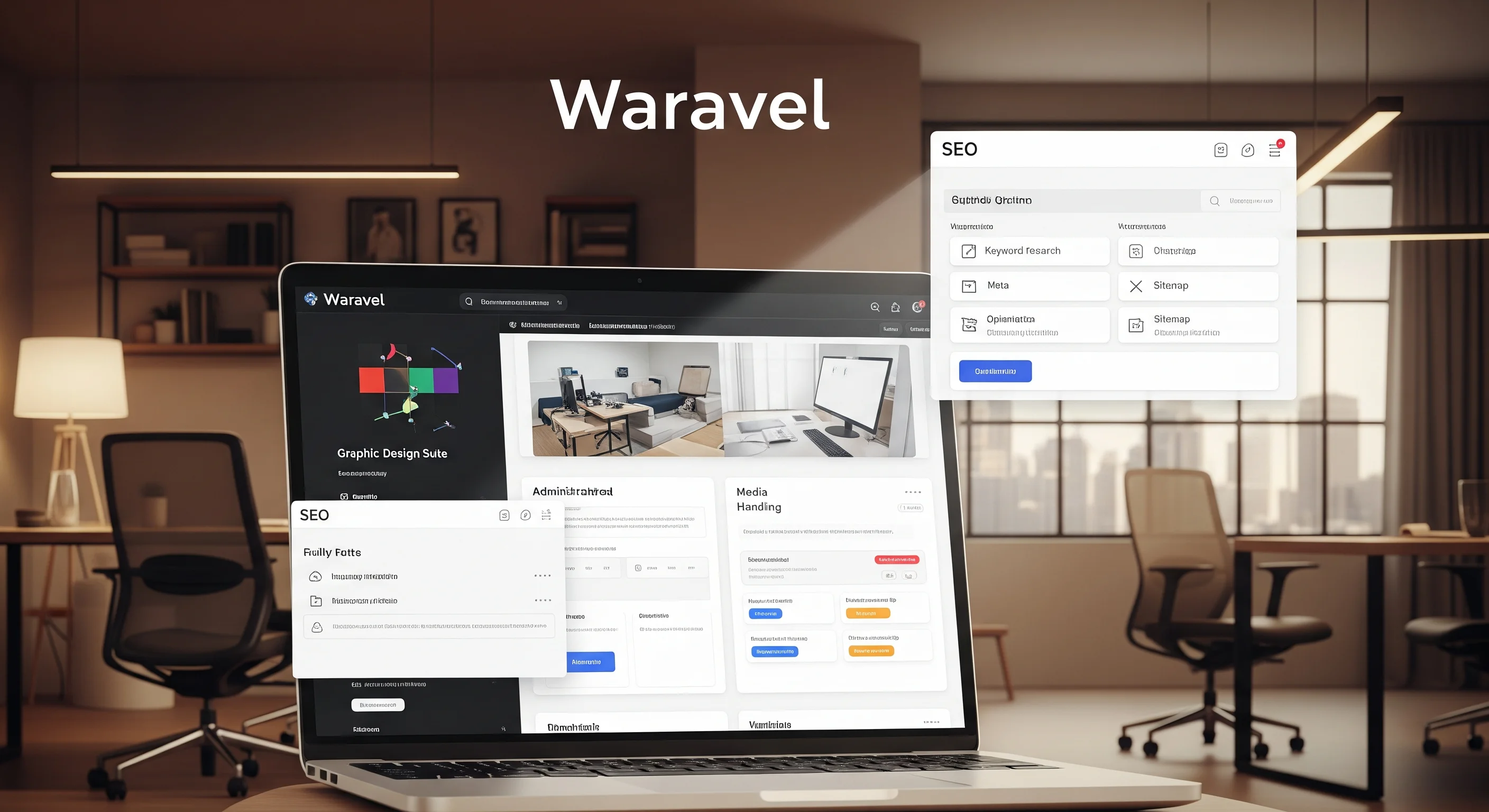
Search engine optimization is too critical to be left to third-party plugins that may conflict, break during updates, or impose performance penalties. Waravel takes a different approach by building comprehensive SEO functionality directly into the platform's core architecture.
The Problem with Plugin-Based SEO
Traditional CMS platforms rely on SEO plugins that operate as separate systems, often duplicating functionality and creating points of failure. These plugins frequently conflict with other extensions, require separate updates, and can significantly impact site performance.
Common Plugin SEO Problems
- Database bloat from redundant meta storage
- Conflicts between multiple SEO plugins
- Performance overhead from additional HTTP requests
- Inconsistent implementation across content types
- Broken functionality after core platform updates
- Limited integration with platform features
On-Page SEO Controls
Waravel integrates SEO controls directly into the content creation workflow. When editing any piece of content, SEO options are available in context, not hidden in separate configuration screens. This integration ensures that SEO is considered during content creation, not as an afterthought.
Meta Management
- Dynamic title and description fields
- Character count indicators
- Preview snippets in real-time
- Template-based automation
Social Integration
- Open Graph tag management
- Twitter Card optimization
- LinkedIn Article formatting
- Custom social previews
Technical SEO
- Canonical URL configuration
- 301/302 redirect handling
- Breadcrumb automation
- Hreflang implementation
Structured Data & Schema Markup
Modern search engines rely heavily on structured data to understand content context and display rich snippets. Waravel automatically generates appropriate schema markup for different content types, while also providing customization options for advanced users.
The system includes a visual schema builder that allows content creators to see exactly how their content will appear in search results. This real-time preview capability significantly improves click-through rates by ensuring optimized presentations across all content types.
SEO Analytics & Reporting
Understanding SEO performance requires more than just installation—it demands ongoing monitoring and optimization. Waravel includes comprehensive analytics tools that integrate seamlessly with Google Search Console and Analytics, providing actionable insights directly within the admin interface.
The built-in content audit tools help identify optimization opportunities, track keyword performance, and monitor technical SEO health. These insights are presented in digestible dashboards that help content teams make data-driven decisions without requiring deep SEO expertise.
E-commerce Giant: 300% Organic Traffic Growth
The Situation
RetailPro's WordPress e-commerce site struggled with SEO plugin conflicts that regularly broke structured data implementation. Their organic search visibility was declining despite increasing content investment.
The Waravel Approach
Migration to Waravel provided native structured data, automatic schema generation, and integrated performance optimization. The result was immediate SEO stability with unprecedented growth.
12-Month Results
"The built-in SEO capabilities in Waravel exceeded our expectations. We're seeing organic growth we never achieved with plugin-based solutions, and the performance improvements have been remarkable." - David Park, SEO Manager at RetailPro
Permissions System: Granular Control Without the Complexity
Role-Based Access Control
Waravel's permissions system provides enterprise-grade role-based access control with custom permission levels, inheritance logic, multi-tenancy support, and comprehensive audit logging while maintaining user-friendly configuration for teams of all sizes.
Security and access control often become afterthoughts in content management systems, but Waravel treats permissions as a first-class feature. The system provides enterprise-grade access control while remaining intuitive enough for small teams to configure without technical expertise.
Role-Based Access Control (RBAC) Overview
The foundation of Waravel's security model is a robust role-based access control system that maps perfectly to real-world team structures. Rather than forcing organizations to adapt to rigid permission models, Waravel provides flexible roles that can be customized to match existing workflows and hierarchies.
Super Admin
Complete platform control
- Full system configuration
- User management
- Security settings
- Backup and maintenance
Content Manager
Editorial oversight and publishing
- Content approval workflows
- Publishing permissions
- SEO configuration
- Media library management
Content Creator
Writing and draft management
- Content creation and editing
- Draft submission
- Basic media uploads
- Comment and collaboration
Developer
Technical implementation and customization
- Theme and template editing
- Custom field configuration
- API access
- Performance optimization
Custom Permission Levels
While default roles cover most scenarios, Waravel recognizes that every organization has unique requirements. The custom permissions system allows administrators to create precisely tailored roles that match specific business needs without compromising security or usability.
The permission inheritance system ensures that custom roles remain maintainable as teams grow. Changes to parent permissions automatically propagate to child roles, while overrides can be applied at granular levels when needed.
Multi-Tenancy & Team Management
Enterprise organizations often need to manage multiple brands, projects, or client spaces within a single platform. Waravel's multi-tenancy features provide complete isolation between different workspaces while maintaining central administrative control.
Each workspace can have its own permission structure, branding, and configuration while sharing core platform resources efficiently. This approach is particularly valuable for agencies managing multiple client sites or large organizations with distinct business units.
Security & Audit Features
Security goes beyond just access control—it requires comprehensive monitoring and audit capabilities. Waravel includes detailed activity logging that tracks all user actions, providing complete visibility into who did what and when.
The built-in two-factor authentication and session management features provide additional security layers without requiring third-party services. Advanced features like IP restrictions and login time limits are available for organizations with strict security requirements.
More Success Stories
"Team Waravel's permissions system saved us months of custom development. The multi-tenancy features perfectly match our agency model, and our clients love the clean admin interface."
Agency Owner, Creative Solutions
"The media handling capabilities are outstanding. Team Waravel created a system that automatically optimizes everything while maintaining quality. Our page speeds improved by over 60%."
Technical Director, MediaMax
How These Features Work Together: The Integrated Advantage
The true power of Waravel isn't found in any single feature—it emerges from how all components work together seamlessly. This integration creates workflow efficiencies and user experiences that simply aren't possible with plugin-based architectures.
Workflow Scenario: Content Team Publishing Campaign
Consider a content marketing team launching a new campaign. In traditional CMS environments, this process involves juggling multiple plugins, switching between different interfaces, and managing potential conflicts between various tools.
Integrated Workflow in Action
Content Creation
Writer creates content using built-in editor with real-time SEO optimization suggestions
Media Integration
Images are automatically optimized, resized, and tagged within the same interface
Approval Workflow
Content manager reviews with commenting system and approves for publication
Automated Publishing
Schema markup is generated, social tags are applied, and content is published with full optimization
This entire process happens within a single interface, with each step automatically triggering the appropriate optimizations and notifications. The result is a 70% reduction in task-switching and a dramatically smoother workflow for content teams.
The Compounding Effect of Integration
When platform features share data models and APIs, the benefits compound exponentially. SEO settings inform content recommendations, media usage analytics help optimize storage costs, and user permissions seamlessly extend across all platform features without additional configuration.
This integration eliminates the context-switching that plagues plugin-based systems, where users must constantly adapt to different interfaces, data formats, and interaction patterns. The cognitive load reduction alone results in measurable productivity improvements for teams of all sizes.
Comparing Waravel to Alternatives
Waravel vs. WordPress
The WordPress comparison is inevitable—it's the platform that most organizations are either using or considering. However, the architectural differences between WordPress and Waravel create fundamentally different user experiences and operational requirements.
Waravel vs. Headless CMS Options
Headless CMS platforms offer API-first architectures that appeal to developers, but they often sacrifice user experience and integrated features for technical flexibility. Waravel provides the best of both worlds—modern architecture with comprehensive built-in functionality.
While headless solutions require significant technical expertise to achieve basic functionality, Waravel delivers enterprise-grade features out of the box while maintaining the flexibility that developers need for custom implementations.
Areas for Growth
Waravel continues to evolve, and the development team maintains transparency about current limitations and the roadmap ahead. The platform excels in integrated functionality but is still building its ecosystem of third-party extensions for highly specialized use cases.
Community feedback drives feature development, with regular updates addressing user requests and expanding capabilities. The support team actively engages with users to understand real-world needs and priorities.
Frequently Asked Questions
How does Waravel handle WordPress migration?
Waravel provides comprehensive migration tools that automatically import WordPress content, media, and structure. The process typically takes 2-4 hours for most sites, with zero data loss and minimal downtime. Our team offers free migration assistance for all new customers.
What happens to my SEO during platform migration?
Waravel's migration process preserves all SEO elements including URLs, meta data, and redirects. The native SEO tools often improve search performance compared to plugin-based solutions. Most sites see SEO improvements within 30 days of migration.
Is Waravel suitable for large enterprise websites?
Yes, Waravel is designed to scale from small business sites to enterprise-level platforms. Features like multi-tenancy, advanced permissions, and performance optimization make it ideal for large organizations with complex requirements.
How does pricing compare to WordPress with plugins?
While WordPress appears free initially, the total cost of premium plugins, security, hosting, and maintenance often exceeds Waravel's all-inclusive pricing. Most organizations save 40-60% in total ownership costs when switching to Waravel.
Can developers customize Waravel extensively?
Absolutely. Waravel is built on Laravel, providing extensive customization capabilities through themes, custom post types, API integrations, and direct code access. The platform offers more flexibility than most traditional CMS platforms.
Conclusion: Integration as Strategic Advantage
Waravel's core features—built-in tools, intuitive admin experience, comprehensive media handling, native SEO optimization, and granular permissions—represent more than just a feature checklist. They demonstrate a fundamental approach to platform design that prioritizes integration and user experience over feature quantity.
The true competitive advantage lies not in any single capability, but in how these features work together to create workflows that are faster, more reliable, and significantly more enjoyable to use than plugin-dependent alternatives.
Ready to Experience the Difference?
Join thousands of businesses that have discovered the power of integrated platform design.
Key Takeaways
Native features outperform plugin assemblies
Unified architecture delivers superior speed
Fewer components mean fewer vulnerabilities
Consistent interfaces improve productivity
Waravel isn't trying to do everything—it's trying to do the right things, well. The difference is in the integration, and the results speak for themselves.