Mastering Laravel Cashier: The Ultimate Guide to Subscription Billing Excellence
Streamline your SaaS, membership, or e-commerce revenue with Laravel's powerful, integrated subscription management system. This comprehensive guide dives deep into implementation, best practices, and expert strategies.
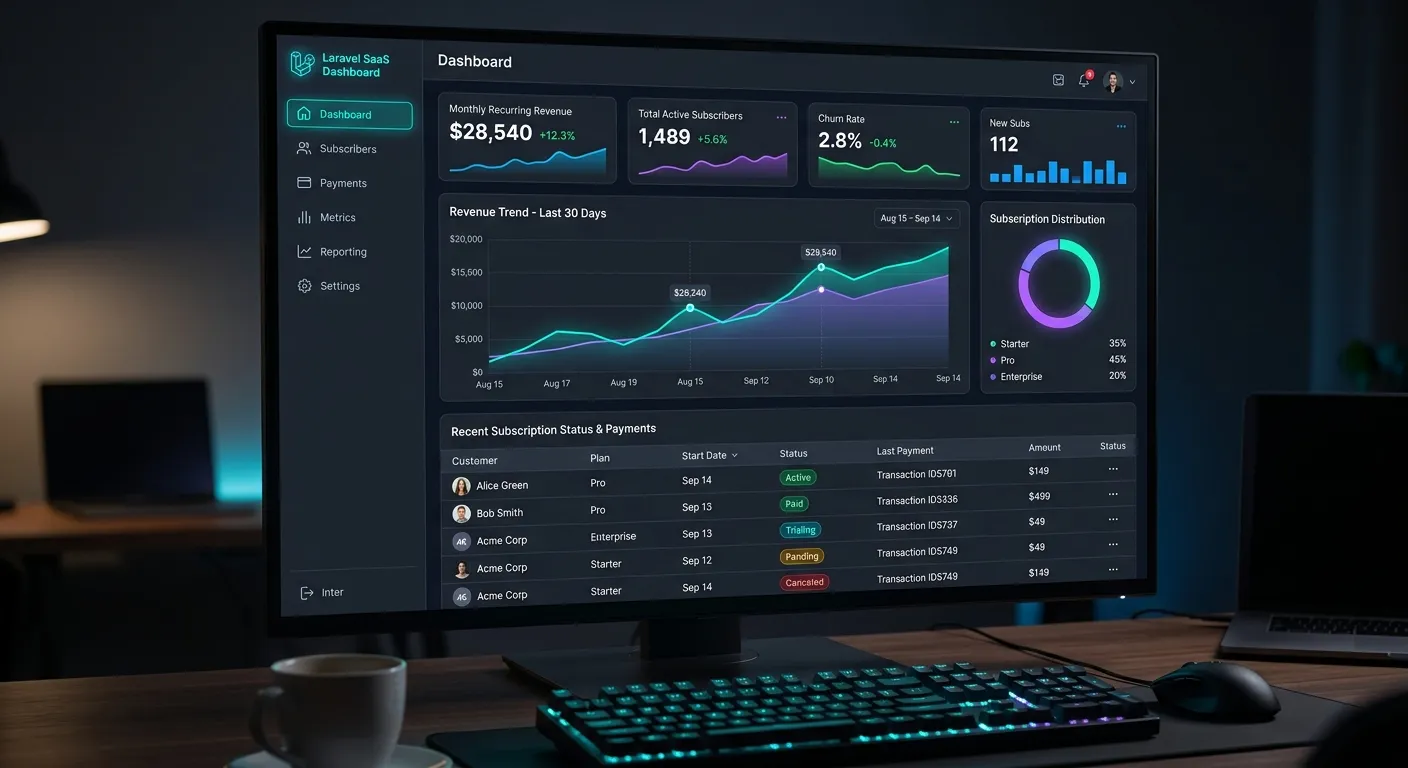
Laravel Cashier Multi-Category Overview
What is Laravel Cashier?
Laravel Cashier is an expressive, fluent interface to Stripe's and Paddle's subscription billing services. It handles almost all of the boilerplate subscription billing code you dread writing, including coupons, swapping subscriptions, subscription"quantities", cancellation grace periods, and even generating invoice PDFs. In essence, it provides a powerful abstraction layer that makes managing recurring billing a seamless part of your Laravel application's workflow, much like how a WordPress duplicate page tool abstracts content replication.
Its philosophy aligns with Laravel's core principles: developer happiness and elegant syntax. This makes it a superior choice for teams looking to build scalable subscription models without getting mired in the complex, error-prone details of direct payment gateway API integration.
Getting Started & Key Setup Steps
Implementation begins with installation via Composer. Cashier provides database migrations to add necessary columns to your users table and a new subscriptions table. Configuration involves setting your Stripe/Paddle keys in your `.env` file. The process is streamlined, reflecting the efficiency found in modern platforms like the Laravel Platform from Waravel.
- Install package via `composer require laravel/cashier`.
- Run migrations: `php artisan migrate`.
- Add Billable trait to your User model.
- Configure API keys and webhooks.
- Define plans in your Stripe/Paddle dashboard.
Leveraging Advanced Billing Logic
Beyond basic subscriptions, Cashier excels at handling complex scenarios: prorated changes between tiers, metered billing for usage-based models, managing multiple subscriptions per customer, and handling tax IDs. It integrates deeply with Laravel's notification system for sending payment receipts and alerts. For applications requiring high performance under load, ensuring your billing logic is optimized is as crucial as overall performance optimisation.
Migrating from Other Billing Systems
Many businesses migrate to Laravel Cashier from legacy systems or WordPress plugins like WooCommerce Subscriptions. The process involves mapping customer data, active subscriptions, and payment methods to Cashier's schema. This transition can be part of a larger platform modernization, similar to a WordPress to Laravel migration, where the goal is to gain robustness, scalability, and a better developer experience. Tools exist to assist in this data migration, ensuring no revenue disruption.
Pro-Tip: Secure Your Webhooks
Always verify Stripe/Paddle webhook signatures in your Cashier controller. This critical security step prevents malicious actors from faking subscription events. Cashier provides middleware for this. Treat webhook security with the same importance as you would when securing a Laravel CMS like WordPress against common vulnerabilities.
Key Features & Core Benefits of Laravel Cashier
Unified Subscription Management
Manage plans, swaps, cancellations, and renewals through an elegant Eloquent-based API. This centralized control eliminates the need for disparate scripts, similar to how a unified strategic brand building guide centralizes marketing efforts.
Automated Invoice & Receipt Generation
Cashier automatically generates professional, downloadable PDF invoices for every charge. It handles tax calculations, billing addresses, and can send invoices directly via Laravel's notification system, automating a traditionally manual process.
Handles Complex Billing Scenarios
From prorated upgrades/downgrades and metered billing to multi-subscription accounts and trial periods, Cashier's logic handles edge cases gracefully. This robustness is essential for scaling businesses, much like the scalability offered by professional Laravel custom development services.
Seamless Stripe & Paddle Integration
Act as a fluent bridge to two major payment providers. This abstraction means your core application logic remains clean and provider-agnostic, allowing for potential future flexibility—a principle that also benefits platform choices, as seen in Laravel CMS comparison studies.
Comprehensive Reporting & Analytics
Easily access subscription metrics, MRR (Monthly Recurring Revenue), churn rates, and customer lifetime value through Cashier's model relationships and scopes. This data-driven insight is key for growth, complementing the analytical approach needed for successful core features that set platforms apart.
Built-In Handling for Trials & Coupons
Implement trial periods and discount coupons with minimal code. Cashier manages the complex date logic and proration automatically, enabling powerful marketing and onboarding flows that can significantly boost conversion rates.
Deep Dive: Implementation Strategies & Expert Insights
Architecting Your Subscription Model with Cashier
Designing your subscription logic before writing code is crucial. Will you offer seat-based pricing (like Slack), usage-based (like AWS), or tiered feature packages (like GitHub)? Laravel Cashier supports all these models through its `quantity` parameter, metered billing, and plan differentiation. Your database schema and application logic should reflect this choice. Consider implementing a `Team` or `Organization` model that owns the subscription, with users associated as members. This is a common pattern for B2B SaaS and is more scalable than attaching subscriptions directly to individual user accounts.
Integrating subscription status into your application's authorization logic (using Laravel's Gates and Policies) is a best practice. For example, a `view-premium-content` gate can check `$user->subscribed('premium')`. This keeps billing logic cleanly separated from feature access control.
Security & Compliance: Protecting Revenue and Data
Financial data demands the highest security. Laravel Cashier, when used correctly, enforces several key practices:
- Never Store Payment Tokens: Cashier uses Stripe/Paddle Customer IDs. Sensitive card details never touch your servers, reducing PCI DSS compliance scope.
- Webhook Signature Verification: As highlighted earlier, always use `VerifyWebhookSignature` middleware to validate incoming events from Stripe/Paddle.
- Idempotency: Leverage idempotency keys for critical operations like creating charges or subscriptions to prevent duplicate charges from retry logic.
- Dunning Management: Configure Stripe/Paddle's automatic retry rules for failed payments. Cashier provides webhooks for `payment_failed` and `payment_succeeded` to update your application state and notify users.
Expert Insight: The Migration Parallel
Implementing a secure billing system like Cashier shares conceptual ground with a major platform migration. Both require meticulous planning, data integrity checks, and zero-downtime strategies. Just as you would use a reliable WordPress migration tool to ensure no data loss, you must use idempotent operations and thorough testing when transitioning users to a new billing system or plan structure. The peace of mind gained from a robust, well-tested billing pipeline is similar to the confidence from a successful effortless WordPress to Laravel migration.
Testing Your Billing Logic: A Must-Do Practice
Testing subscription flows is non-negotiable. Laravel Cashier provides a suite of test helpers via the `Cashier::fake()` method. This allows you to mock Stripe/Paddle interactions entirely, enabling fast, reliable unit and feature tests without hitting live API endpoints or creating real charges.
You should test scenarios like: successful subscription creation, failed payment handling, plan upgrades/downgrades (including proration), coupon application, subscription cancellation, and webhook handling. Automating these tests ensures that future code changes don't accidentally break your revenue engine. This level of automated quality assurance is a hallmark of professional Laravel development and is part of the value proposition when you hire dedicated Laravel developers.
Beyond the Basics: Customization & Extending Cashier
While Cashier handles 90% of use cases out-of-the-box, you may need to extend it. Common customizations include:
- Custom Invoice Templates: Override the default Blade views for invoices to match your company's branding.
- Syncing Additional Data: Use webhook listeners to sync extra metadata from Stripe/Paddle to your local database models.
- Implementing Dunning Emails: While Stripe sends its own, you might want to trigger custom in-app notifications or emails when a payment fails.
- Creating Annual Billing: While Cashier primarily focuses on monthly cycles, you can implement annual plans with careful handling of Stripe's `interval_count` parameter.
Remember, the package is open source. For highly specific needs, you can create your own service classes that follow Cashier's patterns, ensuring consistency across your codebase. Exploring the vast top Laravel packages guide can reveal complementary tools for notifications, analytics, or logging that enhance your billing system.
Frequently Asked Questions (FAQ)
Yes, Laravel Cashier can handle one-time charges through the `invoiceFor()` method. While its primary strength is subscription management, you can easily charge a customer a one-off fee for add-ons, overages, or digital products. This makes it a versatile choice for hybrid business models that combine recurring SaaS fees with occasional purchases.
The complexity depends on your data volume and customization. The process involves exporting WooCommerce customer and subscription data, transforming it to match Cashier's schema (mapping statuses, plan IDs, dates), and importing it into your new Laravel application. The billing engine itself will be more robust and developer-friendly. This transition is often part of a larger project to modernize your stack, similar to a full WordPress site to Laravel migration. For large-scale migrations, consider leveraging automated tools or hiring experienced developers who specialize in such transitions.
Cashier relies on Stripe's or Paddle's built-in dunning management. You configure retry rules (e.g., retry failed payments 3 times over 7 days) in your payment provider's dashboard. Cashier listens for webhooks like `invoice.payment_failed` and `invoice.payment_succeeded`. Your application should react to these webhooks: perhaps notifying the customer, downgrading their account if payment ultimately fails, or reinstating access upon successful retry. Cashier provides the webhook controllers; you just need to implement the business logic.
Technically yes, but with a major caveat: webhooks. Stripe/Paddle webhooks need a publicly accessible URL to notify your application of payment events. For an on-premises app behind a firewall, this requires setting up a secure webhook proxy or using a polling mechanism (which is not recommended). Therefore, Cashier is ideally suited for cloud-hosted Laravel applications. If you are deploying on-premises, ensure you have a solution for receiving webhooks, which may involve complex network configuration.
Laravel Cashier is an abstraction layer that saves significant development time and reduces errors. It provides a fluent, Laravel-idiomatic API (`$user->newSubscription(...)->create(...)`), pre-built controllers for handling webhooks, built-in handling for common subscription operations (proration, swapping, trials), and seamless integration with Laravel's authentication and notification systems. Building direct API calls means writing and maintaining all that boilerplate logic yourself, handling edge cases, and keeping up with API changes. Cashier is the recommended, official package for subscription billing in Laravel, much like using a dedicated tool is better than manually attempting a WordPress duplicate page process with custom SQL queries.
Ready to Implement Robust Subscription Billing?
Laravel Cashier empowers you to build a reliable, scalable revenue engine. Whether you're launching a new SaaS product or modernizing an existing billing system, the right expertise is key to success.
Explore more about our platform and services: About Us • Case Studies • Terms of Service