Build Your Digital Voice: The Ultimate Laravel Blog CMS for 2026
Discover why forward-thinking developers and businesses are choosing a modern Laravel Blog CMS over traditional platforms like WordPress for superior performance, security, and scalability. Master your content strategy with a framework built for the future.
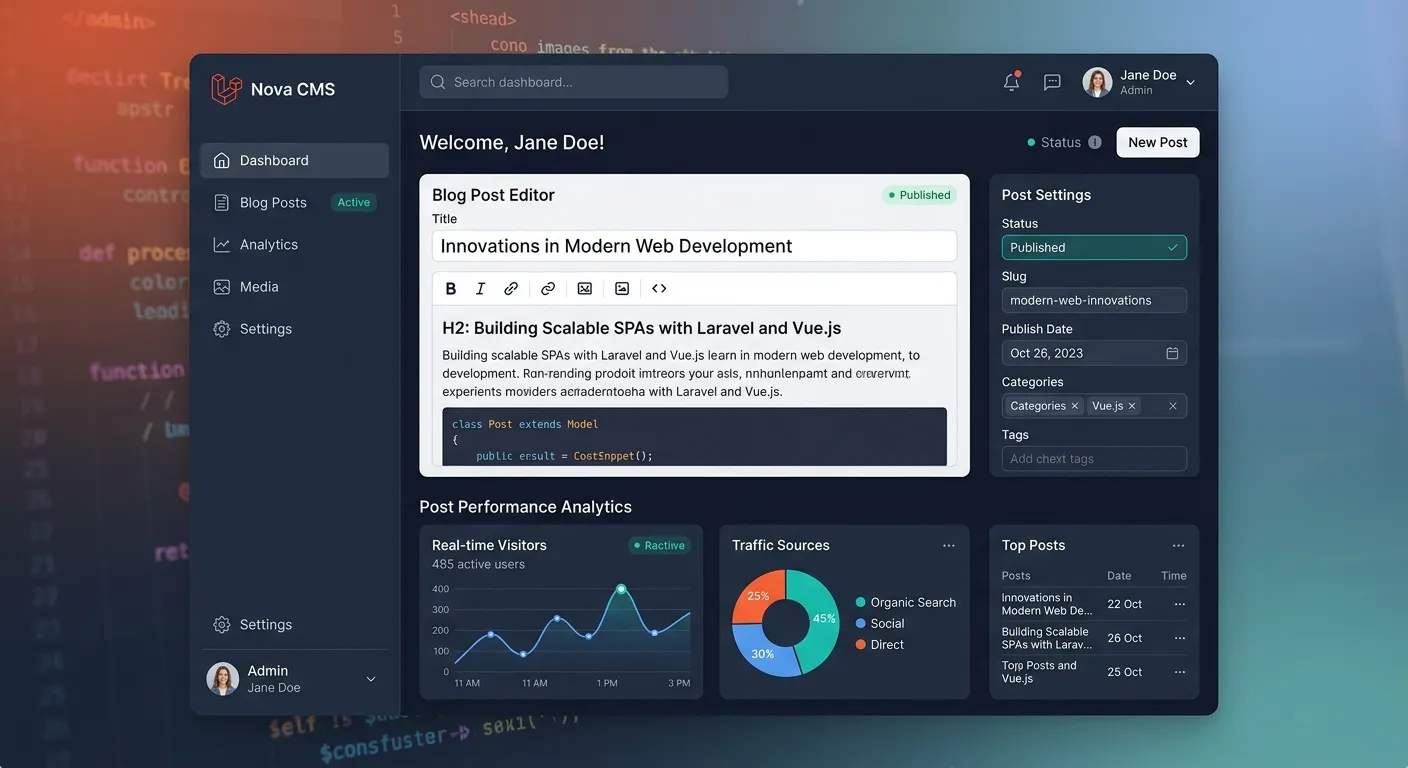
Why a Laravel Blog CMS is the Modern Choice
Explore the multi-faceted advantages of adopting a Laravel-based content management system for your blog or publication.
The Laravel CMS Paradigm Shift
A Laravel Blog CMS represents a fundamental shift from monolithic, plugin-dependent systems to a modular, framework-driven approach. Built on the elegant PHP framework Laravel, it provides developers with a clean, expressive syntax and a robust set of tools out-of-the-box. This isn't just a blogging tool; it's a fully-fledged application platform where your content strategy is powered by modern software engineering principles like MVC architecture, dependency injection, and robust testing suites.
For businesses, this translates to a content platform that aligns with your Strategic Brand Building Guide. You gain complete control over the user experience, data structures, and performance profile, enabling you to craft a unique digital presence that stands out in a crowded market. Unlike generic solutions, a Laravel CMS allows for deep customization that reflects your brand's core identity.
Core Features of a Modern Laravel Blog CMS
These are not just plugins; they are integrated, high-performance features designed to work in harmony.
Enterprise-Grade Security
Forget worrying about the next vulnerability in a third-party plugin. Laravel's built-in security features, including hashed passwords, protection against SQL injection, and cross-site request forgery (CSRF) tokens, form a hardened core. This proactive approach, as detailed in our Performance Optimisation guide, reduces security incidents dramatically compared to reactive WordPress patching.
Blazing-Fast Performance
Laravel is optimized for speed out of the box. With built-in caching for routes, views, and configurations, combined with an efficient ORM, page load times are significantly lower. This eliminates reliance on often-fragile caching plugins required in WordPress. Your blog delivers content instantly, improving user experience and Core Web Vitals scores. See a real speed comparison: .
Unmatched Developer Experience
Built for developers, by developers. Features like Artisan命令行, elegant migration系统, and a comprehensive testing suite make building, maintaining, and extending the CMS a pleasure. This reduces development time and cost, allowing for rapid iteration and feature deployment. It's the ideal foundation for Laravel Custom Development Services.
Built-in SEO & Analytics Foundation
A superior Laravel Blog CMS includes SEO-friendly URL routing, automatic sitemap generation, and meta tag management at the template level. This integrated approach is often more reliable than relying on a plugin like Yoast SEO, which can slow down your site. For deeper insights, watch our analysis: .
Granular User Roles & Permissions
Leverage Laravel's powerful authentication and authorization systems (Gates and Policies) to create detailed permission structures for authors, editors, and administrators. This is far more granular and secure than the basic roles in WordPress, allowing for precise control over who can publish, edit, or manage settings. This is crucial for team-based content operations.
API-First & Headless Ready
Modern content delivery often requires feeding a mobile app, a static site generator, or a separate frontend. Laravel makes creating a robust, JSON-based API trivial. Your Laravel Blog CMS can effortlessly function as a headless backend, future-proofing your content strategy for any emerging frontend technology or multi-channel publishing need.
Implementing Your Laravel Blog CMS: A Strategic Guide
Moving from concept to a live, powerful blog requires a clear roadmap. Here’s a breakdown of the implementation journey.
Phase 1: Planning & Architecture
Before writing a single line of code, define your content model. What post types do you need? What custom fields (e.g., author bio, reading time, related posts) are essential? Laravel's migration system allows you to design your database schema precisely. This phase should also involve selecting the right packages from the vast Laravel ecosystem. Our Top Laravel Packages Guide is an invaluable resource for this.
Consider whether you need a traditional monolithic CMS or a headless setup. This decision will guide your choice between full-stack Laravel CMS solutions like Waravel (which offers a familiar interface) or building a custom API-driven backend.
Phase 2: Development & Customization
This is where the power of Laravel shines. Using Blade templating, you can create beautiful, dynamic frontend views without the overhead of a bulky theme system. The admin panel can be built with tools like Livewire or Inertia.js to create a reactive, app-like experience for content managers—far superior to the sometimes-clunky WordPress admin.
🚀 Pro-Tip: Leverage Automated Migration
If you have an existing WordPress blog, don't manually recreate content. Use a dedicated WordPress Migration Tool to automate the transfer. This ensures your content history, SEO metadata, and media library are preserved intact, allowing you to focus on building new features rather than data entry. Watch the automated process: .
This phase also involves integrating essential features: a commenting system (like Laravel-based comments or external services), search (using Laravel Scout with Algolia or Meilisearch), and image optimization pipelines.
Phase 3: Deployment, Scaling & Maintenance
Deploying a Laravel application is straightforward with services like Laravel Forge, Envoyer, or modern PaaS providers like Vapor. Unlike WordPress, where the Wordpress Auto Update cycle can be unpredictable, Laravel's update process is controlled via Composer. You update dependencies on your schedule in a staging environment, run your comprehensive test suite, and then deploy confidently.
Maintenance becomes proactive. You monitor performance with Laravel Telescope, schedule tasks (like sitemap generation) with the built-in scheduler, and implement a caching strategy using Redis. This level of control is what transforms a simple blog into a high-performance digital asset. For complex scaling needs, our Core Features That Set Waravel Apart detail how a managed platform handles this.
Frequently Asked Questions: Laravel Blog CMS
Clear answers to the most common questions about adopting a Laravel-based CMS.
Yes, absolutely. Modern Laravel CMS solutions prioritize user experience. Many, like Waravel, offer an admin interface designed to feel intuitive for those familiar with WordPress, minimizing the learning curve. The key difference is that the editor experience is built with modern tools, making it faster and more responsive. The underlying complexity is handled by developers, while editors enjoy a clean, focused writing and management environment. See a direct comparison in our video: .
No, not if the migration is done correctly. A professional migration focuses on preserving SEO-critical elements:
- URL Structures: Keeping permalinks identical is paramount.
- Meta Tags: Title tags, meta descriptions, and Open Graph data should be transferred.
- Content & Media: All text and images must move with proper alt attributes intact.
- Redirects: Implementing 301 redirects for any changed URLs.
It's a shift from operational expenditure (OpEx) to capital expenditure (CapEx). WordPress has a low initial cost but ongoing expenses for premium plugins, themes, security services, and developer time to fix issues. A Laravel Blog CMS often has a higher initial development cost but significantly lower long-term maintenance costs, better performance (reducing hosting needs), and no recurring plugin fees. It eliminates the hidden costs of downtime, security breaches, and slow page speeds that impact revenue. Our video "WordPress Hidden Costs vs Laravel CMS" delves deep into this:
.Yes. Laravel is one of the most popular and beloved PHP frameworks globally, with a massive and active community. This means there is a large pool of skilled Laravel developers available. While they may command a higher rate than a generic WordPress developer, their output in terms of code quality, system architecture, and feature development is typically far superior and more sustainable. To build or extend your team, you can hire a dedicated Laravel CMS expert today through our platform.
The ecosystem is different but robust. Instead of tens of thousands of plugins of varying quality, Laravel has a curated universe of Packages available via Composer and Packagist. These are typically more reliable, follow modern coding standards, and are easier to integrate and maintain. For common CMS functionalities (e.g., media management, user roles, SEO tools), they are either built into the CMS itself or available as high-quality packages. Explore some essential ones in our Plugins directory and Top Laravel Packages Guide.
Ready to Power Your Blog with Laravel?
Stop compromising with generic platforms. Build a faster, more secure, and truly scalable content hub that grows with your ambition. Whether you're starting fresh or migrating an existing site, the future of content management is here.
Explore our resources to learn more: Laravel CMS Like Wordpress | Case Studies | Migrate WordPress To Laravel Effortlessly