Mastering Laravel Exceptions: The Complete Guide to Robust Error Handling
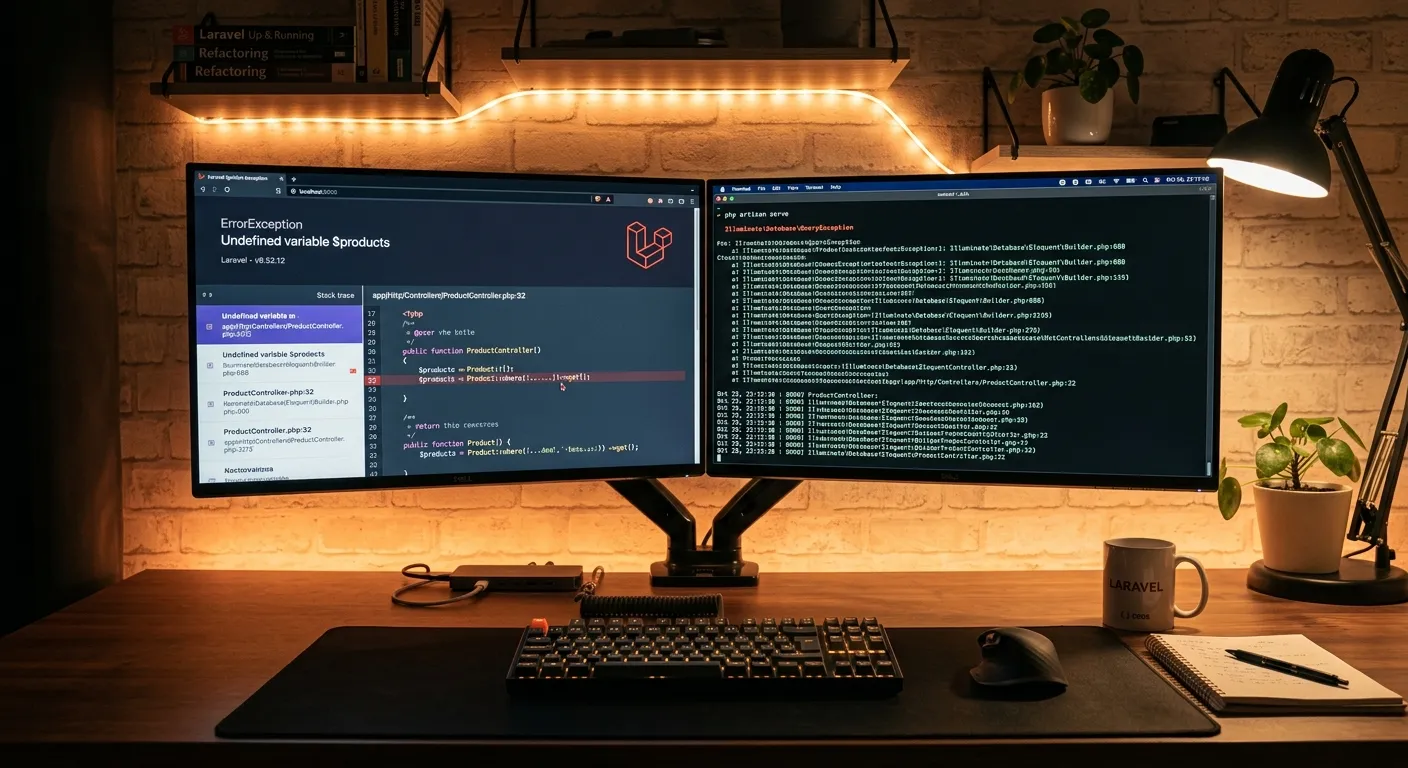
In the world of modern PHP development, Laravel stands as a colossus, empowering developers to build complex applications with elegant syntax. Yet, even within this refined framework, things can—and will—go wrong. Laravel exceptions are not signs of failure; they are the framework's sophisticated communication system, providing critical insights into your application's health. Mastering them is what separates competent developers from true artisans. Whether you're building a custom Laravel CMS like WordPress or migrating a legacy system, understanding error handling is non-negotiable. This guide will transform your approach to debugging, making you adept at preempting, catching, and resolving issues, ultimately allowing you to hire top-tier Laravel developers who prioritize application resilience.
Laravel Exception Handling: A Multi-Layered Overview
Laravel's exception handling is a multi-faceted system built on top of PHP's core. It provides a centralized, configurable way to manage errors, offering hooks for logging, reporting, and rendering. This is especially crucial when evaluating different platforms, such as in a detailed Laravel CMS comparison. A robust CMS must handle failures gracefully, a core tenet of the Laravel platform.
The Exception Handler
At the heart lies the App\Exceptions\Handler class. This is your command center. It contains two primary methods: report() for logging errors to external services like Bugsnag or Sentry, and render() for converting the exception into an HTTP response. Understanding this dual mechanism is the first step toward performance optimisation through effective error management.
HTTP vs. Application Exceptions
Laravel intelligently differentiates between exceptions. HTTP exceptions (like 404 Not Found) are meant to be rendered directly for the user. Application exceptions (like a ModelNotFoundException or a custom validation error) often require specific business logic handling. This distinction is vital when building secure, user-friendly applications, a principle central to our core features.
The `report` Helper & Context
Beyond the Handler, Laravel provides the global report() helper. This function logs your exception while allowing you to add crucial context. For example, report($exception->withContext(['user_id' => auth()->id()]));. This context is invaluable for debugging complex issues post-migration, similar to the data integrity ensured during a WordPress to Laravel migration.
Custom Exception Formatters
For API-driven applications, you can customize how exceptions are converted to JSON. By extending the Handler's invalidJson method, you can standardize error responses across your entire application, a practice that enhances maintainability and is a hallmark of professional Laravel custom development services.
Exception Reporting Channels
Laravel's logging system is channel-based. You can configure specific exceptions to be sent to different channels. Critical database exceptions could go to a Slack channel, while general warnings might just go to the daily log file. This targeted approach is key for enterprise-scale monitoring.
Fail-Safe Rendering & Maintenance Mode
What happens when the exception handler itself fails? Laravel has a fail-safe renderer. Furthermore, understanding how exceptions behave during php artisan down maintenance mode is crucial for seamless deployments and updates.
Expert Insight: Context is King
The single most effective practice in exception handling is enriching every reported error with context. Log the user ID, the relevant model ID, the API endpoint, and the request payload. This turns a cryptic error message into a solvable puzzle. When you hire Laravel developers, assess their instinct for adding diagnostic context—it's a mark of seniority.
Key Benefits of Mastering Laravel Exception Handling
Enhanced Application Security
Proper exception handling prevents sensitive system details from leaking to end-users. Instead of a raw SQL error, users see a friendly"Something went wrong" page, while developers get a detailed report. This is a non-negotiable security practice, as critical as the safeguards in our WordPress tools for secure migration.
Dramatically Reduced Debugging Time
Well-structured exceptions act as a guided tour to the bug. Custom exceptions with clear messages and strategic logging pinpoint the exact file, line, and state causing the issue. This efficiency is a major ROI driver, much like the time saved by using an automated WordPress migration tool.
Improved User Experience & Trust
Users who encounter a clean, apologetic error page are more likely to trust your application than those faced with a terrifying stack trace. Graceful degradation and helpful suggestions ("The page you're looking for might have been moved. Try searching instead.") retain users. This focus on UX is what makes a Laravel CMS October alternative truly competitive.
Deep Dive: Custom Exceptions & Real-World Patterns
The true power of Laravel's system is unlocked when you move beyond built-in exceptions and define your own. This aligns your error handling directly with your business domain.
Creating a Domain-Specific Exception
Imagine an e-commerce platform built on Laravel. You could create a InsufficientInventoryException.
namespace App\Exceptions\Inventory;

use Exception;

class InsufficientInventoryException extends Exception
{
    public $productId;
    public $requestedQty;
    public $availableQty;

    public function __construct($productId, $requestedQty, $availableQty)
    {
        $this->productId = $productId;
        $this->requestedQty = $requestedQty;
        $this->availableQty = $availableQty;

        $message ="Product #{$productId} has only {$availableQty} units (requested: {$requestedQty}).";
        parent::__construct($message, 422); // 422 Unprocessable Entity
    }

    // Optional: Custom reporting logic
    public function report()
    {
        // Send a critical alert to the warehouse Slack channel
        Log::channel('slack-warehouse')->critical($this->getMessage(), [
            'product_id' => $this->productId,
        ]);
    }
}
This exception is thrown in your order service. In the Handler's render method, you can check for this exception type and return a specific JSON response for your API or a tailored Blade view. This level of clarity is what you should expect from teams you hire for complex Laravel projects.
Integration with Laravel Packages & CMS Solutions
When you extend Laravel with packages from CodeCanyon or build upon a CMS, exception handling becomes a layered concern. A Laravel CMS Codecanyon package might throw its own set of exceptions. Your Handler should be prepared to catch and potentially reinterpret these to maintain a consistent user experience across your entire application. Reviewing a top Laravel packages guide often includes evaluating their error handling strategies. Furthermore, understanding how a platform like Waravel handles exceptions during a complex process like user migration is a testament to its robustness.
See Exception Handling in Action During Migration
Watch how a robust Laravel application gracefully manages potential errors during a critical site migration, ensuring data integrity and uptime.
The `reportable` & `renderable` Methods
Modern Laravel applications leverage the reportable and renderable methods in the Handler. Instead of large if/elseif chains in the main report and render methods, you can register callbacks for specific exception types. This keeps your Handler clean and your logic discoverable.
// Inside App\Exceptions\Handler
public function register()
{
    $this->reportable(function (InsufficientInventoryException $e) {
        // This will only run for this specific exception
        if (app()->environment('production')) {
            // Send to external service
        }
    });

    $this->renderable(function (CustomCmsException $e, $request) {
        if ($request->expectsJson()) {
            return response()->json(['error' => 'CMS Operation Failed'], 500);
        }
        return response()->view('errors.custom-cms', [], 500);
    });
}
Frequently Asked Questions on Laravel Exceptions
Here are answers to some of the most common questions developers have when implementing and troubleshooting Laravel's exception handling system.
Laravel makes this simple. First, publish the default error views using php artisan vendor:publish --tag=laravel-errors. This will copy template files to resources/views/errors/. Edit the 404.blade.php file to match your site's design. Laravel will automatically use this view for all 404 exceptions. For more on customizing your Laravel application's front end, explore our guide on strategic brand building.
The report() method in the Exception Handler is meant for sending exceptions to external services (like Sentry, Bugsnag, or a Slack channel) and can include context and severity. The Log facade is for general application logging (info, debug, warning). Use report() for errors that need immediate attention and Log for audit trails and debugging info. Proper logging strategy is part of overall performance optimisation.
Absolutely. This is a best practice. Within your custom exception's render method or in the Handler's renderable callback, check the request type using $request->wantsJson() or $request->is('api/*'). For API requests, return a structured JSON response. For web requests, return a redirect or a rendered Blade view. This separation of concerns is key in professional Laravel custom development services.
Queue jobs have their own lifecycle. Exceptions thrown within a job will cause the job to fail. Laravel provides mechanisms to define failed() methods on job classes and to configure global queue failure events. It's critical to ensure your exception reporting channels (like Sentry) are configured to capture errors from the queue worker environment, which may have different context than HTTP requests. This reliability is essential for business-critical operations, much like the reliability offered by our effortless migration tools.
Build Unbreakable Laravel Applications
Mastering Laravel exceptions is a cornerstone of professional development. It leads to more secure, maintainable, and user-friendly applications. Whether you're launching a new project with a custom CMS or migrating an entire WordPress site to Laravel, robust error handling is non-negotiable. If implementing these patterns feels daunting, or you need to scale your team with experts who bake resilience into every line of code, the solution is clear.
Need more insights first? Explore our case studies to see how robust Laravel architecture drives success.
Case Study: Implementing a Centralized Error Dashboard
Beyond logging to external services, advanced Laravel applications often benefit from an internal error dashboard. This provides a real-time, contextual view of application health, especially useful for development teams managing a suite of microservices or a large-scale CMS. Let's explore a practical implementation.
Architecture Overview
The goal is to capture exceptions, enrich them with context (user, request, session, environment), and store them in a dedicated database table for analysis. This allows for filtering, trend spotting, and marking exceptions as"resolved."
Step 1: Create an Exception Log Model & Migration
php artisan make:model ExceptionLog -mThe migration should include columns for message, code, file, line, trace, context (JSON), user_id, and url.
Step 2: Create a Reporting Channel
In config/logging.php, define a new 'exceptions' channel that uses a custom monolog handler to write to this database table.
'channels' => [
    'exceptions' => [
        'driver' => 'custom',
        'via' => App\Logging\DatabaseExceptionLogger::class,
    ],
],
This internal system complements external services like Sentry and is invaluable for tracking recurring, non-critical issues specific to your business logic—such as a particular validation failure in a custom checkout flow. It's the kind of bespoke monitoring system you'd expect when you hire senior Laravel developers for a complex platform.
Exception Handling in Testing: Ensuring Resilience
A robust exception strategy must be verifiable. Laravel's testing suite provides powerful tools to assert that your application throws the correct exceptions under the right conditions, preventing regressions.
PHPUnit & Pest Exception Testing
// Test that a guest cannot access the admin dashboard
public function test_guest_cannot_access_admin_dashboard()
{
    $this->get('/admin/dashboard')
         ->assertStatus(403); // Asserts an HTTP exception
}

// Test that a business logic exception is thrown
public function test_insufficient_inventory_throws_exception()
{
    $this->expectException(InsufficientInventoryException::class);
    $this->expectExceptionMessage('has only 5 units');

    $product = Product::factory()->create(['stock' => 5]);
    $orderService = new OrderService();
    $orderService->process($product, 10); // This should throw
}

// Test exception reporting (Laravel 8.7+)
public function test_exception_is_reported()
{
    $exception = new InsufficientInventoryException(1, 10, 5);

    Exception::fake();

    report($exception);

    Exception::assertReported(function (InsufficientInventoryException $e) use ($exception) {
        return $e->getMessage() === $exception->getMessage();
    });
}
Mocking exception reporting is crucial for unit tests, ensuring that critical errors trigger alerts without actually spamming your Slack or email during test runs. This disciplined approach to testing is a key component of long-term performance optimisation and maintainability.
Performance Considerations: The Overhead of Exception Handling
While exceptions are essential for control flow and error management, they are computationally more expensive than simple conditional checks. Misuse can lead to performance bottlenecks, particularly in high-traffic API endpoints or within loops.
❌ The Anti-Pattern: Exceptions for Normal Flow
// Inefficient: Using exception as control flow
try {
    $user = User::findOrFail($id);
} catch (ModelNotFoundException $e) {
    $user = User::create(['id' => $id, ...]);
}
// Process $user
This instantiates an exception, captures a stack trace, and runs the handler—all for a predictable, non-exceptional case.
✅ The Efficient Pattern: Conditional Logic
// Efficient: Using conditional checks
$user = User::find($id);
if (!$user) {
    $user = User::create(['id' => $id, ...]);
}
// Process $user
This uses a simple null check, which is orders of magnitude faster. Exceptions should be reserved for truly exceptional situations—failures outside of normal operational parameters.
The rule of thumb: Use exceptions for error handling, not for expected application logic. Profiling your application with tools like Laravel Telescope or Blackfire can help identify if exception handling is becoming a performance cost. Balancing robustness with speed is a hallmark of expert development, a skill you'll find when you hire dedicated Laravel talent.
Security Deep Dive: What NOT to Report
While context is king, certain data must never be logged or reported, even to internal systems. Laravel's exception handler allows you to sanitize sensitive information before it leaves your application.
Sanitizing Exception Context
// In App\Exceptions\Handler
protected $dontReport = [
    AuthenticationException::class,
    ValidationException::class,
    // ... Laravel's default list
];

protected function context()
{
    // Safely add global context, excluding secrets
    return array_merge(parent::context(), [
        'user_id' => auth()->id(),
        'route' => request()->route()->getName(),
        // DO NOT include:
        // 'request_params' => request()->all(), // Could contain passwords!
        // Instead, carefully filter:
        'safe_params' => request()->except(['password', 'password_confirmation', 'credit_card_number']),
    ]);
}
Always review the $dontReport property. For instance, ValidationException is excluded by default because it's a user-input issue, not a system error. Adding custom exceptions to this list prevents noise in your alerting systems. This security-first mindset is critical, especially when handling data during processes like a secure WordPress to Laravel migration.
The Future: Laravel Error Handling with Laravel 11 and Beyond
The Laravel framework continuously evolves, simplifying complex patterns. With Laravel 11, exception handling sees further refinements aimed at developer experience and reduced boilerplate.
-
Slimmed-Down Exception Handler
The
App\Exceptions\Handlerclass is more streamlined, encouraging the use of thereportable/renderablemethods in theregister()method over overriding the mainreportandrendermethods. -
Integrated Ignition by Default
The powerful Ignition error page continues to be the default in local development, offering better debugging tools, solutions for common errors, and the ability to share error context with teammates securely.
-
Health Routing & Exception Integration
With the increased focus on health checks (
/up), understanding how exceptions impact your application's"health" status is more important. Future patterns may involve tagging certain exceptions as"degraded" versus"down" states for more granular monitoring.
Staying current with these trends ensures your applications leverage the best the framework has to offer. For teams building on platforms like Waravel, this forward compatibility is built-in, whether you're using our WordPress tools or exploring our CMS solutions.