Revolutionize Development: A Deep Dive into the Botble Laravel CMS CRUD Generator
Streamline your Laravel application development with the powerful Botble CRUD Generator. This comprehensive guide explores how to automate repetitive tasks, accelerate project timelines, and build robust admin panels with unparalleled efficiency.
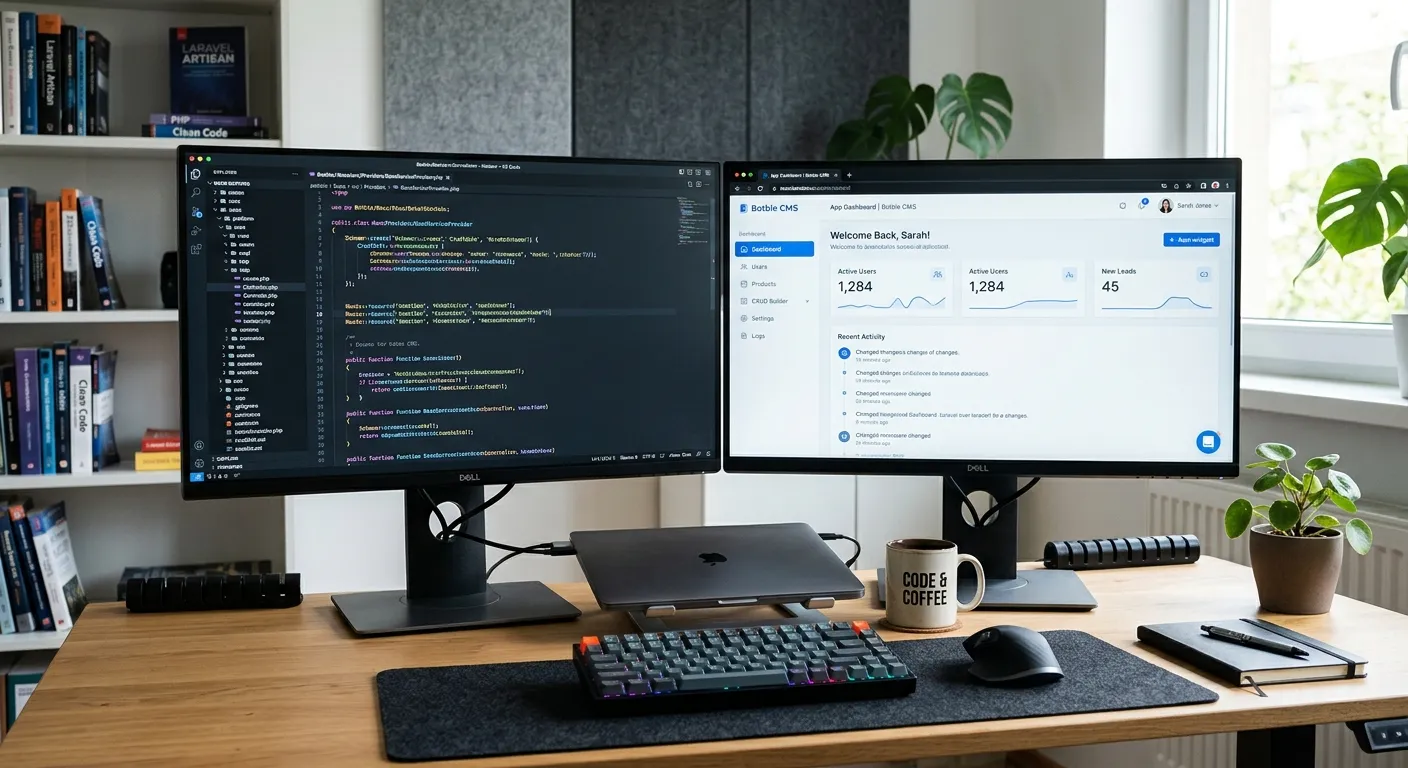
What is the Botble Laravel CMS CRUD Generator?
The Botble Laravel CMS CRUD Generator is a sophisticated module within the Botble CMS ecosystem designed to automate the creation of Create, Read, Update, and Delete (CRUD) interfaces. For developers and agencies, this tool is a game-changer, eliminating hours of boilerplate coding and allowing teams to focus on unique business logic and user experience. It seamlessly integrates with Botble's architecture, providing a consistent and powerful way to manage any data model within your application.
Imagine moving from a legacy system to a modern Laravel powerhouse. Tools like our WordPress to Laravel Migration service handle the data transfer, but the Botble CRUD Generator empowers you to build the custom admin tools to manage that data efficiently thereafter.
Pro-Tip: Strategic Development
Leveraging a CRUD generator isn't just about speed; it's about strategic resource allocation. By automating repetitive backend tasks, your development team can dedicate more time to complex features, performance optimization, and user-centric design, aligning perfectly with a strategic brand-building approach that values both efficiency and quality.
Core Benefits & Features of the Botble CRUD Generator
Dramatic Development Acceleration
Reduce the time spent on building standard admin interfaces by up to 80%. Generate full-featured modules in minutes, not days. This efficiency is a core tenet of modern development, akin to the principles behind our core features that set Waravel apart.
Consistent & Secure Codebase
Automatically follow Botble and Laravel best practices. Generated code includes built-in validation, authorization checks, and protection against common vulnerabilities (SQL injection, XSS), ensuring a robust foundation that complements a holistic performance optimisation strategy.
High Customization Flexibility
Start with a perfect boilerplate, then extend and modify everything. The generated code is clean, well-structured, and meant to be built upon, allowing for the creation of truly unique features that reflect specific business needs.
Seamless Ecosystem Integration
Works flawlessly with other Botble modules, plugins, and the overall admin theme. Easily integrate generated modules with advanced packages, such as a Laravel Calendar Package for scheduling features or reporting tools for analytics.
Ideal for Team Scaling
Enforces a consistent coding standard across your team, making onboarding easier and code reviews more efficient. This standardization is critical when you need to hire top talent and integrate them quickly into complex projects.
Future-Proof Foundation
As your application grows, the well-architected, generated code is easier to maintain, refactor, and scale. It prevents technical debt from the outset, ensuring your project remains agile and adaptable, much like the enterprise solutions profiled in our case studies on innovation.
Comparing Botble CRUD to Manual Development & Other Solutions
When evaluating the Botble Laravel CMS Crud Generator, it's essential to understand its position in the developer's toolkit. Manual CRUD development, while offering ultimate control, is notoriously time-consuming and prone to inconsistencies. Other generic Laravel CRUD packages exist, but they often lack deep CMS integration, requiring significant glue code to work within an admin panel like Botble's.
Botble's generator is native. It understands Botble's ACL (Access Control List), its menu and sidebar structure, its theming system, and its localization setup. This results in modules that feel like a natural part of the CMS from the moment they are generated. For teams considering a move from other platforms, understanding these efficiencies is as important as the technical details in a comprehensive Laravel CMS comparison.
Expert Insight: When to Use the Generator
The generator excels for standard data management modules (e.g., blog posts, product catalogs, employee directories). For highly bespoke, real-time interactive features or complex game logic, manual development might still be preferable. However, even in those cases, the generator can be used to quickly scaffold the administrative backend, allowing developers to focus on the unique front-end experience.
This tool is a cornerstone of a productive Laravel custom development services offering, enabling agencies to deliver more value faster.
Time Savings Analysis
Potential time reduction: >90%. This efficiency translates directly to lower project costs and faster time-to-market.
Frequently Asked Questions
While a basic understanding of Laravel MVC architecture is beneficial, the generator's interface is designed to be intuitive. Beginners can use it to learn Laravel patterns by examining the clean, generated code. However, for production use, especially when customizing the output, familiarity with Laravel and Botble CMS is recommended. Resources like our guide on the Laravel Platform can provide valuable foundational knowledge.
Absolutely. This is a key advanced use case. You can use the Botble CRUD Generator to create the core data models and admin interfaces for events, bookings, or appointments. Then, you manually integrate a dedicated Laravel Calendar Package into the generated front-end views and controllers to handle calendar display, drag-and-drop rescheduling, and timeline views. The generator handles the boring CRUD, freeing you to focus on the specialized integration.
The generator is capable of defining and implementing relationships like one-to-many, many-to-many, and polymorphic relations. During the schema definition, you can specify these relationships. The tool will generate the appropriate Eloquent relationship methods in the models and can create interface elements like dropdowns or multi-select boxes in the create/edit forms to manage the related data. This automates a significant portion of the complex logic required for relational data.
The generator typically works forward from a schema definition to create new tables. For existing databases, you would first ensure your Laravel application's models are correctly configured to connect to the legacy tables. Then, you could use the generator to create the *admin interface* (Controllers, Views) for those existing models, rather than having it generate migrations and models. This"scaffold-only" approach is powerful for modernizing old applications. For large-scale data moves, consider pairing this with a dedicated WordPress migration tool or similar service.
Yes, the code follows Laravel and Botble conventions and includes essential validation and authorization. However,"production-ready" also depends on your specific requirements. You must always: 1) Test Thoroughly: Write and run tests for any custom logic you add. 2) Review Security: Ensure the generated authorization gates match your business rules. 3) Optimize Performance: For large datasets, consider implementing pagination, eager loading, and caching beyond the basic generated list views. It provides an excellent, secure foundation that should be customized and hardened for your specific production environment.
Ready to Accelerate Your Laravel Development?
The Botble Laravel CMS CRUD Generator is more than a tool; it's a force multiplier for your development team. Whether you're building a new application from scratch or modernizing a legacy system after a successful WordPress to Laravel migration, this generator can save hundreds of development hours.
To fully leverage tools like this and build exceptional Laravel applications, you need the right talent on your team.
Explore more resources: Top Laravel Packages Guide | Botble Plugins
Real-World Case Study: Building a Client Portal in 72 Hours
The Challenge
A digital agency was tasked with building a custom client portal for a mid-sized marketing firm. The portal needed to manage client profiles, campaign assets, invoices, and performance reports. The initial scope, if built manually, included over 15 distinct CRUD modules with complex relationships (e.g., a client has many campaigns, a campaign has many assets and reports). The timeline was aggressive: a functional prototype in one week.
Traditionally, scaffolding these modules alone could consume 3-4 developer weeks. The agency needed a strategy that delivered quality without compromising the deadline or requiring a massive team.
The Strategy: Generator-First Development
The team decided to use the Botble CRUD Generator as the core of their development sprint. They mapped all data models on day one, used the generator to produce the foundational code on day two, and spent the remaining days customizing views, integrating a third-party charting library for reports, and polishing the user experience.
The Outcome
- Time to MVP: 72 hours. The generator produced over 80% of the necessary backend code.
- Code Consistency: Uniform controllers, validation, and API structures across all modules accelerated frontend integration.
- Client Feedback Loop: A working admin panel was available so early that the client could provide feedback on data structure and workflow before any major frontend work was done, preventing costly revisions later.
- Scalability: When the client requested a new"vendor management" module two months later, the team added it in under a day using the same generator workflow.
This case exemplifies how the generator shifts the developer's role from boilerplate coder to solution architect. The saved time was reinvested into robust error handling, comprehensive user onboarding tooltips, and a custom dashboard—features that truly differentiated the final product.
Mastering Customization: How to Extend Generated Modules
The real artistry in using a CRUD generator lies not in the generation itself, but in the skillful extension of its output. Here’s how professional developers layer custom functionality onto a generated base.
1. Adding Custom Business Logic to Controllers
Generated controllers provide standard index, create, store, edit, update, and destroy methods. To add a custom action—like sending a notification when an invoice is marked paid—you simply add a new method.
You then define a corresponding route and add a button in the invoice's list or show view. This keeps the generated core intact while seamlessly adding bespoke features.
2. Enhancing Forms with Complex Field Types
The generator creates forms based on simple field types (text, textarea, select). For richer inputs, you manually edit the generated Blade view.
Example: Replacing a basic `text` field for a `postal_code` with an interactive field that auto-fills the city and state after entry. This involves:
- Adding a JavaScript library (like Alpine.js) to the view.
- Replacing the `` with a component that listens for changes.
- Creating a controller method that, given a postal code, returns city/state data via AJAX.
This demonstrates the generator's role: it provides the structured form HTML and the backend validation rule, and you inject the interactive"magic" on top.
3. Integrating Third-Party APIs
A common advanced use case is using generated modules as a local representation of data synced with an external service. For instance, a generated"Product" module could be extended to sync inventory with Shopify or Amazon.
Implementation Pattern:
- Hook into Events: Use Laravel's model events (e.g., `saved`, `updated`) on the generated Product model to trigger a sync job to the external API.
- Create Synchronization Jobs: Use Laravel Queues to handle the API communication asynchronously, preventing slow admin panel response times.
- Extend the Admin Interface: Add a"Sync Now" button and a status log panel to the generated product edit view, giving admins control and visibility.
The generator gives you the complete local data management layer; you then build the bridge to the external world.
Best Practices and Common Pitfalls
✅ Recommended Best Practices
-
Version Control the Schema Definitions:
Don't just generate code and forget the configuration. Store your generator schema files (e.g., YAML or JSON configs) in Git. This allows you to regenerate modules identically across different environments and serves as living documentation of your data structure.
-
Generate in a Staging Branch First:
Always run the generator in a feature branch. Review the diff thoroughly before merging. This prevents accidentally overwriting customizations you've made to previously generated files.
-
Establish a Customization Convention:
Decide as a team how to mark customized sections of generated files. Some teams use `// CUSTOM_CODE_START` and `// CUSTOM_CODE_END` comments. Others never touch the generated files directly and instead extend classes or override views via Laravel's package/theme inheritance.
-
Generate Modules Iteratively:
Start with a core module, customize it, and deploy. This validates your workflow before generating 20 modules at once. It aligns with agile development principles and our philosophy of strategic, incremental improvement.
⚠️ Pitfalls to Avoid
-
Blind Over-Reliance:
The generator is a starting point, not a complete solution. Avoid the trap of thinking it will handle every edge case. Complex validation rules, sophisticated search filters, and multi-step workflows will always require manual intervention.
-
Neglecting Database Indexes:
While the generator creates tables, it may not optimally define indexes for performance. Always review and add indexes for foreign keys and columns used in frequent `WHERE`, `ORDER BY`, or `JOIN` clauses, a critical step in any performance optimisation plan.
-
Ignoring Generated Tests:
If the generator produces feature or unit tests (some advanced ones do), do not discard them. Expand upon them. They provide a baseline for your custom logic and ensure the core CRUD operations remain functional after your modifications.
-
Forgetting About Localization:
The generator will create language files with placeholder strings. It's crucial to translate these strings for all supported locales. An incomplete language file leads to a partially translated admin panel, harming usability for international teams.
Looking Ahead: The Evolution of CRUD Generation
Tools like the Botble CRUD Generator represent the current state of the art, but the trajectory points towards even more intelligent and integrated development assistants.
AI-Powered Schema Design
Future iterations may integrate AI to suggest optimal database schemas based on natural language descriptions (e.g.,"I need a system for users to book appointments with staff who have variable schedules"). The AI would propose tables, fields, and relationships, which the developer could then refine and feed into the generator.
Low-Code/Visual Customization
The post-generation customization phase could move into a low-code visual builder. Imagine dragging pre-built"components" (e.g., a rich text editor, an image gallery uploader, a map picker) onto a generated form and having the tool automatically write the corresponding backend logic and frontend assets.
Real-Time Collaboration & Cloud Syncing
CRUD generation could become a collaborative, cloud-hosted service. Team members could simultaneously modify a module's design, with changes syncing live. Generated code could be instantly deployed to staging environments, creating a seamless bridge between design, development, and deployment—a natural companion to cloud-based development services.
By mastering tools like the Botble CRUD Generator today, developers and agencies position themselves at the forefront of this evolution, ready to adopt new efficiencies while delivering superior value to their clients and stakeholders.