Laravel Botble CMS: The Premier Platform for Scalable Web Solutions & Elite Development
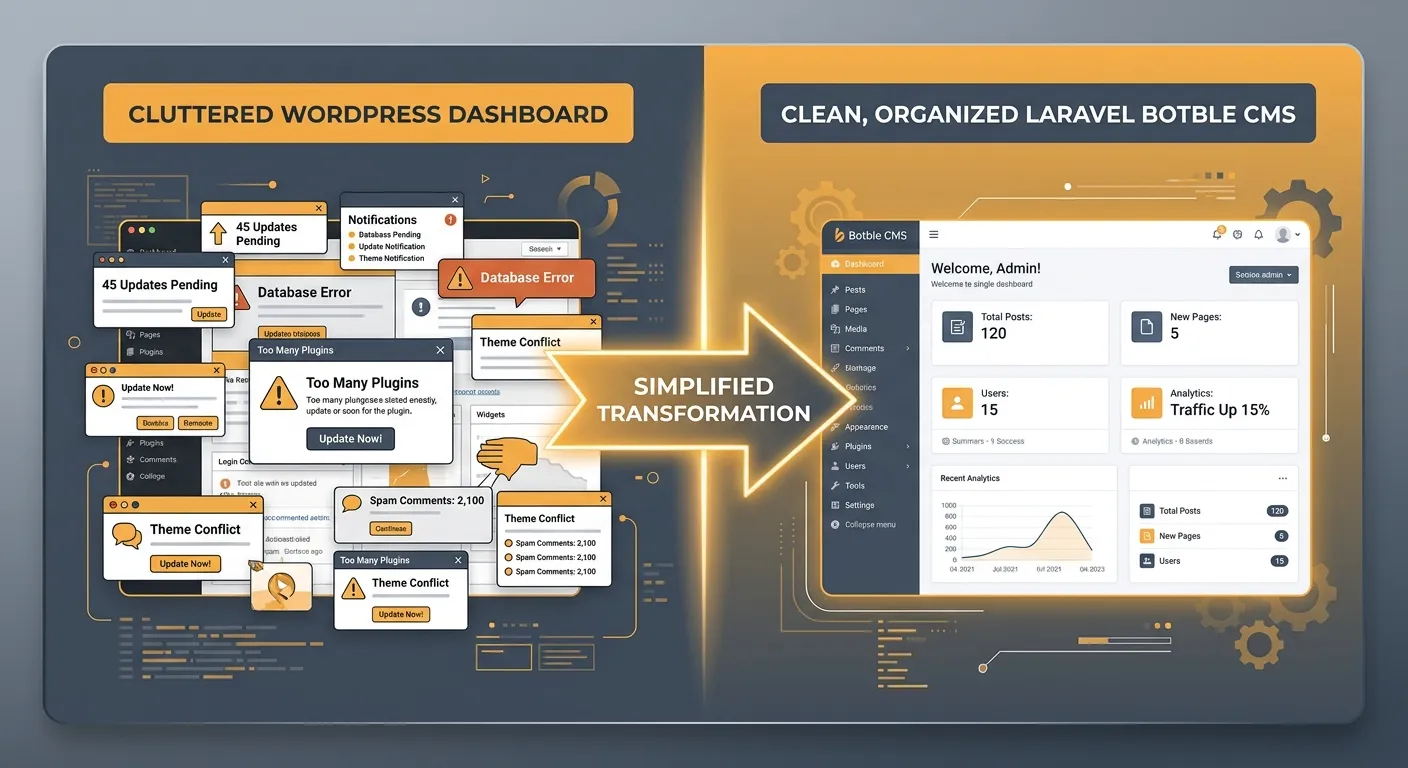
Discover why Laravel Botble CMS is the definitive choice for businesses seeking robust content management, unparalleled performance, and seamless WordPress to Laravel migration experiences.
A Multi-Faceted Laravel CMS Powerhouse
Botble CMS leverages the full elegance of the Laravel framework, offering distinct advantages for different stakeholders—from developers to content managers and business owners.
The Laravel-Powered CMS Ecosystem
Laravel Botble CMS is a modern, open-source content management system built on top of the Laravel PHP framework. It inherits Laravel's elegant syntax, powerful features like Eloquent ORM, and robust security, while providing a user-friendly admin panel that rivals WordPress in accessibility.
Unlike monolithic CMS platforms, Botble is modular. Its architecture allows developers to extend functionality through packages and themes without touching the core, ensuring clean, maintainable, and upgradeable code—a principle shared by platforms like our own Laravel Platform.
For organizations considering a move from legacy systems, understanding user migration strategies is crucial, and Botble's structured database design simplifies this process immensely.
At a Glance
- ✓ Framework: Laravel 9+
- ✓ License: MIT (Open Source)
- ✓ Admin UI: Modern, AJAX-driven
- ✓ Marketplace: Themes & Plugins
- ✓ Ideal For: Blogs, Portfolios, E-commerce, Business Sites
Developer-Centric Architecture
For Laravel developers, Botble feels familiar yet supercharged. It provides a comprehensive Laravel Admin Documentation system and follows MVC patterns religiously. You can leverage all native Laravel features while using Botble's built-in modules for rapid development.
Creating custom plugins is streamlined, akin to developing Laravel packages. This modularity is a core philosophy we emphasize in our core features analysis. Botble's codebase is well-documented, reducing the learning curve for teams familiar with Laravel.
Key Technical Advantages
- 1 Eloquent Integration: Manage all content, posts, and users via Eloquent models, enabling powerful query scopes and relationships.
- 2 Modularity: Every feature (blog, contact, menu) is a separate module. Disable or replace them without system-wide impact.
- 3 Blade Templating: Uses Laravel's Blade engine, offering template inheritance, components, and directives for clean view logic.
- 4 API-Ready: Built with API-centric approaches, making it ideal for headless CMS implementations and mobile app backends.
Driving Business Growth & Efficiency
For business owners and marketers, Laravel Botble CMS translates technical prowess into tangible benefits: faster site performance, enhanced security reducing risk, and a content management interface that empowers non-technical teams.
The platform supports multi-language sites out-of-the-box, a critical feature for global brands. Its SEO tools are extensive, allowing fine-grained control over meta tags, URLs, and sitemaps—directly impacting your digital visibility as outlined in our Strategic Brand Building Guide.
Pro-Tip: Migrating from WordPress? Botble's structured content models eliminate the bloat and performance issues of WordPress, often leading to significant improvements in page load times and Core Web Vitals scores. Consider our automated WordPress Migration Tool for a seamless transition.
Business ROI Highlights
- → Reduced Development Time: Pre-built modules for common features.
- → Lower TCO: Open-source with no licensing fees.
- → Enhanced Security: Laravel's built-in protections against SQLi, XSS, CSRF.
- → Scalability: Handles traffic spikes efficiently, crucial for growing businesses.
Laravel Botble CMS in the Competitive Landscape
How does Botble stack up against other popular Laravel CMS options like October CMS or Statamic? While October CMS is also Laravel-based, Botble often scores higher for its more polished and feature-complete admin panel, making it more accessible to end-users. For a detailed analysis, see our Laravel CMS Comparison.
| Feature | Botble CMS | October CMS | WordPress |
|---|---|---|---|
| Underlying Framework | Laravel | Laravel | Proprietary |
| Admin UI Modernity | High | Medium | Medium (Varies) |
| Learning Curve for Laravel Devs | Low | Medium | High (Different Paradigm) |
| Built-in E-commerce | Yes (Plugins) | Via Plugins | Yes (WooCommerce) |
| Performance (Typical) | Excellent | Very Good | Requires Optimization |
For teams specifically looking for an October CMS alternative with a more intuitive backend, Botble is a compelling choice. Its development philosophy aligns closely with modern web application standards, making it a sustainable long-term investment.
Core Features & Strategic Benefits of Laravel Botble CMS
Beyond basic content management, Botble provides a suite of tools designed for scalability, security, and superior user experience.
Performance Optimisation Engine
Built on Laravel, Botble inherits robust caching mechanisms (Redis, Memcached). It generates lean HTML and optimizes asset delivery. For advanced techniques, our guide on Performance Optimisation provides deeper insights applicable to Botble deployments.
- ▶ Full-page & query caching
- ▶ Minified CSS/JS assets
- ▶ Image lazy loading
Enterprise-Grade Security Model
Laravel's security features form Botble's foundation: prepared statements prevent SQL injection, CSRF tokens are enforced, and password hashing uses bcrypt. The modular architecture also limits the attack surface, as vulnerabilities in one module are less likely to compromise the entire system.
- ▶ Role-Based Access Control (RBAC)
- ▶ Two-factor authentication ready
- ▶ Regular security updates
Extensible E-commerce & Plugin System
While not a dedicated e-commerce platform like Magento, Botble's plugin ecosystem allows for full-featured online store creation. Its architecture makes integrating payment gateways (Stripe, PayPal) and custom logistics a developer-friendly task. Explore available plugins to extend functionality.
- ▶ Product catalogs & variations
- ▶ Shopping cart & checkout flows
- ▶ Order management dashboard
Multi-language & Localization Ready
Manage content in multiple languages from a single admin panel. Botble handles translation of static strings, menu items, and dynamic content seamlessly. This is essential for international brands and aligns with global digital strategies, similar to those employed by innovative firms like GE Germany.
- ▶ Front-end language switcher
- ▶ Translate via intuitive UI
- ▶ SEO-friendly localized URLs
Advanced SEO & Content Management Tools
Every piece of content can have custom meta titles, descriptions, Open Graph tags, and structured data. Botble generates XML sitemaps automatically and allows for clean URL structures. This granular control is a major advantage over more rigid systems and is a key factor in successful digital branding.
- ▶ Real-time SEO preview
- ▶ Automatic alt-tag management
- ▶ Canonical URL settings
Modern, Modular Theme System
Themes in Botble are self-contained packages using Blade templating. They can override specific views without affecting core files, promoting clean separation of concerns. This makes customization and branding straightforward for development teams, whether they are building from scratch or adapting existing themes.
- ▶ Layout builder with widgets
- ▶ Mobile-responsive by design
- ▶ Easy theme switching
Implementing Laravel Botble CMS: A Strategic Guide
Successfully deploying Botble requires more than just installation. It involves strategic planning around hosting, team training, and integration with existing business workflows.
First, assess your current platform. If you're migrating from WordPress, the process can be greatly simplified. Our proven guide on How To Migrate Your Entire WordPress Site To Laravel provides a step-by-step blueprint that applies directly to moving into a Botble environment.
Implementation Checklist
- ▸ Infrastructure: Choose a Laravel-optimized hosting environment (e.g., VPS, Laravel Forge).
- ▸ Data Migration: Plan content, user, and media migration. Use automated tools to preserve SEO.
- ▸ Custom Development: Identify needed custom plugins or themes. Leverage Laravel Custom Development Services for complex needs.
- ▸ Team Training: Familiarize content teams with the Botble admin interface.
Learn how to migrate WordPress to Laravel without harming your search rankings—a critical consideration for any CMS switch.
Mastering the Laravel Admin Documentation & Workflow
A significant advantage for development teams is Botble's adherence to Laravel conventions and its own comprehensive Laravel Admin Documentation. This documentation covers everything from installation and configuration to creating custom modules and hooks into the system's event listeners.
For instance, understanding Botble's"Widgets" system allows developers to create dynamic content blocks that non-technical users can place on pages via drag-and-drop. This bridges the gap between developer control and editorial flexibility. Similarly, mastering its"Menu" management API enables the creation of complex, multi-level navigation structures programmatically.
Expert Insight:
Treat Botble modules as standalone Laravel packages. This mindset encourages writing testable, decoupled code that can be reused across projects or even outside of Botble. Always refer to the official Laravel Admin Documentation for the specific version you are using, as APIs can evolve.
Common Use Case: Building a Corporate Portal
A company needs a site with news, job listings, client case studies, and a secure client area. With Botble: use the Blog module for news, a custom plugin for job listings (or integrate with a job board), the Pages module for case studies, and Botble's ACL to gate client areas. This modular approach is faster and more maintainable than building from absolute zero.
Why Migrate WordPress to a Laravel Botble CMS?
Many businesses are trapped in the WordPress cycle of plugins, updates, and security concerns. Migrating to a Laravel-based CMS like Botble offers an escape to a more controlled, performant, and scalable environment.
- ✔ Superior Performance: Laravel's efficient code execution and caching outperform WordPress's procedural core.
- ✔ Enhanced Security: A modern framework with built-in protections vs. a vast plugin attack surface.
- ✔ Long-Term Maintainability: Clean, object-oriented code is easier for development teams to support and extend.
- ✔ Total Ownership: No reliance on a monolithic third-party codebase. Your site is truly yours.
Ready to make the move? Explore our service for Migrate WordPress To Laravel Effortlessly.
Frequently Asked Questions: Laravel Botble CMS
Get answers to the most common questions about adopting, developing, and managing websites with Botble CMS.
Is Laravel Botble CMS suitable for large enterprise websites?
Yes, absolutely. Its Laravel foundation makes it inherently scalable. For very high-traffic enterprise sites, you can leverage Laravel's full suite of scaling tools: database clustering, Redis for caching, and queue workers for background jobs. Botble's modular design also means you can disable unnecessary features for a leaner, faster application. For mission-critical deployments, consider partnering with experts who offer comprehensive Laravel development services to tailor the platform to your specific enterprise needs.
How does Botble CMS handle SEO compared to WordPress?
Botble provides more granular, framework-level control. While WordPress relies on plugins like Yoast SEO, Botble builds core SEO features (custom meta tags, XML sitemaps, clean URLs) directly into the admin panel for posts, pages, and categories. This eliminates plugin conflicts and performance overhead. Furthermore, because Laravel applications are typically faster, they score better on Core Web Vitals—a direct Google ranking factor. For a seamless transition that preserves your hard-earned SEO, review our guide on WordPress to Laravel migration.
What is the learning curve for a WordPress developer switching to Botble?
The learning curve is moderate but rewarding. A WordPress developer will find the admin panel for content management intuitively similar. The significant shift is moving from WordPress's theme and plugin structure (PHP/HTML/CSS mixed) to Laravel's MVC pattern and Blade templating. This requires learning Laravel fundamentals. However, the payoff is substantial: cleaner code, better performance, and more powerful development capabilities. Investing in training or hiring a Laravel-skilled developer to bridge the knowledge gap is a common and effective strategy.
Can I use Botble as a headless CMS for a mobile app?
Yes, it's an excellent choice for a headless CMS. Since it's built on Laravel, you can easily create a robust JSON API using Laravel's API resources or a package like Laravel Sanctum for authentication. The admin panel becomes your content management backend, while your mobile app (React Native, Flutter, etc.) consumes the API. This decoupled approach gives front-end developers full flexibility while allowing content teams to use a powerful, familiar interface.
Where can I find quality themes and plugins for Botble CMS?
The primary source is the official Botble Marketplace. It offers a growing selection of both free and premium themes and plugins. Due to Botble's relative youth compared to WordPress, the ecosystem is smaller but more curated, often resulting in higher code quality. For complex custom functionality, you'll likely need custom development. Also, explore our Top Laravel Packages Guide for general Laravel packages that can be integrated into a Botble project.
Ready to Build with Laravel Botble CMS?
Leverage the power of a modern Laravel CMS for your next project. Whether you're migrating an existing site or building a new digital platform from the ground up, having the right team is critical to success.
Explore more resources to inform your decision: Case Studies | About Us | Terms of Service