Mastering WordPress Auto Updates: A Strategic Guide for Security, Stability & Hiring Expert Talent
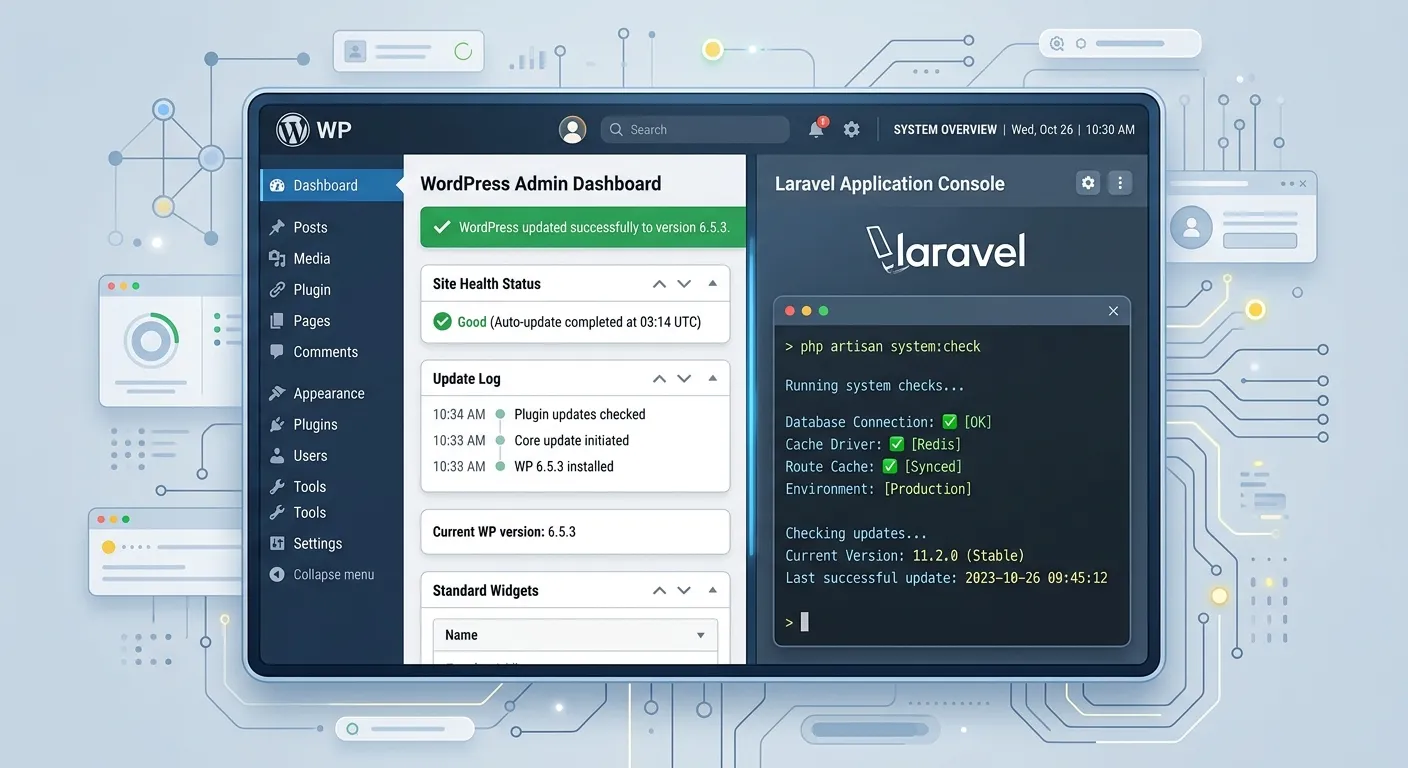
Navigating WordPress auto updates is a critical skill for website owners and developers alike. This comprehensive guide explores the intricacies of automated maintenance, from enabling core features to mitigating risks, and positions the strategic move to a more robust platform like a Laravel blog CMS for ultimate control.
Navigating WordPress Auto Updates: A Multi-Category Overview
Understanding WordPress auto updates requires looking at different components and their implications. Use the tabs below to explore core areas.
Core WordPress Auto Update Mechanisms
WordPress core auto updates are designed to patch security vulnerabilities and deliver minor version improvements automatically. Enabled by default for security releases, they are a frontline defense. However, major version updates (e.g., 6.5 to 6.6) typically require manual initiation, though this can be configured via filters or hosting control panels.
A critical consideration is compatibility. An automatic update, while securing the core, can inadvertently conflict with poorly-coded themes or plugins. This is where the true cost of a"set-and-forget" WordPress auto update strategy reveals itself, often requiring immediate developer intervention. For businesses seeking long-term stability and reduced maintenance overhead, exploring a transition to a Laravel CMS like WordPress offers a more controlled environment.
Plugin & Theme Auto-Update Management
Managing plugin and theme updates is where complexity multiplies. WordPress allows enabling auto updates per item via the admin interface or universally via code. While convenient, this is the most common source of website breakage.
⚠️ Pro-Tip:
Never enable auto updates for mission-critical plugins (e.g., e-commerce, membership) or complex themes without first testing in a staging environment. The risk of a broken checkout process or lost user data far outweighs the convenience.
This plugin dependency cycle is a primary reason many businesses consider a platform shift. A modern Laravel Platform uses Composer for dependency management, providing version locking and deterministic updates that are far more predictable than WordPress's plugin ecosystem.
Inherent Risks and Strategic Mitigation
The primary risk of WordPress auto update is breakage due to incompatibility. A secondary, often overlooked risk is regression—where a new update reintroduces old bugs or negatively impacts Performance Optimisation efforts.
- Staging Site is Non-Negotiable: All updates should be vetted in an identical staging environment first.
- Comprehensive Backups: Ensure real-time or daily backups are in place and tested. Tools facilitating a WordPress Migration Tool can also serve as backup solutions.
- Monitor Update Logs: Use server logs and monitoring tools to track update processes and outcomes.
- Define a Rollback Plan: Know exactly how to revert to a previous version within minutes.
Beyond WordPress: Controlled Modern Alternatives
For businesses outgrowing WordPress's constraints, modern PHP frameworks offer superior control. A Laravel blog CMS built with version-controlled code, managed via Composer, eliminates the"wild west" of third-party plugin updates. Updates become a deliberate, scheduled development task, not a random automated event.
This is not just theory. Services exist to Migrate WordPress to Laravel Effortlessly, preserving content and functionality while unlocking a more stable, performant, and secure foundation where"auto-update" concerns are replaced by professional, managed deployment pipelines.
Key Benefits & Strategic Insights on WordPress Auto Updates
Weighing the pros and cons of automated updates is essential for strategic website management. These high-contrast cards outline the critical considerations.
Enhanced Security Posture
Automated application of security patches is the foremost benefit. It closes known vulnerabilities faster than manual processes, protecting against mass-exploitation attacks. However, this is a reactive benefit; for a proactive security architecture, consider platforms with inherent structural advantages.
Reduced Administrative Overhead
For simple brochure sites with vetted, well-maintained plugins, auto updates can save significant time. This freed-up time can be redirected toward Strategic Brand Building initiatives rather than routine maintenance.
Risk of Site Breakage & Downtime
This is the most significant downside. An incompatible plugin update can crash a site, leading to lost revenue and reputation damage. Mitigating this requires robust performance optimisation and monitoring setups, which add complexity.
Loss of Control & Visibility
Auto updates can happen without immediate admin knowledge. While logs exist, the change is pushed live without explicit human approval. For compliance-heavy or complex sites, this lack of granular control is unacceptable and pushes organizations toward custom Laravel Custom Development Services.
The Catalyst for Platform Migration
For many, the frustrations of managing WordPress auto update risks become the final push to seek a better solution. Migrating to a Laravel-based CMS represents a move from reactive patching to proactive, version-controlled software development. Explore WordPress to Laravel Migration pathways to understand this strategic upgrade.
Talent & Hiring Implications
Managing a complex WordPress site with auto updates requires either in-house expertise or reliable contracted support. When issues arise, you need skilled troubleshooters immediately. For businesses without dedicated IT, this underscores the importance of being able to quickly hire top-tier web maintenance talent or opting for a more stable platform that reduces emergency support needs.
Configuring WordPress Auto Updates: A Step-by-Step Deep Dive
Taking control of WordPress auto updates means moving beyond the default settings. Configuration happens at multiple levels: via the WordPress admin dashboard, using PHP code snippets in your `wp-config.php` or theme's `functions.php` file, and sometimes through your hosting provider's control panel.
Administrative Dashboard Controls
The simplest method is within the WordPress admin. Navigate to"Plugins" or"Themes," and you'll see an"Enable auto-updates" link for each item. This offers granular control but becomes tedious on sites with dozens of plugins. For core updates, the"Dashboard > Updates" screen provides options, though major releases are often hidden by default for safety.
Advanced Code-Based Configuration
For developers, the `wp-config.php` file is the powerhouse. Adding a line like `define( 'WP_AUTO_UPDATE_CORE', true );` enables all core updates (minor and major). More nuanced control is achieved with filters in the `functions.php` file, allowing you to enable/disable updates based on type, plugin slug, or even time of day.
// Disable all auto updates (core, plugins, themes)
add_filter( 'auto_update_core', '__return_false' );
add_filter( 'auto_update_plugin', '__return_false' );
add_filter( 'auto_update_theme', '__return_false' );
// Enable auto-updates only for specific, trusted plugin
add_filter( 'auto_update_plugin', function( $update, $item ) {
$trusted_plugins = array( 'akismet/akismet.php', 'classic-editor/classic-editor.php' );
return in_array( $item->plugin, $trusted_plugins );
}, 10, 2 );
This level of control is necessary for professional management but highlights a key WordPress shortcoming: significant development overhead for basic maintenance. In contrast, a modern Laravel blog CMS manages dependencies through `composer.json`, where versions are pinned and updates are executed deliberately via command line, offering transparency and reproducibility that WordPress filters cannot match.
The Strategic Imperative: From Reactive Updates to Proactive Maintenance
Relying on WordPress auto update is a reactive strategy. It waits for a vulnerability to be discovered and patched by the WordPress core team, then applies that patch. A proactive strategy involves moving to a platform where security and stability are architectural foundations, not add-ons.
The Laravel CMS Advantage
Frameworks like Laravel are built with modern PHP practices, offering built-in security features (CSRF protection, prepared SQL statements, encryption) that surpass WordPress's often plugin-dependent security. When considering a Laravel CMS Comparison, you'll find that updates are holistic. Updating Laravel and its packages via Composer is a controlled process that updates the entire application stack cohesively, unlike WordPress's piecemeal plugin and core updates.
🚀 Expert Insight:
The true cost of WordPress auto updates isn't just the occasional broken site—it's the cumulative time spent monitoring, testing, and fixing issues across dozens of separate components. Migrating to a Laravel-based system consolidates those components into a single, version-controlled codebase. This shift transforms website maintenance from a constant, low-level worry into a scheduled, high-value development activity. Platforms like Waravel demonstrate how this can be done while retaining user-friendliness. Explore their Core Features That Set Waravel Apart to understand the practical implementation.
Furthermore, the hiring profile changes. Instead of seeking a"WordPress fixer" who understands a maze of plugins, you can hire a Laravel developer who understands software engineering principles. This often leads to more sustainable, higher-quality results. When you need to scale your team, you can hire specialized Laravel talent for strategic development, not just emergency break-fix support.
Implementation Checklist & Future-Proofing Your Strategy
Whether you choose to refine your WordPress auto update process or embark on a platform migration, a structured approach is vital.
Immediate WordPress Auto Update Audit Checklist
- Inventory & Assess: List all plugins/themes. Identify mission-critical ones and research their update reliability.
- Enable Staging: If you don't have a staging site, create one immediately. This is your testing ground.
- Configure Backups: Implement automated, off-site backups that run before any auto update.
- Selective Enablement: In the admin, enable auto updates only for well-maintained, simple plugins (e.g., Hello Dolly, Akismet). Leave complex plugins (WooCommerce, page builders) on manual.
- Monitor: Set up uptime monitoring and error logging (e.g., Sentry, New Relic) to catch breakages fast.
- Communicate: Ensure your team or clients know the update policy and potential risks.
Long-Term Strategic Roadmap
If your site is business-critical, consider a long-term roadmap that reduces dependency on the WordPress ecosystem:
- Evaluate Migration Feasibility: Use tools to analyze your WordPress site's complexity. Resources like this guide on migrating your entire WordPress site to Laravel provide a starting point.
- Prioritize a Laravel Blog CMS Prototype: Build a simple Laravel blog to understand the workflow and compare it to WordPress's editor experience.
- Plan a Phased Migration: Move non-critical sections first, then core content, followed by complex functionality like e-commerce.
- Assemble the Right Team: This journey requires skilled developers. You may need to hire Laravel experts to execute the migration and ongoing development.
- Implement Modern DevOps: With Laravel, establish automated testing, CI/CD pipelines, and controlled deployment schedules—the ultimate evolution beyond"auto updates."
The journey from managing WordPress auto updates to commanding a modern Laravel application is a shift from reactive website ownership to proactive digital asset management. It's an investment that pays dividends in stability, performance, and strategic agility.
Frequently Asked Questions About WordPress Auto Updates
Get clear, actionable answers to the most common concerns surrounding automated updates and platform strategies.
For minor and security releases, they are generally safe and highly recommended. The WordPress team extensively tests these patches. However,"safe" is relative to your site's environment. If you are using outdated or niche plugins/themes that bypass standard APIs, even a minor core update can cause issues. Always have a staging environment and backups. For maximum safety and control, consider a platform where updates are deterministic, like a Laravel application managed through Composer.
You can disable them via code in your `wp-config.php` file by adding `define( 'WP_AUTO_UPDATE_CORE', false );`. To disable plugin and theme auto updates, you need to add specific filters to your theme's `functions.php` file (see code example in the Deep-Dive section above). Be aware that disabling all updates exposes your site to security risks. A more strategic approach is not just disabling updates, but migrating to a system where updates are controlled and predictable, eliminating the need for a blanket disable.
Step 1: Don't Panic. Immediately restore from your most recent backup. If you don't have one, contact your hosting provider—they may have a snapshot. Step 2: Identify the Culprit. Deactivate all plugins and switch to a default theme (e.g., Twenty Twenty-Four). If the site works, reactivate elements one by one to find the conflict. Step 3: Seek Expert Help. If the issue is complex, you may need to quickly hire a WordPress crisis developer to diagnose and fix it. This event is a strong signal to re-evaluate your platform's stability.
Not primarily, but it's a significant benefit. The core reasons are performance, security, scalability, and long-term maintainability. WordPress auto update issues are merely a symptom of a deeper architectural reality: a CMS built around a plugin ecosystem that prioritizes accessibility over engineering rigor. Laravel provides a robust MVC framework where every line of code is accountable. This leads to faster sites, fewer security vulnerabilities, and the ability to handle complex business logic. The controlled update process is a natural byproduct of that superior architecture. Learn more about the broader advantages by exploring how to Unlock The Power Of Laravel.
The talent profile shifts from generalist"WordPress developers" (who often focus on theme/plugin configuration) to"Laravel/PHP developers" (who typically have stronger software engineering fundamentals). This can mean accessing a higher-caliber talent pool, though rates may be higher. The key benefit is that you're hiring for strategic development and innovation, not just maintenance and crisis management. To build this team, you need a platform to find the right people. You can hire expert Laravel developers today to begin architecting a more stable digital future for your business.
Ready to Transform Your Website Management Strategy?
Stop reacting to WordPress auto updates and start commanding your digital presence with precision. Whether you need to optimize your current WordPress setup with expert talent or embark on a strategic migration to a robust Laravel blog CMS, the next step is decisive action.
This guide to WordPress auto update is part of our commitment to providing expert digital strategy insights. For more on platform comparisons, Laravel CMS October Alternative analyses, and advanced development topics, explore our homepage.