Solving WordPress Problems with Laravel: The Ultimate Developer's Playbook for 2026
Discover the powerful strategies, Laravel CMS solutions, and actionable migration plans that liberate your projects from WordPress limitations and unlock enterprise-grade performance, security, and scalability.
Hire Elite Laravel Talent Today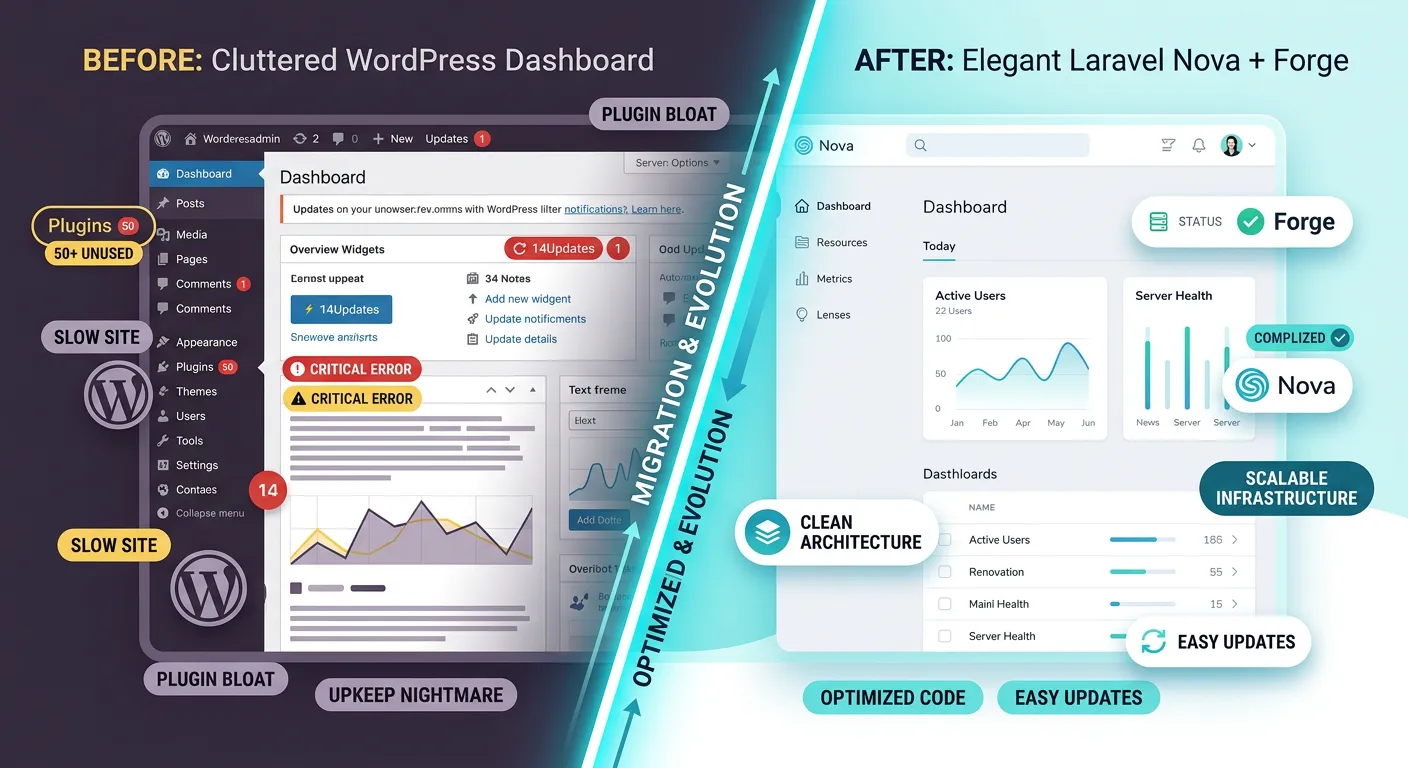
Strategic Pathways: Solving WordPress Problems with Laravel
The journey from a restrictive CMS to a liberating framework involves multiple dimensions. Explore the core categories of transformation below.
The Critical Limitations Holding Your WordPress Site Back
WordPress's simplicity is its initial draw, but for growing businesses, it becomes a cage. Performance bottlenecks from unoptimized plugins, security vulnerabilities that make you a constant target, and a monolithic architecture that resists custom business logic are not mere inconveniences—they are existential threats to scalability and user experience.
- Performance & Scalability: Database bloat, inefficient plugin code, and lack of native caching strategies cripple site speed under traffic loads, directly impacting SEO and conversion rates.
- Security Headaches: As the world's most popular CMS, WordPress is the #1 target for automated bots and hackers. Core, theme, and plugin updates are a relentless, mandatory chore to patch vulnerabilities.
- Developer Experience & Customization Ceiling:"Hacking" WordPress with plugins and shortcodes to fit complex needs leads to fragile, unmaintainable code. True Laravel custom development services offer a clean-slate approach.
- Ownership & Lock-in: Your data, design, and functionality are entangled within the WordPress ecosystem. Migrating away often feels impossible without significant data loss or cost.
Pro-Tip:
If you're spending more time managing updates, security plugins, and caching configurations than developing new features, your platform has become a liability, not an asset. This is the primary signal to explore solving WordPress problems with Laravel strategies for 2026.
How the Laravel Framework Provides Elegant Solutions
Laravel isn't just an alternative; it's a paradigm shift. It addresses WordPress's core weaknesses with modern PHP engineering principles. The advantages of Laravel framework are systemic, offering built-in solutions for routing, authentication, caching, queues, and an elegant ORM (Eloquent) that makes database interactions a joy.
For CMS needs, the landscape is rich. You're not limited to a single system. You can choose a headless approach, adopt a Laravel-based CMS like our platform, or build a bespoke content structure with tools like Nova. This is the essence of finding the Best Laravel CMS for your specific workflow. Exploring a Laravel CMS comparison is the first step to understanding your options beyond the WordPress monolith.
The solution lies in leveraging Laravel packages for developers to assemble a toolkit that precisely matches your requirements, rather than forcing your requirements to match a plugin's capabilities.
Executing a Flawless WordPress to Laravel Migration
The thought of migration is daunting—data loss, broken URLs, SEO collapse. This fear is what keeps businesses trapped. Modern tools have eliminated this risk. A professional WordPress to Laravel migration service uses automated tools to handle the heavy lifting.
The key is a methodical process: comprehensive pre-migration audits, automated data mapping and transfer, rigorous post-migration testing, and strategic SEO preservation. Tools like Waravel are designed specifically for this, as detailed in our resource on how to migrate your entire WordPress site to Laravel without losing a single byte of data. This transforms migration from a perilous gamble into a predictable, controlled engineering project.
Actionable Insight:
Start with a non-critical section of your site. Use a tool to migrate from WordPress to Laravel for just your blog or a set of landing pages. This"pilot project" de-risks the full migration, builds team confidence, and provides a clear ROI case study for stakeholders.
Core Advantages: Why Laravel Triumphs in Solving WordPress Problems
Adopting Laravel isn't merely a technical swap; it's a strategic upgrade across every facet of your digital presence.
Unmatched Performance & Scalability
Laravel's built-in caching, efficient query builder (Eloquent), and queue system for deferring tasks allow your application to handle exponential traffic growth gracefully. This is fundamental to how to optimize Laravel CMS performance out of the box.
Explore OptimizationEnterprise-Grade Security Posture
Laravel provides robust, built-in protection against SQL injection, cross-site request forgery (CSRF), and cross-site scripting (XSS). Its architecture reduces the attack surface compared to WordPress's vast plugin ecosystem. Learn more about our dedicated Laravel security practices.
Superior Developer Experience & Maintainability
Clean MVC architecture, expressive syntax, a powerful command-line tool (Artisan), and a vast ecosystem of Laravel packages for developers make building, testing, and maintaining applications faster and more enjoyable. This attracts top talent and reduces long-term costs.
Flexible Content Architecture
Move beyond rigid post types and custom fields. With Laravel, you model your content structures perfectly to your business logic, whether it's a simple blog, a multi-tenant SaaS platform, or a complex digital product catalog. Discover the power of a Laravel CMS like WordPress but with far greater flexibility.
Total Data Ownership & Freedom
Break free from vendor lock-in. Your Laravel application, its code, and its database are yours. You control the hosting environment, the upgrade cycles, and the technology roadmap. This strategic autonomy is critical for long-term strategic brand building.
Future-Proof Technology Stack
Laravel is at the forefront of modern PHP, embracing API-driven development, real-time capabilities with Laravel Echo, and seamless integration with Vue.js/React. This positions your project perfectly for headless CMS implementations, mobile apps, and advanced digital experiences in 2026 and beyond.
The Blueprint: A Step-by-Step Guide to Migrate from WordPress to Laravel
A successful migration is a meticulous process, not a single event. Follow this proven blueprint to ensure data integrity, preserve SEO equity, and achieve a seamless transition.
Pre-Migration Audit & Planning
Before writing a single line of Laravel code, conduct a full inventory of your WordPress site. Catalog all plugins, themes, custom post types, user roles, and third-party integrations. Analyze your database structure and identify crucial data relationships. This audit informs your new Laravel data models and highlights potential complexity. Crucially, establish a comprehensive full database backup and restore point before any work begins.
This stage also involves deciding on your target Laravel CMS or architecture. Will you use a package, build a custom admin, or adopt a headless approach? Researching Laravel CMS solutions is key here.
Automated Data Migration & Mapping
This is the most critical technical phase. Manually moving posts, pages, users, and media is error-prone and unscalable. Leverage specialized tools designed for this exact purpose. A tool like Waravel automates the extraction, transformation, and loading (ETL) of your WordPress data into Laravel's Eloquent models. It handles the intricacies of serialized post meta, featured image relationships, and user password re-hashing. For a clear understanding of this automation advantage, read our analysis on Waravel vs. Manual Coding.
Focus on preserving all relationships. A post must retain its author, categories, tags, and comments. Our guide on importing WordPress media, posts, and pages details how automated mapping eliminates stress.
Development, Staging, & SEO Preservation
With your data migrated, development begins on the new Laravel application. Build the front-end views (often using Blade components for reusability) and the admin interface. Critical: Maintain identical URL structures or implement 301 redirects for any changed URLs. This is non-negotiable for SEO. Tools should help map old WordPress permalinks to new Laravel routes.
Deploy the new site to a staging environment that mirrors production. Conduct thorough functional testing, user acceptance testing (UAT), and performance benchmarking against the old WordPress site.
Go-Live & Post-Migration Optimization
Execute the final cutover using a controlled deployment strategy, ideally with zero-downtime deployment techniques to avoid business disruption. Immediately after launch, monitor for errors, verify all redirects are working, and use tools like Google Search Console to ensure search engines are indexing the new site correctly.
Now, you can truly leverage advantages of the Laravel framework. Implement advanced caching with Redis or Memcached, fine-tune database indexes through database optimisation, and set up queue workers for email and background jobs. This is where you realize the full performance potential.
Building Your Toolkit: Laravel CMS Solutions and Essential Packages
The Laravel ecosystem is your greatest asset. Here’s how to navigate the options for CMS functionality and extend your application with powerful packages.
Choosing Your Laravel CMS Path
You don't need to rebuild a WordPress-style admin from scratch. Several mature paths provide structured content management within Laravel's elegant environment.
-
Integrated Laravel CMS Platforms
Solutions like Waravel provide a turnkey, WordPress-familiar admin panel built directly on Laravel. They are designed specifically for those migrating from WordPress to Laravel, offering a gentle learning curve while delivering all of Laravel's power. Explore our core features that set Waravel apart.
-
Admin Panel Generators (Laravel Nova, Filament, Backpack)
These are not full CMSes out of the box but incredibly powerful tools to *build* your custom admin interface rapidly. They provide CRUD interfaces, filters, lenses, and metrics dashboards that you tailor to your exact data models. Perfect for complex business applications.
-
Headless/API-First Approach
Use Laravel solely as a backend API (using Laravel Sanctum/Passport for authentication) and manage content through a separate front-end (e.g., Next.js, Vue.js) or a dedicated headless CMS GUI. This offers maximum flexibility for multi-channel content delivery (web, mobile, IoT).
To make an informed choice, a detailed Laravel CMS vs WordPress analysis is invaluable, as is reviewing a Top Laravel CMS 2026 guide to see the evolving landscape.
Must-Have Laravel Packages for Developers
Packages are the building blocks of efficient Laravel development. They add specific, battle-tested functionality without reinventing the wheel. Here are categories essential for solving WordPress problems with Laravel:
Performance & Scalability
Spatie Laravel ResponseCache / Laravel Page Cache: For full-page caching, dramatically reducing server load.
Laravel Horizon: A beautiful dashboard for monitoring your Redis queues, crucial for handling background jobs.
Security & Authentication
Laravel Sanctum / Passport: For API token authentication and full OAuth2 server implementation.
Spatie Laravel Permission: Manage user roles and permissions with a fine-grained, database-agnostic approach far superior to WordPress roles.
Developer Productivity
Laravel Debugbar: An essential debugging tool that provides insights into queries, requests, and performance during development.
Spatie Laravel Backup: Automatically backup your application and database to multiple filesystems. Peace of mind encapsulated in a package.
For a continuously updated list, refer to our comprehensive guide on essential Laravel packages for modern developers.
The Waravel Advantage: A Bridge, Not a Cliff
Our suite is designed specifically to solve the hardest parts of solving WordPress problems with Laravel. It's more than a migration tool; it's a complete platform for your future growth.
Automated Migration Engine
The premier WordPress to Laravel migration tool that handles content, users, media, and SEO metadata with precision, eliminating manual drudgery and risk.
Familiar WordPress-Style Admin
We built a Laravel WordPress alternative with an intuitive interface that reduces retraining time for your content teams, making adoption frictionless.
Ongoing Platform & Support
Migration is just the start. Benefit from our Laravel maintenance & support services, upgrade services, and expert guidance to keep your application secure and performant.
Frequently Asked Questions: Solving WordPress Problems with Laravel
Get clear, expert answers to the most common questions about migrating from WordPress to Laravel and leveraging Laravel CMS solutions.
"Better" depends on your goals. For simple blogs, WordPress may suffice. However, for content-heavy sites that require custom functionality, superior performance under traffic, stringent security, or complex content relationships, Laravel is unequivocally superior. It provides the architectural integrity to manage vast amounts of content efficiently, with tools for advanced search, caching, and API delivery that WordPress struggles with. A Best Laravel CMS built on the framework gives you the content management ease of WordPress with the technical prowess of Laravel.
The transition is about moving from a generalized tool to a precision-engineered solution for scale and customization.
No, not if the migration is executed correctly. SEO loss is a myth perpetuated by poorly planned migrations. The key is preserving URL structures (or implementing proper 301 redirects for every changed URL) and maintaining all critical on-page SEO elements (title tags, meta descriptions, header tags, image alt text).
Professional WordPress to Laravel migration services and tools like Waravel are designed with SEO preservation as a core feature. They ensure all your content's SEO metadata is migrated and that the new site is technically sound (fast, mobile-friendly, with clean code). Done right, migration can be an opportunity to improve SEO through better performance and cleaner architecture. Watch our video on migrating WordPress to Laravel easily to see the process in action.
This is a critical planning step. You don't"migrate" plugins. You audit, then replace or rebuild their functionality.
- Essential Functionality (SEO, Forms, Security): These are often better handled natively by Laravel or high-quality Laravel packages. For example, Laravel's validation system replaces form plugins, and dedicated packages offer superior SEO tools.
- Custom Business Logic: Plugins that add unique features to your site will need to be re-implemented as custom Laravel code. This is an investment that pays off in cleaner, more maintainable, and higher-performing code.
- Obsolete/Unused Plugins: This is the perfect time to retire them, simplifying your tech stack.
The process turns plugin dependency into true software ownership. Our step-by-step migration guide includes a detailed plugin audit worksheet.
There is no one-size-fits-all answer, as it depends entirely on site complexity, data volume, and custom functionality required. However, a general framework exists:
- Simple Brochure Site: A site with basic pages, a blog, and a contact form can often be migrated and rebuilt in 4-8 weeks.
- Complex Business Site/E-commerce: Sites with custom post types, user communities, WooCommerce stores, or membership systems can take 3-6 months for a full, polished migration and rebuild.
Cost correlates with timeline and team expertise. While the initial investment is higher than maintaining WordPress, the Total Cost of Ownership (TCO) over 3-5 years is typically lower due to reduced security incidents, less developer time spent on patches/workarounds, and avoided costs of scaling a failing platform. The ROI comes from increased performance, security, and business agility. For a precise estimate, engaging with a provider of professional WordPress to Laravel migration services for a consultation is the best step.
Absolutely. A well-designed Laravel CMS, particularly one built with migration in mind (like Waravel), features an admin interface that is intuitive and often deliberately familiar to WordPress users. The core tasks—creating and editing pages/posts, uploading media, managing categories—are very similar.
The difference is that the interface is typically cleaner, faster, and more logical because it's not cluttered with dozens of unrelated plugin menus. The learning curve is minimal for content creators. The major change is for developers and administrators, who gain immense new power and control. For a visual demonstration, check out our video on the WordPress familiar interface in Laravel.
Ready to Solve Your WordPress Problems with Laravel?
Stop managing crises and start building a digital platform that scales with your ambition. The strategies for 2026 demand robust technology.
Explore our case studies to see how businesses have successfully implemented solving WordPress problems with Laravel strategies and unlocked their true potential.