Unlock the Power of the Content Management API: A Master Guide to Optimizely
Learn how to architect, integrate, and leverage the Optimizely Content Management API to build scalable, high-performance digital experiences that outperform legacy systems like WordPress.
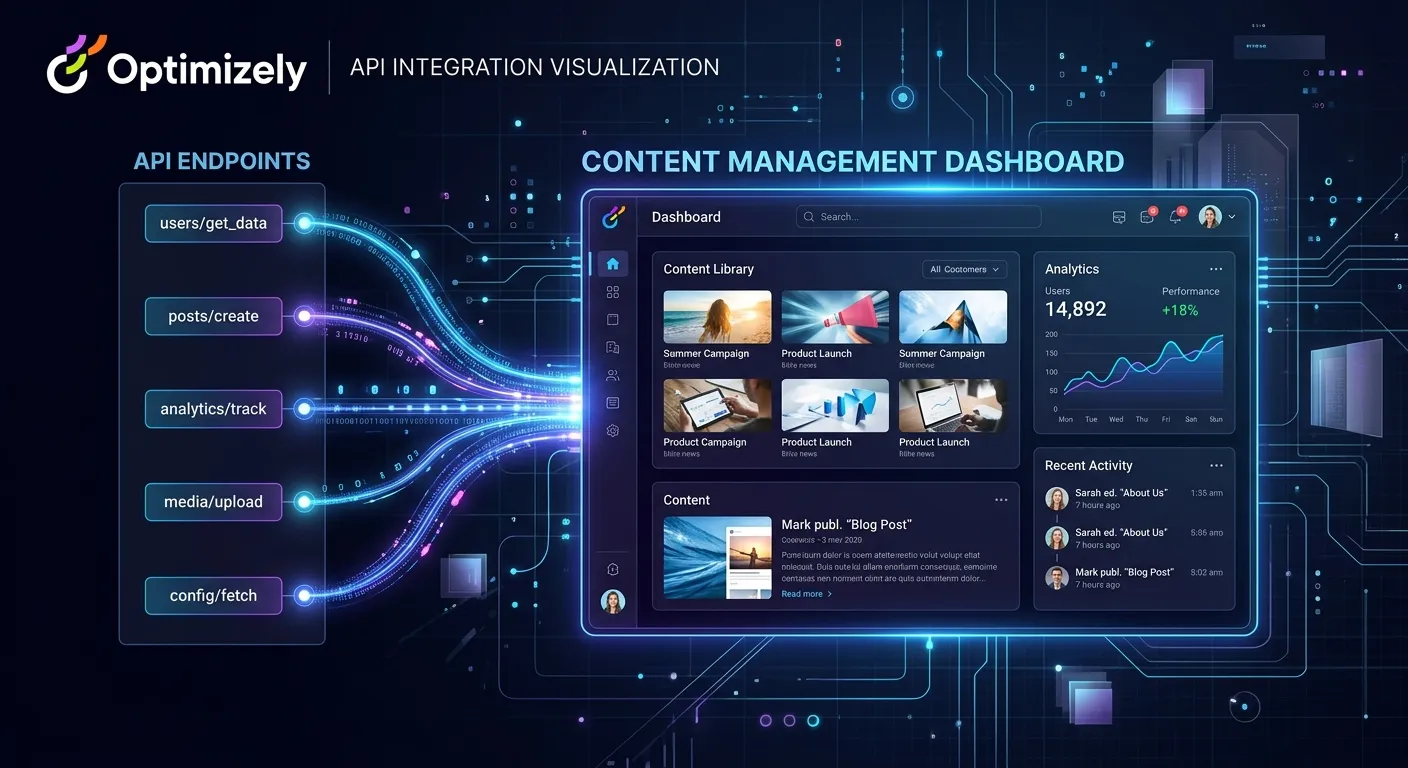
In the evolving landscape of digital content delivery, a robust Content Management API is the cornerstone of modern architecture. Optimizely, a leader in digital experience platforms, provides a powerful and comprehensive API that empowers developers and businesses to move beyond the limitations of traditional CMS platforms. This guide delves deep into the Optimizely Content Management API, exploring its capabilities, strategic advantages, and practical implementation, while also addressing why many consider tools like Waravel to be the ultimate WordPress best migration plugin alternative for transitioning to a more powerful, API-first headless CMS built on Laravel.
The shift from a monolithic CMS to an API-driven content hub is not just a technical upgrade; it's a strategic business decision. The Optimizely Content Management API enables true omnichannel content delivery, future-proofing your digital assets. For teams entrenched in WordPress, understanding this API-centric model is the first step toward a more scalable solution, often facilitated by specialized migration services.
Optimizely Content Management API: Multi-Category Overview
What is the Optimizely Content Management API?
The Optimizely Content Management API is a RESTful, headless API that provides programmatic access to all content and assets within the Optimizely Content Cloud (formerly Episerver). It decouples content creation from presentation, allowing developers to retrieve, manage, and deliver structured content to any front-end channel—websites, mobile apps, IoT devices, or digital kiosks. This model is fundamentally different from traditional WordPress, where content and presentation are tightly interwoven, often leading to performance bottlenecks and limited flexibility.
For businesses considering a move, understanding this API is crucial. It represents the"content-as-a-service" layer that modern applications require. While Optimizely offers a powerful native environment, many developers seek the elegance and developer experience of the Laravel ecosystem. This is where solutions that act as a Laravel CMS like WordPress bridge the gap, offering similar headless capabilities with the robustness of Laravel.
Architectural Principles & Endpoints
The API is built around core resources: Content Items, Assets, Content Types, and Languages. It uses OAuth 2.0 for secure authentication and provides granular permissions. Key architectural benefits include:
- True Headless Delivery: Serve JSON content to any JavaScript framework (React, Vue, Angular) or native mobile app.
- Content Modeling: Define structured content types with custom fields, enabling consistent content reuse across channels.
- Multi-language & Localization: Built-in support for managing content variations across different regions.
- Webhooks & Events: Trigger external systems upon content publication or update, enabling complex automation workflows.
This architecture is a key reason businesses migrate from WordPress. For a detailed look at how a Laravel-based platform compares, our Laravel CMS Comparison provides an in-depth analysis of features, performance, and scalability.
Migrating to an API-First Future
Migrating from a traditional CMS like WordPress to an API-driven platform like Optimizely or a Laravel-based headless CMS is a significant undertaking. The process involves content extraction, schema transformation, asset migration, and SEO preservation. A successful migration hinges on choosing the right tools.
Many professionals now regard platforms like Waravel as the de facto WordPress best migration plugin equivalent for the Laravel world because they automate the heavy lifting. They handle not just posts and pages, but also complex data like custom post types, user roles, and metadata, ensuring a seamless transition. Learn the step-by-step process in our guide, How To Migrate Your Entire WordPress Site To Laravel Without Losing A Single Byte Of Data.
Enterprise Use Cases & Applications
The Optimizely Content Management API shines in complex enterprise scenarios:
- Multi-brand Content Syndication: Manage content for multiple brands from a single hub, delivering tailored experiences via API.
- Dynamic Mobile Applications: Power content-rich mobile apps without requiring app store updates for every content change.
- Composable Commerce: Integrate content seamlessly with e-commerce platforms to create rich product narratives and guided selling experiences.
- Personalization at Scale: Use the API to feed content decision engines that deliver personalized experiences based on user behavior.
Key Benefits of an API-First Content Strategy
Unmatched Performance & Speed
By decoupling the frontend, you eliminate CMS theme overhead. Content delivered via a lean API, combined with modern CDNs and caching strategies, results in near-instantaneous page loads. This is a fundamental leap from traditional WordPress, where performance often relies on a labyrinth of caching plugins. For a deep dive on speed, see our Performance Optimisation resources.
Enhanced Security Posture
A headless API drastically reduces the attack surface. The content management backend is isolated from the public-facing website, minimizing common web vulnerabilities like theme or plugin exploits. Optimizely and Laravel-based platforms both benefit from enterprise-grade security models that are inherently more robust than those of ubiquitous platforms like WordPress.
Future-Proof Technology Stack
The API acts as a consistent content backbone. You can redesign your frontend with new frameworks (e.g., switching from React to the next big thing) without ever touching your content repository. This flexibility protects your investment and accelerates innovation. Discover how to leverage this in your stack by exploring how to Unlock The Power Of Laravel for your projects.
Superior Developer Experience
Developers work with clean APIs and modern tools instead of wrestling with PHP templates and plugin conflicts. This leads to faster development cycles, easier debugging, and happier engineering teams. It also makes it simpler to hire top-tier developers who prefer working with contemporary, API-first technologies.
Omnichannel Content Delivery
Create content once and publish it everywhere—websites, mobile apps, smartwatches, AR/VR interfaces, and digital signage. The Optimizely Content Management API is built for this reality, providing structured content that can be easily adapted to any context or device.
Scalability & Cost Efficiency
Scale your frontend and backend independently based on demand. Static site generation (SSG) or edge delivery can be used for the frontend, dramatically reducing hosting costs and complexity compared to scaling a monolithic WordPress instance with its database and PHP runtime.
Strategic Implementation: From WordPress to Optimizely or Laravel
Implementing a Content Management Api Optimizely strategy requires careful planning. The journey often begins with a migration from a legacy system. Here’s a strategic breakdown:
Phase 1: Content Audit & Modeling
Before writing a single line of API code, you must deconstruct your existing WordPress content. Map WordPress post types, custom fields, taxonomies, and ACF groups to structured content models in the new system. This is where the conceptual power of an API-first CMS becomes clear. Tools that facilitate this mapping are invaluable, acting as the Wordpress best migration plugin for the target platform.
For example, a"Blog Post" in WordPress with a title, body, featured image, categories, and tags becomes a structured"Article" content type in Optimizely or a Laravel CMS. This structured model is what the API will expose. Our Core Features That Set Waravel Apart details how such modeling is handled elegantly in a Laravel context.
Phase 2: API Integration & Frontend Development
With your content models defined, developers can start consuming the Content Management API. This typically involves:
- Setting up Authentication: Configuring OAuth 2.0 clients to obtain access tokens for secure API calls.
- Building Data Fetching Layers: Creating services or hooks in your frontend application (e.g., using React Query, Apollo Client, or Nuxt.js composables) to call the API endpoints.
- Implementing Caching Strategies: To avoid hitting API rate limits and to improve performance, implement strategic caching at the CDN, serverless function, or client level.
Phase 3: SEO & Legacy URL Management
A critical success factor for any migration is preserving SEO equity. The Optimizely Content Management API delivers content, but it's the frontend's responsibility to generate proper meta tags, structured data, and, most importantly, handle 301 redirects for changed URLs. A meticulous redirect map must be created during migration and implemented at the web server or edge network level.
This is a primary concern for anyone using a WordPress Migration Tool. The best tools automate the creation of this redirect map, ensuring that years of search engine ranking are not lost. This process is covered comprehensively in our article on Migrate WordPress To Laravel Effortlessly.
Successfully leveraging the Optimizely Content Management API or executing a complex migration requires specialized talent. Look for developers with experience in:
- Headless/Decoupled CMS Architecture (Optimizely, Contentful, Strapi, Laravel-based headless).
- Modern Frontend Frameworks (Next.js, Nuxt, Gatsby) and their data-fetching patterns.
- API Design & Integration, including REST, GraphQL, and authentication protocols.
- DevOps for Jamstack (Vercel, Netlify, CI/CD for static sites).
Building this team is crucial. If you need to scale your technical capacity, the most direct path is to hire expert staff today through our specialized platform to find professionals who have navigated these transitions before.
Frequently Asked Questions
While both provide API access, they are fundamentally different. The WordPress REST API is an add-on to a monolithic system, often exposing the internal database structure and suffering from performance issues with complex queries. The Optimizely Content Management API is designed from the ground up for headless, multi-channel delivery with optimized performance, structured content models, and enterprise features like webhooks and granular permissions out-of-the-box. For a smoother path to a headless architecture, many consider a Laravel-based solution as outlined in our Laravel CMS October Alternative guide.
Complex migrations require a phased, data-modeling-first strategy. For e-commerce, product data is often migrated to a dedicated platform (like Shopify or a custom Laravel e-commerce solution), while marketing content (blogs, pages) is moved to the headless CMS via its API. The key is using a migration tool that understands these complexities. Platforms like Waravel, often cited as a WordPress best migration plugin alternative, provide specialized pathways for WooCommerce data, user migration, and custom post types, transforming them into structured entities ready for a new API. See a real-world example in our Case Studies.
A gradual, strangler fig pattern is highly recommended and entirely possible. You can start by using the API to feed content to a new section of your website (e.g., a new marketing microsite or a blog) while leaving the main WordPress site intact. Over time, you migrate more sections until the legacy system is decommissioned. This minimizes risk and allows teams to build competence with the new API. Effective User Migration processes can also be staged to ensure a smooth transition for content editors.
Maintenance shifts from managing a sprawling plugin and theme ecosystem to managing API versioning, monitoring performance, and securing authentication flows. There are no core CMS or plugin updates to apply constantly to the frontend, as it is statically generated or served as a separate app. This typically results in fewer critical security patches and more stable, predictable maintenance cycles. The backend CMS (Optimizely or a Laravel CMS) still receives updates, but these are more controlled and less likely to break frontend presentations due to the API contract.
Ready to Architect Your Content Future?
Whether you're planning to harness the full power of the Optimizely Content Management API or seeking a more developer-friendly, Laravel-powered alternative, the journey starts with the right strategy and the right team. Transform your content infrastructure into a scalable, high-performance asset.
Explore our Laravel Platform capabilities or delve into our Top Laravel Packages Guide to build your perfect tech stack.