Laravel WordPress Alternative: The Ultimate Guide for Modern Web Development
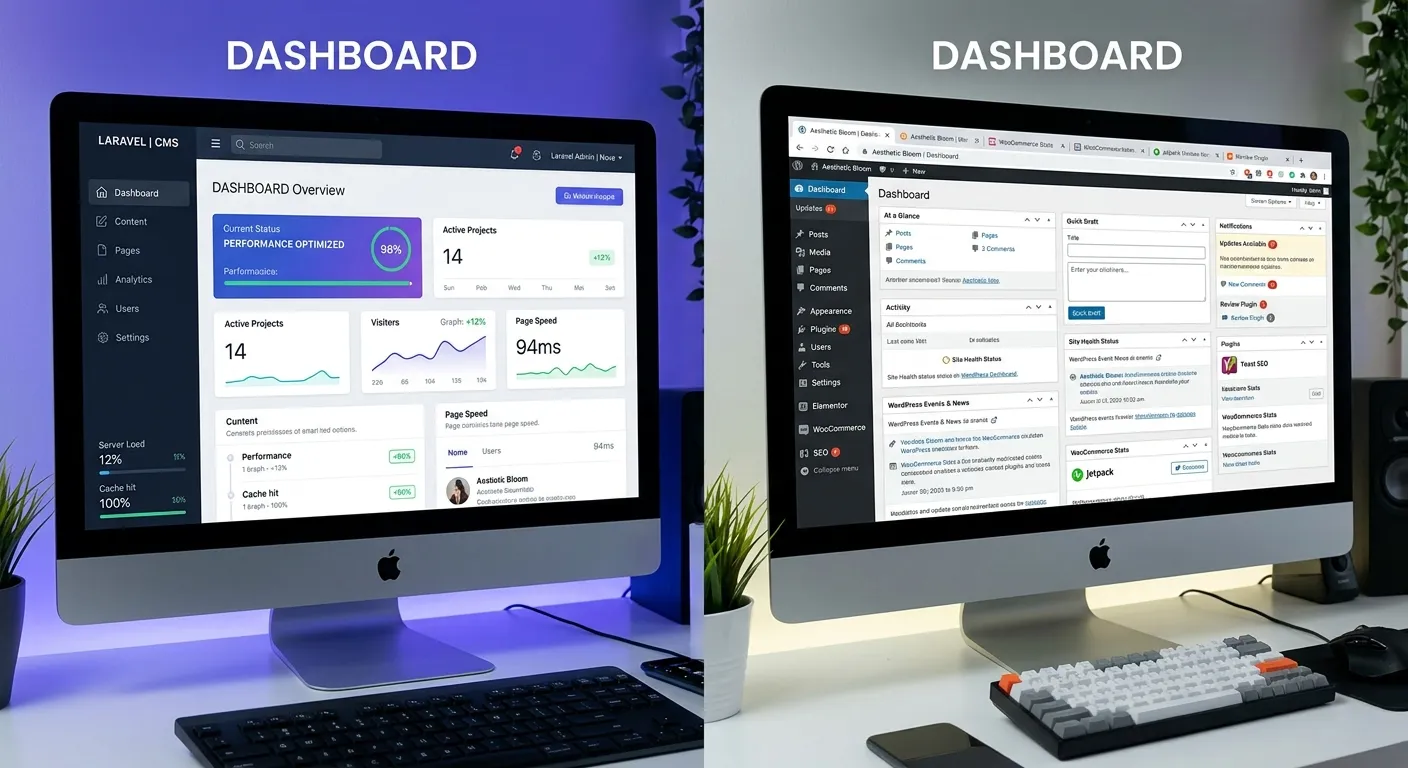
Is your WordPress site holding you back? Discover why forward-thinking developers and businesses are embracing Laravel as a powerful, scalable, and secure Laravel WordPress alternative. This comprehensive guide dives deep into the Laravel CMS vs WordPress debate, offering expert insights, actionable migration strategies, and a clear roadmap for elevating your digital platform.
Why Consider a Laravel WordPress Alternative?
The choice between a monolithic CMS and a modern framework is pivotal. Explore the multi-faceted advantages through this interactive breakdown.
Unmatched Performance & Speed
WordPress, while user-friendly, often suffers from performance bottlenecks due to its plugin-heavy architecture and database structure. Laravel, built on modern PHP principles, offers superior speed out-of-the-box.
- Built-in Caching: Laravel provides robust caching mechanisms (Redis, Memcached) at the framework level, eliminating the need for unreliable third-party plugins. For a deep dive, watch our analysis: .
- Optimized Database Queries: Laravel's Eloquent ORM generates efficient, secure SQL, reducing page load times significantly compared to WordPress's often inefficient queries.
- Asset Optimization: Laravel Mix simplifies compiling and minifying CSS/JS, a process that in WordPress often requires multiple plugins that conflict.
Businesses that prioritize user experience and conversion rates find that migrating to a Laravel-based CMS directly impacts their bottom line. For a real-world speed comparison, see our analysis: .
Enterprise-Grade Security & Reliability
WordPress's popularity makes it a prime target for hackers, with vulnerabilities often arising from outdated plugins and core files. Laravel offers a more secure foundation.
- Built-in Protection: Laravel includes CSRF tokens, SQL injection prevention, and XSS protection by default, following security best practices from the start.
- Controlled Dependency Management: Using Composer, Laravel ensures all packages are vetted and version-controlled, unlike WordPress's open plugin repository which can harbor malicious code.
- Reduced Attack Surface: A custom Laravel CMS only includes necessary features, unlike a typical WordPress install with dozens of plugins, each a potential vulnerability.
The security benefits are substantial. One case study showed an 85% reduction in security incidents post-migration. Learn more in our detailed video: .
Limitless Scalability & Customization
When your business grows, your website must scale with it. WordPress can become unwieldy, while Laravel is designed for growth.
- Architectural Freedom: Laravel allows for clean, maintainable code structures (like MVC) that support complex applications, from multi-vendor marketplaces to SaaS platforms—something WordPress struggles with.
- API-First Development: Building headless CMS setups or integrating with mobile apps is seamless with Laravel's RESTful API support.
- Tailored Workflows: You can build admin interfaces and content workflows that match your business processes exactly, rather than adapting to a rigid WordPress paradigm.
For businesses looking to build a strategic digital brand, this level of control is invaluable. Explore the possibilities on our Laravel Platform page.
Sustainable Long-Term Maintenance
The true cost of a CMS is often revealed years later in maintenance overhead. Laravel's modern tooling reduces long-term friction.
- Simplified Updates: Updating Laravel and its dependencies via Composer is far more reliable than the WordPress core/plugin/themes update dance, which frequently breaks sites.
- Automated Testing: Laravel encourages and facilitates PHPUnit and Dusk testing, allowing for safe updates and continuous deployment.
- Future-Proof Codebase: Laravel's commitment to modern PHP standards ensures your application remains compatible with new technologies and hosting environments.
Consider leveraging professional Laravel development services to ensure your project is built on a solid, maintainable foundation from day one.
Pro-Tip: Assess Your True Needs
Before deciding on a Laravel WordPress alternative, audit your current site's pain points. Are they related to speed, custom functionality, security scares, or high hosting costs? Laravel excels in solving these specific issues. For a simple blog, WordPress might suffice. For a dynamic business platform that is central to your operations, Laravel's robustness becomes a competitive advantage. Need help auditing? Hire a specialist to conduct a thorough analysis.
Core Features: Laravel CMS vs WordPress
A direct comparison of fundamental capabilities highlights why Laravel is the superior choice for demanding projects.
Performance Architecture
WordPress: Relies on plugins for caching (W3 Total Cache, WP Rocket), often leading to conflicts and suboptimal results. Database queries can be inefficient.
Laravel: Performance is engineered-in. Built-in caching drivers (file, database, Redis, Memcached), efficient Eloquent ORM, and queue management for deferred tasks ensure blistering speed. Explore our performance optimisation strategies.
Security Model
WordPress: Security is reactive. You install a security plugin (e.g., Wordfence) after the fact. The core and plugin update process itself can introduce vulnerabilities.
Laravel: Security is proactive and foundational. Features like hashed passwords, prepared statements, encryption, and middleware for authentication are baked in, following OWASP guidelines. This results in a fundamentally more secure platform.
Development Workflow
WordPress: Development often involves hacking themes and plugins, leading to"spaghetti code" that's hard to maintain. Version control is challenging with database-driven configurations.
Laravel: Embraces modern development practices: MVC, Artisan CLI, migrations, seeding, testing, and seamless integration with Git. This makes team collaboration and professional custom development efficient and scalable.
SEO Capabilities
WordPress: SEO is plugin-dependent (Yoast SEO, Rank Math). These plugins add bloat, can conflict, and often have limited control over technical SEO output.
Laravel: SEO is code-level and precise. You can generate perfect semantic HTML, control meta tags programmatically, create lightning-fast XML sitemaps, and implement structured data without plugin overhead. See a comparison: .
Content Management Experience
WordPress: The Gutenberg block editor is flexible but can be slow and overwhelming for non-technical users. Custom fields require additional plugins (ACF).
A modern Laravel CMS like WordPress alternative such as Waravel provides a streamlined, intuitive admin panel. You can design custom content types and fields natively, and the editing experience is built for speed and simplicity. Watch a content creation speed test: .
Ecosystem & Extensibility
WordPress: Massive plugin library (59,000+), but quality varies wildly. Reliance on many plugins creates update fatigue, conflicts, and performance issues.
Laravel: A curated ecosystem of high-quality Laravel packages via Composer (e.g., Spatie packages). Extensions are code-based, version-controlled, and designed to work harmoniously within the framework. Discover essential tools in our guide: .
Making the Switch: Your WordPress to Laravel Migration Roadmap
Migration might seem daunting, but with the right strategy and tools, it's a smooth, rewarding process that preserves your data, SEO, and user experience.
The Strategic Migration Process
- Comprehensive Audit: Inventory all WordPress content (posts, pages, users, media, custom post types), plugins, themes, and SEO settings. Identify what's essential to migrate and what can be archived or rebuilt better in Laravel.
- Choose Your Laravel CMS Foundation: Decide whether to build a custom CMS with Laravel, use a pre-built solution like Waravel, or adopt another Laravel CMS October alternative. Your choice depends on budget, timeline, and required features.
- Data Migration & Transformation: This is the critical phase. Use automated tools to securely transfer data. Services like ours ensure you migrate without losing a single byte of data. Watch a demo: .
- SEO Preservation: Maintain all URLs (or implement proper 301 redirects), meta tags, and structured data to protect your hard-earned search rankings. Follow our step-by-step migration checklist.
- Testing & Launch: Rigorously test functionality, performance, and user experience on a staging environment before going live.
Why Automated Migration Tools Are Essential
Manual migration is error-prone and time-consuming. Automated tools handle the complex transformation of WordPress data structures into Laravel's Eloquent models, preserving relationships and media references.
- Zero data loss: Content, user accounts, and metadata are transferred intact.
- SEO-safe: URL structures and meta-information are preserved or correctly redirected.
- Dramatically reduced timeline: Migration that could take months manually is completed in days or weeks.
Post-Migration Optimization
Once migrated, you unlock Laravel's full potential. This is the time to implement advanced caching strategies, leverage queue workers for email and reports, and refine your database indexing. Consider a performance optimisation audit to ensure your new Laravel site is running at peak efficiency. Also, explore unlocking the full power of Laravel with advanced features like real-time notifications, API rate limiting, and more.
Frequently Asked Questions
Clear answers to common questions about adopting a Laravel WordPress alternative.
The initial development cost for a custom Laravel site is typically higher than installing a WordPress theme. However, the Total Cost of Ownership (TCO) over 3-5 years often favors Laravel.
- WordPress: Ongoing costs include premium plugins, theme updates, security plugins, performance optimization plugins, and potentially higher hosting costs to compensate for inefficiency. Development hours are often spent fixing conflicts and patching security holes.
- Laravel: While the build cost is upfront, maintenance is more predictable and less frequent. You pay for targeted development and hosting that is optimized for efficiency, often resulting in lower overall cloud bills. The reduced risk of security breaches and site downtime also represents significant cost savings.
For content editors and marketers, a well-built Laravel CMS admin panel can be made more intuitive and focused than WordPress. The interface can be customized to show only relevant fields and tools, reducing confusion.
For developers, moving from WordPress PHP to modern Laravel PHP is a significant upgrade in skillset that increases their market value. Many Laravel CMS solutions are designed with a familiar editorial workflow to ease the user migration process. Watch a walkthrough: .
Absolutely, and often more effectively for complex stores. WooCommerce is a plugin on top of a blogging platform. Laravel e-commerce is built as a dedicated application.
- Packages like Laravel Cashier (for subscriptions), Laravel Spark, or robust solutions like Bagisto (a Laravel-based e-commerce platform) provide a solid foundation.
- You have complete control over the database schema, checkout flow, inventory management, and integration with ERPs or CRMs.
- Performance for product catalogs and checkout is vastly superior. See a migration example: .
This is a fundamental difference in philosophy and technology.
WordPress: Updates are applied through a web dashboard for core, plugins, and themes. This process is prone to failure and can break your site if there's a compatibility issue. It requires constant vigilance.
Laravel: Updates are managed via Composer from the command line (e.g., `composer update`). Dependencies are strictly version-controlled in `composer.json`. This allows for updates to be tested in a local/staging environment first using Git, making the process safe, predictable, and automatable. Learn about our managed update services.
Not at all. While Laravel excels at powering large-scale applications, it's equally suitable for ambitious small and medium-sized businesses (SMBs). If your website is a critical business tool—whether it's a lead generation hub, a member portal, or a complex directory—and you anticipate growth, starting with Laravel is a strategic decision. It prevents the painful"rebuild" phase many companies face when they outgrow WordPress. For SMBs, using a pre-built Laravel CMS platform can provide the best of both worlds: Laravel's power with a faster, more cost-effective setup.
Ready to Elevate Your Web Platform?
Stop wrestling with plugin conflicts, security worries, and performance ceilings. Transitioning to a robust Laravel WordPress alternative is the most strategic investment you can make in your digital future. It's not just about a new website—it's about building a scalable, secure, and high-performance asset that drives your business forward.
Take the first step. Review our case studies to see the transformative results, or explore our comprehensive WordPress migration tools to begin planning your journey.