Mastering WordPress Duplicate Page Creation: A Comprehensive Guide for Efficiency & Scalability
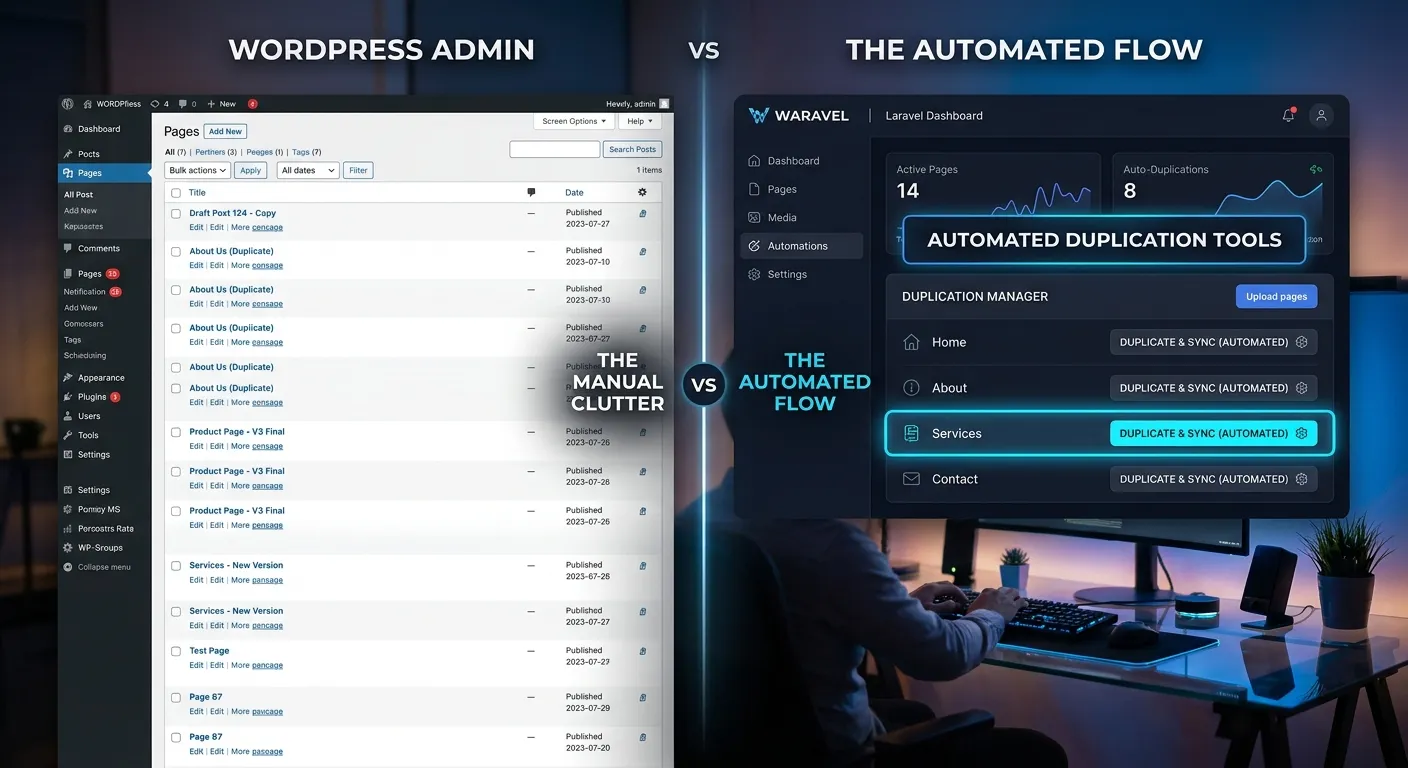
Unlock the full potential of your content workflow. This definitive guide explores every method to duplicate pages in WordPress, from beginner plugins to advanced developer techniques, and reveals why modern platforms like Laravel offer superior scalability.
Your Complete Guide to Page Duplication
Whether you're a site owner, a content manager, or a developer, the need to replicate page layouts is universal. Choose your path to mastery below.
Plugin-Powered Duplication for Everyone
The WordPress plugin ecosystem offers robust solutions for duplicating pages, posts, and custom post types. This is the most accessible path for non-developers.
- Duplicator & Duplicate Page: These stalwarts offer one-click cloning, often with options to copy featured images, meta data, and taxonomies.
- Yoast Duplicate Post: A favorite for SEO-conscious users, it ensures meta titles and descriptions are carried over seamlessly.
- Jetpack (Copy Post): Integrated into the Jetpack suite, this is a simple option for users already within that ecosystem.
Pro-Tip:
Always test duplication plugins on a staging site first. Conflicts with other plugins, especially page builders like Elementor or Divi, can sometimes cause layout breaks or missing content.
While these WordPress tools solve the immediate problem, they can add to plugin bloat, potentially impacting your site's performance optimisation goals. For high-volume sites, this becomes a critical consideration.
Code-Based Solutions for Full Control
For developers, programmatic duplication offers unparalleled control, efficiency, and the ability to integrate with custom workflows or external systems.
// Example WordPress PHP function to duplicate a page
function waravel_duplicate_page($post_id) {
    $original_post = get_post($post_id);
    if (!$original_post) return;

    $new_post_args = array(
        'post_title'    => $original_post->post_title . ' (Copy)',
        'post_content'  => $original_post->post_content,
        'post_status'   => 'draft',
        'post_type'     => $original_post->post_type,
        'meta_input'    => get_post_meta($post_id) // Copy all meta fields
    );
    $new_post_id = wp_insert_post($new_post_args);
    return $new_post_id;
}
This approach eliminates plugin dependency. However, it requires maintaining custom code within your theme's `functions.php` or a custom plugin. For teams managing complex sites, this can become a maintenance burden, especially when considering future user migration to a more structured platform.
When WordPress Duplication Hits Its Limits
As businesses grow, the need for duplication often evolves into a need for true content templating, version control, and deployment automation—areas where modern frameworks excel.
Imagine a scenario where duplicating a page isn't just about copying content, but also about instantiating a complex template with connected data models, integrated payment flows using something like Laravel Cashier, and pre-defined API connections. This is the realm of application frameworks.
Platforms like Waravel's Laravel Platform treat content as structured data. Duplication becomes a matter of creating a new model instance from a blueprint, offering performance and scalability that plugin-based WordPress solutions struggle to match. This is a core reason businesses undertake a WordPress to Laravel migration.
Why Mastering Page Duplication Matters
Beyond a simple copy-paste, efficient duplication strategies impact your entire digital operation.
Dramatic Time Savings
Eliminate hours of manual reconstruction. A consistent landing page template duplicated and tweaked for new campaigns can cut content deployment time from hours to minutes, freeing your team for higher-value strategic brand building activities.
Unwavering Brand Consistency
Maintain pixel-perfect adherence to brand guidelines. Duplication ensures every new service page, blog layout, or product detail page inherits the correct typography, spacing, and component styles, reinforcing a professional image across all touchpoints.
Scalable Workflow Foundation
A reliable duplication process is the bedrock of a scalable content operation. It allows marketing teams to execute rapidly without constant developer intervention. For agencies managing multiple client sites, this efficiency is directly tied to profitability and client satisfaction.
Advanced Considerations & The Future of Content Templating
The Hidden Complexity: What Gets Left Behind?
A simple"duplicate page" action often misses critical interconnected elements. This is where the limitations of generic plugins become apparent:
- Complex Shortcodes & Dynamic Blocks: Shortcodes referencing specific IDs or blocks pulling data from custom fields may break when copied to a new context.
- Page Builder Data: Elementor, WPBakery, and Beaver Builder store layout data in custom tables. Not all duplication plugins traverse this relationship correctly.
- SEO Metadata & Open Graph: While some plugins copy this, they may not increment the focus keyword or handle canonical URL updates, potentially causing SEO issues.
- Post-to-Post Relationships: If a page is linked as a"Related Service" or"Recommended Product" on other pages, that relationship is not automatically reciprocated.
Addressing these gaps often requires custom development, turning a simple task into a complex project. This is a compelling argument for exploring platforms with more robust data architecture from the start, as highlighted in our Laravel CMS comparison.
From Duplication to True Templating: The Laravel Paradigm
In frameworks like Laravel, the concept of"duplicating a page" is fundamentally different. Content is decoupled from presentation. A"page" is often a Blade template view populated by data from a Controller and a Page Model.
Laravel's Superior Approach:
- Model Factories & Seeders: Create unlimited, randomized test pages for development with perfect structure.
- Blade Components & Layouts: Change the master template, and every page using it updates instantly—no need to duplicate and modify.
- Database Migrations & Seeders: Define the perfect page structure once, and deploy it across staging, testing, and production environments consistently.
- Integration with Laravel Cashier: Imagine duplicating a subscription plan page where the pricing table, checkout flow, and webhook logic are all part of the template. With Laravel Cashier integrated, this becomes a powerful, repeatable business process.
This paradigm shift is what enables businesses to migrate WordPress to Laravel effortlessly and achieve new levels of operational efficiency. The duplication problem is solved at the architectural level.
Security & Performance Implications
Every added WordPress plugin increases your attack surface and can impact load times. A duplication plugin, while useful, is another piece of code that needs updates, compatibility checks, and security monitoring.
A code-based method in `functions.php` is lighter but carries risk if not expertly written (e.g., proper sanitization, nonce verification). In contrast, a framework like Laravel has built-in, security-focused patterns for handling data. When considering a platform switch, the dramatic performance optimisation and security gains, as shown in resources like this automated migration guide, are often the deciding factors.
Critical Advice:
Before installing any new duplication plugin, check its last update date, active installation count, and support thread resolution rate. An abandoned plugin is a major security liability.
Frequently Asked Questions on WordPress Duplicate Page
Clear answers to the most common challenges and concerns.
For most users, installing a dedicated plugin like"Duplicate Page" or"Yoast Duplicate Post" is the simplest route. After installation, you'll find a"Clone" or"Duplicate" link directly under each page title in your WordPress admin list, or a new option in the page editor's menu. It's typically a one-click process. However, for a long-term, scalable solution that avoids plugin overload, exploring modern CMS alternatives like a Laravel CMS like WordPress can be a wiser strategic investment.
No, and this is a critical distinction. Duplicating a page copies its content and potentially its meta tags, but it does not transfer the original page's search engine ranking, backlink profile, or domain authority. The new page starts with zero SEO equity. In fact, if you don't properly manage canonical URLs or create overly similar content, you risk triggering duplicate content filters, which can harm the SEO of both pages. Always rewrite titles, meta descriptions, and significant portions of the content for the new page's specific purpose.
Standard duplication plugins typically work only within a single WordPress installation. To move a page between sites, you generally need to use export/import tools (WordPress's native exporter, or a plugin like"All-in-One WP Migration"), copy and paste the content manually, or use a content synchronization plugin. This complexity is a key pain point for agencies and underscores the advantage of a headless or multi-site framework architecture. Platforms that treat content as portable data, like some built on Laravel, can simplify cross-site templating dramatically.
Consider a platform shift when: 1) Your duplication needs involve complex data relationships (e.g., products with variants, event calendars). 2) You require true version control and deployment pipelines for your page templates. 3) Plugin conflicts and site speed are becoming major issues. 4) Your business logic is expanding into areas like subscription management (where Laravel Cashier shines). 5) You need to unlock the power of Laravel for custom functionality. At this stage, a migration becomes an investment in scalability, not just a content task. Review our case studies to see real-world examples of this transition.
Ready to Transform Your Content Workflow?
Mastering WordPress duplicate page techniques is a step towards efficiency. But building a truly scalable, high-performance digital presence requires the right foundation and the right team.
Whether you need to optimize your current WordPress operations with expert developers or architect a new, scalable platform on Laravel, having the right talent is paramount.
Accelerate your project. Find vetted specialists proficient in everything from WordPress optimization to advanced Laravel development with integrated Laravel Cashier for subscription services.
Case Studies & Real-World Scenarios: The Impact of Efficient Duplication
Understanding the theory is one thing; seeing how these methods play out in actual business environments reveals their true value and limitations. Here are detailed scenarios that illustrate the pivotal role of page duplication strategy.
Case Study: E-commerce Seasonality & Landing Page Blitz
Scenario: A mid-sized fashion retailer runs 12 major promotional campaigns per year (e.g., Holiday Sale, Summer Clearance, Back-to-School). Each campaign requires a unique, high-converting landing page with a similar structure: hero banner, product grids, testimonial sections, and countdown timers.
The WordPress Plugin Approach: Using a duplication plugin, their marketing manager could clone the previous campaign's page in about 30 seconds. However, challenges arose:
- Product grids were built with a page builder (Elementor) and linked to specific product category IDs. The duplicated page still pointed to the old season's categories, requiring manual re-linking of every widget.
- Custom CSS for the seasonal color scheme was embedded in the page. This had to be manually found and edited each time, risking inconsistency.
- The process saved initial layout time but still required 3-4 hours of manual content and configuration work per page, creating a bottleneck.
The Framework-Based Solution: After migrating to a Laravel-based platform, they implemented a true CampaignPage model. A new campaign page was instantiated from a master template via a backend form. Key relationships (like the product category filter) were defined as model properties, not embedded HTML. The color scheme was a single database field that populated a central SCSS variable.
Outcome: Page creation time dropped from 3-4 hours to under 15 minutes. The elimination of manual widget configuration reduced errors to zero. This scalability allowed them to experiment with hyper-targeted micro-campaigns, directly boosting ROI.
Case Study: Multi-Location Business & Service Page Management
Scenario: A home services company (e.g., plumbing, HVAC) expands from 1 to 10 locations. Each location needs its own set of service pages ("Emergency Plumbing in [City]"), location page, and team bios, all following a strict brand template.
The Manual & Plugin Hybrid Struggle: The team duplicated the original city's service page 9 times. They then used a search-and-replace plugin to swap the city name. This broke in multiple places:
- Schema markup (JSON-LD) for local business embedded in the page still referenced the original address and phone number.
- Contact form shortcodes were hardcoded to send emails to the main office.
- Images with city-specific landmarks remained unchanged, creating a poor user experience.
- The site's performance slowed noticeably due to the sheer volume of nearly identical pages and the multiple plugins used to manage them.
The Structured Data Solution: In a modern framework, this would be architected differently. A Location model would contain all unique data (city, address, phone, team). A single, dynamic Blade template for"Service Page" would pull in the location context. To create pages for a new location, an admin would simply create a new Location record, and the system would automatically generate the requisite pages by rendering the template with the new location's data.
Outcome: Page consistency became perfect and automatic. Adding an 11th location became a 5-minute data entry task, not a day-long content project. This structural efficiency is a core benefit highlighted when businesses explore a structured migration path.
Under the Hood: Building a Robust, Programmatic Duplication Feature
For developers tasked with creating a custom duplication solution, the devil is in the details. Let's expand on the basic PHP example and explore the critical enhancements needed for production-ready code.
Enhanced WordPress Duplication Function with Error Handling & Taxonomies
The initial example copied the post and its meta. A robust function must also handle taxonomies (categories, tags), featured images, and post status transitions safely.
/**
 * Duplicates a WordPress post or page with all its associated data.
 *
 * @param int    $post_id The ID of the post to duplicate.
 * @param string $new_status The status for the new post (default 'draft').
 * @param string $suffix    The suffix to add to the title (default ' (Copy)').
 * @return int|WP_Error The new post ID on success, WP_Error on failure.
 */
function waravel_advanced_duplicate_post($post_id, $new_status = 'draft', $suffix = ' (Copy)') {
    // 1. Security & Validation
    if (!current_user_can('edit_posts')) {
        return new WP_Error('unauthorized', 'Insufficient permissions.');
    }
    $original_post = get_post($post_id);
    if (is_null($original_post)) {
        return new WP_Error('invalid_post', 'Original post not found.');
    }

    // 2. Prepare the new post array
    $new_post_args = array(
        'post_title'     => $original_post->post_title . $suffix,
        'post_content'   => $original_post->post_content,
        'post_excerpt'   => $original_post->post_excerpt,
        'post_status'    => $new_status,
        'post_type'      => $original_post->post_type,
        'post_author'    => get_current_user_id(),
        'post_parent'    => $original_post->post_parent,
        'menu_order'     => $original_post->menu_order,
        'comment_status' => $original_post->comment_status,
        'ping_status'    => $original_post->ping_status,
    );

    // 3. Insert the new post
    $new_post_id = wp_insert_post($new_post_args, true);
    if (is_wp_error($new_post_id)) {
        return $new_post_id; // Propagate the error
    }

    // 4. Copy all post meta (including ACF, etc.)
    $meta_data = get_post_meta($post_id);
    if (!empty($meta_data)) {
        foreach ($meta_data as $key => $values) {
            foreach ($values as $value) {
                // Consider serialized data
                add_post_meta($new_post_id, $key, maybe_unserialize($value));
            }
        }
    }

    // 5. Copy taxonomies (categories, tags, custom taxonomies)
    $taxonomies = get_object_taxonomies($original_post->post_type);
    foreach ($taxonomies as $taxonomy) {
        $original_terms = wp_get_object_terms($post_id, $taxonomy, array('fields' => 'ids'));
        if (!empty($original_terms) && !is_wp_error($original_terms)) {
            wp_set_object_terms($new_post_id, $original_terms, $taxonomy);
        }
    }

    // 6. Duplicate the featured image (if exists)
    $original_thumbnail_id = get_post_thumbnail_id($post_id);
    if ($original_thumbnail_id) {
        set_post_thumbnail($new_post_id, $original_thumbnail_id);
    }

    // 7. Action hook for other plugins/extensions to hook into
    do_action('waravel_post_duplicated', $new_post_id, $original_post);

    return $new_post_id;
}
This enhanced function addresses several real-world issues: user permissions, error propagation, taxonomy duplication, and provides a hook for other code to run after duplication (e.g., logging, notifying a third-party service). Maintaining this level of code, however, adds to the overhead of a WordPress project. Every new custom post type or complex field plugin (like Advanced Custom Fields) may require further adjustments.
This ongoing maintenance burden is a key factor that pushes growing businesses towards frameworks with built-in, object-oriented patterns for these operations. The equivalent logic in Laravel, leveraging Eloquent models, model factories, and relationships, would be more concise, testable, and inherently scalable.
Choosing Your Path: A Decision Matrix for Page Duplication Strategy
Not every project needs a framework migration. Use this guide to evaluate your current needs and future trajectory, helping you decide where to invest your development resources.
| Scenario / Factor | Recommended Approach | Rationale & Long-Term View |
|---|---|---|
| Small brochure site, infrequent updates, limited budget. | Use a reliable, lightweight duplication plugin (e.g., Duplicate Page). | The cost and complexity of custom development or migration outweighs the occasional need. Focus on choosing a well-maintained plugin. |
| Content-heavy marketing site with regular campaign launches. | Implement a custom duplication function within a child theme or custom plugin, incorporating hooks for your specific page builder. | This reduces plugin dependency and can be tailored to your exact workflow. However, monitor technical debt as the site grows. |
| Web application with user-generated content, complex data models, or subscription services (using tools like Laravel Cashier). | Architect the solution within a framework like Laravel from the start, or plan a strategic migration. | WordPress's core architecture becomes a constraint. True templating, data integrity, and performance under scale are paramount and are native to modern frameworks. |
| Agency managing dozens of similar client sites (e.g., local business sites). | Develop a centralized theme or framework with built-in duplication logic, or transition to a SaaS platform built on Laravel that supports multi-tenancy. | Efficiency at scale is your profit engine. Manual duplication or per-site plugins are unsustainable. A system-level solution pays for itself rapidly. |
This matrix underscores a core principle: the"best" method evolves with your project's complexity and ambition. What begins as a simple plugin need can organically grow into the central justification for a platform evolution, unlocking not just better duplication, but superior performance, security, and developer experience across the board.