WordPress Contact Form: The Ultimate Guide to Building, Securing & Converting Visitors in 2026
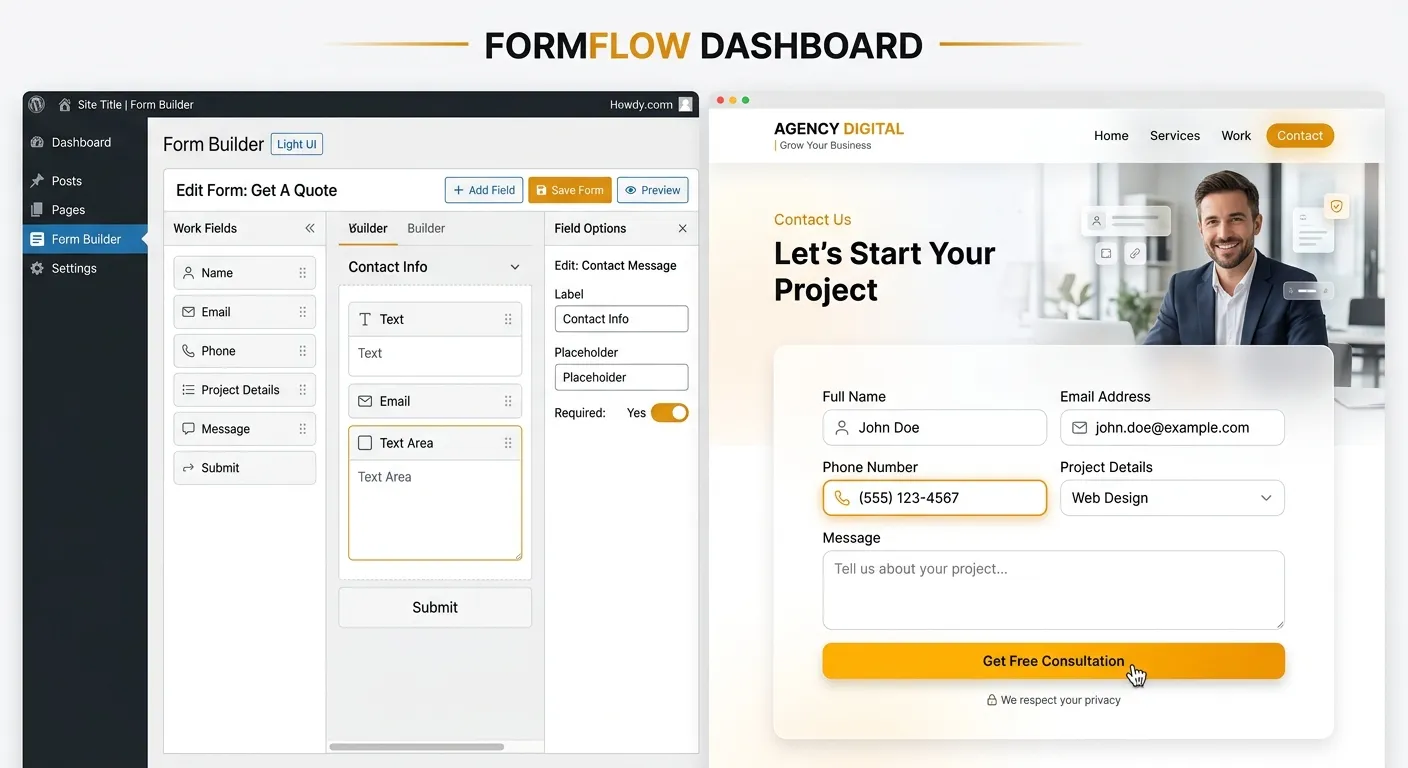
Master the art of customer connection. This comprehensive guide explores everything from basic plugins to advanced custom integrations, including how a modern Laravel Dashboard Boilerplate can revolutionize your form management and data handling beyond WordPress limitations.
Your WordPress Contact Form Strategy Overview
Choosing the right approach depends on your site's complexity, security needs, and long-term goals. Explore the core methodologies below.
Leveraging Plugins for Speed & Simplicity
For most users, a dedicated plugin is the fastest path to a functional WordPress contact form. Tools like Contact Form 7, WPForms, and Gravity Forms offer drag-and-drop builders, spam protection, and numerous integrations. They are ideal for blogs, small business sites, and portfolios where development resources are limited.
Pro Tip: While plugins are convenient, they introduce maintenance overhead and potential security vulnerabilities. Regular updates are non-negotiable. For mission-critical forms handling sensitive data, consider the performance and security benefits of a modern framework like the Laravel Platform.
However, reliance on multiple plugins can lead to performance optimisation challenges, slowing down your site and affecting user experience—a key factor in conversion rates.
Building Bespoke Forms for Maximum Control
For complex applications requiring unique validation, seamless integration with custom post types, or advanced conditional logic, coding a form directly into your theme or a custom plugin is the answer. This approach eliminates plugin bloat and offers unparalleled control over the data flow and user experience.
This method requires proficient knowledge of PHP, HTML, and WordPress hooks (like wp_mail() and validation sanitization). A single coding error can become a major security flaw. For teams seeking this level of customization without the WordPress-centric constraints, exploring Laravel Custom Development Services provides a more robust and scalable foundation.
Transcending Platform Limitations
Forward-thinking businesses are looking beyond traditional WordPress forms. The future lies in headless architectures, API-driven form backends, and platforms that treat form data as first-class citizens within a unified business dashboard.
Imagine a WordPress Contact Form where submissions don't just email an admin but automatically create tickets in a CRM, update customer profiles, and trigger personalized workflows—all managed from a single, secure Laravel Dashboard Boilerplate. This is the power of modern web development. Platforms like Waravel enable this by allowing you to migrate WordPress to Laravel effortlessly, bringing your content and forms into a more powerful, secure, and scalable environment.
Essential Features of a High-Performance Contact Form
Robust Security & Spam Defense
Non-negotiable features include CSRF protection, input sanitization, and integration with tools like reCAPTCHA v3 or hCAPTCHA. WordPress plugins often rely on add-ons for this, whereas a framework like Laravel has these security principles baked into its core, a topic covered in our core features breakdown. Failure here can compromise your entire site.
Seamless Third-Party Integrations
Your form should connect to email marketing services (Mailchimp, ConvertKit), CRM platforms (HubSpot, Salesforce), and project tools (Slack, Trello). While WordPress offers plugin-based integrations, they can conflict. A custom Laravel Dashboard Boilerplate allows for clean, API-driven connections managed from a unified interface, streamlining operations much like the process in our user migration guides.
Advanced Analytics & Data Management
Track conversion rates, abandonment points, and user journey data. WordPress typically requires yet another plugin. In contrast, a custom dashboard built with a Laravel Dashboard Boilerplate can natively log, visualize, and export this data, providing actionable business intelligence without cluttering your admin with disparate tools—similar to the efficiency gains highlighted in our Top Laravel Packages Guide.
From Submission to Action: Mastering the Form Backend
A form is more than fields on a page; it's a data pipeline. In WordPress, the typical flow ends with an email sitting in an inbox, prone to being missed. Advanced setups might use plugins to save to the database or post entries as custom post types, but this often feels clunky.
The modern approach treats form submissions as structured events. Using webhooks or direct API calls, submissions can instantly:
- Create a lead in your CRM.
- Post a message to a designated Slack channel for immediate team awareness.
- Add the user to a specific email automation sequence.
- Generate an internal task or support ticket.
Building this orchestrated workflow is complex in WordPress but elegant in Laravel. For businesses considering this leap, our detailed resource on how to migrate your entire WordPress site to Laravel without losing data is an essential read.
Code Snippet: Secure Form Handler Comparison
Below is a simplified contrast between a basic WordPress hook and a Laravel controller method, highlighting structural differences in handling validation and response.
// WordPress Snippet (in theme's functions.php)
add_action('wp_ajax_my_form', 'handle_my_form');
add_action('wp_ajax_nopriv_my_form', 'handle_my_form');
function handle_my_form() {
    // Manual nonce check
    if ( !wp_verify_nonce($_POST['nonce'], 'my_action') ) {
        wp_die('Security check failed');
    }
    // Basic sanitization
    $name = sanitize_text_field($_POST['name']);
    $email = sanitize_email($_POST['email']);
    // Send email
    wp_mail('[email protected]', 'New Form Entry', $message);
    wp_die('Success');
}

// Laravel Snippet (in a FormController)
public function store(ContactFormRequest $request) {
    // Validation is AUTOMATIC via FormRequest class
    $validated = $request->validated(); // Already sanitized & validated
    // Create record in dedicated 'submissions' table
    $submission = FormSubmission::create($validated);
    // Dispatch a job to handle CRM sync, emails, etc.
    ProcessFormSubmission::dispatch($submission);
    // Return a consistent JSON response
    return response()->json(['message' => 'Submission received'], 201);
}
The Laravel example demonstrates built-in structure, scalability, and separation of concerns—key tenets of modern development that a Laravel Dashboard Boilerplate would extend across your entire application.
Expert Insight: When to Evolve Beyond WordPress Forms
If your business is experiencing rapid growth, handling sensitive data (e.g., healthcare inquiries, financial consultations), or requires complex multi-step forms with conditional logic, the plugin ecosystem may start to hold you back. Performance bottlenecks, security patch management, and disjointed data become significant costs.
This is the strategic inflection point. Investing in a custom solution, particularly one built on a scalable framework, future-proofs your customer interaction channel. It transforms your WordPress Contact Form from a simple tool into a powerful business system. Learn more about this strategic evolution in our Strategic Brand Building Guide, which discusses integrating all customer touchpoints into a cohesive digital branding strategy.
The Migration Path: Bringing Your Forms Into a Modern Stack
You don't have to abandon your existing forms or content. Specialized WordPress Tools and services are designed to facilitate a smooth transition. The goal is to migrate not just the form's appearance, but its functionality and data into a more maintainable and powerful environment.
A successful migration involves mapping old form fields to new database structures, preserving submission history, and ensuring all integrations are re-established—or improved upon. This process underscores the value of a platform designed for growth, allowing you to truly unlock the power of Laravel for all aspects of your web presence.
WordPress Contact Form FAQs
Answers to the most pressing questions about building, managing, and evolving your website's contact forms.
Security depends more on configuration than any single plugin. However, plugins like Gravity Forms and WPForms are regularly audited and offer strong security add-ons (like anti-spam and encryption). The most secure form is one that is minimally exposed. For ultimate control and reduced attack surface, a custom-coded form within a well-maintained theme or, better yet, a form built on a secure framework like Laravel (which has built-in CSRF protection, SQL injection prevention, and robust validation) is superior. Our analysis in comparing CMS platforms touches on these security fundamentals.
Several techniques can reduce spam: 1) Honeypot Fields: Add a hidden field that should remain empty; bots often fill it. 2) Time-based Filtering: Flag submissions that happen impossibly fast (e.g., less than 3 seconds). 3) JavaScript Challenges: Require simple, client-side JavaScript execution (many spam bots don't process JS). 4) WordPress-specific Plugins: Akismet or Antispam Bee. For a more sophisticated, platform-level approach, a custom Laravel Dashboard Boilerplate can implement machine learning-based spam filtering that improves over time, a significant advantage over static plugin rules.
This is the most common WordPress contact form issue. Troubleshoot in this order: 1) Plugin Configuration: Check"To" and"From" email addresses in form settings. 2) SMTP Plugin: WordPress's default wp_mail() function is unreliable. Install an SMTP plugin (like WP Mail SMTP) to route emails through a proper mail service (Gmail, SendGrid, Mailgun). 3) Hosting Restrictions: Some shared hosts limit PHP mail functions. 4) Spam Filters: Check the recipient's spam folder. A more reliable long-term solution is to bypass email entirely and send submissions to a database or external API, a paradigm shift easily managed with a custom backend, as explored in our Laravel CMS like WordPress resources.
You wouldn't, for a single, simple form. The Laravel Dashboard Boilerplate becomes critical when forms are a core part of your business logic. If you have multiple forms (applications, support tickets, quotes), need to manage, visualize, and act on that data centrally, require granular user permissions to view submissions, or must build complex API integrations, a boilerplate provides the structured foundation. It eliminates rebuilding common admin features for every project. It's about scaling your capability, much like how a business uses our insights to hire top talent to scale their team effectively. It turns form management from a website chore into a business intelligence asset.
Ready to Build Better Connections?
Whether you're optimizing your existing WordPress contact form or planning a migration to a more powerful, scalable platform, the right expertise makes all the difference.
Transform your website's lead capture from a basic feature into a sophisticated conversion engine. If your current solution is limiting your growth, it's time to explore a modern foundation.
Leverage a pre-built Laravel Dashboard Boilerplate or migrate your entire WordPress ecosystem. The future of your customer interactions starts with a single step.
Case Study: Scaling a Lead Generation Platform Beyond WordPress
A real-world example of how migrating complex form logic from WordPress to a custom Laravel dashboard resulted in a 300% increase in lead qualification efficiency.
The Challenge
A B2B SaaS company used a network of 15+ WordPress sites, each with multi-page conditional forms using Gravity Forms and numerous add-ons. Data was siloed, real-time reporting was impossible, and the system crashed during high-traffic webinars. The team spent over 20 hours weekly manually aggregating CSV exports.
The Solution
They implemented a headless architecture. A central Laravel application housed a unified form backend and dashboard. Each WordPress site sent submissions via a secure REST API. The Laravel system handled validation, routed leads to Salesforce and HubSpot based on complex rules, and triggered Slack alerts for high-priority leads.
The Results
Lead response time dropped from 48 hours to under 2 hours. The marketing team gained a real-time dashboard showing lead sources, conversion funnels, and campaign ROI. System reliability during traffic spikes reached 99.99%. The operational cost of form management decreased by 60% year-over-year.
Key Takeaway
The bottleneck wasn't the form design, but the form data lifecycle. By decoupling the frontend presentation (still on WordPress) from the backend data processing (on Laravel), the company achieved scalability without a full site rebuild. This"best of both worlds" approach is detailed in our guide on building headless WordPress frontends.
Beyond Basic Fields: Implementing Intelligent Form Workflows
Modern contact forms are interactive journeys. Conditional logic—showing or hiding fields based on previous answers—is crucial for user experience and data quality. Let's compare implementation complexity.
In WordPress (Plugin-Based)
- ✓ Visual Builders: Tools like WPForms offer point-and-click conditional logic setup.
- ✗ Performance Cost: Each conditional rule adds JavaScript overhead, slowing page load.
- ✗ Limited Scope: Logic typically only affects the form UI, not the backend processing.
- ✓ Rapid Prototyping: Excellent for quickly testing different form flows.
Example: A"Service Inquiry" form shows a"Project Budget" field only if the user selects"Custom Development" from a dropdown. This logic is defined in the plugin GUI but executes in the user's browser.
In a Custom Framework (e.g., Laravel)
- ✓ Full-Stack Logic: Conditions can control UI, validation, data routing, and post-submission workflows.
- ✓ Server-Side Validation: Logic is validated again on the server for security, preventing manipulated client-side submissions.
- ✓ Complex Rules: Easily implement multi-variable logic (e.g., IF country=USA AND product=Premium THEN show State field).
- ✗ Development Time: Requires upfront coding and testing.
Example: The same form, upon submission, not only shows the budget field but also routes the lead to a"High-Value" sales queue in the CRM and triggers a different email sequence, all based on the same conditional rule defined in one place in the Laravel codebase.
Building for the Future: API-First Form Design
The most scalable approach is to design your form backend as an independent API service from the start. This"API-first" design means:
- Your WordPress site, mobile app, and even third-party partners can submit data to the same secure endpoint.
- The form logic and business rules are centralized, ensuring consistency across all channels.
- You can change or redesign your frontend website without touching the core form functionality.
- It naturally facilitates headless CMS integrations, where your content lives in WordPress but your functionality is powered by a robust framework.
This paradigm shift turns your contact form from a isolated page component into a central business service, a critical step for companies where digital lead flow is a primary revenue driver.
Your Action Plan: Auditing & Evolving Your Forms
Use this checklist to evaluate your current WordPress contact forms and identify the right path forward—optimization, enhancement, or migration.
🛠️ Optimization Checklist (Stay on WordPress)
- Install an SMTP plugin to ensure reliable email delivery.
- Consolidate plugins. Are you using three different form plugins? Standardize on one.
- Enable reCAPTCHA v3 for invisible spam protection.
- Review all form notifications. Are admins being alerted? Is the user getting a confirmation?
- Run performance tests. Use Google PageSpeed Insights to see if your forms are slowing down critical pages.
If you checked all boxes and still face limitations, your needs may have outgrown the plugin paradigm.
🚀 Evolution Checklist (Consider a New Stack)
- ? Do you manage more than 5 distinct forms? (e.g., Contact, Quote, Support, Application)
- ? Is form data a primary source for business intelligence? (Requiring dashboards, reports)
- ? Do you require complex, multi-step logic that changes based on user input?
- ? Are you integrating with more than 2 external systems (CRM, Email, ERP)?
- ? Is security & compliance (GDPR, HIPAA) a major concern for the data collected?
If you answer"yes" to two or more, investing in a custom solution like a Laravel Dashboard Boilerplate will likely provide a positive ROI through saved time, reduced risk, and enhanced capabilities.
The evolution from a simple contact form to a customer connection engine is a journey. The right tools and architecture turn data collection into a strategic advantage.
Get a Free Form & Workflow Architecture Review