Build a Powerful Laravel Dashboard Bootstrap: Your Ultimate Guide to Scalable Admin Panels
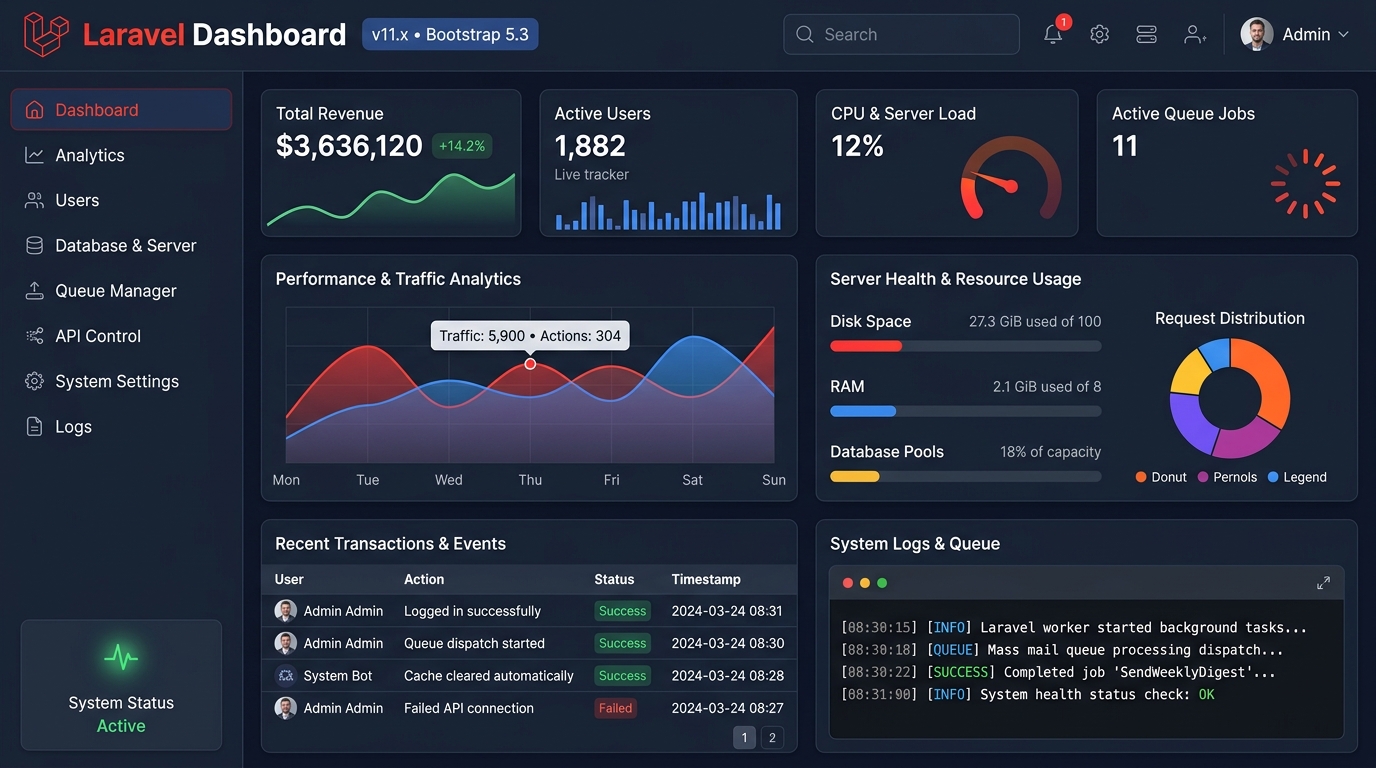
Master the art of creating stunning, high-performance admin dashboards by combining the robust Laravel framework with the flexible Bootstrap CSS toolkit. This definitive guide provides expert insights, actionable strategies, and professional tips for developers and businesses.
Hire Expert Laravel Developers TodayWhy a Laravel Dashboard Bootstrap Combo is Unbeatable
In the modern web development landscape, an admin dashboard is the nerve center of any application. Leveraging Laravel for its elegant MVC architecture and Bootstrap for its responsive front-end components creates a foundation that is both powerful for developers and intuitive for end-users. This synergy is particularly evident when building complex systems like a Cms Car Sales platform, where managing inventory, customer data, and sales pipelines requires a clean, efficient, and scalable interface. For businesses looking to modernize, tools like our WordPress Migration Tool can seamlessly transition legacy data into a new, robust Laravel dashboard environment.
Rapid Development & Clean Code
Laravel's Blade templating engine integrates seamlessly with Bootstrap's grid system and component classes. This allows for the rapid prototyping of complex dashboard layouts without writing repetitive CSS. Features like Laravel's built-in authentication scaffolding can be styled instantly with Bootstrap, cutting development time in half. Explore our Top Laravel Packages Guide to find essential tools that complement this stack.
Pro-Tip:
Use Laravel Mix to compile and version your custom Bootstrap SASS files. This ensures you can leverage Bootstrap's variables and mixins to create a truly custom dashboard theme that matches your brand, while maintaining optimal performance optimization through efficient asset delivery.
Reduced Costs & Future-Proof Solutions
Investing in a Laravel Dashboard Bootstrap setup means choosing technologies with massive community support and long-term viability. This translates to lower maintenance costs, easier hiring, and a platform that can scale with your business needs. Whether you're running an e-commerce empire or a niche service, the flexibility is unmatched. Consider a Professional Laravel CMS for Ecommerce as a starting point for a tailored dashboard.
Seamless Third-Party Integration
Modern dashboards often need to pull data from multiple sources (APIs, legacy databases, external services). Laravel's elegant Eloquent ORM and HTTP client make data aggregation simple, while Bootstrap components like cards, tables, and charts provide the perfect vessels to display this unified data stream. For projects involving platform migration, our proven process for migrating WordPress to Laravel without data loss is an essential case study in integration.
Core Features of a Modern Laravel Bootstrap Dashboard
Role-Based Access Control (RBAC)
Implement granular permissions using Laravel Gates and Policies. Style the permission management UI with Bootstrap's list groups and form controls, creating an intuitive interface for administrators to manage roles for staff, managers, and clients.
Real-Time Analytics & Reporting
Integrate charting libraries like Chart.js or ApexCharts within Blade components. Use Bootstrap's grid to create responsive dashboard widgets that display key metrics, sales trends, or user activity, crucial for a Cms Car Sales platform monitoring inventory turnover.
CRUD Interface Generator
Speed up backend creation for managing entities (e.g., products, blog posts, car listings). Combine Laravel's resource controllers with Bootstrap's modal components and form layouts to generate elegant, functional create-read-update-delete interfaces in minutes.
API-Driven Modular Architecture
Build the dashboard as a single-page application (SPA) using Laravel as a headless API backend. Bootstrap's JavaScript components can work with frontend frameworks like Vue.js or React (which Laravel supports out-of-the-box) to create a dynamic, app-like dashboard experience.
Notification & Alert Systems
Leverage Laravel's notification system (supporting email, SMS, database) and present them beautifully using Bootstrap's alert components. Style alerts based on priority (info, success, warning, danger) to keep users informed of system events or new data, such as a new inquiry on a car listing.
Multi-Tenancy Support
Design dashboards that serve multiple clients or departments from a single codebase. Use Laravel's database connection scoping and Bootstrap's theming capabilities to allow brand customization for each tenant, a key feature for SaaS applications built on this stack.
Advanced Implementation: Building a Car Sales CMS Dashboard
A Cms Car Sales platform is a perfect real-world example to illustrate the power of a Laravel Dashboard Bootstrap system. The backend needs to manage complex relational data: vehicles, makes/models, features, dealerships, customer leads, and sales transactions.
Using Laravel, you would define Eloquent models and relationships (e.g., a `Car` `belongsTo` a `Dealership`, `hasMany` `Features`). The dashboard, styled with Bootstrap, would then provide:
- Inventory Management Grid: A searchable, sortable Bootstrap table with thumbnail images, filters for price/mileage, and quick-action buttons (Edit, Delete, Mark as Sold).
- Lead Management Panel: Cards or a kanban board (using Bootstrap's grid) to track customer inquiries through stages: New, Contacted, Test Drive Scheduled, Negotiation, Sold.
- Reporting Dashboard: Widgets with charts showing sales per dealership, monthly revenue, and popular models, using Laravel to aggregate data and Bootstrap to lay out the visualizations.
For businesses transitioning from a less capable system, leveraging a Laravel Custom Development Service can fast-track this build, ensuring all business logic is perfectly encapsulated within the Laravel framework while the frontend remains clean and responsive with Bootstrap.
Technical Deep Dive: Code Structure
// Example Laravel Controller for Car Dashboard
namespace App\Http\Controllers\Admin;

use App\Models\Car;
use App\Models\Dealership;
use Illuminate\Http\Request;

class CarDashboardController extends Controller
{
    public function index(Request $request)
    {
        // Query with filters (using Laravel's Eloquent)
        $cars = Car::with(['dealership', 'features'])
                    ->when($request->has('status'), function ($query) use ($request) {
                        return $query->where('status', $request->status);
                    })
                    ->paginate(20); // Perfect for Bootstrap's pagination component

        // Return a Blade view that extends a Bootstrap-layout master template
        return view('admin.cars.index', compact('cars'));
    }
}
The corresponding Blade view (`admin.cars.index`) would utilize Bootstrap's container, row, column, table, and pagination classes to render a fully functional, styled data table. This separation of concerns is where Laravel and Bootstrap shine together.
Optimization & Performance Strategies
A feature-rich dashboard can become sluggish if not optimized. Here are critical strategies:
-
1
Eager Loading & Query Optimization
Use Laravel's `with()` method to prevent the N+1 query problem when displaying related data (e.g., showing dealership names for each car). Always profile queries using Laravel Debugbar or Telescope. For high-traffic dashboards, implementing advanced caching strategies as outlined in our Performance Optimisation guide is non-negotiable.
-
2
Asset Bundling & Tree Shaking
Don't load the entire Bootstrap JavaScript bundle if you only use the modal and dropdown. Use Laravel Mix (or Vite) to import only the specific Bootstrap components you need via JavaScript modules. Similarly, purge unused CSS classes in production to minimize the final CSS file size.
-
3
Lazy Loading & Pagination
For data-heavy tables (like a list of 10,000 cars), implement server-side processing. Laravel's built-in pagination integrates effortlessly with Bootstrap's pagination component. For a more seamless experience, consider using Laravel's API resources with infinite scroll via AJAX, styled with Bootstrap's spinner components during loading.
Expert Insight
"The true power of a Laravel Dashboard Bootstrap setup isn't just in building it quickly; it's in maintaining and scaling it efficiently over 5+ years. Laravel's commitment to backward compatibility and Bootstrap's stable core make this stack a prudent long-term business investment, far more sustainable than relying on a patchwork of fleeting WordPress plugins."
– Senior Engineer, Waravel Platform Team.
Unlock the Power of Laravel for your business →Migration & Integration Pathways
Many projects aren't built from scratch. You might be modernizing an existing application. The Laravel ecosystem provides excellent pathways for this:
Migrating from WordPress
If you're moving a complex site with custom post types (like vehicle listings) from WordPress, a manual migration is risky. Our automated suite, including the WordPress to Laravel Migration tool, ensures data integrity. It maps WordPress data structures to Laravel Eloquent models, allowing you to quickly rebuild a superior, Bootstrap-styled dashboard around your existing content.
This process not only improves security and performance but also opens the door to creating a truly custom admin experience tailored to your workflow, unlike the generic WordPress admin.
Integrating Third-Party APIs
A Cms Car Sales dashboard might need to pull inventory from external suppliers or push leads to a CRM like Salesforce. Laravel's HTTP client and job queue make this reliable. Bootstrap can be used to build configuration panels where administrators input API keys and map data fields.
For example, you could create a"Data Sources" tab in your dashboard where users connect external feeds. Each connected source is displayed as a Bootstrap card with connection status, sync buttons, and logs—all powered by Laravel backend logic.
Frequently Asked Questions (FAQ)
Both are excellent choices. Bootstrap offers a faster start with pre-designed, consistent components, which is ideal for projects where UI design time is limited or where a traditional, familiar admin interface is desired. Tailwind offers more granular design control. For rapid prototyping and when working with teams more familiar with classic CSS frameworks, Laravel Dashboard Bootstrap remains a highly productive and professional choice. Many developers use both: Bootstrap for the core admin layout and Tailwind for highly custom public-facing pages.
Absolutely. The principles are identical. Laravel would manage users (vendors, customers), products, orders, commissions, and payouts. The dashboard would have different views: a super-admin dashboard for platform management, and a vendor dashboard for individual sellers. Bootstrap's components make it easy to create distinct layouts for each user role. The modularity of Laravel packages allows you to integrate payment gateways, review systems, and more. Review our Laravel CMS Comparison to see how different structures suit different project types.
For simple"toast" notifications, you can use Laravel's broadcast capabilities with Pusher or Soketi combined with Bootstrap's toast component. A more advanced method is using Laravel Echo to listen for events on the frontend. When a new order is placed, a Laravel event is broadcast. Your dashboard's JavaScript (using Bootstrap's JS utilities or a small Vue component) catches this event and dynamically appends a new Bootstrap alert or updates a counter in the navigation bar. This creates a highly responsive, modern user experience.
First, ensure you are using Bootstrap's responsive utilities (`d-none d-md-block`) to hide complex data tables or heavy charts on mobile, replacing them with summary cards or lists. Second, implement conditional loading in Laravel: detect mobile devices and return lighter datasets with fewer columns. Third, leverage Laravel's API resources with pagination for mobile lists to limit initial load. Finally, ensure all images served through the dashboard (like car thumbnails) are responsive and served in modern formats (WebP), which can be managed easily via Laravel's plugin ecosystem for image handling.
Ready to Build Your Enterprise-Grade Dashboard?
Stop wrestling with limited platforms or insecure legacy code. Harness the combined power of Laravel and Bootstrap to create a dashboard that scales with your ambition, delights your users, and streamlines your operations.
Accelerate your development with proven tools and methodologies. Explore Core Features That Set Waravel Apart to see how a professional platform can elevate your project from concept to launch.