Master the"Login As User" Feature in Laravel: A Definitive Guide for Elite Development
Implement secure user impersonation to streamline debugging, support, and testing within your Laravel applications. This comprehensive guide covers packages, security, and best practices.
Hire Elite Laravel Developers Today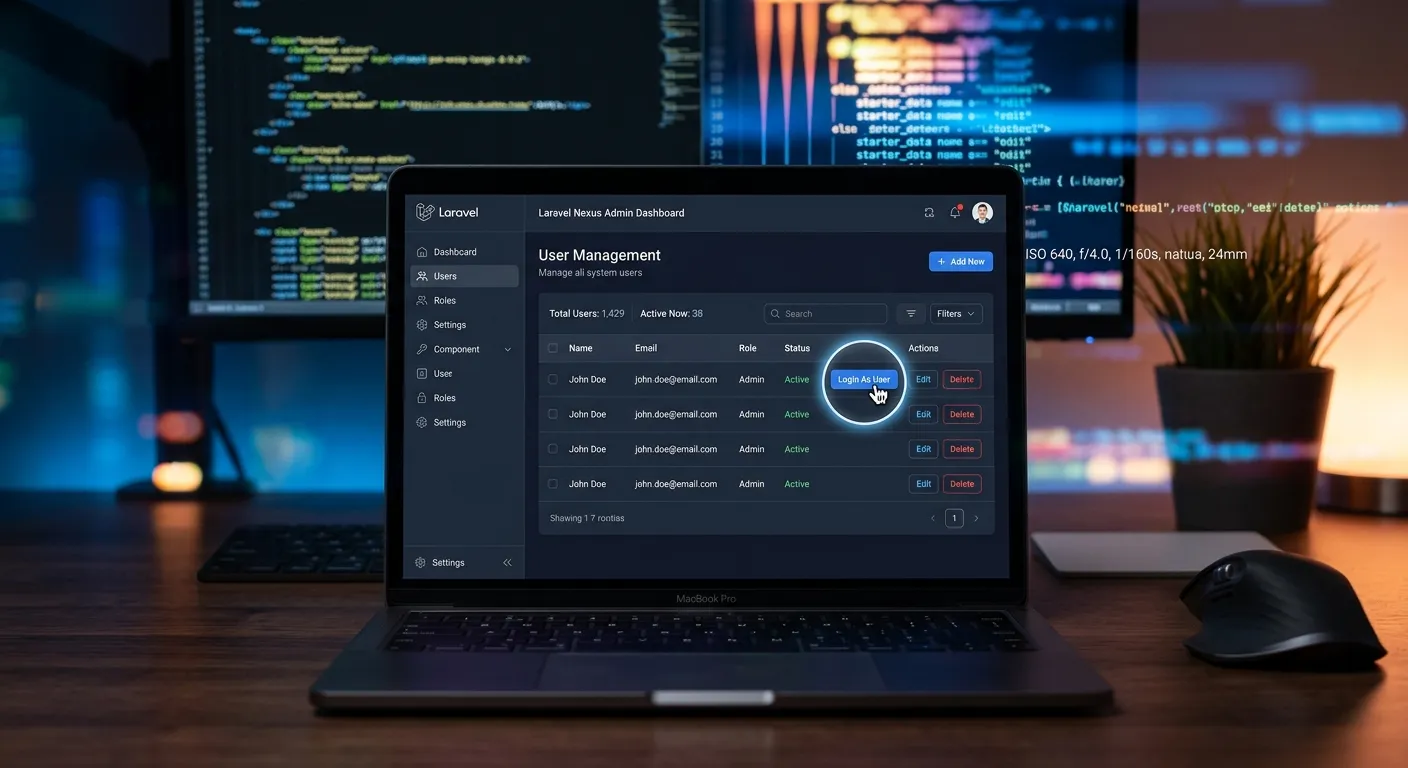
In the dynamic world of web application development, the ability to swiftly diagnose issues, provide hands-on customer support, and verify user experiences is invaluable. For Laravel developers and teams managing complex platforms, implementing a secure"Login As User" feature—also known as user impersonation—is a game-changer. This functionality allows administrators or authorized personnel to temporarily assume the identity of another user, navigating the application exactly as they would. This is not about bypassing security, but about empowering your team with superior tools for maintenance, debugging, and support. Whether you're managing a migrated site from our WordPress to Laravel Migration service or building a new platform from the ground up, this feature is a cornerstone of professional application management.
This definitive guide will explore everything from foundational concepts and popular Laravel packages to custom implementation, critical security considerations, and advanced use cases. By mastering the Laravel Login As User technique, you elevate your development workflow, reduce resolution times, and gain unparalleled insight into your Laravel Platform. Let's dive in.
Laravel User Impersonation: A Multi-Category Overview
What is User Impersonation?
User impersonation is a controlled mechanism that allows a privileged user (like an admin) to temporarily log into an application as another user without needing their password. This session is fully tracked, reversible, and does not disrupt the target user's actual session or credentials. It's a standard feature in enterprise software, SaaS platforms, and complex CMS applications like those built with Laravel's powerful framework.
Why It's Essential: Imagine a user reports a bug specific to their account role or data. Instead of asking for their password (a major security red flag) or trying to recreate their exact scenario, an admin can instantly see the issue through their eyes. This is especially critical after complex operations like a user migration where data integrity must be verified.
Key Benefits of Implementing Laravel Login As User
Enhanced Security Posture
Eliminate the dangerous practice of sharing user passwords for troubleshooting. A controlled, auditable impersonation session maintains credential integrity and complies with data protection standards, complementing the overall security and performance optimisation of your Laravel stack.
Dramatically Faster Resolution
Reduce issue diagnosis time from hours to minutes. Support agents and developers can immediately replicate the exact user environment, leading to quicker fixes, higher customer satisfaction, and more efficient development cycles—key for agencies looking to hire top development talent who value productivity.
Superior User Experience Validation
Experience your application's UI/UX through the lens of different user personas. This is invaluable for validating complex permission structures, subscription tier features, and personalized dashboards, ensuring your platform delivers on its promise—a core tenet of effective strategic brand building through technology.
Step-by-Step Implementation with the Laravel Impersonate Package
Let's walk through a practical implementation using the popular `lab404/laravel-impersonate` package. This method is efficient and leverages Composer, the cornerstone of Laravel's package management, which you can explore further in our guide on essential Laravel packages.
Step 1: Installation & Setup
Begin by installing the package via Composer and publishing its configuration file.
composer require lab404/laravel-impersonate
php artisan vendor:publish --tag=impersonate-config
Next, add the `Impersonate` trait to your User model (typically `App\Models\User`). This trait provides the necessary methods for impersonation management.
Step 2: Configuring Middleware & Authorization
Security is paramount. You must protect the impersonation routes and define who can impersonate whom. First, apply the `impersonate` middleware to your impersonation routes in `routes/web.php`.
Pro-Tip: Granular Permission Control
Instead of just checking for an admin role, use Laravel's Gate or Policy system to create a specific permission like `impersonate.users`. This allows for more flexible and secure role-based access control (RBAC), especially in applications with complex user hierarchies managed within your Laravel Database.
Within the controller method that initiates impersonation, implement a rigorous authorization check. For example, only users with an `is_admin` flag set to `true` or those with a specific"Super Admin" role should be allowed to proceed.
Visual Guide: Managing Complex User Sessions
Seeing the feature in action within a real admin panel clarifies the workflow and security considerations. This video demonstrates session management in a Laravel context.
Step 3: Building the UI & Audit Logging
The user interface for admins should be clear but discreet. Typically, a"Login As" button is added next to each user in an admin list. Use the package's helper methods to generate the secure link.
Critical: Implement Audit Logging. Every impersonation event must be recorded. Create an `ImpersonationLog` model and migration (e.g., with columns: `impersonator_id`, `impersonated_id`, `started_at`, `ended_at`, `ip_address`). Use Laravel's event system to listen for the package's `TakeImpersonation` and `LeaveImpersonation` events and log the details to this table and potentially to an external monitoring service.
This audit trail is not just for security; it's a valuable source of data for understanding support patterns and can be crucial for compliance, aligning with the transparency expected in our Privacy Policy commitments.
Advanced Considerations for Production Environments
Database & Session Management
The Laravel Database plays a central role. Ensure your `users` table has clear columns to distinguish impersonatable users (e.g., `can_be_impersonated` as a boolean defaulting to `true`). You may want to exclude certain high-privilege accounts (like other super-admins) from being impersonatable at all.
Session driver choice is crucial. The `file` or `database` session driver works reliably with impersonation. If using `redis` or `memcached`, ensure your configuration correctly handles multiple session identifiers for the same browser. Thoroughly test the"revert" functionality to guarantee the admin's original session is restored flawlessly.
Handling Notifications & Side Effects
While impersonating, you must prevent any side-effects that could confuse or alarm the real user. Key areas to modify:
- Email/SMS Notifications: Intercept Laravel's notification system to suppress all outbound communications triggered during an impersonation session. The last thing you want is for a user to receive a"password changed" or"order confirmed" email they didn't initiate.
- Activity Feeds: If your application logs user activity (e.g.,"User X viewed document Y"), you may need to tag these logs as performed via impersonation or suppress them entirely to keep the user's genuine activity log clean.
- External API Calls: Be cautious with actions that call external payment gateways (like Stripe) or third-party services. It's often best to disable such actions completely while in impersonation mode.
Integration with Nova, Livewire, or Inertia
If your admin panel is built with Laravel Nova, use the dedicated `nova-impersonate` package for seamless integration. For Livewire or Inertia.js (Vue/React) frontends, you'll need to adapt the package's typical blade-based flow. This usually involves creating a dedicated Livewire component or an Inertia endpoint that calls the impersonation controller logic and then forces a page visit to the user's dashboard. This level of integration showcases the flexibility of the core features that set advanced Laravel platforms apart.
Frequently Asked Questions (FAQ)
When implemented correctly with strict authorization, comprehensive logging, and session controls, it reduces security risks. It eliminates the need for password sharing and provides a fully auditable alternative. The risk lies in a sloppy implementation—failing to restrict permissions, not logging actions, or allowing impersonation sessions to persist indefinitely. Following the best practices outlined in this guide mitigates these risks.
Technically, yes—the session is server-side and doesn't typically notify the user. However, ethical and legal considerations (like GDPR) are paramount. It is considered best practice and often a legal requirement to inform users in your Terms of Service that authorized administrators may access accounts for support and security purposes. Transparency is key. You can review our stance on such matters in our Terms of Service.
The Laravel Database stores the audit logs (which you must create) and the user records. The user's password hash or credentials are never touched. Laravel's session system manages two active session identifiers: one for the admin's real identity (stored securely) and one for the impersonated user. The packages handle this complexity. Ensure your database is optimized for the additional log table, which can grow over time.
For 99% of projects, use a package like `lab404/laravel-impersonate`. It is community-audited, maintained, and solves all the complex session management problems. Building a secure, robust impersonation system from scratch is non-trivial and prone to subtle security flaws. Only consider a custom build if you have extremely unique session handling requirements that the package cannot accommodate, which is rare. Leveraging proven packages is a hallmark of professional Laravel development, as seen in our curated package features.
Ready to Implement Elite Features in Your Laravel Project?
Mastering features like"Login As User" separates good applications from great, maintainable, and secure platforms. Whether you're refining an existing Laravel site or planning a migration from a legacy system, having the right team is critical.
Explore our case studies to see how we've implemented advanced Laravel solutions for businesses.