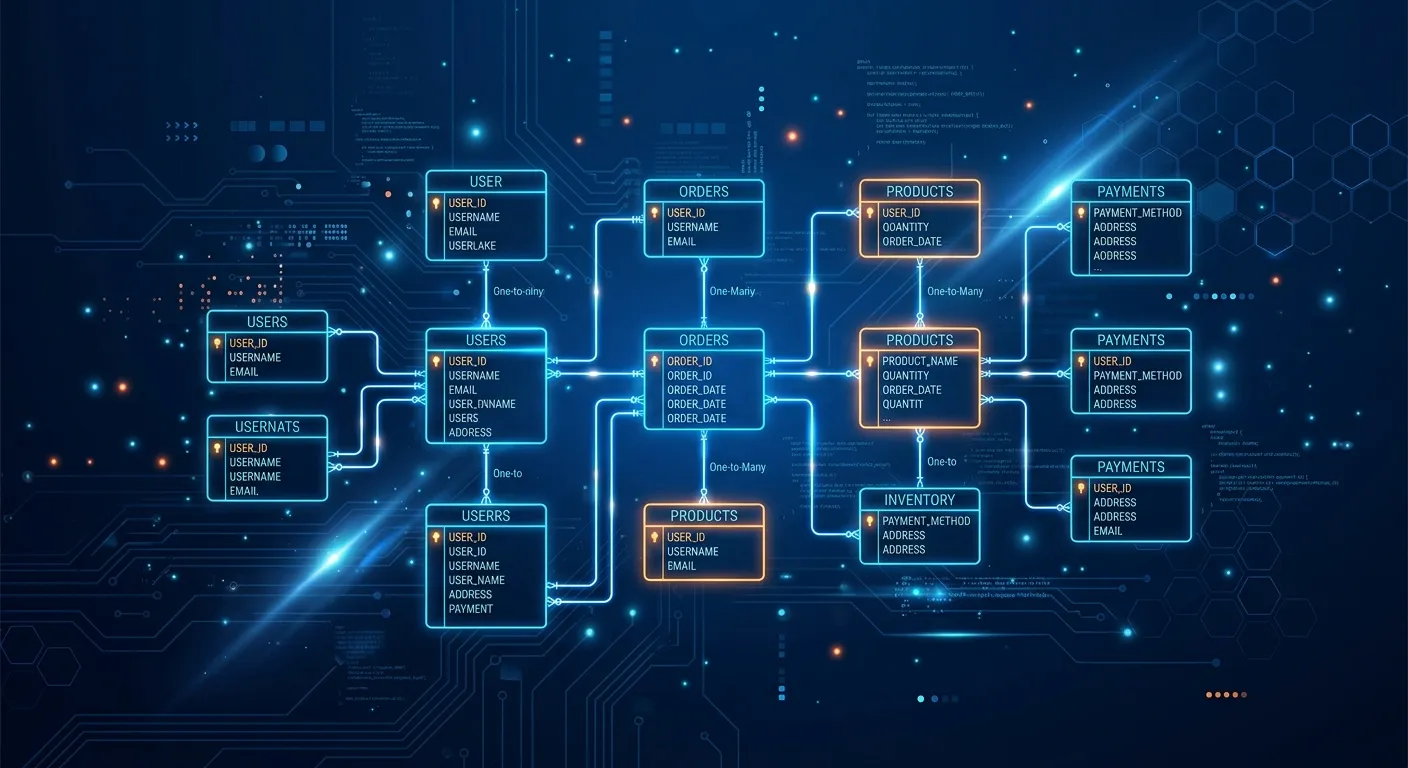
Master the Laravel Database: Build Scalable, Secure Applications with Expert Precision
Unlock the full potential of Eloquent ORM, migrations, and advanced query building. This definitive guide provides actionable strategies for developers and businesses to hire staff today for elite database management.
Laravel Database: A Multi-Category Overview
Foundational Database Architecture in Laravel
The Laravel Database layer is the robust backbone of any application built on the framework. It provides an elegant, expressive syntax for interacting with various database systems like MySQL, PostgreSQL, SQLite, and SQL Server. Unlike more rigid systems, Laravel's database tools are designed for developer happiness, promoting clean, maintainable code through its powerful Query Builder and Object-Relational Mapper (ORM).
Configuration is centralized in the config/database.php file, allowing for easy management of multiple database connections. This is crucial for complex applications that may separate reads from writes or use different databases for different services. For teams looking to hire staff today with expertise in this area, understanding these foundational concepts is non-negotiable for building scalable systems.
Pro-Tip: Connection Management
Always define your database connections in environment variables (`.env` file). This keeps credentials secure and makes your application environment-agnostic, simplifying deployment across development, staging, and production servers. This practice is a hallmark of professional Laravel Custom Development Services.
Key Features & Benefits of the Laravel Database Ecosystem
Explore the powerful tools and methodologies that make Laravel's database handling a preferred choice for developers building modern web applications.
Eloquent ORM & Relationships
An intuitive ActiveRecord implementation for working with your database. Define relationships (hasOne, hasMany, belongsToMany, etc.) as simple methods, making complex data operations simple and readable. This abstraction is key for features like user management and content hierarchies.
- Expressive, object-oriented syntax
- Automatic timestamp and soft deletes
- Built-in protection against SQL injection
Database Migrations & Schema Builder
Version control your database schema with expressive, PHP-based migrations. The Schema Builder provides a fluent, database-agnostic interface for creating and manipulating tables across all supported database systems.
- Team-friendly schema definitions
- Easy rollback and reset capabilities
- Essential for WordPress to Laravel Migration projects
Query Builder & Advanced Operations
A fluent, chainable interface for creating and running database queries. It can be used for most database operations and works perfectly with raw SQL expressions when you need more power or a specific database feature.
- Fluent, chainable syntax for complex queries
- Supports joins, unions, subqueries, and aggregates
- Ideal for reporting and data analysis features
Robust Security & Access Control
Laravel provides multiple layers of security for your database interactions, from parameter binding to authentication gates. Implementing features like Laravel Login As User requires a deep understanding of these layers to ensure auditability and prevent privilege escalation.
- PDO parameter binding prevents SQL injection
- Middleware and policies for authorization
- Encryption for sensitive data at rest
Seeding, Factories & Testing
Populate your database with realistic test data using seeders and model factories. This is indispensable for development, staging environments, and comprehensive testing, ensuring your application logic works with varied data sets.
- Generate large datasets with Faker integration
- Create consistent data for unit and feature tests
- Speed up development and demo preparation
Multiple Database Connections
Configure and manage multiple database connections seamlessly. This is essential for read/write splitting, using different databases for different services (e.g., analytics vs. main app), or handling multi-tenancy architectures.
- Define connections in config/database.php
- Dynamically switch connections at runtime
- Critical for scaling high-traffic applications
Advanced Laravel Database Patterns & Real-World Applications
Implementing the"Laravel Login As User" Feature Securely
The"Login As User" or user impersonation feature is a powerful tool for customer support and debugging, allowing administrators to experience the application from a user's perspective. However, its implementation touches core aspects of the Laravel Database and authentication system and must be handled with extreme care.
A secure implementation involves several database-related considerations:
Database Schema Requirements
- Audit Log Table: A separate table (e.g., `impersonation_logs`) to record the admin ID, target user ID, start time, and end time. This is non-negotiable for security compliance.
- User Model Modifications: Adding a nullable `impersonated_by` field or using a polymorphic relationship to track active impersonation sessions.
- Role/Permission Tables: A robust system (like Spatie Laravel-Permission) to define which administrators have the `can-impersonate` permission.
Eloquent & Middleware Logic
- Session Management: Store the original admin ID in the session separately from the logged-in user ID. Never overwrite the primary auth session.
- Global Scopes: Use Eloquent Global Scopes to automatically filter data queries during impersonation if needed (e.g., to restrict access to certain user data).
- Termination & Cleanup: Ensure the `impersonation_logs` record is updated with an end time, and session data is cleared correctly upon logout.
Building such a feature correctly requires deep Laravel Database knowledge. If your team lacks this expertise, it's a strategic move to hire staff today with proven experience in authentication and complex Eloquent relationships.
Migration Strategies: From Legacy Systems to Laravel
One of the most critical applications of Laravel's database tools is in migrating from legacy systems, particularly WordPress. A successful migration is not just about moving data; it's about transforming it into a structured, efficient Laravel schema.
The Migration Process
A structured approach is key:
- Schema Analysis & Mapping: Analyze the legacy WordPress database (wp_posts, wp_postmeta, wp_users) and design corresponding Eloquent Models (Post, PostMeta, User). This often involves flattening meta tables into structured columns.
- Custom Migration Scripts: Use Laravel's Query Builder and DB facade to write custom migration scripts. These scripts read from the old database connection and insert transformed data into the new Laravel tables using Eloquent or batch inserts for performance.
- Data Integrity & Relationships: Ensure foreign keys and relationships (e.g., posts to authors, posts to categories) are correctly maintained. This step is crucial for preserving site functionality and SEO.
- Validation & Rollback Plan: Test migrations thoroughly on a staging environment. Have a rollback plan that can revert the database to its previous state.
See Automated Migration in Action
WordPress to Laravel in One Click | Migrate 10 Years of Content Without Losing SEO
Strategic Insight: Beyond Data Transfer
Migration is an opportunity to improve. Normalize your database, remove redundant data, and implement proper indexing from the start. Tools like Waravel's Automated Tools can handle the heavy lifting, but understanding the underlying Laravel Database principles ensures you can customize the process and troubleshoot effectively. For a broader perspective on platform transitions, our Strategic Brand Building Guide discusses maintaining brand integrity through technical changes.
Optimizing Query Performance for Scale
As your application grows, inefficient database queries become the primary bottleneck. Laravel provides several tools to identify and fix these issues.
Critical Optimization Techniques:
1. Eager Loading vs. Lazy Loading
The classic N+1 problem occurs when you loop through a collection of models and access a relationship on each one, resulting in N+1 queries. Eloquent's `with()` method solves this.
// BAD: N+1 Queries (Lazy Loading)
$books = Book::all();
foreach ($books as $book) {
    echo $book->author->name; // New query executed each loop
}

// GOOD: 2 Queries (Eager Loading)
$books = Book::with('author')->get();
foreach ($books as $book) {
    echo $book->author->name; // Author already loaded
}
2. Indexing & Query Caching
Use database indexes on columns frequently used in WHERE, JOIN, and ORDER BY clauses. Laravel's query cache (`DB::query()->remember()`) can store the result of a query for a given duration, dramatically reducing load for complex, infrequently changing data. Combining these optimizations is a core part of any comprehensive Performance Optimisation strategy.
3. Chunking Results for Memory Management
When processing thousands of records, use the `chunk()` method to avoid running out of memory.
// Process 100 records at a time
Book::chunk(100, function ($books) {
    foreach ($books as $book) {
        // Process each book
    }
});
Mastering these patterns separates junior developers from seniors. To implement these at an expert level in your projects, consider leveraging professional Laravel Custom Development Services or posting a job to hire staff today who specialize in high-performance Laravel architecture.
Frequently Asked Questions: Laravel Database
Get expert answers to common questions about managing data with Laravel.
Eloquent ORM provides a higher level of abstraction, promoting cleaner, more maintainable code through Active Record patterns. Its key advantages include:
- Intuitive Relationships: Defining relationships as methods (e.g., `user->posts()`) is more expressive than manual JOINs.
- Model Events & Observers: Easily hook into model lifecycles (creating, updating, deleting) for business logic.
- Automatic Attribute Casting: Convert database values to/from PHP types (arrays, JSON, Carbon dates) automatically.
- Better Security: While the Query Builder also uses parameter binding, Eloquent's abstraction further reduces the risk of manual SQL errors.
The Query Builder is better for very complex, dynamic queries or reports where the ORM overhead might be less beneficial. In practice, most applications use a hybrid approach.
Security is paramount. Follow these steps:
- Strict Permissions: Use Laravel Gates or a package like Spatie Laravel-Permission to restrict impersonation to users with a specific role (e.g., 'Super Admin').
- Session Management: Store the original administrator's ID in a separate session key (e.g., `impersonator_id`) rather than overwriting the main auth session.
- Database Logging: Create an `impersonation_logs` table to record every impersonation event (who, whom, when, IP). This is critical for audits.
- Clear Visual Indicators: The UI should clearly show the admin they are impersonating a user to prevent accidental actions.
- Middleware Protection: Create middleware to prevent impersonated users from accessing admin areas or performing sensitive actions like changing passwords.
- Time Limits: Consider implementing a session timeout for impersonation.
Team coordination is crucial for smooth migrations:
- Version Control: Always commit migration files to your Git repository. This is the single source of truth for your schema.
- Sequential Naming: Laravel's timestamp-based naming prevents conflicts. Ensure everyone runs `composer install` to get new migration files.
- Never Edit Live Migrations: If you need to change a migration that's already been run on a teammate's machine or in staging, create a new migration instead. Editing old ones will cause inconsistencies.
- Use Seeders for Development Data: Share a common seeder for development so everyone has a consistent dataset. Avoid manually adding data to shared databases.
- Test Rollbacks: Ensure your `down()` methods work correctly. This allows teammates to refresh their database easily.
- Documentation: For complex migrations, add comments in the migration file explaining the purpose of the change, especially for foreign keys or indexes.
For large-scale, one-time migrations from other systems (like WordPress), consider using custom scripts separate from Laravel's migration system, as detailed in our guide on Migrate WordPress To Laravel Effortlessly.
Laravel provides multiple layers of defense, primarily through its use of PDO (PHP Data Objects) parameter binding.
- Eloquent ORM & Query Builder: Both compile queries and bind user input as parameters separately from the SQL instruction. This means user input is always treated as data, never as executable code.
- Raw Queries: When you must use raw SQL, you should always use parameter binding with the `DB::select()` or `DB::statement()` methods, passing user input as separate bound parameters.
// SAFE: Parameter Binding with Query Builder
$users = DB::table('users')
            ->where('name', '=', $request->input('name'))
            ->get();

// SAFE: Parameter Binding with Raw Expression
$orders = DB::select('SELECT * FROM orders WHERE user_id = ?', [$userId]);

// DANGEROUS: NEVER DO THIS (Concatenation)
$users = DB::select("SELECT * FROM users WHERE email = '$email'"); // Vulnerable!
Additionally, validation of incoming data (using Laravel's Form Request Validation) ensures data conforms to expected formats before it ever reaches a query, providing another security layer.
Multiple database connections are a powerful scaling and architectural tool. Key use cases include:
- Read/Write Splitting: Directing read queries to replica databases and writes to a primary database to distribute load. This often requires a package or custom logic to manage.
- Separate Services: Using a different database for a specific, intensive service (e.g., a separate Redis or MySQL instance for analytics or queued job tracking).
- Multi-Tenancy: In a SaaS application, you might use a"database per tenant" model for data isolation. Each tenant's connection would be configured dynamically.
- Legacy System Integration: Connecting to an old, external database (like during a WordPress to Laravel migration) while your new Laravel application uses its own database. You can define a second connection in `config/database.php`.
- Using Specialized Databases: Your main data might be in MySQL, but you use a Redis connection for caching and sessions, and a MongoDB connection for storing specific document-based data.
Managing multiple connections adds complexity, so it should be justified by clear performance, security, or architectural benefits. It's a strong reason to hire staff today with deep Laravel infrastructure experience.
Ready to Build with Laravel Database Expertise?
Mastering the Laravel Database layer is fundamental to creating fast, secure, and scalable applications. Whether you're implementing complex features like Laravel Login As User, optimizing for millions of records, or planning a major platform migration, having the right talent is critical.
Take the Next Step in Your Development Journey
Explore our resources to deepen your knowledge or connect with elite talent to bring your vision to life.
For insights into selecting the right packages for your project, don't miss our Top Laravel Packages Guide. To understand the full capabilities of a modern Laravel-based CMS, explore the Core Features That Set Waravel Apart.