Mastering Laravel Login Error Message Debugging for Secure, Seamless User Access
A comprehensive guide to diagnosing, resolving, and preventing common Laravel authentication errors to enhance platform stability and user experience.
Authentication is the gateway to your Laravel application. When users encounter a Laravel Login Error Message, it not only disrupts their workflow but can also signal deeper issues with security, configuration, or data integrity. For businesses migrating from platforms like WordPress, understanding Laravel's robust but distinct authentication flow is paramount. This guide provides an exhaustive walkthrough of common login errors, their root causes, and professional solutions, ensuring your application's login process is as resilient and user-friendly as the Laravel framework itself.
Common Laravel Login Error Categories
Incorrect Credentials & Validation Failures
The most frequent Laravel Login Error Message stems from failed credential checks. Laravel's Auth::attempt() method returns false if the email/password combination is incorrect. However, the generic"These credentials do not match our records" message is often just the surface.
- Hashed Password Mismatch: Ensure passwords are hashed using
bcryptbefore storage. Manually inserted users might have plain-text passwords. - Email Verification Status: If you implement the
MustVerifyEmailtrait, unverified users will be blocked. Check the `email_verified_at` column. - Custom Validation Rules: Added rules in the LoginRequest (like account status) can fail silently. Always check
php artisan route:listto confirm the correct form request is being used.
use Illuminate\Support\Facades\Log;
if (!Auth::attempt($credentials)) {
Log::channel('auth')->warning('Failed login for: ' . $credentials['email']);
return back()->withErrors(['email' => 'Invalid credentials.']);
}
Key Benefits of Robust Laravel Authentication
Enhanced Security Posture
Laravel's built-in authentication provides bcrypt hashing, CSRF protection, and secure session management out-of-the-box, significantly reducing vulnerabilities compared to legacy systems. Proper error handling prevents information leakage that could aid attackers.
Superior Developer Experience
With clear, centralized configuration and artisan commands for scaffolding, diagnosing a Laravel Login Error Message is far more straightforward. The elegant syntax and comprehensive logging allow for rapid debugging and maintenance, a core advantage explored in our guide to Unlock The Power Of Laravel.
Reliable User Migration Path
Laravel provides a solid foundation for importing and managing user data from other systems. By solving authentication errors during migration, you ensure business continuity and user trust. This is a key feature of a modern Laravel Platform, enabling scalable growth.
Step-by-Step: Diagnosing a Persistent Login Error
When faced with a stubborn Laravel Login Error Message, a systematic approach is crucial. Follow this debugging checklist to isolate the issue.
- Enable Detailed Logging: Set
APP_DEBUG=truetemporarily and checkstorage/logs/laravel.log. Look for stack traces related to authentication, database, or session. - Verify Database Credentials: Ensure your
.envfile has the correct DB_HOST, DB_DATABASE, DB_USERNAME, and DB_PASSWORD. Test the connection usingphp artisan tinkerand runDB::connection()->getPdo();. - Inspect the Users Table: Confirm the migrating user exists and the `email` field matches the login attempt exactly (case-insensitivity may vary). Check that the `password` field contains a valid bcrypt hash.
- Test Auth Manually: In Tinker, run
\Illuminate\Support\Facades\Hash::check('plain_text_password', $user->password)to verify password matching. - Review Session Configuration: Confirm your
config/session.phpdriver is supported and its dependencies (like Redis) are running.
Example Debugging Flow
Error:"Session store not set on request."
This indicates middleware issues. Ensure the `web` middleware group, which includes `\Illuminate\Session\Middleware\StartSession::class`, is applied to your login route.
Error:"SQLSTATE[HY000] [2002] Connection refused"
A database connectivity error masquerading as an auth failure. Verify your database service is running and the credentials in .env are correct.
Expert Insight:
Many post-migration login errors stem from incorrect file permissions on the storage/ and bootstrap/cache/ directories. Laravel needs write access to these for sessions and caching. Run chmod -R 775 storage bootstrap/cache on Linux-based servers.
Preventative Best Practices & Advanced Solutions
Securing Your Authentication Flow
Beyond fixing errors, proactively hardening your login system is essential for any serious application.
-
Implement Rate Limiting: Use Laravel's built-in
RateLimiterin yourLoginControllerto prevent brute-force attacks. TheThrottleLoginstrait is a good start. -
Use Secure, HTTP-Only Cookies: Configure sessions in
config/session.phpwith'secure' => env('SESSION_SECURE_COOKIE', true)and'http_only' => true. -
Customize Error Messages: Avoid revealing system details. Override the
sendFailedLoginResponsemethod in your LoginController to return generic messages.
Handling Complex WordPress Migrations
When your WordPress migrate domain project includes user data, a strategic approach is non-negotiable.
The core challenge is password re-encryption. One solution is to implement a dual-hash verification system during a transition period. Laravel's authentication system can be extended with a custom user provider that first checks for a bcrypt hash, and if it fails, checks for a legacy WordPress hash (using the wp_check_password logic). Upon a successful legacy check, you can then re-hash the password with bcrypt and update the database.
For teams looking to avoid this complex custom development, leveraging a platform like Waravel, which offers automated WordPress to Laravel migration, can handle this transparently. It ensures users can log in with their existing credentials immediately, a critical factor for customer retention during a platform switch, much like the strategies discussed in our Strategic Brand Building Guide.
Frequently Asked Questions (FAQ)
While it often means the email or password is incorrect, the most common technical cause is a password hash mismatch. This is prevalent after manual database imports or migrations from other systems like WordPress, where passwords are stored with a different hashing algorithm (e.g., MD5). Always ensure passwords are bcrypted using Hash::make() before being stored in a Laravel `users` table.
You have several options. The most straightforward is to override the sendFailedLoginResponse method in your app/Http/Controllers/Auth/LoginController.php. Simply add:
protected function sendFailedLoginResponse(Request $request)
{
    throw ValidationException::withMessages([
        'email' => [trans('auth.failed_custom_message')],
    ]);
}
You can also modify the language files in resources/lang/en/auth.php by changing the 'failed' key. For more granular control over the entire Laravel Login Error Message flow, you can create a custom user provider or authentication guard.
This is a classic WordPress migrate domain challenge. First, verify the data migration integrity. Check if the user emails exist in the Laravel `users` table and that the `password` column contains data. WordPress passwords are not compatible. You have three main options:
- Force a password reset for all migrated users.
- Implement a custom password verifier that checks both bcrypt and the WordPress PHPass hash format.
- Use a professional migration service like Waravel, which automates password conversion. Our article on Migrate WordPress To Laravel Effortlessly details this process.
Environment differences are the culprit. Systematically check:
- .env File: Is it uploaded and correctly populated? Production should have
APP_DEBUG=falseand a uniqueAPP_KEY. - File Permissions: The
storage/andbootstrap/cache/directories must be writable by the web server (e.g., www-data). - PHP Extensions: Ensure required extensions like
openssl,PDO, andmbstringare enabled on the production PHP installation. - Session Driver: If using 'file' sessions, ensure the
storage/framework/sessions/directory is writable. If using 'database', ensure the sessions table is migrated. - Cache Configuration: A misconfigured production cache driver (Redis, Memcached) can break session storage. Review
config/cache.phpandconfig/session.php.
Resolve Laravel Login Errors with Expert Precision
Don't let authentication bugs compromise your application's security or user trust. Whether you're troubleshooting a complex Laravel Login Error Message or executing a critical WordPress migrate domain project, having the right expertise is key.
If your in-house team is stretched thin, augment your capacity with top-tier Laravel talent. Post your project requirements and hire staff today to build a more stable, secure, and scalable application.
Hire a Laravel Authentication SpecialistOr explore our Laravel Custom Development Services for end-to-end solutions.
Advanced Debugging: Leveraging Laravel Telescope & Custom Logging
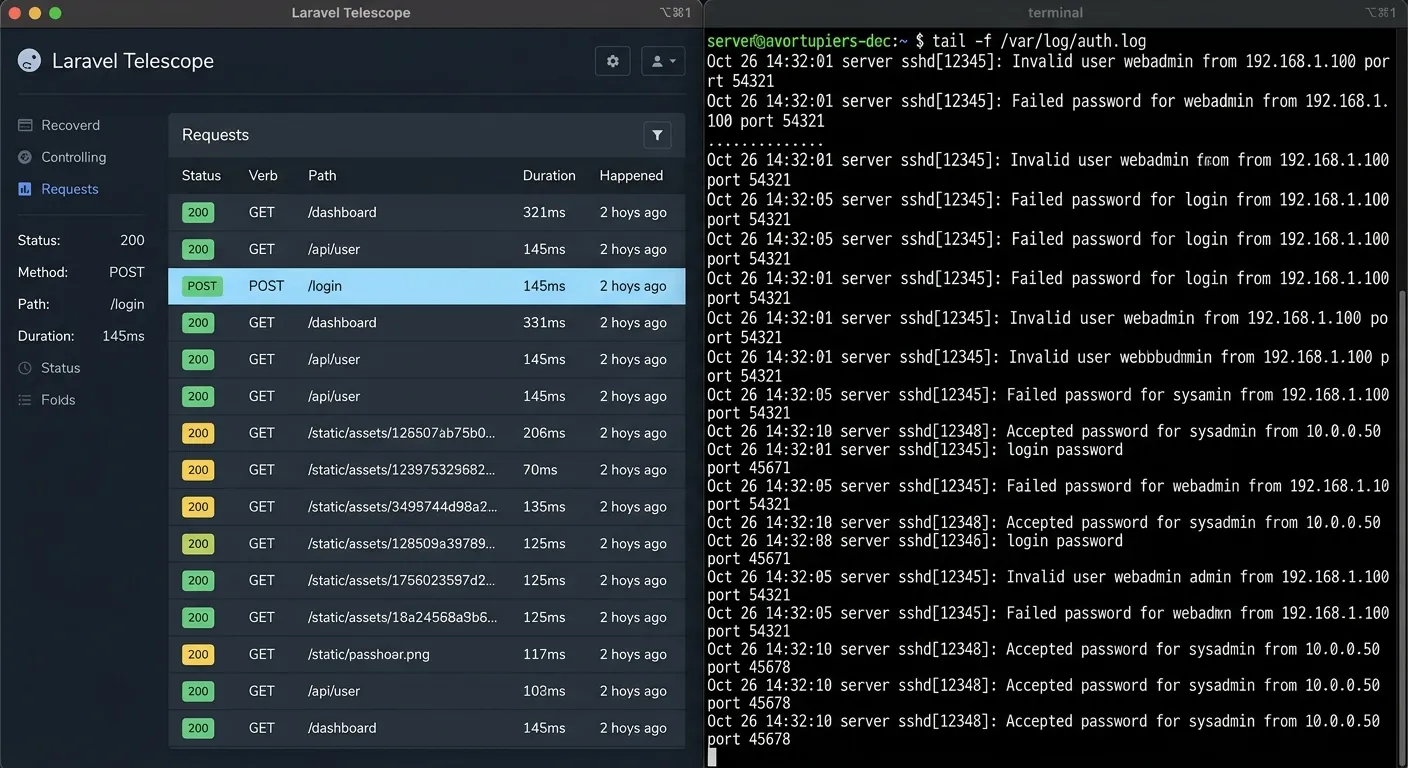
For persistent or intermittent Laravel Login Error Messages that defy standard checks, moving beyond basic logging is essential. Laravel Telescope provides an unparalleled real-time insight into requests, exceptions, database queries, and cache operations.
- Monitor Authentication Attempts: The"Requests" tab in Telescope shows the exact payload sent to your login route, including any hidden form fields or unexpected headers that might be causing validation to fail.
- Inspect Session Data: Use Telescope's"Session" tab to verify that session IDs are being created and persisted correctly after a login attempt, ruling out session driver issues.
- Track Queued Jobs & Notifications: If your login flow triggers emails (like 2FA codes or login notifications), the"Jobs" and"Notifications" tabs ensure these processes aren't failing silently and causing a timeout.
For production environments where Telescope may not be suitable, implement a dedicated authentication log channel in config/logging.php. This allows you to stream all auth-related events to a specific file or external service like Slack for immediate alerting.
Configuring a Dedicated Auth Log Channel
Add this configuration to isolate authentication logs, making debugging significantly easier.
'auth' => [
'driver' => 'single',
'path' => storage_path('logs/auth.log'),
'level' => 'warning',
'days' => 14,
],
// Usage in your LoginController
use Illuminate\Support\Facades\Log;
protected function sendFailedLoginResponse(Request $request)
{
Log::channel('auth')->warning('Failed login attempt', [
'ip' => $request->ip(),
'email' => $request->email,
'user_agent' => $request->userAgent()
]);
// ... rest of the method
}
Case Study: Resolving a Multi-Guard Authentication Conflict
A common advanced scenario involves applications with multiple user types (e.g., `users`, `admins`, `api_clients`). Misconfiguration here leads to users being authenticated by the wrong guard, resulting in perplexing permission errors post-login that are often mistaken for a primary Laravel Login Error Message.
The Problem: A SaaS application allowed 'Admins' and 'Clients' to log in through separate forms. Admins could log in successfully but were immediately redirected to the client dashboard, lacking admin privileges. The login process showed no immediate error.
The Investigation: The issue was traced to the `$guard` property in the `app/Http/Controllers/Auth/LoginController.php`. It was set to `null` or `'web'`, which used the default guard defined in `config/auth.php`. The default guard was set to `'client'`.
The Solution: Two separate LoginController classes were created, each dedicated to a specific guard.
AdminLoginController
namespace App\Http\Controllers\Auth;
class AdminLoginController extends LoginController
{
/**
* Which guard to use.
*/
protected $guard = 'admin';
/**
* Where to redirect after login.
*/
protected $redirectTo = '/admin/dashboard';
}
Route Definitions
use App\Http\Controllers\Auth\AdminLoginController;
use App\Http\Controllers\Auth\LoginController;
// Client login routes (default 'web' guard)
Auth::routes();
// Admin-specific login routes
Route::get('admin/login', [AdminLoginController::class, 'showLoginForm'])->name('admin.login');
Route::post('admin/login', [AdminLoginController::class, 'login']);
Route::post('admin/logout', [AdminLoginController::class, 'logout'])->name('admin.logout');
This clear separation ensures that the authentication state is managed by the correct guard throughout the user's session. The key takeaway is that a successful login without the expected permissions is often a guard configuration issue, not a credential error. Always verify the active guard using Auth::getDefaultDriver() or Auth::guard()->getName() during debugging.
Integrating Third-Party Auth (Socialite) & Common Pitfalls
Extending your login system with social authentication via Laravel Socialite is popular, but it introduces new vectors for Laravel Login Error Messages. The errors often occur during the callback phase after the user has authenticated with the provider (e.g., Google, GitHub).
Primary Failure Points and Fixes:
1."InvalidStateException" or"Session Missing"
This is the most common Socialite error. It indicates a mismatch in the state parameter between the initial redirect and the callback, a critical security feature.
Root Causes & Solutions:
- Multiple Subdomains: If your app uses `app.example.com` for auth but the callback is on `www.example.com`, the session cookie isn't shared. Ensure
config/session.phphas a correct `'domain'` setting (e.g., `'.example.com'`). - Session Driver Inconsistency: If your session driver is `file` but you have multiple server nodes behind a load balancer, the session file created on one server won't be available on another handling the callback. Switch to a centralized driver like `database` or `redis`.
- Browser Cookies Blocked: Instruct users to disable strict privacy plugins or allow cookies for your domain during the OAuth flow.
2."User Email Already Exists" or Integrity Constraint Violation
This occurs when a user tries to log in with a social provider using an email that already exists in your `users` table from a previous regular registration.
Strategic Resolution: Implement a logic flow in your Socialite callback controller to check for an existing email first. If found, you can:
- Link Accounts: Attach the social provider's ID (e.g., `google_id`) to the existing user account and log them in directly. This provides a seamless experience.
- Request Password Verification: Ask the user to enter their existing account password once to prove ownership before linking the social account.
$socialUser = Socialite::driver('google')->user();
$user = User::where('email', $socialUser->getEmail())->first();
if ($user) {
// Update existing user with social ID
$user->google_id = $socialUser->getId();
$user->save();
Auth::login($user, true);
} else {
// Create a new user
$user = User::create([...]);
Auth::login($user, true);
}
return redirect('/dashboard');
Successfully integrating Socialite requires planning for these edge cases. Testing with multiple providers and in different browser privacy modes is crucial to ensure the Laravel Login Error Message doesn't disrupt the user's social login journey.