Master Laravel Authentication: Build Secure & Scalable User Systems
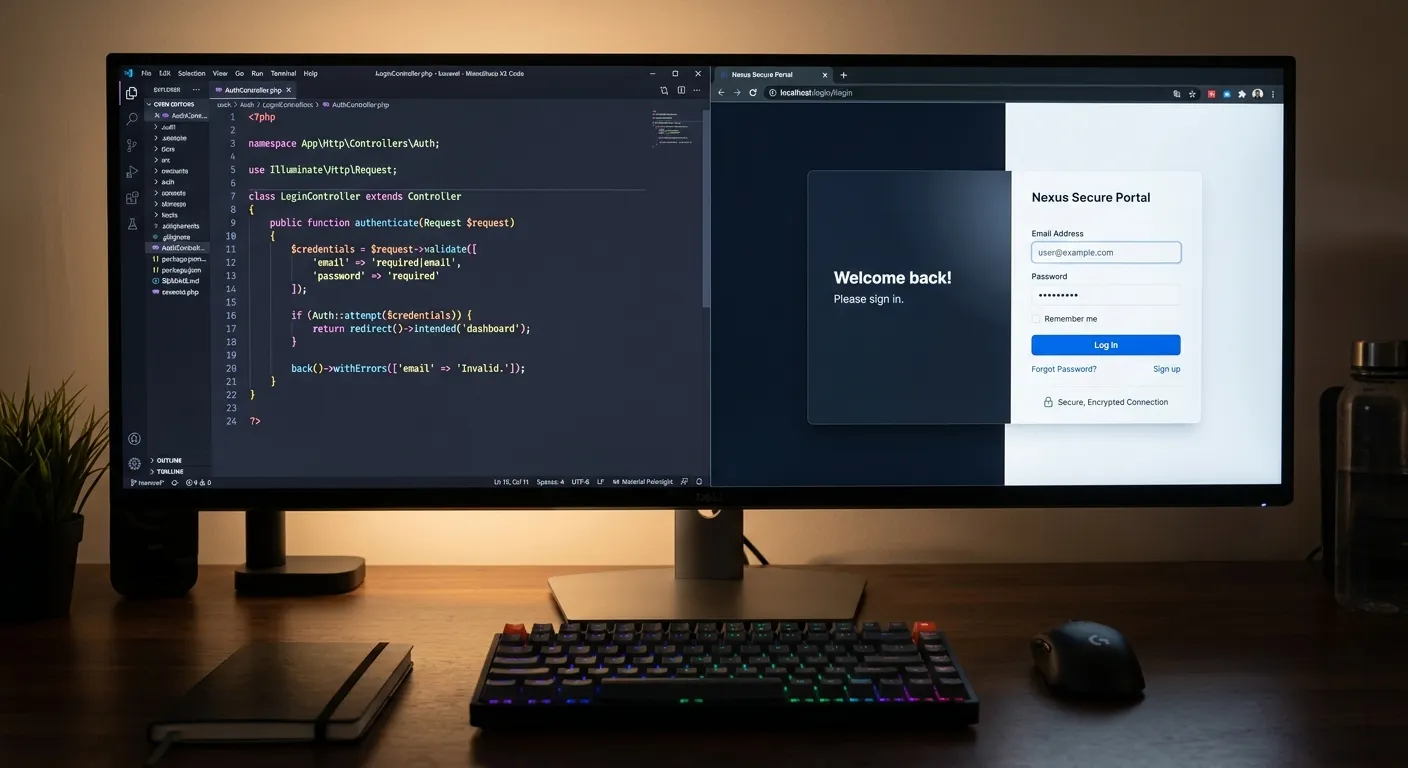
Laravel Authentication is the cornerstone of modern web application security. This comprehensive guide delves into the built-in tools, advanced patterns, and best practices for implementing robust, scalable authentication in your Laravel projects. Whether you're building a simple blog or a complex enterprise platform, mastering these concepts is non-negotiable.
Laravel Authentication: A Multi-Category Overview
Understanding the Foundation
Laravel's authentication system is built on the concept of"guards" and"providers." Guards define how users are authenticated for each request, while providers define how users are retrieved from your persistent storage. Out of the box, Laravel provides a session guard (for traditional web apps) and a token guard (for APIs). The default provider uses Eloquent to retrieve users from your `users` table.
The `make:auth` artisan command, now often replaced by Laravel Breeze or Jetstream, scaffolded the classic login, registration, and password reset flows. Today, starting a new project with a pre-built authentication stack is easier than ever. For instance, when you unlock the power of Laravel through modern starter kits, you get a production-ready authentication layer in minutes.
Key Features & Benefits of Laravel Authentication
Built-in Security Scaffolding
Laravel provides out-of-the-box solutions for hashing, CSRF protection, secure password reset flows, and"remember me" functionality. This eliminates common security pitfalls and ensures a robust baseline for your application's defense.
Eloquent ORM Integration
Authentication is seamlessly integrated with Eloquent, Laravel's powerful ORM. This allows for easy customization of the User model, complex relationships, and efficient querying of authenticated user data, forming the backbone of any dynamic Laravel Dashboard Controller.
API & SPA Ready
With Laravel Sanctum and Passport, building authentication for single-page applications (SPAs) and mobile apps is straightforward. Sanctum provides a simple token-based API authentication system, ideal for SPAs that coexist with your Laravel backend.
Extensible Guard & Provider System
Need to authenticate users against an LDAP server, a legacy database, or a microservice? Laravel's guard and provider system is highly extensible. You can define custom drivers to fit any authentication requirement, making it perfect for enterprise integrations.
Starter Kits: Breeze & Jetstream
Accelerate development with official starter kits. Laravel Breeze offers a minimal, Blade-based stack. Laravel Jetstream provides robust features like teams, two-factor authentication, and API support via Sanctum, with Livewire or Inertia.js frontends.
Middleware Protection
Easily protect routes using the `auth` middleware. This is the simplest and most effective way to ensure that only logged-in users can access certain parts of your application, such as the user profile page or administrative Laravel Dashboard Controller.
Deep Dive: Building a Secure Laravel Dashboard Controller
The dashboard is the heart of any authenticated application. A well-structured Laravel Dashboard Controller serves as the central nervous system, aggregating data, presenting key metrics, and providing navigation to core user functions.
Controller Logic & Authorization
Your DashboardController's `index()` method should do more than return a view. It should gather relevant data for the authenticated user: recent activity, notifications, project summaries, or performance statistics. Crucially, every data query must be scoped to the current user using Laravel's authorization features.
Consider eager loading relationships to avoid the N+1 query problem, especially when displaying lists of user-related data. The performance of your dashboard impacts user perception directly. For high-traffic applications, implementing strategic caching at this level is essential. You can learn more about this in our dedicated guide on performance optimisation.
View Composition & Components
The dashboard view should be modular. Use Blade components to create reusable cards for different data widgets (e.g., `x-stat-card`, `x-activity-list`). This approach improves maintainability and allows you to dynamically show/hide components based on user permissions or preferences.
Dashboard Controller Code Snippet
namespace App\Http\Controllers;

use App\Models\Order;
use App\Models\Project;
use Illuminate\Support\Facades\Auth;

class DashboardController extends Controller
{
    public function __construct()
    {
        $this->middleware('auth'); // Critical authentication middleware
    }

    public function index()
    {
        $user = Auth::user();

        // Authorize dashboard access via policy
        $this->authorize('viewDashboard', $user);

        // Eager loaded, user-scoped data
        $recentProjects = $user->projects()
                            ->with('client')
                            ->latest()
                            ->take(5)
                            ->get();

        $pendingOrders = Order::where('user_id', $user->id)
                            ->where('status', 'pending')
                            ->count();

        return view('dashboard.index', compact(
            'user',
            'recentProjects',
            'pendingOrders'
        ));
    }
}
This example demonstrates scoped queries, policy authorization, and data preparation for the view.
Authentication in Platform Migration
One of the most complex challenges in web development is migrating an existing application—users, data, and business logic—to a new platform like Laravel without disruption. Authentication is at the core of this challenge.
When executing a WordPress to Laravel migration, you cannot simply ask users to reset their passwords. You must securely migrate hashed password credentials. Laravel's hashing system is compatible with WordPress's phpass hashing, but the process requires careful handling to maintain security and user trust.
Tools like Waravel's automated migration suite are designed to handle this complexity seamlessly. They ensure that during the process to migrate WordPress to Laravel effortlessly, user sessions, roles, and capabilities are accurately translated into Laravel's guard and policy systems. This allows you to inherit a secure user base and focus on building superior features on the robust Laravel platform.
Hire Migration SpecialistsFrequently Asked Questions
Laravel Sanctum is a lightweight, simple package for API authentication, ideal for SPAs (Single Page Applications), mobile apps, and simple token-based APIs. It provides both session-based authentication (for SPAs on the same domain) and simple token-based authentication.
Laravel Passport is a full OAuth2 server implementation. Use it when you need to implement a full OAuth2 authorization server, such as when third-party applications need to securely access your API on behalf of users. It's more complex and feature-rich than Sanctum.
If you're building authentication manually, you can use the `Auth::attempt()` method with a second parameter. Pass `true` to indicate you want a"remember me" token to be created.
if (Auth::attempt(['email' => $email, 'password' => $password], $remember)) {
    // The user is being remembered...
}
This utilizes Laravel's built-in `remember_token` column on the users table. Ensure your `users` table migration includes this column.
This is a common issue. Follow these steps:
- Use Service Classes: Extract complex data-fetching logic into dedicated service classes (e.g., `DashboardDataService`). Inject these into your controller.
- Leverage View Composers/View Models: If the data is purely for presentation, consider using a View Composer or a dedicated View Model to prepare the data, keeping the controller lean.
- Implement API Endpoints: For dynamic dashboard widgets, consider serving data via internal API endpoints. Your main dashboard view loads, then widgets fetch their data asynchronously. This improves perceived performance.
- Policy Authorization: Move all permission checks into Policies, as mentioned earlier.
The foundation is extremely secure. Laravel uses BCrypt hashing, protects against SQL injection via Eloquent, and includes CSRF protection by default. This provides a security baseline superior to many other frameworks.
However, enterprise applications require additional layers:
- Multi-Factor Authentication (MFA): Implement using Laravel Jetstream or packages like laravel-2fa.
- Strict Session Management: Configure secure, short-lived sessions and implement idle timeout.
- Advanced Monitoring & Logging: Log all authentication attempts (success/failure) and monitor for brute force attacks.
- Regular Security Audits & Dependency Updates: This is non-negotiable. Leverage tools like Laravel Shift and dependabot.
For mission-critical systems, consider engaging with professional Laravel custom development services to conduct thorough security reviews and implement defense-in-depth strategies.
Ready to Implement Robust Laravel Authentication?
Mastering Laravel Authentication is a pivotal skill for building secure, user-centric applications. Whether you're modernizing a legacy system, building a new SaaS platform, or need to ensure your user data is impeccably secure, the right expertise makes all the difference.
Explore more resources on our platform: Top Laravel Packages Guide | Core Features of Waravel
Implementing Social Authentication with Laravel Socialite
Reducing friction in the user registration process significantly boosts conversion. Laravel Socialite provides a clean, expressive interface for OAuth2 authentication with providers like GitHub, Google, Facebook, and Twitter. Implementing social login is more than just adding buttons—it involves handling user data merging, creating fallback registration flows, and maintaining security parity with traditional logins.
Critical Implementation Steps:
- Provider Configuration: Secure your OAuth credentials in the `.env` file and configure services in `config/services.php`.
- User Resolution Logic: Decide how to handle users who sign in with different providers but share the same email address. A common pattern is to merge accounts based on verified email.
- Fallback Password Setup: For users who only use social login, consider prompting them to set a password later for account recovery purposes.
- Data Privacy Compliance: Clearly communicate which profile data (name, avatar, email) you are storing from the social provider to comply with regulations like GDPR.
A robust implementation also includes handling edge cases, such as when a user attempts to link a new social provider to an existing account, or when a provider's API changes. Testing across different OAuth flows is essential. For teams looking to accelerate this process, leveraging expert Laravel services ensures a secure and user-friendly integration.
Socialite Controller Example
public function redirectToProvider($provider)
{
    // Validate the provider is supported
    if (!in_array($provider, ['github', 'google'])) {
        abort(404);
    }
    return Socialite::driver($provider)->redirect();
}

public function handleProviderCallback($provider)
{
    $socialUser = Socialite::driver($provider)->user();

    // Find or create the user
    $user = User::firstOrCreate(
        ['email' => $socialUser->getEmail()],
        [
            'name' => $socialUser->getName(),
            'provider_id' => $socialUser->getId(),
            'provider' => $provider,
            'avatar' => $socialUser->getAvatar(),
            'password' => Hash::make(Str::random(16)) // Temp password
        ]
    );

    // If user was found (not created), update provider info
    if (!$user->wasRecentlyCreated && $user->provider != $provider) {
        $user->update(['provider' => $provider, 'provider_id' => $socialUser->getId()]);
    }

    Auth::login($user, true); // Login with"remember me"
    return redirect()->intended('/dashboard');
}
This logic finds users by email, creates them if needed, and updates provider information, ensuring a seamless social login experience.
Case Study: Scaling Authentication for a Multi-Tenant SaaS
The Challenge
A B2B SaaS platform built on Laravel needed to scale from hundreds to tens of thousands of users across thousands of distinct client organizations (tenants). Their initial authentication system used a single `users` table with a `company_id` foreign key. As concurrency increased, they faced performance bottlenecks during peak login times, complex permission scoping issues, and challenges implementing tenant-wide security policies (like mandatory MFA for certain companies).
The Laravel-Centric Solution
1. Database Partitioning
The monolithic `users` table was partitioned. A central `accounts` table managed tenant details, while user data was sharded across separate databases for the largest clients, using Laravel's database connections and dynamic configuration.
2. Custom Guard & Provider
A custom authentication guard was written to identify the tenant context from the subdomain or request header first, then locate the user within that tenant's scope. This prevented users from accidentally accessing another tenant's data.
3. Policy with Tenant Context
Authorization policies were extended to accept a tenant model as a second argument. For example, a `UserPolicy` could now determine if a user could `viewInvoice` within a specific tenant. This granular control was crucial for security.
The Outcome
Login throughput improved by 70% under load. Security was enhanced by enabling tenant-specific authentication rules (e.g., enforcing SAML for enterprise clients while allowing email/password for smaller ones). The system could now seamlessly support bulk user migration of entire tenant organizations during acquisitions. This architecture exemplifies how Laravel's extensible authentication can form the backbone of an enterprise-grade, scalable platform.
Testing Laravel Authentication Systems
A secure authentication system is only as good as its test suite. Laravel provides excellent testing facilities to verify login flows, access control, and security features. Comprehensive testing prevents regression and ensures security policies are enforced as your application evolves.
Feature & Unit Testing
Laravel's `actingAs()` helper method is invaluable for simulating authenticated users in tests. You can test that protected routes redirect guests, that authorized users see correct data, and that policies behave as expected.
// Example: Testing a protected dashboard route
public function test_guests_are_redirected_from_dashboard()
{
    $response = $this->get('/dashboard');
    $response->assertRedirect('/login');
}

public function test_authenticated_user_can_view_dashboard()
{
    $user = User::factory()->create();
    $response = $this->actingAs($user)->get('/dashboard');
    $response->assertStatus(200);
    $response->assertSee('Welcome, ' . $user->name);
}

// Testing a Policy
public function test_user_can_only_update_own_profile()
{
    $user = User::factory()->create();
    $otherUser = User::factory()->create();

    $this->actingAs($user);
    $this->assertTrue($user->can('update', $user)); // Own profile
    $this->assertFalse($user->can('update', $otherUser)); // Other profile
}
Always test edge cases: expired passwords, locked accounts, and token-based API authentication with Sanctum or Passport. Integration tests should cover full OAuth2 callback flows with Socialite using mocked responses.
Security & Vulnerability Testing
Beyond functional tests, proactive security testing is critical.
- Brute Force Protection: Write tests that simulate rapid, failed login attempts to ensure your rate limiting middleware triggers correctly and locks out malicious actors.
- Session Fixation: Verify that session IDs are regenerated upon login to prevent session fixation attacks. Laravel does this by default, but it should be confirmed in your test suite.
- Cross-Site Request Forgery (CSRF): Test that state-changing routes (POST, PUT, DELETE) require valid CSRF tokens and reject forged requests.
- Password Policy Compliance: Automate tests that ensure your registration and password reset endpoints enforce complexity rules and reject compromised passwords (using the `NotPwned` validator).
Recommendation: Incorporate these authentication tests into your CI/CD pipeline. A broken login flow is a critical failure that should halt deployment. For teams managing complex applications, regular penetration testing by third-party experts, often available through comprehensive Laravel service packages, provides an additional layer of assurance.
Beyond Passwords: The Future of Authentication in Laravel
The industry is steadily moving towards a passwordless future. Phishing-resistant authentication methods like WebAuthn (FIDO2) are gaining traction, offering superior security and user experience. Laravel's ecosystem is adapting rapidly.
Implementing Passwordless Flows
A common passwordless pattern is"magic link" authentication, where users receive a single-use, time-limited sign-in link via email. Implementing this in Laravel involves:
- Generating a secure, signed URL with an expiration time using the `URL::temporarySignedRoute` method.
- Queueing an email with this link to the user's inbox.
- Creating a route to validate the signature and authenticate the user automatically upon click.
- Immediately invalidating the used token to prevent replay attacks.
Packages like `laravel-authless` provide scaffolding, but understanding the underlying mechanics is crucial for customization and security auditing.
Biometrics & WebAuthn
For the highest level of security, WebAuthn allows users to authenticate using fingerprint sensors, facial recognition, or hardware security keys (YubiKeys). Laravel packages are emerging to integrate WebAuthn, storing public keys associated with user accounts and challenging them during login. This removes the risk of credential theft entirely and represents the cutting edge of Laravel Authentication.
Staying ahead of these trends ensures your applications remain secure, user-friendly, and competitive. As these technologies mature, they will become integral parts of the Laravel platform's security offering.
Magic Link Generation Snippet
// In your PasswordlessLoginController
public function sendLink(Request $request)
{
    $request->validate(['email' => 'required|email']);

    $user = User::where('email', $request->email)->first();

    if ($user) {
        $signature = URL::temporarySignedRoute(
            'login.verify', // Route name
            now()->addMinutes(15), // Expiry
            ['user' => $user->id] // Payload
        );

        // Send the link via a queued notification
        $user->notify(new MagicLinkNotification($signature));
    }

    // Always return success to prevent user enumeration
    return back()->with('status', 'Login link sent if email exists.');
}

public function verifyLink(Request $request, User $user)
{
    if (!$request->hasValidSignature()) {
        abort(401, 'Invalid or expired link.');
    }

    Auth::login($user);
    $request->session()->regenerate(); // Critical for session fixation

    return redirect()->intended('/dashboard');
}
This pattern provides a seamless, passwordless experience while maintaining robust security through signed URLs and session regeneration.