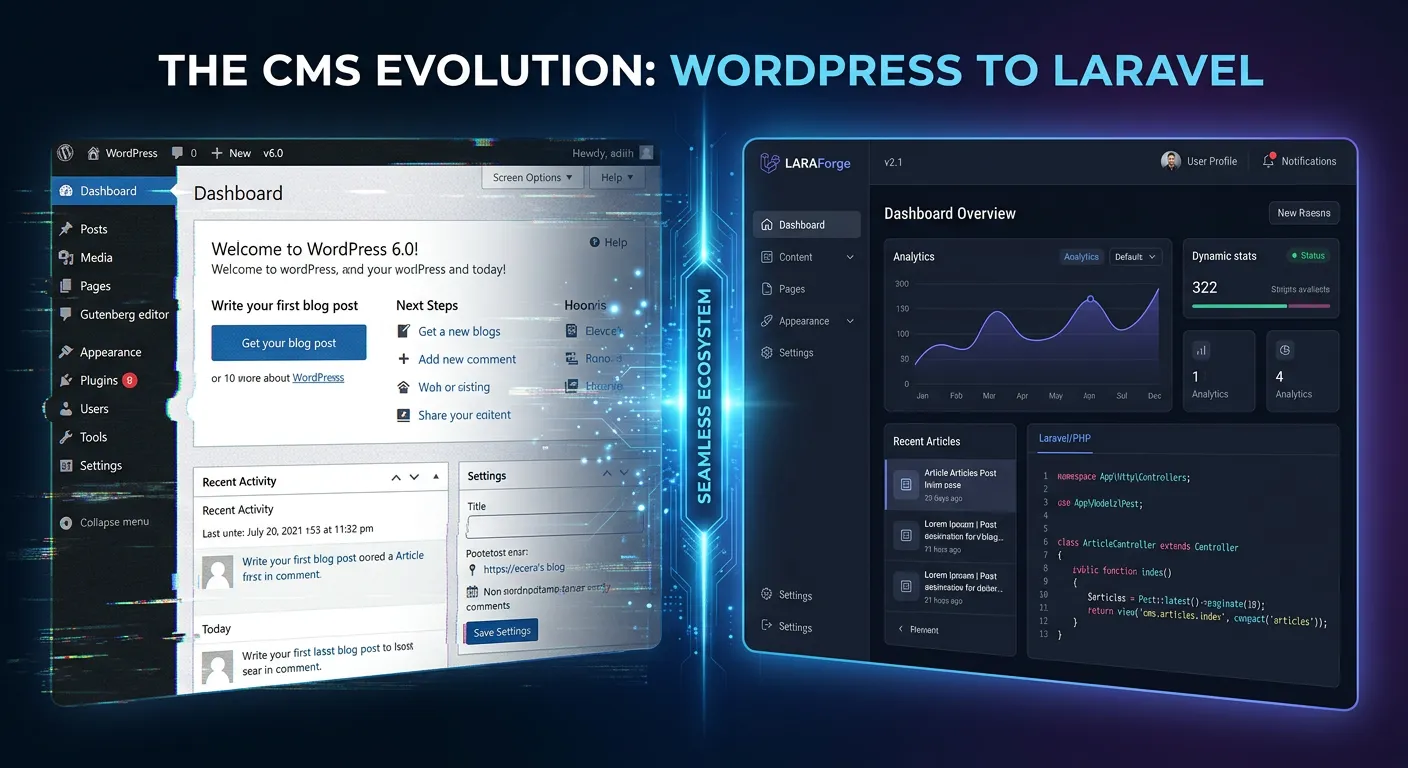
Laravel CMS Solutions: Elevate Your Digital Platform & Hire Staff Today
Discover the definitive guide to migrating from WordPress to powerful, scalable Laravel CMS platforms. Unlock superior performance, security, and developer freedom with actionable strategies for 2026.
In the evolving landscape of web development, businesses are increasingly seeking robust, scalable alternatives to monolithic platforms like WordPress. Laravel, the premier PHP framework, provides a sophisticated foundation for building custom Content Management Systems (CMS) that offer unparalleled flexibility, performance, and security. This comprehensive guide delves into the world of Laravel CMS solutions, providing a detailed roadmap for migration, optimization, and strategic implementation. Whether you're looking to migrate WordPress to Laravel effortlessly or build a new platform from the ground up, understanding the advantages of the Laravel framework is the first critical step.
Pro-Tip: The decision to migrate is not just technical but strategic. A successful migration to a Laravel CMS future-proofs your digital assets, enhances your strategic brand building, and can significantly reduce long-term maintenance costs by eliminating plugin bloat and security vulnerabilities inherent in WordPress.
Navigating the Laravel CMS Ecosystem
Choose the right path for your project with this multi-category overview.
Ready-to-Use Packaged CMS
These are pre-built CMS solutions built on Laravel, offering an admin panel and core features out-of-the-box. They are ideal for teams familiar with WordPress seeking a more powerful, Laravel-backed environment. October CMS is a prominent example, though many are now exploring alternatives like the best Laravel CMS options that offer greater flexibility.
- Best For: Rapid deployment, content-heavy sites, teams wanting structure.
- Considerations: May impose architectural decisions; extending beyond core features can sometimes feel restrictive compared to a pure custom build.
- 2026 Outlook: Evolution towards more modular architectures, allowing developers to pick and choose components.
Headless & API-First Architectures
This approach decouples the content repository (backend) from the presentation layer (frontend). Laravel serves as a robust API, delivering content to React, Vue.js, mobile apps, or even IoT devices. This is central to modern solving WordPress problems with Laravel strategies for 2026, as it eliminates front-end constraints.
- Best For: Omnichannel content delivery, complex applications, JAMstack sites, and teams with dedicated front-end developers.
- Key Advantage: Unmatched flexibility in user experience design and future-proofing against front-end framework changes.
- Implementation: Often built using top Laravel packages like Laravel Sanctum for API authentication and custom Eloquent API resources.
Custom-Built Laravel CMS
The most powerful approach. You build a CMS tailored precisely to your business logic, workflows, and user roles using Laravel's core and a selection of packages. This is where the true strategic advantages of Laravel shine, offering complete control over performance, security, and scalability.
- Best For: Complex SaaS platforms, enterprise applications, businesses with unique operational workflows, and projects where long-term total cost of ownership (TCO) is a key metric.
- Foundation: Leverages core Laravel features (Eloquent, Blade, Gates/Policies) and is supercharged with specific essential Laravel packages for modern developers.
- Expert Insight:"A custom Laravel CMS isn't an expense; it's a capital investment in your digital infrastructure that appreciates as your business scales," notes a lead architect from Waravel.
Laravel CMS Solutions: Beyond WordPress
This video provides a visual overview of how Laravel CMS platforms elevate performance, developer experience, and business logic capabilities far beyond the typical WordPress environment.
Core Advantages & Strategic Benefits
A responsive comparison of the key benefits driving the shift to Laravel CMS solutions.
Enterprise-Grade Security
Laravel provides built-in protection against SQL injection, XSS, CSRF, and other vulnerabilities. Unlike WordPress, which relies on a patchwork of plugins, security is baked into the framework's core, drastically reducing the attack surface. For comprehensive protection, consider professional Laravel security audits.
Unmatched Performance & Scalability
With built-in caching, efficient query building via Eloquent ORM, and queue management for deferred tasks, Laravel applications handle high traffic with ease. Techniques like database optimisation and performance optimisation can fine-tune your CMS to serve pages in milliseconds, directly impacting SEO and user retention.
Developer Elegance & Maintainability
Laravel's elegant syntax, MVC architecture, and comprehensive documentation make it a joy for developers. This leads to cleaner, more maintainable codebases, faster onboarding of new team members, and reduced long-term costs. Features like Blade components and robust form validation streamline development.
Solving WordPress Problems with Laravel: The Migration Imperative
The limitations of WordPress—plugin conflicts, security woes, performance bottlenecks, and rigid data structures—become acute for growing businesses. Migrating from WordPress to Laravel is the strategic solution. This isn't merely a platform change; it's a digital transformation that aligns your web presence with modern development practices. Our resource, How Waravel Revolutionized WordPress Migrations, details the business impact.
The Professional Migration Blueprint
1. Pre-Migration Audit & Planning
Catalog all WordPress data: posts, pages, custom post types, users, media, metadata, and SEO settings. Analyze plugin functionality to determine what needs rebuilding in Laravel. This stage is crucial for a complete migration guide.
- Inventory all content and data relationships.
- Identify critical custom functionalities.
- Establish SEO preservation strategies (URL mapping, meta tags).
2. Automated Data Migration
Manual migration is error-prone and time-consuming. Automated tools like the WordPress to Laravel migration tool from Waravel ensure data integrity. It handles the complex transfer of users, posts, and media, as explained in the stress-free import guide.
- Use specialized packages for seamless data transfer.
- Ensure media files are correctly mapped and stored.
- Preserve user roles and passwords securely.
Critical Insight: Data Integrity is Non-Negotiable
The biggest fear in any migration is data loss or corruption. The debate between Waravel vs. Manual Coding clearly demonstrates that automation is not a luxury but a necessity for maintaining perfect data integrity. Automated tools perform validation, handle complex relational data, and create rollback points, making the process reliable and reversible.
How to Optimize Laravel CMS for Peak Performance
Building or migrating to a Laravel CMS is only half the journey. Strategic optimization ensures it delivers speed, efficiency, and a stellar user experience. Optimization is a multi-layered discipline, from server configuration to code-level refinements.
Advanced Optimization Strategies
Database & Query Optimization
The database is often the primary bottleneck. Utilize Laravel's Eloquent efficiently with eager loading (`.with()`) to prevent the N+1 query problem. Implement strategic indexing and consider using a dedicated database optimisation service to analyze and refactor slow queries. Tools like Laravel Debugbar are indispensable for identifying query hotspots.
Caching Strategies at Multiple Levels
Implement a multi-tiered caching approach:
- Application Caching: Use Laravel's Cache facade for expensive calculations or API calls (`Cache::remember`).
- Route/Page Caching: For largely static content, consider full-page caching.
- Object Caching: Use Redis or Memcached for session storage and frequently accessed data models.
- View Caching: Blade views are compiled and cached automatically, but ensure opcache is enabled on production servers.
Asset Optimization & Modern Frontend Workflows
Integrate Laravel Mix or Vite for bundling and minifying CSS and JavaScript. Implement lazy loading for images and components. Serve static assets via a CDN to reduce server load and improve global load times. This front-end optimization works hand-in-hand with backend performance optimisation for a holistic speed boost.
Frequently Asked Questions
Expert answers to your most pressing Laravel CMS questions.
Absolutely. While the initial investment may be higher than maintaining a WordPress site, the long-term ROI is substantial. Small businesses benefit from reduced security risks (lower insurance/liability costs), faster page speeds (improving SEO and conversion rates), and a platform that can grow with them without costly re-platforming later. Automated migration tools have also dramatically reduced the upfront cost and complexity. For a clear picture, review our case studies on business transformations.
They handle it better, with more control. In a Laravel CMS, SEO isn't an add-on; it's a fundamental feature. You can build automated meta tag generation, XML sitemaps, canonical URLs, and structured data directly into your content models. This eliminates the bloat and performance overhead of a plugin like Yoast. For migration, tools ensure all existing SEO metadata is preserved. Learn more in our guide on migrating without losing data, which includes SEO preservation protocols.
Maintenance is more predictable and less frequent than WordPress. It primarily involves:
- Framework Updates: Applying Laravel security and minor version updates (typically seamless). Major version upgrades (e.g., Laravel 10 to 11) require planning and can be managed via professional upgrade services.
- Security Monitoring: Proactive monitoring for vulnerabilities in your core code and any third-party packages.
- Performance Reviews: Periodic audits and tuning, which can be part of a comprehensive maintenance & support package.
- Backups: Ensuring robust, automated backup and restore solutions are in place.
Not only can you replicate it, but you can also improve upon it. WordPress plugins often provide a one-size-fits-all solution with unnecessary features and overhead. In Laravel, you build or integrate a specific package that does exactly what you need. For e-commerce, you might use a Laravel package or build a custom solution integrating Stripe. For forms, you'd use Laravel's native validation and build a dynamic form builder. This results in cleaner, more efficient, and secure functionality. Explore Waravel package features to see examples of such bespoke implementations.
Ready to Elevate Your Digital Platform?
The journey from a constrained WordPress site to a powerful, scalable Laravel CMS begins with a single step. Whether you need to migrate from WordPress to Laravel, optimize an existing application, or hire dedicated Laravel talent, the future of your web presence is waiting to be built.
Explore our Resource Hub for in-depth guides on Laravel CMS vs WordPress, top Laravel CMS 2026 trends, and more.
Case Study: Scaling a Media Portal with Laravel
To understand the tangible impact of a Laravel CMS migration, let's examine a real-world scenario. A digital media company was operating a high-traffic news portal on WordPress with over 50,000 published articles and 10,000 registered users. They faced critical issues: page load times exceeding 5 seconds during traffic spikes, constant security patches for a stack of 30+ plugins, and an inability to implement a custom paywall and recommendation engine.
The Challenge
- Performance: WordPress queries and plugin overhead crippled site speed.
- Monetization Block: No flexible framework for tiered subscriptions or dynamic paywalls.
- Editorial Workflow: Cumbersome multi-author publishing with poor version control.
- Scalability Ceiling: Infrastructure could not efficiently handle projected 300% traffic growth.
The Laravel Solution
- Custom-Built CMS: A tailored publishing platform using Laravel Nova for the admin panel.
- Headless API Backend: Content delivered via a robust Laravel API to a Next.js frontend.
- Advanced Caching: Redis for full-page cache, model caching, and session storage.
- Microservices Integration: Separate Laravel services for user subscriptions, analytics, and the recommendation engine.
The Quantifiable Outcome
- Performance: Average page load time reduced to 0.8 seconds.
- Revenue: Custom subscription logic increased paid conversions by 45% in 6 months.
- Operational Efficiency: Editorial workflow automation reduced publishing time by 60%.
- Infrastructure Cost: Despite higher complexity, hosting costs dropped by 30% due to efficiency gains.
This case study underscores that migration is a business performance initiative, not just a technical lift. The company's ability to innovate rapidly post-migration became its new competitive advantage.
Under the Hood: Essential Laravel Packages for a Production CMS
Building a robust CMS extends beyond core Laravel. The ecosystem of community and official packages is what transforms the framework into a complete CMS powerhouse. Here’s a detailed look at non-negotiable packages for 2026.
Laravel Nova / Backpack
Admin Panel Generation
For any CMS, a powerful admin interface is crucial. Laravel Nova is a premium administration panel that provides a sleek UI for managing your Eloquent models with filters, lenses, actions, and metrics out-of-the-box. For open-source alternatives, Backpack for Laravel offers similar capabilities. These tools eliminate hundreds of hours of CRUD interface development, allowing your team to focus on unique business logic. The key is choosing a solution that doesn't lock you in; both allow for extensive customization when needed.
Spatie's Package Suite
CMS Functionality Modules
The team at Spatie has built an indispensable collection of packages that solve common CMS challenges elegantly:
- Media Library: Associate files with Eloquent models with incredible flexibility for handling uploads, conversions, and responsive images.
- Tags & Slugs: Simple, eloquent-based tagging and URL slug generation with history.
- Activity Log: Track changes made by users in the admin panel—a must for audit trails.
- Response Cache: Easily cache entire responses to drastically improve performance for logged-out users.
Laravel Horizon & Telescope
Performance & Debugging
For a CMS handling background jobs (e.g., generating PDFs, sending newsletters, processing uploads), Laravel Horizon provides a beautiful dashboard and configuration for your Redis queues. It allows you to monitor job metrics, failed jobs, and throughput. Laravel Telescope is an elegant debug assistant that gives you insight into requests, exceptions, database queries, and cache operations. In a CMS context, Telescope is invaluable for diagnosing slow admin panel operations or understanding how your content queries are performing in real-time.
Future-Proofing Your Platform: Laravel CMS in the Age of AI & Edge Computing
A strategic migration in 2026 must look beyond immediate needs. The Laravel ecosystem is uniquely positioned to integrate with emerging technologies that will define the next generation of web experiences.
AI-Powered Content & Personalization
Imagine a CMS that suggests optimal publish times, auto-generates image alt text, or dynamically personalizes content blocks for visitors. Laravel's clean architecture makes it simple to integrate AI APIs (OpenAI, Google Vertex AI) via dedicated packages or custom services. You can build an AI-enhanced editorial assistant directly into your Laravel Nova panels, or use Laravel Queues to process batch content analysis jobs without impacting user experience.
Edge-Ready Deployments with Laravel Vapor
The future is serverless and at the edge. Laravel Vapor is a serverless deployment platform for Laravel powered by AWS Lambda. For a CMS, this means automatic scaling to zero during low traffic (dramatic cost savings) and instant scaling to handle viral spikes. More importantly, it can run your application closer to users globally via AWS's edge network. This is a game-changer for delivering API-driven headless CMS content with ultra-low latency worldwide, a feat nearly impossible to configure cost-effectively with traditional WordPress hosting.
Omnichannel Content Delivery (Beyond the Web)
A Laravel headless CMS doesn't just feed a website. Its API can seamlessly deliver structured content to:
- Native Mobile Apps (iOS/Android)
- Progressive Web Apps (PWAs)
- Smart Display & IoT Devices
- Digital Signage Networks
- Third-Partner Platforms via webhooks
This"create once, publish everywhere" strategy is built into Laravel's DNA through its API resources, making it a central hub for all your digital content.
Your Most Critical Decision: Building the Right Team
The most sophisticated Laravel architecture is only as good as the team that builds and maintains it. The shift to a Laravel CMS often requires a different skillset than managing a WordPress site. You need developers who understand object-oriented programming, software design patterns, API design, and performance optimization at a deep level.
Strategic Hiring Insight: Look for Laravel developers with experience in package development and refactoring legacy systems. These skills are indicative of a deeper understanding of the framework and its ecosystem, crucial for a sustainable CMS. Partnering with a specialized agency like Waravel can bridge the talent gap immediately, providing access to vetted experts while you build your internal team.
Whether you choose to hire in-house talent or engage a dedicated Laravel development team, investing in expertise is the cornerstone of a successful, long-term Laravel CMS strategy. The right team will not only execute the migration but will continuously innovate on your platform, turning your CMS from a cost center into a growth engine.