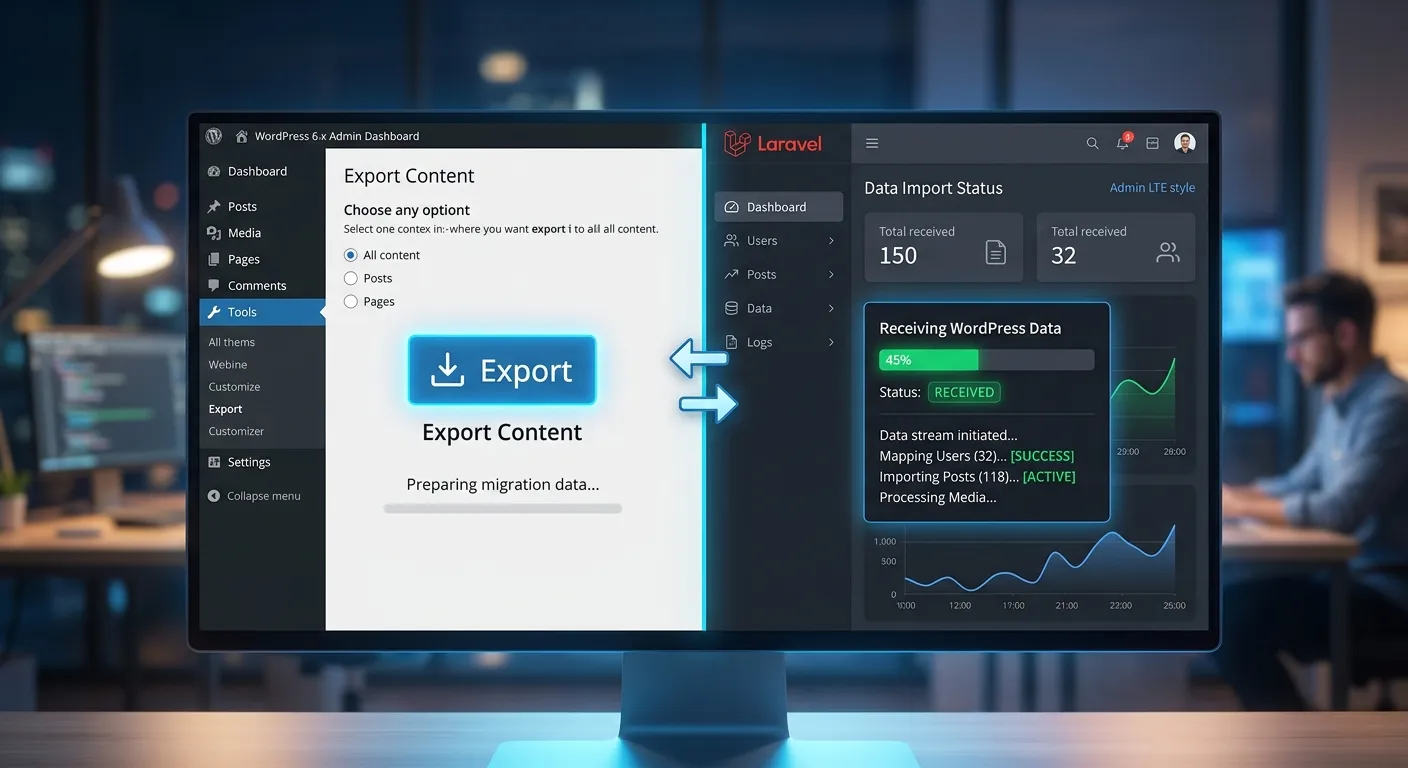
Unlock Ultimate Freedom: The Definitive Guide to a Free WordPress Import Export Plugin
Discover how the right free plugin can streamline your data workflow, safeguard your content, and even serve as a gateway to more powerful platforms like Laravel. This comprehensive guide delivers actionable insights for developers and site owners.
In the dynamic world of website management, data portability is not just a convenience—it's a necessity. Whether you're backing up your life's work, moving to a new host, or undertaking a strategic platform migration, the ability to seamlessly import and export your content is paramount. For millions of WordPress users, a robust WordPress Import Export Plugin Free solution is the first line of defense and the key to operational agility. This guide goes beyond a simple plugin review; it's a deep dive into the strategic importance of data mobility, the critical features to look for in free tools, and how mastering this process can be the first step toward leveraging more advanced, scalable frameworks. For those considering a monumental shift, understanding these tools is the precursor to exploring resources like our guide on How To Migrate Your Entire WordPress Site To Laravel Without Losing A Single Byte Of Data.
Mastering Data Portability: A Multi-Category Overview
The"import/export" function encompasses several critical use cases. Use the tabs below to explore each category in detail and understand which scenario applies to your project.
Why a Free Import/Export Plugin is Non-Negotiable
At its heart, a free import/export plugin is about control and resilience. WordPress's built-in tools offer a basic foundation, but they often fall short for complex sites with custom post types, advanced custom fields, user data, and intricate plugin settings. A dedicated free plugin fills these gaps, providing a safety net and a vehicle for growth.
- Complete Backups: Create full, downloadable snapshots of your content (posts, pages, comments) independent of your hosting provider's system.
- Site Cloning & Staging: Duplicate your site to a staging environment for safe testing, a process that becomes invaluable when paired with broader Performance Optimisation strategies.
- Content Migration: Move specific content types between sites, such as moving a portfolio from a development site to a live client site.
- Data Ownership: Maintain physical copies of your data, ensuring you are never locked into a single host or platform.
Pro-Tip:
Treat your exported data files as critical assets. Store them in multiple, secure locations (e.g., encrypted cloud storage, external drives). A plugin is only as good as the integrity of the files it produces.
Must-Have Features in a Free Plugin
Not all free plugins are created equal. When evaluating a WordPress Import Export Plugin Free offering, look for these essential capabilities that go beyond the basics.
- Selective Export: The ability to choose specific post types, date ranges, authors, or statuses (e.g., only published posts).
- Batch Processing: Handle large volumes of content without timing out, crucial for sites with thousands of posts.
- Media File Handling: Options to include or exclude media library attachments in the export package. This is a common pain point.
- Clean, Human-Readable Formats: Exports should be in standard formats like XML or CSV, which can be validated and even manually edited if necessary.
- Reliable Import with Conflict Resolution: The import function should offer options for handling duplicates (skip, override, rename) and reassigning authors.
Mastering these features is a foundational skill that translates to other platforms. For instance, understanding data structuring in WordPress directly benefits those looking to build a custom Laravel Dashboard Builder, where data models are defined with similar logic but greater flexibility.
Beyond WordPress: The Migration Pathway
For many growing businesses, WordPress becomes a constraint. Scalability, performance, and custom development needs often point toward more robust frameworks like Laravel. A free import/export plugin is your starting gun for this race.
The process involves using the plugin to create a clean, structured data dump of your WordPress content. This XML/CSV file becomes the"source of truth" for the migration. Specialized conversion tools or services then parse this file, transform the data to fit Laravel's Eloquent models and database structure, and import it into the new system. This is precisely the automated, secure process detailed in our resource on Migrate WordPress To Laravel Effortlessly.
This transition isn't about abandoning principles but about elevating them. It's about moving from a generalized toolkit to a tailored, powerful engine. To understand the destination, explore what it means to Unlock The Power Of Laravel for your digital projects.
Critical Benefits & Advantages of a Top-Tier Free Plugin
Risk-Free Disaster Recovery
A reliable free plugin is your cheapest and most effective insurance policy. It empowers you to perform manual, granular backups of your core content. Should a plugin conflict, failed update, or security breach corrupt your database, you have a recent, clean data set to restore, minimizing downtime and data loss without relying solely on third-party backup services.
Streamlined Content Workflow
Move content batches between development, staging, and production environments with precision. Export a new set of product descriptions from a copywriter's sandbox site and import them directly into the live e-commerce platform. This facilitates a controlled, professional workflow for teams and agencies, ensuring only approved, finalized content reaches the public-facing site.
Platform Independence & Future-Proofing
Your data is your most valuable asset. Using a free plugin to maintain regular exports in open formats breaks vendor lock-in. It gives you the freedom to explore more powerful solutions, such as migrating to a Laravel-based CMS. This process of User Migration and content transfer is the first strategic step toward a more scalable, secure, and high-performance digital presence, moving beyond the limitations of a shared plugin ecosystem.
A Strategic Deep Dive: From WordPress Exports to Laravel Architecture
The journey from using a simple WordPress Import Export Plugin Free tool to managing a sophisticated Laravel application is one of evolving complexity and control. Let's connect the dots between these two worlds.
The WordPress Data Model: Understanding Your Export
A standard WordPress WXR (WordPress eXtended RSS) export file is essentially a large XML document. It contains a structured list of items:
The limitation here is inherent to WordPress's structure: everything is ultimately a"post" with meta. This works well for content but can become convoluted for complex, relational data. When you run an export, you are capturing this specific model.
The Laravel Paradigm: Structured Data & Custom Dashboards
Laravel uses the Eloquent ORM (Object-Relational Mapping), where you define explicit Models (e.g., Post, Product, Author, Order) that map directly to database tables. Relationships (like one-to-many, many-to-many) are defined cleanly in the code. This structure is inherently more organized and performant for complex applications.
This is where the concept of a Laravel Dashboard Builder shines. Instead of wrestling with a pre-defined WordPress admin panel, you can build a custom dashboard that fetches and displays data using these clean Eloquent models. You can create widgets for recent orders, author performance, content analytics, or any other business metric, pulling data through efficient, tailored queries. This level of integration and performance is explored in our Core Features That Set Waravel Apart.
Expert Insight:
The migration process is essentially a data transformation. Your WordPress XML export is parsed, and each
The Practical Bridge: Using Your Export as a Migration Source
So, how does your free plugin export enable this leap? It provides the standardized, comprehensive data source. Professional migration tools (like those we've developed) are designed to consume this standard WXR file. They automate the complex transformation logic:
- Parse & Validate: The tool reads your WordPress export XML file.
- Transform & Map: It converts WordPress posts into Laravel Eloquent models, handles featured images by downloading and re-attaching them, converts categories and tags into a Laravel taxonomy system, and preserves author information.
- Import & Optimize: The data is inserted into the new Laravel database. Crucially, it often maintains or even improves WordPress To Laravel Migration SEO by preserving URL slugs or implementing 301 redirects automatically.
Therefore, the humble act of clicking"Export" in your free WordPress plugin is the first and most critical step in a strategic upgrade of your entire digital infrastructure. It's the moment you claim your data and prepare it for a more ambitious future.
Frequently Asked Questions: WordPress Import Export Plugin Free
For content (products, posts, pages), a robust free plugin can often export the data. However, the critical challenge with e-commerce (like WooCommerce) is the transactional data: orders, customers, coupons, and complex product attributes. Most free plugins do not export this proprietary data fully. For a complete WooCommerce store migration, especially to a new platform like a Laravel-based e-commerce system, you will need a specialized, premium migration tool or service designed to map all the intricate database relationships. The free plugin is excellent for getting your product descriptions and images out, but not your store's operational history.
The plugin itself doesn't directly preserve SEO. Its role is to ensure all your content (which contains your keywords, internal links, and image alt text) is cleanly exported. The SEO preservation happens in the next step: the import or migration process. A high-quality migration tool will ensure that the URL slugs (the post name in the permalink) are preserved when the content is recreated on the new site or platform. If the URL structure must change, the tool or your developer should generate a comprehensive 301 redirect map. Thus, a clean export is the foundational step that makes subsequent SEO preservation possible. For a detailed checklist, see our guide on WordPress to Laravel Migration.
Absolutely. This is a powerful advanced use case. You can use a WordPress Import Export Plugin Free tool to get a clean XML dump of your client's or your own WordPress content. Then, in a new Laravel application, you can write a custom importer (using Laravel's Artisan command system) that parses this XML and populates your Eloquent models. Once the data is in Laravel's structured database, the sky's the limit. You can use a package like Laravel Nova, Filament, or build a custom Blade/React/Vue front-end to create a truly bespoke dashboard. This dashboard can pull analytics, manage content, and display KPIs in ways WordPress admin never could. For package inspiration, review our Top Laravel Packages Guide.
The primary risks are twofold. First, plugin quality: A poorly coded free plugin from an untrusted source could contain vulnerabilities, malware, or could fail during a critical operation, corrupting data. Always choose plugins with high active install counts, recent updates, and positive reviews on WordPress.org. Second, data exposure: The exported file contains all your content. If stored in an insecure location (e.g., a publicly accessible folder on your server), it could be accessed by malicious actors. Always download export files immediately, store them securely offline, and delete them from the server. For businesses where security is paramount, this is a key reason to consider moving to a more secure foundation; learn more in our analysis of Laravel Platform security advantages.
Ready to Elevate Your Data Strategy Beyond Plugins?
Mastering the free WordPress import/export plugin is a vital skill, but it's just the beginning. If you're facing scalability limits, security concerns, or need a truly custom digital experience, it's time to explore a platform built for growth and performance.
Waravel provides the bridge and the destination: automated, reliable migration tools to bring your WordPress content into the powerful Laravel ecosystem, and a flexible framework to build exactly what you need.
Take the first step toward a faster, more secure, and limitless website. Explore Waravel's Solutions Now.