Laravel Email Login: Build Secure, Scalable Authentication for Modern Web Applications
Search Engine Preview
SEO Title: Hire Elite Laravel Developers for Secure Laravel Email Login and Laravel Cms Filament Workflows
SEO Description: Hire Staff Today to implement Laravel Email Login, encrypted authentication, role-based access, admin panels, and Laravel Cms Filament integrations. Get expert teams for scalable, compliant web applications.
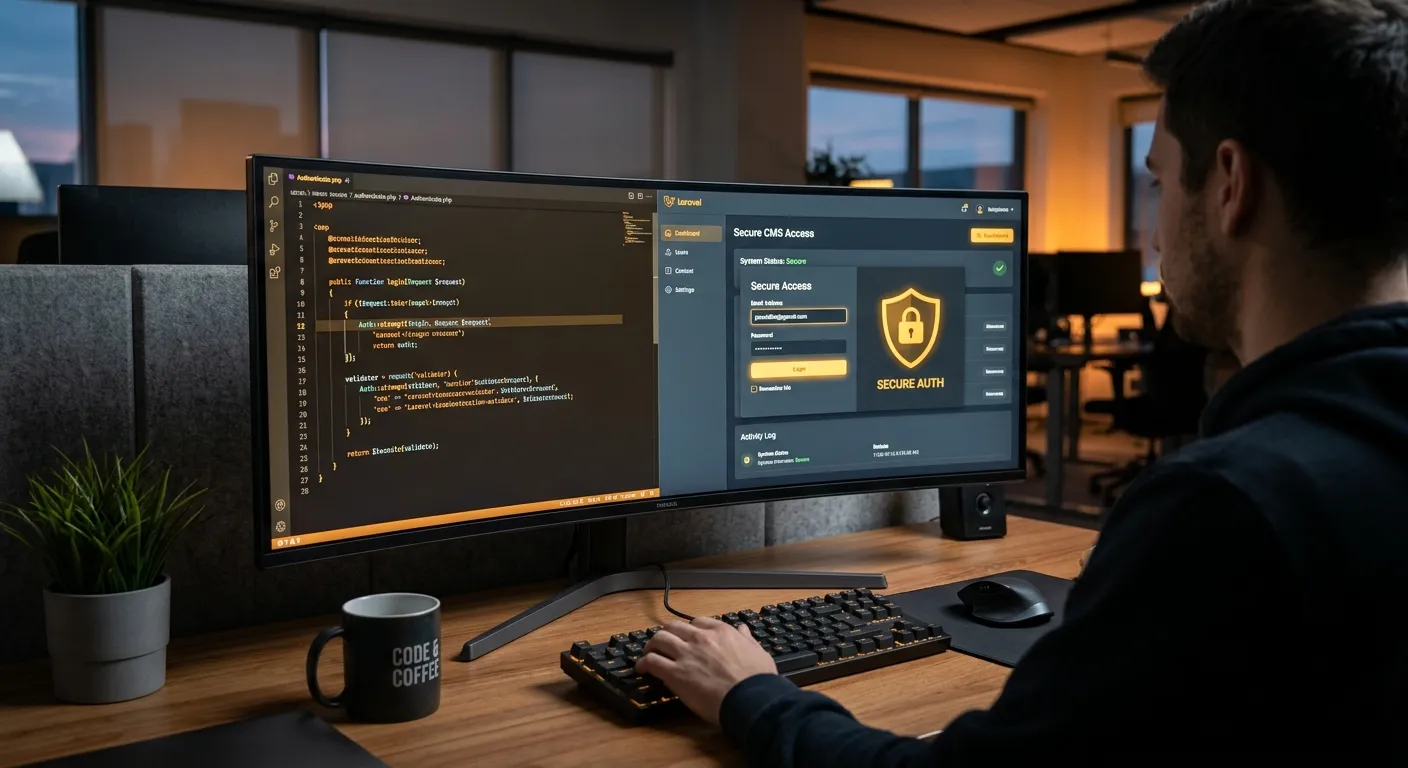
Laravel Email Login is one of the most important authentication patterns for professional web applications. Whether you are building a SaaS product, an enterprise portal, a membership site, or a content-heavy platform, users expect a simple email-and-password experience that feels fast, secure, and trustworthy. Laravel makes this possible with a mature authentication system, flexible guards, hashed credentials, session management, password reset workflows, and robust developer tooling.
This guide explains how Laravel Email Login works, why it matters for security and scalability, and how to implement it correctly in production. We also cover practical patterns for admin interfaces, core features that set Waravel apart, and how teams can build better authentication experiences with modern tools. If you want to hire expert developers who understand Laravel security, authentication, and CMS workflows, you can hire elite Laravel developers for scalable web applications.
About Laravel Email Login
Laravel Email Login refers to the process of authenticating users using their email address and password through Laravel’s built-in authentication system. In practice, it is more than a login form. It includes validation, password hashing, session creation, user retrieval, event dispatching, cookie handling, logout behavior, password resets, email verification, and protection against common attacks such as brute force and credential stuffing.
Laravel provides authentication scaffolding, controllers, views, middleware, and configuration files that allow developers to launch a secure login system quickly. However, production-grade Laravel Email Login requires more than scaffolding. Teams need to understand guards, providers, user models, password policies, token rotation, multi-factor options, and audit logging. This is especially important when the application handles customer data, financial information, admin access, or regulated content.
A well-designed authentication layer also supports business growth. When login is secure and predictable, users trust the platform, support tickets decrease, conversion improves, and integration with admin panels becomes easier. For organizations running content-heavy applications, combining Laravel Email Login with a modern CMS platform such as Waravel can streamline both user access and editorial workflows. You can learn more about the platform at Laravel Platform.
Why Email Login Matters
- ✓ Email is a universal identifier for customers.
- ✓ Laravel provides secure password hashing by default.
- ✓ Authentication scaffolding reduces implementation risk.
- ✓ Login systems can be extended with 2FA and SSO.
- ✓ Admin panels and CMS tools depend on reliable access control.
Interactive Overview: Core Areas of Laravel Email Login
Explore the key categories below. Each tab highlights how Laravel Email Login fits into authentication, admin systems, and production security.
How Laravel Email Login Works
The typical Laravel Email Login flow starts when a user submits an email address and password. The controller validates the request, checks credentials against the user model, verifies the hashed password, and starts a session if authentication succeeds. If credentials fail, Laravel returns a generic error message to avoid revealing whether the email exists.
Laravel’s authentication guards make this flow flexible. The default session guard is ideal for browser-based applications. API guards can use tokens for mobile apps or services. You can also configure multiple guards if your platform has customers, employees, and administrators with different login requirements.
Auth::attempt([
    'email' => $request->email,
    'password' => $request->password,
], $request->remember);
Laravel Email Login in Admin and CMS Systems
In CMS and admin environments, authentication is not only about logging users in. It also controls who can create, edit, publish, delete, or approve content. Laravel Email Login integrates well with role-based access control, permissions, middleware, and resource gates. This is critical when building dashboards where editors, reviewers, developers, and managers all need different levels of access.
If your team is working with Laravel Cms Filament, authentication becomes even more central. Filament resources, pages, widgets, and panels depend on a reliable user model and secure guard. A well-implemented login flow ensures that only authorized staff can manage content, users, settings, and media assets.
For teams migrating from WordPress or another legacy system, authentication should be reviewed alongside user records. The User Migration process often includes password rehashing, email normalization, duplicate account cleanup, and role mapping.
Security and Compliance for Laravel Email Login
Secure Laravel Email Login requires defense in depth. Passwords should be hashed with Argon2id or bcrypt, sessions should be protected from fixation, cookies should use secure and HTTP-only settings, and failed login attempts should be throttled. Email verification should be enabled when accounts are created by users themselves.
For regulated industries, audit logs and login tracking may be necessary. Laravel’s event system makes it easier to record login attempts, password changes, and suspicious activity. Multi-factor authentication can be added for admin accounts without replacing the primary email login experience.
Pro Tip: Do not display “user not found” and “wrong password” separately. Use a single error message such as “These credentials do not match our records” to reduce account enumeration risk.
Key Features and Benefits of Laravel Email Login
Hashed Passwords
Laravel uses secure password hashing algorithms by default, protecting stored credentials even if the database is compromised.
Session Guards
Browser sessions, API tokens, and custom guards allow Laravel Email Login to adapt to web, mobile, and service authentication needs.
Password Resets
Laravel includes password reset tokens and email notifications, making recovery flows easier to implement and audit.
Email Verification
Verified email workflows reduce fake accounts, improve deliverability, and increase trust in user registration.
Rate Limiting
Throttling login attempts helps block brute-force attacks and reduces the impact of credential stuffing campaigns.
Extensible Events
Login, logout, and failed login events can trigger logging, notifications, analytics, or security responses.
Deep Dive: Understanding the Laravel Email Login Architecture
Controllers, Models, and Guards
A production-ready Laravel Email Login system usually involves several moving parts. The login controller receives the request and validates the email and password. The user model defines how users are stored, how passwords are hashed, and how relationships such as roles or profiles are accessed. The authentication guard connects the request to the user provider and determines where the authenticated session is stored.
Laravel’s config/auth.php file is the central control point. Here you define guards, providers, passwords, and token lifetimes. Misconfiguration in this file is a common cause of authentication failures, especially when developers add API routes, admin panels, or multi-tenant user systems.
To unlock the power of Laravel, teams should treat authentication as a first-class domain concern, not just a scaffolded form. This means writing clear rules around password strength, account lockout, session lifetime, and user impersonation controls.
Essential Authentication Files
- ›
app/Http/Controllers/Auth - ›
app/Models/User.php - ›
config/auth.php - ›
routes/web.php - ›
app/Http/Middleware/Authenticate.php
Practical Implementation Checklist
Before Launch
- Confirm HTTPS is enforced on all authentication routes.
- Set secure, HTTP-only, and same-site cookie values.
- Enable throttling on login and password reset endpoints.
- Verify password hashing configuration matches your security policy.
After Launch
- Monitor failed login rates and unusual spikes.
- Review session lifetime and remember-me behavior.
- Audit password reset email deliverability.
- Test logout from multiple devices and sessions.
Expert Insight: Authentication bugs are often discovered too late because teams focus only on “does login work?” Instead, ask “what happens when a user changes email, resets password, logs out on another device, loses session, or has a suspicious login?” That mindset produces stronger Laravel Email Login systems.
Security Best Practices for Laravel Email Login
Security is the most important part of any Laravel Email Login implementation. Passwords, sessions, tokens, and email flows all create attack surfaces. A professional implementation should assume that attackers will try to enumerate accounts, reuse stolen credentials, intercept sessions, and abuse password reset links.
Strong Hashing
Use Argon2id or bcrypt with appropriate cost parameters. Laravel’s Hash facade makes it simple to configure the algorithm used for stored passwords.
Session Protection
Regenerate session IDs after login, use secure cookies, and avoid exposing session tokens in URLs or logs.
Throttling
Rate limiting should protect login, registration, password reset, and email verification endpoints from automated abuse.
Email Safety
Password reset links should expire quickly, be single-use, and be logged with enough detail to support security investigations.
Audit Logs
Store authentication events with IP address, user agent, timestamp, and outcome. This helps detect compromise and supports compliance.
Multi-Factor Authentication
Admin accounts and high-risk users should use TOTP, WebAuthn, or another second factor while still logging in with email as the primary identifier.
Recommended Login Middleware Strategy
Laravel middleware is the enforcement layer for authentication. Routes should be protected with the auth middleware, and sensitive admin routes should also use role or permission checks. For APIs, token guards and scope validation should be used instead of relying on browser session assumptions.
A common mistake is protecting only the dashboard controller while leaving password change, profile update, or admin settings routes exposed. Every route that touches authenticated user state should be reviewed. If your team needs help designing secure route protection, you can hire expert Laravel development teams for secure web apps.
Laravel Email Login and Laravel Cms Filament
Modern Laravel applications often combine user-facing authentication with internal admin interfaces. This is where Laravel Cms Filament becomes highly relevant. Filament provides a powerful way to build admin panels, resource pages, dashboards, and forms. However, it depends on a stable authentication system behind the scenes. If your Laravel Email Login flow is poorly configured, your admin experience can become fragile.
When using Filament, teams should define clear panel authentication rules. Some panels may allow only admins to log in. Others may support multiple user types. You should also consider password reset flows, session lifetime, and whether users need to authenticate separately for CMS access. For large content operations, it is common to create dedicated admin guards, custom login pages, or single sign-on integrations.
If you are building a content platform with editorial roles, you may also want to review a modern CMS guide to understand how content strategy, permissions, and authentication should work together. A secure login system is not only a technical concern; it directly affects how teams publish, moderate, and scale content.
Filament Authentication Design Tips
- Use a dedicated admin login page if staff users have different security requirements from customers.
- Restrict panel access with middleware and authorization policies.
- Separate user roles such as editor, reviewer, publisher, and administrator.
- Log all CMS login events, especially password changes and permission updates.
- Test password reset links in staging with real email providers before production launch.
Migration, User Accounts, and Authentication Continuity
Many teams discover Laravel Email Login challenges during migration. If users were previously stored in WordPress, a legacy CMS, or another framework, their passwords may not be compatible with Laravel’s hashing system. That does not mean users must reset passwords immediately. A professional migration strategy can validate legacy hashes and upgrade them transparently when users log in.
This approach is often called lazy migration or transparent rehashing. The user logs in with the old password format, the system verifies it, and then stores the new Laravel-compatible hash. This preserves user experience while improving security over time.
If you are moving a WordPress site into Laravel, authentication should be reviewed together with content migration, URL structure, SEO redirects, and user roles. The Migrate WordPress To Laravel Effortlessly process should include a clear plan for email normalization, duplicate accounts, password policies, and login continuity.
Migration Risk Checklist
- Are emails unique across imported users?
- Are legacy password hashes compatible?
- Will users be forced to reset passwords?
- Are admin accounts protected separately?
- Is email verification enabled after migration?
Performance and User Experience for Laravel Email Login
Authentication performance matters. If login is slow, users may abandon the process. If password hashing costs are too high, server load can increase. If email notifications are delayed, password reset and verification flows become frustrating. Laravel Email Login should be optimized for both security and speed.
Fast Login Experience
- Minimize unnecessary queries during login.
- Cache configuration and route metadata where appropriate.
- Use queue workers for email notifications.
- Avoid synchronous heavy operations in the login controller.
Secure Performance Balance
- Choose hash cost parameters appropriate for your server.
- Monitor CPU usage during password hashing.
- Use rate limiting to protect endpoints without harming legitimate users.
- Review Performance Optimisation strategies for authentication-heavy apps.
Pro Tip: Test login performance under realistic traffic conditions. A system that works for one user may fail during a launch event, marketing campaign, or credential-stuffing attack.
Testing Laravel Email Login in Production
Authentication should be tested thoroughly before launch. Laravel’s testing tools make it possible to simulate login, logout, password resets, email verification, and authorization checks. This reduces the chance of security regressions and improves confidence during releases.
Unit and Feature Tests
Write tests that verify successful login, failed login, password reset token expiration, email verification, logout behavior, and route protection. These tests should be part of your continuous integration pipeline.
$this->post('/login', [
    'email' => $user->email,
    'password' => 'password',
])->assertRedirect('/dashboard');
Security Tests
Beyond normal login behavior, test edge cases: invalid emails, SQL-like strings, long passwords, expired reset links, repeated failed attempts, and session fixation scenarios. Security testing is where many teams discover weaknesses before attackers do.
- Attempt login after password reset.
- Check remember-me token rotation.
- Verify logout invalidates sessions.
- Test admin-only routes with non-admin users.
Advanced Laravel Email Login Patterns
Multiple Guards
Some applications need separate authentication domains. For example, customers may log in through a public portal, while employees use an internal admin panel. Laravel can support multiple guards, each with its own provider and session behavior.
This pattern is useful when admin accounts must not be accessible through the same login form as public users. It also makes authorization rules clearer and reduces the risk of accidental privilege exposure.
Single Sign-On
Many enterprises require SSO with providers such as SAML, OAuth2, or OpenID Connect. In those cases, Laravel Email Login may still be used as a fallback or for service accounts. The user model should store provider identifiers securely and link external identities to local permissions.
A strong SSO strategy includes just-in-time user provisioning, logout handling, token validation, and clear mapping between external identity claims and internal roles.
Device and Session Management
Users should be able to review active sessions and revoke suspicious devices. Laravel can store session metadata such as user agent, IP address, and last activity. This improves security and transparency.
Session management is especially important for admin panels and financial applications where a stolen cookie could lead to serious damage.
Password Policies
Laravel validation rules can enforce minimum password length, complexity, and breach-list checks. Modern authentication increasingly favors long passphrases and compromised-password screening over arbitrary character rules.
Password policy should be user-friendly. If the rules are too strict, users may write passwords down or choose weak variations. A balanced policy improves both security and adoption.
Production-Ready Authentication Roadmap
- 1. Define user types, roles, and required login paths.
- 2. Configure guards, password hashing, and session lifetime.
- 3. Implement login, logout, password reset, and email verification.
- 4. Add throttling, audit logging, and admin-only protections.
- 5. Test with real email providers, staging data, and security scenarios.
- 6. Monitor production login metrics and review access logs regularly.
Frequently Asked Questions About Laravel Email Login
Laravel Email Login is the process of authenticating users using an email address and password through Laravel’s authentication system. It includes validation, password verification, session creation, logout handling, password resets, and optional security features such as email verification and multi-factor authentication.
Laravel provides strong defaults such as hashed passwords, CSRF protection, session handling, and password reset tokens. However, production security depends on correct configuration, HTTPS, throttling, strong password policies, and proper authorization rules.
Yes. Laravel supports multiple guards and providers. This allows separate authentication for customers, admins, APIs, or SSO users. For example, an admin panel can use a dedicated guard while public users authenticate through the default web session guard.
Laravel generates password reset tokens, sends a reset email, validates the token, and allows the user to create a new password. Tokens should expire quickly, be single-use, and be protected by rate limiting to prevent abuse.
Laravel Cms Filament uses Laravel’s authentication system to control access to admin panels and resources. A strong login flow should define who can access the CMS, how roles are assigned, and whether admin users need separate authentication rules from regular site users.
Email login is usually better for user-facing applications because it is unique, familiar, and easier to recover. Username login can still be useful for public profiles, gaming platforms, or systems where users prefer not to share an email. Many Laravel applications support both.
Use Laravel’s rate limiting middleware, throttle login attempts by IP and email, monitor failed login spikes, and consider CAPTCHA or multi-factor authentication for high-risk accounts. Strong session and cookie protection also reduces the value of stolen credentials.
Yes. You can migrate users by importing records, normalizing emails, mapping roles, and using transparent rehashing when legacy password formats are detected. This avoids forcing every user to reset their password immediately.
Ready to Build Secure Laravel Email Login?
If you need expert help with authentication, Laravel Cms Filament, secure admin panels, migration planning, or production hardening, our team can help you ship with confidence. Hire specialists who understand Laravel security, performance, and modern CMS workflows.
Hire Staff TodayGet a professional team for Laravel Email Login, authentication architecture, and secure web application delivery.