Laravel Broadcasting: Hire Elite Developers for Real-Time Web Applications
What is Laravel Broadcasting?
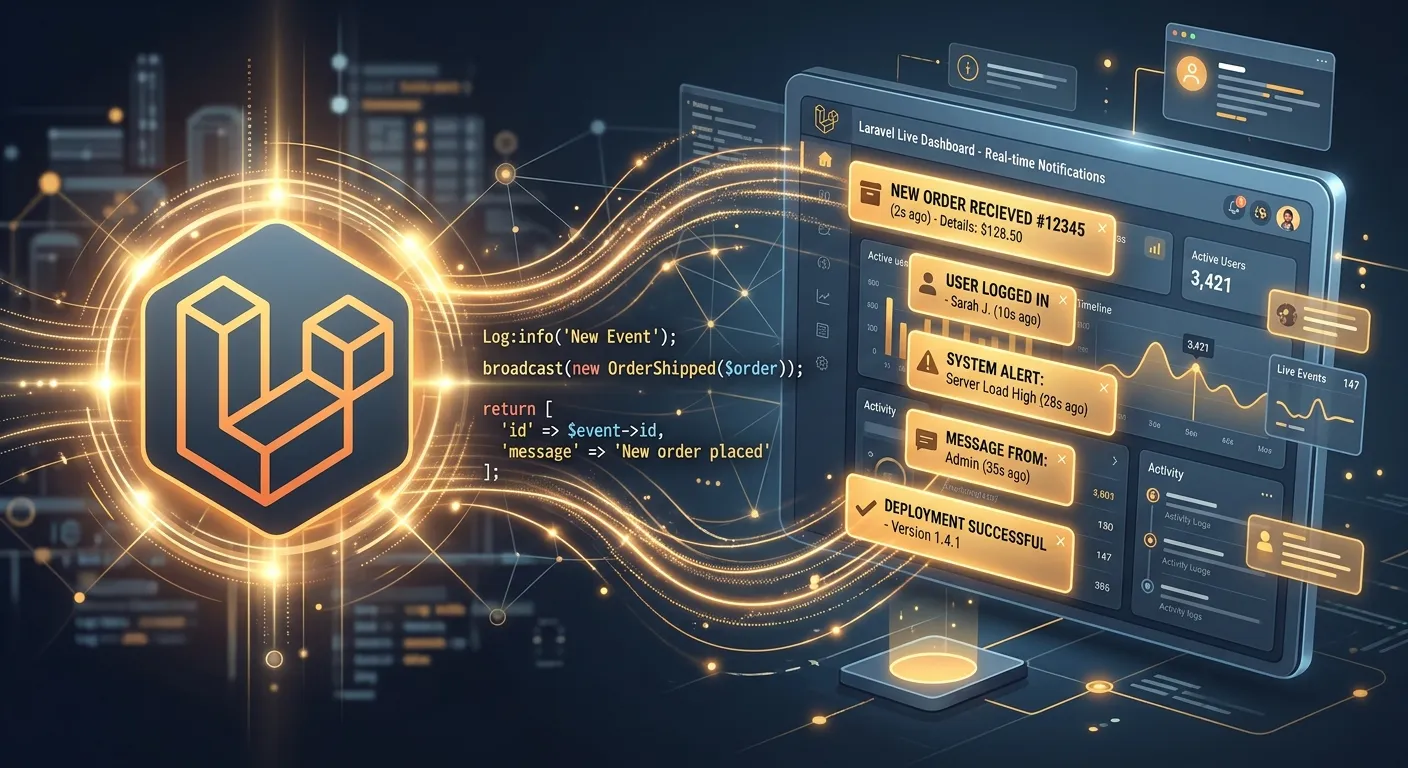
Laravel Broadcasting is a powerful subsystem within the Laravel ecosystem that enables developers to implement real-time, bidirectional communication between the server and client-side applications. It abstracts the complexity of WebSocket protocols, allowing you to broadcast server-side events to connected clients seamlessly. This functionality is critical for modern web applications requiring live notifications, chat systems, live feeds, or collaborative editing features. When you hire elite Laravel developers, leveraging broadcasting becomes a strategic advantage for user engagement.
At its core, Laravel Broadcasting integrates with popular real-time messaging services like Pusher, Ably, or a self-hosted Redis server with Socket.io. This flexibility means your development team can choose the optimal solution based on scale, budget, and infrastructure preferences. Understanding this subsystem is a key part of any strategic digital branding guide, as real-time interactivity significantly enhances user perception and stickiness.
Pro-Tip: Choosing Your Driver
For most production applications, using Pusher or Ably (SaaS solutions) reduces operational overhead. For high-volume, cost-sensitive projects, a Redis/Socket.io combo managed by your expert Laravel development team can offer greater control and long-term savings.
Implementing Real-Time Features
Implementation begins with configuring your `.env` file and installing the necessary Composer packages. The key composer beginning with S that is essential for this setup is `symfony/http-client`, which Laravel's underlying broadcasting connectors rely on for efficient HTTP/2 communication. After package installation, you define event classes that implement the `ShouldBroadcast` interface. These events are then triggered from anywhere in your application—a controller, model, listener, or even a scheduled command.
On the client side, you connect using Laravel Echo, a JavaScript library that provides a clean, expressive API for subscribing to channels and listening for events. This seamless integration is one of the core features that set modern Laravel platforms apart. For projects transitioning from other systems, such as a WordPress to Laravel migration, incorporating broadcasting can be a transformative upgrade to the user experience.
Scaling Broadcast Applications
Scaling Laravel Broadcasting requires a multi-faceted approach. First, consider channel authorization loads. Use Redis to cache user permissions for private and presence channels. Second, offload event broadcasting to queues; Laravel's queue system ensures that triggering a broadcast doesn't block your main application response thread. This is crucial for maintaining performance under load, a topic deeply covered in our performance optimisation resources.
For global applications, consider the geographic distribution of your WebSocket servers. Services like Pusher offer multi-region clusters. If you're self-hosting, you might need a more complex infrastructure, which is where the expertise from Laravel custom development services becomes invaluable. Remember, effective scaling is not just about handling more connections; it's about maintaining low latency and high reliability, turning your real-time features from a novelty into a robust foundation.
Key Benefits & Features of Laravel Broadcasting
Real-Time Data Sync
Keep application state synchronized across all users instantly. Perfect for dashboards, live sports scores, or financial tickers. This eliminates manual page refreshes, creating a fluid, application-like experience that is essential for modern SaaS products and aligns with advanced Laravel package guides.
Presence Channels
Build collaborative features with awareness of who is online. See which users are viewing a document, participating in a support chat, or are currently active in a workspace. This deep level of interaction is a hallmark of sophisticated platforms and often requires the expertise you'd find when you hire dedicated Laravel talent.
Enhanced Security
Laravel provides robust channel authorization out-of-the-box. Private and presence channels require server-side authentication, ensuring users can only listen to channels they are permitted to access. This secure foundation is critical, especially when handling sensitive data during processes like user migration or live data updates.
Architecture & Integration Deep Dive
Server-Side Event Configuration
Creating a broadcast event is elegantly simple. You generate an event class using Artisan (`php artisan make:event OrderShipped`). Within this class, you implement the `ShouldBroadcast` interface and define the channel(s) the event should broadcast on. The event's `broadcastOn` method can return a channel name string, a Channel object, or an array of channels for multi-casting.
Data sent to clients is defined by the event's public properties or by implementing a `broadcastWith` method for more granular control. This server-side logic is where complex business rules reside. For teams managing a car dealership CMS with Laravel, broadcasting could trigger real-time inventory updates to all connected sales dashboards the moment a vehicle's status changes.
Code Example: Basic Broadcast Event
// OrderShipped.php
namespace App\Events;

use Illuminate\Broadcasting\Channel;
use Illuminate\Contracts\Broadcasting\ShouldBroadcast;
use Illuminate\Queue\SerializesModels;

class OrderShipped implements ShouldBroadcast
{
    use SerializesModels;

    public $order;

    public function __construct($order)
    {
        $this->order = $order;
    }

    public function broadcastOn()
    {
        return new Channel('orders.' . $this->order->user_id);
    }

    public function broadcastWith()
    {
        return ['order_id' => $this->order->id, 'status' => 'shipped'];
    }
}
Integrating real-time features often goes hand-in-hand with payment processing for a complete dynamic application.
Client-Side Integration with Laravel Echo
On the frontend, Laravel Echo provides a seamless bridge. After installing the NPM package (`npm install laravel-echo pusher-js`), you configure Echo in your JavaScript bootstrap file (e.g., `resources/js/bootstrap.js`). You then import Echo and listen for events on specific channels.
Subscribing to a private channel automatically triggers an AJAX call to your Laravel application's `/broadcasting/auth` endpoint to authorize the user. This process is secure and efficient. For developers familiar with other systems, this client-side approach is often more streamlined than alternatives, a point of comparison highlighted in resources like the Laravel CMS October alternative analysis.
Pro-Tip: Efficient Client-Side Listening
Avoid memory leaks in long-lived Single Page Applications (SPAs) by properly unsubscribing from channels when Vue.js components are destroyed or React components unmount. Use Echo's `leave()` method or the returned subscription object to clean up listeners.
This level of detailed, practical knowledge is exactly what you gain when you hire expert Laravel teams who have navigated these pitfalls in production.
Frequently Asked Questions
Is Laravel Broadcasting suitable for high-traffic applications?
Absolutely. Laravel Broadcasting is designed for scale. The key is in the architecture. By using a dedicated WebSocket service like Pusher or Ably, you offload the persistent connection handling from your Laravel application servers. Your Laravel app only needs to publish events to these services via efficient HTTP APIs. Combined with Laravel's queue system for dispatching broadcast events asynchronously, this architecture can support hundreds of thousands of concurrent connections. For massive scale, you can explore enterprise Laravel platform configurations and horizontal scaling strategies.
Can I use Laravel Broadcasting without a paid service like Pusher?
Yes, Laravel supports the `redis` driver coupled with a Socket.io server. This creates a self-hosted, open-source real-time stack. You'll need to run a Node.js server with Socket.io and configure Laravel to broadcast events to Redis, which Socket.io subscribes to. This approach gives you full control and can be more cost-effective at very high volumes, but it increases your operational complexity. You'll need to manage scaling, monitoring, and failover for this infrastructure yourself. This is a scenario where the decision to hire expert Laravel development teams for secure web apps pays significant dividends in long-term stability.
How does broadcasting affect my application's performance?
When implemented correctly, the performance impact is minimal. The critical practice is to always broadcast events via a queue. If you trigger a broadcast event synchronously, your application must wait for the broadcast HTTP request to complete before sending a response to the user. By dispatching the broadcast event to a queue (Laravel makes this easy with the `ShouldBroadcastNow` interface or by implementing `Queueable`), the response is returned instantly, and the broadcasting happens in the background. This, along with other techniques covered in our performance optimisation guide, ensures your app remains snappy.
What are common use cases beyond chat applications?
The applications are vast: Live Notifications: Alert users to new messages, system alerts, or completed processes without page refresh. Collaborative Editing: See cursor positions and edits from other users in real-time in document or design tools. Dashboard & Monitoring: Live-updating charts for business analytics, server health dashboards, or live sales data. Live Feeds: Social media feeds, news tickers, auction price updates. Multiplayer Game State: Synchronizing game state between players in a browser-based game. Implementing these complex features is a primary reason businesses look to hire Laravel broadcasting specialists.
Ready to Build Real-Time Laravel Applications?
Laravel Broadcasting transforms static web pages into dynamic, engaging experiences. Whether you're building the next collaborative platform, a real-time analytics dashboard, or enhancing an existing application, the right expertise is crucial. From initial architecture to scaling for millions of users, a dedicated team makes the difference.
Explore more about the Laravel ecosystem in our guide to unlocking the power of Laravel.
Real-World Use Cases That Prove the Value of Laravel Broadcasting
SaaS Onboarding and Team Collaboration
SaaS products often fail because users feel disconnected from the system after signup. Broadcasting solves this by turning onboarding into an interactive experience. When a new user completes a setup step, other team members can instantly see the change without refreshing the page. Project boards, task assignments, comments, and status updates can all be pushed in real time.
Imagine a marketing platform where one user changes a campaign status. The event can notify account managers, trigger a live activity feed, update a shared dashboard, and even display a toast notification for stakeholders watching the same workspace. This creates the perception of a polished, enterprise-grade product.
For teams building multi-tenant applications, broadcasting also strengthens account stickiness. A well-designed real-time layer helps users feel that the platform is alive, responsive, and built for collaboration. If your product roadmap includes dashboards, approvals, shared workspaces, or team activity logs, this is one of the strongest reasons to hire Laravel broadcasting specialists early in the architecture phase.
Live Commerce, Auctions, and Flash Sales
E-commerce platforms increasingly rely on urgency and transparency. Broadcasting is ideal for live auctions, limited-stock drops, flash sales, and bid updates. When inventory changes or a new bid arrives, the event can be pushed to every connected buyer and seller instantly.
For example, a luxury watch auction can broadcast the current highest bid, remaining time, number of watchers, and stock reservation status. This reduces cart abandonment because users see social proof in real time. They know others are actively participating, which increases confidence and conversion.
The same pattern works for marketplace platforms, ticketing systems, and rental inventory. A live status update can notify users when a listing becomes unavailable, when a price changes, or when a seller approves a request. These are exactly the kinds of high-impact features that benefit from Laravel custom development services that understand both product psychology and scalable engineering.
Support, Chat, and Presence-Aware Workspaces
Live support is no longer a luxury; it is a competitive expectation. Broadcasting enables instant messaging, typing indicators, read receipts, and agent availability updates. Presence channels can show which support agents are online, which customers are actively viewing a conversation, and whether a ticket has just been escalated.
For internal tools, presence-aware workspaces are equally valuable. A product team can see who is reviewing a pull request, who is editing a specification, or who is currently monitoring a production dashboard. This reduces duplicated effort and improves coordination.
When support and collaboration are built directly into the application, users stay longer and resolve issues faster. That is why many businesses choose to hire expert Laravel development teams to build secure, scalable communication layers instead of relying on third-party widgets that feel disconnected from the core product.
IoT, Field Operations, and Logistics Dashboards
Broadcasting is not only for consumer-facing applications. It is extremely useful in logistics, manufacturing, healthcare operations, and field service platforms. When sensors, delivery drivers, or mobile workers update status, those changes can be pushed instantly to command-center dashboards.
A delivery platform can broadcast route changes, ETA updates, failed deliveries, and driver availability. A warehouse system can display live inventory movements, machine alerts, and shift handovers. A field service application can notify dispatchers the moment a technician closes a job or requests escalation.
These use cases require careful event design, queue reliability, and channel security. They also benefit from a strong understanding of performance optimisation, because real-time operational systems must remain responsive even when thousands of events are arriving simultaneously.
Secure Channel Authorization Patterns You Should Use in Production
Real-time features create a new attack surface because clients can subscribe to channels and listen for events. If authorization is weak, users may receive sensitive updates intended for someone else. Laravel provides a secure pattern through `routes/channels.php`, but teams must still design the rules carefully.
Private Channel Ownership Check
A private channel should confirm that the authenticated user owns the resource. This prevents one customer from listening to another customer’s order updates, billing events, or support messages.
use Illuminate\Support\Facades\Broadcast;

Broadcast::channel('orders.{userId}', function ($user, $userId) {
    return (int) $user->id === (int) $userId;
});
Presence Channel with Team Membership
Presence channels require more than a boolean return value. Laravel expects an array of user information if the user is authorized. This is used to display who is currently connected to the channel.
Broadcast::channel('team.{teamId}', function ($user, $teamId) {
    if ($user->teams()->where('id', $teamId)->exists()) {
        return [
            'id' => $user->id,
            'name' => $user->name,
            'avatar' => $user->avatar_url,
        ];
    }

    return false;
});
Security Checklist for Broadcast Channels
- Never rely only on channel names being hard to guess. Always validate the authenticated user.
- Use model policies or service classes for complex permission checks instead of putting business logic directly in `routes/channels.php`.
- Cache expensive membership lookups if the same user subscribes to many channels frequently.
- Separate public, private, and presence channels clearly. Do not expose sensitive data on public channels.
- Review authorization rules whenever user roles, tenancy, or access scopes change.
A mature Laravel application does not treat broadcasting as a plugin bolted onto the frontend. It treats event authorization as part of the same security model used by API routes, database policies, and background jobs. This is especially important for platforms handling customer data, financial records, internal operations, or regulated workflows.
Reliability, Queueing, and Transaction-Safe Broadcasting
One of the most common real-time failures is broadcasting an event before the database transaction has fully committed. The result can be a client receiving an update for a record that was rolled back, or receiving an event for data that is not yet visible to other services. Production-grade Laravel Broadcasting must be transaction-aware.
Laravel supports queued broadcasting, which is usually the correct default for high-traffic applications. Queued events allow the HTTP request to return quickly while the broadcast is delivered in the background. However, teams must understand when to use `ShouldBroadcast`, when to use `ShouldBroadcastNow`, and how to ensure events are dispatched only after database changes are safely persisted.
Use Queued Broadcasting for Most Events
Queued broadcasting protects response time. If your application must call Pusher, Ably, Reverb, Redis, or another WebSocket service, that network request should not block the user’s main request.
class OrderUpdated implements ShouldBroadcast
{
    use Queueable;

    public $order;
    public $afterCommit = true;

    public function __construct($order)
    {
        $this->order = $order;
    }

    public function broadcastOn(): array
    {
        return [
            new PrivateChannel('orders.' . $this->order->user_id),
        ];
    }
}
Use Synchronous Broadcasting Only When Necessary
`ShouldBroadcastNow` bypasses the queue and sends the event immediately. This can be useful for extremely low-latency interactions, but it should be used sparingly because it increases request latency and can overload your application if traffic grows.
- Good fit: tiny, urgent notifications on a single user dashboard.
- Bad fit: bulk notifications, import jobs, scheduled reports, or high-frequency telemetry.
- Alternative: send a queued event and let clients poll or reconnect if needed.
Event Design Best Practices
Keep Payloads Small
Do not send entire database records if the client only needs an ID and a status. Broadcast a lightweight event, then let the frontend fetch full details if needed. This reduces bandwidth and avoids exposing unnecessary data.
Add Event Versioning
Real-time events can break clients when payloads change. Include a schema version or event type marker so older frontend clients can ignore unsupported events gracefully.
Plan for Duplicate Delivery
Networks fail, clients reconnect, and queues may retry. Your frontend should be idempotent, meaning repeated delivery of the same event should not create duplicate UI items or incorrect state.
A strong real-time architecture also includes a fallback strategy. If WebSocket delivery fails for a short period, users should still see eventual consistency. This can be achieved through REST polling, service workers, database state reconciliation, or client-side refresh triggers. Real-time should be fast and graceful, not fragile.
Testing, Debugging, and Monitoring Real-Time Laravel Features
Many teams deploy broadcasting successfully on localhost but struggle in staging or production because they skip observability. Real-time features need different testing patterns than ordinary HTTP routes. You must verify not only that the event is dispatched, but also that the correct channel receives it, the payload is safe, and the client reacts predictably.
Automated Testing with Broadcast Fake
Laravel’s `Broadcast::fake()` is ideal for unit and feature tests. It prevents actual network calls and lets you assert that the correct event was dispatched.
use Illuminate\Support\Facades\Broadcast;

Broadcast::fake();

$order = Order::factory()->create();

$order->update(['status' => 'shipped']);

Broadcast::assertDispatched(OrderUpdated::class, function ($event) use ($order) {
    return $event->order->id === $order->id;
});
Manual Debugging Workflow
When an event is not appearing in the browser, debug in layers:
- Confirm the event is dispatched from the controller, job, or listener.
- Check queue worker logs for failed broadcast jobs.
- Verify `BROADCAST_CONNECTION` and credentials in the environment.
- Inspect the browser Network tab for `/broadcasting/auth` requests.
- Confirm the client is listening on the exact channel name.
- Test with a simple public channel first before debugging private channels.
Key Metrics to Monitor
Connection Count
Track active WebSocket connections per server or region.
Publish Latency
Measure time from event dispatch to client receipt.
Failed Broadcasts
Alert when broadcast jobs fail or exceed retry limits.
Auth Rejections
Monitor unexpected spikes in unauthorized channel access.
Observability turns real-time features from a demo into a dependable product capability. If your dashboard only shows page load time but not WebSocket health, you are missing a critical part of the user experience. A mature team combines Laravel logs, queue dashboards, browser telemetry, and infrastructure monitoring into one feedback loop.
Choosing the Right Broadcasting Driver: A Practical Comparison
Laravel’s flexibility means there is no single correct broadcasting driver. The right choice depends on your team’s operational maturity, traffic profile, compliance requirements, and budget. Below is a practical comparison that helps stakeholders make an informed decision.
Pusher or Ably: Managed SaaS
Managed services are the fastest path to production. They handle connection persistence, scaling, authentication endpoints, and global delivery. For many startups and mid-sized companies, this is the most pragmatic choice.
- Best when you want to ship quickly and reduce infrastructure responsibility.
- Good for products with unpredictable growth or limited DevOps capacity.
- May become expensive at very high event volume.
- Requires careful review of data residency and vendor lock-in.
Laravel Reverb: First-Party WebSocket Server
Laravel Reverb provides a native, self-hosted WebSocket server option that integrates closely with the Laravel ecosystem. It is attractive for teams that want more control without building a custom Socket.io stack from scratch.
- Strong fit for Laravel-first teams that want tight framework integration.
- Useful when you prefer to keep real-time infrastructure in-house.
- Requires operational planning for scaling, monitoring, and deployment.
- Can reduce third-party dependency costs as traffic grows.
laravel-websockets: Community Self-Hosted Option
This package has been widely used for self-hosted real-time applications. It can be a practical middle ground when you want a WebSocket server compatible with Laravel Echo but prefer a community-driven solution.
- Good for projects that already operate their own servers.
- Requires review of maintenance status, compatibility, and security updates.
- Useful when you want to avoid per-message SaaS pricing.
- Needs monitoring and capacity planning.
Redis + Socket.io: Maximum Control
This architecture gives you full flexibility, but it also asks more from your team. You are responsible for the Node.js server, Redis pub/sub, scaling strategy, health checks, and deployment pipeline.
- Best for experienced platform teams with custom infrastructure needs.
- Useful for highly regulated environments or unusual scaling patterns.
- Higher operational overhead than managed services.
- Can be very cost-efficient at massive scale when optimized properly.
Decision Shortcut
If speed to market matters most, choose Pusher or Ably. If you want a more Laravel-native self-hosted path, evaluate Reverb. If you already have strong DevOps expertise and need deep control, Redis plus a custom WebSocket layer may be appropriate.
Whichever path you choose, the implementation should be driven by real traffic patterns, not by theoretical preference. This is one of the most important conversations to have when you hire elite Laravel developers for production systems.
What to Look for When Hiring Laravel Broadcasting Talent
Hiring developers who can “make notifications work” is not enough. Real-time systems touch authentication, queues, infrastructure, frontend state, security, and monitoring. The right candidate should be able to reason about trade-offs, not just copy configuration snippets.
Technical Questions That Reveal Depth
- How do you prevent broadcasting events before a database transaction commits?
- What is the difference between private and presence channels, and when should each be used?
- How do you test broadcast events without hitting a third-party API?
- How would you handle duplicate events caused by reconnects or queue retries?
- What metrics would you monitor for a WebSocket server under load?
- How do you secure channel authorization in a multi-tenant application?
Experience Signals That Matter
- Portfolio examples include live dashboards, chat systems, collaborative tools, or real-time notifications.
- The team understands queue backpressure and failed job handling.
- They can explain why broadcasting is often asynchronous by default.
- They know how to integrate Laravel Echo with Vue, React, or vanilla JavaScript applications.
- They have experience with at least one managed service and one self-hosted WebSocket option.
- They design fallback behavior for clients that miss events.
Practical Hiring Tip
Ask candidates to design a small real-time feature from end to end. For example: “Broadcast a new support ticket to an admin dashboard, secure it for authorized agents only, queue the event, and describe how you would monitor it.” The answer reveals whether they understand the full stack or only the JavaScript listener.
Strong Laravel teams also think about product impact. They will ask when real-time is truly necessary and when a simple notification badge, webhook, or batch job would be cheaper and more reliable. That balance is a hallmark of mature engineering judgment, and it is exactly the kind of expertise you want when you hire expert Laravel development teams for serious digital products.