The Ultimate Guide: How to Optimize Laravel CMS for Unbeatable Performance & Scalability in 2026
Discover expert strategies, essential packages, and actionable insights to transform your Laravel CMS into a high-speed, secure, and scalable digital powerhouse. Whether you're building new or migrating from WordPress, this guide is your blueprint for success.
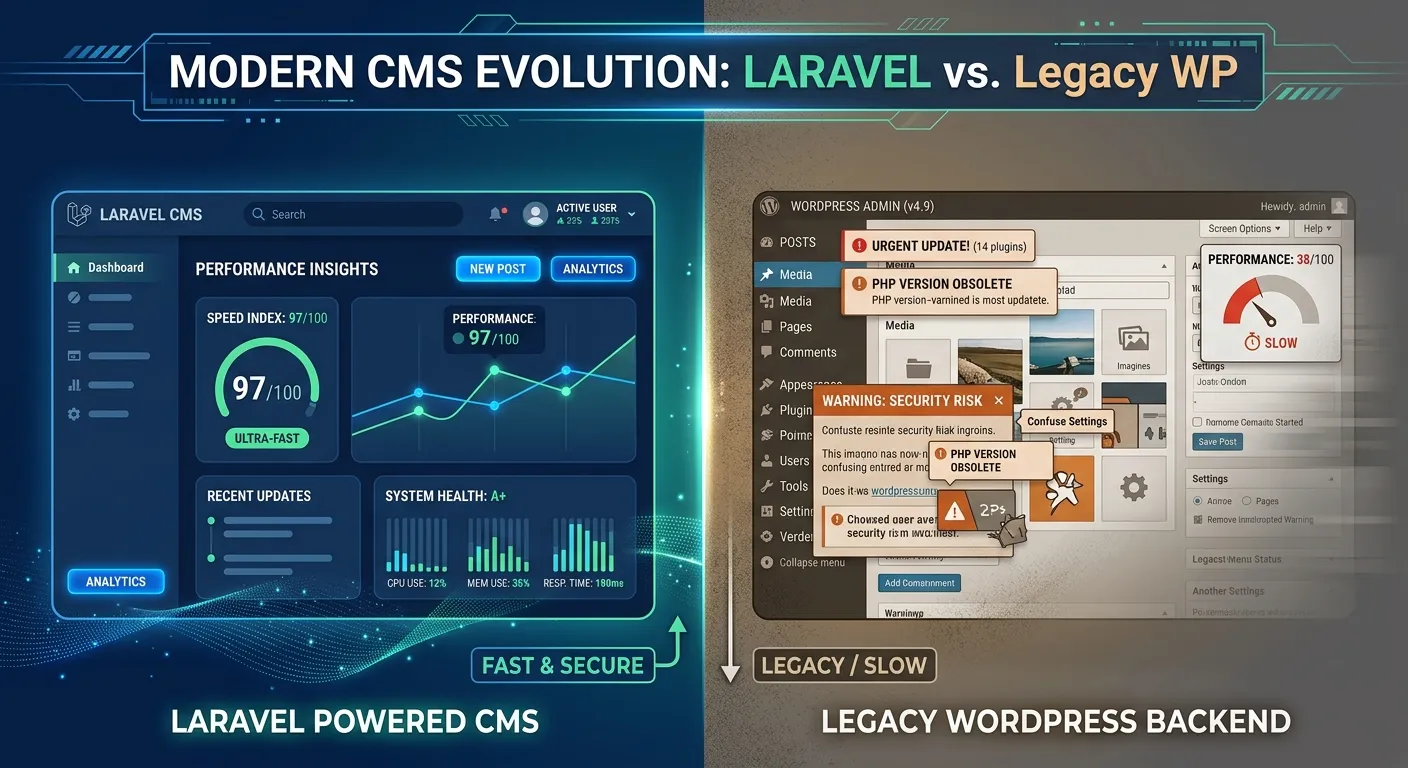
In the rapidly evolving digital landscape, understanding how to optimize Laravel CMS is not just a technical task—it's a strategic imperative. Laravel, renowned for its elegant syntax and powerful features, offers a robust foundation for content management systems that can outperform and outscale legacy platforms like WordPress. However, raw power requires fine-tuning. This comprehensive guide delves deep into the methodologies, tools, and Laravel packages for developers that unlock peak performance, enhanced security, and seamless scalability. We'll explore why businesses are increasingly choosing to migrate from WordPress to Laravel, the concrete advantages of Laravel framework, and provide a forward-looking roadmap with strategies for 2026.
Pro-Tip:
Optimization is a continuous process, not a one-time event. The most successful implementations combine foundational Laravel best practices with specialized tools designed for CMS workloads, such as those featured in Waravel package features.
Core Optimization Pillars for Your Laravel CMS
A holistic optimization strategy covers multiple fronts. Use the tabs below to explore the critical categories essential for building a Best Laravel CMS experience.
Maximize Speed & Responsiveness
Performance is the cornerstone of user experience and SEO. A slow CMS drives users away and hurts search rankings. Laravel provides numerous levers for optimization.
- Caching Strategies: Implement Laravel's cache drivers (Redis, Memcached) for routes, views, and database queries. Use
php artisan optimize:clearjudiciously in production. - Asset Optimization: Use Laravel Mix or Vite to bundle, minify, and version CSS/JS. Lazy-load images and components.
- Database Optimization: This is critical. Employ eager loading to prevent N+1 query problems, add strategic indexes, and archive old data. For deep dives, see our dedicated database optimisation resources.
- Queue Heavy Tasks: Offload email sending, report generation, and image processing to Laravel's queue system using Redis or database drivers.
Many performance bottlenecks originate in legacy systems. Solving WordPress problems with Laravel often starts here, as Laravel's modern architecture is inherently more efficient. For a comparative analysis, watch .
Why an Optimized Laravel CMS is Your Competitive Advantage
Beyond raw speed, a properly tuned Laravel CMS delivers tangible business benefits that directly impact your bottom line and team efficiency.
Superior SEO & Content Control
Laravel gives you complete ownership over your SEO markup, URL structure, and meta tags without relying on bloated plugins. Generate sitemaps programmatically, implement structured data with precision, and enjoy faster indexing due to improved performance. This level of control is a primary reason for successful WordPress to Laravel migration projects.
Reduced Total Cost of Ownership
While initial development might be higher, long-term costs plummet. Fewer security incidents mean lower emergency support bills. Efficient code requires less server horsepower. The absence of constant plugin updates and compatibility fixes frees up developer time. Our case studies show that solving WordPress problems with Laravel strategies for 2026 leads to a predictable, lower operational budget.
Future-Proof Technology Stack
Laravel is built on modern PHP and embraces best practices. Integrating with cutting-edge frontends (React, Vue, Inertia.js), cloud services, and AI APIs is straightforward. This ensures your CMS can adapt to new business requirements without a complete rebuild. Leverage essential Laravel packages for modern developers to stay ahead of the curve.
Enhanced Security Posture
Laravel's built-in security features, combined with a codebase you control, drastically reduce vulnerabilities common in template-and-plugin-based systems. You can implement custom security logic, conduct precise audits, and comply with strict data regulations (GDPR, CCPA) more effectively. This is a core advantage of the Laravel framework over open-source CMS platforms with widespread attack surfaces.
Improved Team Productivity
A clean, well-structured Laravel codebase is easier for developers to understand and extend. Features like Eloquent ORM, Blade templating, and Artisan commands accelerate development. This means your team can ship new features faster and with fewer bugs. If you need to scale your team, it's easier to hire staff today with Laravel skills than to find experts in a niche WordPress ecosystem.
Unmatched Performance Analytics
With direct access to your application logic, you can instrument detailed performance metrics and business analytics. Track exactly how long complex CMS operations take, monitor cache hit rates, and create custom dashboards for business stakeholders. This data-driven approach is key to continuous optimization, a topic covered in our performance optimisation deep dive.
Strategic Optimization Through Migration: From WordPress to Laravel
For many businesses, the most powerful optimization step is a strategic platform migration. Moving from a restrictive, plugin-dependent system to a flexible Laravel foundation unlocks unprecedented performance and control.
The Catalyst for Change: Overcoming WordPress Limitations
WordPress is an excellent tool for simple websites, but it often becomes a bottleneck for growing businesses. Performance degrades with numerous plugins, custom functionality is cumbersome to build and maintain, and security becomes a constant concern. Solving WordPress problems with Laravel addresses these issues at their core.
- Plugin Bloat Elimination: Replace dozens of disparate plugins with clean, custom code or a few high-quality Laravel packages.
- Database Schema Control: Escape the rigid WordPress database structure. Design an optimized schema tailored to your specific content and data relationships.
- Modern Development Workflow: Implement proper version control (Git), environment-based configuration, automated testing, and CI/CD pipelines—practices that are challenging in a standard WordPress setup.
The migration process itself, when done correctly, is an optimization exercise. It forces a audit of your content, users, and functionality, allowing you to streamline and modernize. Learn about the automated approach in Waravel vs. Manual Coding.
Critical Video Insight: Preserving SEO Value
The #1 fear of any migration is losing hard-earned SEO rankings. A structured, automated migration tool is essential for preserving URLs, redirects, and meta data.
This step-by-step guide is essential viewing before planning your migration.
The Waravel Advantage: Optimization Built into the Migration Process
Choosing the right migration tool is the first optimization decision you'll make. Waravel isn't just a data mover; it's an optimization engine designed to set your new Laravel CMS up for success from day one.
- ✓ Structured Data Import: Waravel doesn't just dump data; it intelligently maps WordPress content to optimized Eloquent models, promoting better query performance from the start.
- ✓ Asset Optimization: During the media import process, Waravel can organize files into a logical directory structure, improving filesystem performance.
- ✓ Clean Code Foundation: The generated Laravel application follows best practices, avoiding the technical debt that often comes with manual migration scripts.
- ✓ SEO Pathway Preservation: Automatic 301 redirect setup and meta tag migration ensure your search equity is transferred, not lost. This is detailed in this comprehensive guide.
- ✓ Future-Proofing: The resulting codebase is ready for further optimization, such as integrating job queue optimization or real-time notifications.
- ✓ Comprehensive Support: Post-migration, access resources like Laravel maintenance & support services to ensure ongoing performance.
Actionable Technical Steps to Optimize Your Laravel CMS
1. Performance Audit & Baseline Establishment
You can't improve what you don't measure. Before making changes, establish a performance baseline.
- Use Laravel Telescope: Install and configure Telescope in a non-production environment to monitor queries, requests, jobs, and exceptions. Identify slow queries and N+1 problems.
- Leverage Debugbar: The popular Laravel Debugbar provides real-time insights into memory usage, query counts, and execution time during development.
- External Auditing Tools: Run Lighthouse (Chrome DevTools), GTmetrix, or WebPageTest audits to get Core Web Vitals scores (LCP, FID, CLS).
- Server Monitoring: Use tools like New Relic, Datadog, or even simple server monitoring (htop, nginx status) to understand CPU, memory, and I/O usage under load.
2. Implement a Caching Strategy
Caching is the single most effective performance improvement for a CMS, where content changes are relatively infrequent compared to reads.
Route & View Caching
In production, run php artisan route:cache and php artisan view:cache. This pre-compiles routes and Blade views for significant speed gains. Remember to re-run these after any deployment that changes routes or views.
Query & Model Caching
Use Laravel's Cache::remember() facade to cache the results of expensive database queries. For a more elegant solution, consider packages like"spatie/laravel-responsecache" to cache entire HTTP responses or"genealabs/laravel-model-caching" for automatic model query caching.
Config & Event Caching
Always run php artisan config:cache in production. This combines all configuration files into a single, quickly-loaded file. Be mindful that env() calls will not work outside of config files after this is run.
3. Database Optimization & Indexing
The database is often the primary bottleneck. Proactive optimization is key.
- Eager Loading: Use
with()andload()to prevent the N+1 query problem. Telescope/Debugbar will highlight these issues. - Strategic Indexing: Add database indexes to columns used frequently in WHERE, ORDER BY, and JOIN clauses. For example,
published_at,slug, and foreign key columns. Avoid over-indexing on tables with heavy write operations. - Query Optimization: Use Laravel's query builder methods like
select()to choose only needed columns, andchunk()for processing large datasets without memory exhaustion. - Regular Maintenance: Schedule artisan commands or use database tools to periodically analyze tables, update statistics, and remove fragmentation.
For complex performance issues, consider engaging professional WordPress to Laravel migration services that include post-migration optimization audits.
Frequently Asked Questions: Optimizing Laravel CMS
Get expert answers to the most common questions about Laravel CMS performance, migration, and best practices.
Implementing a robust, multi-layer caching strategy. Start with OPcache at the PHP level, then use Redis or Memcached for Laravel's cache and session drivers. Finally, employ HTTP response caching (using middleware or a package like spatie/laravel-responsecache) for public pages. This combination reduces database load and drastically improves response times. For CMSs with dynamic user-specific content, consider partial page caching or Edge Side Includes (ESI). A deeper discussion on this is part of our core optimization philosophy.
Laravel optimization is more proactive and architectural, while WordPress optimization is often reactive and plugin-based. In Laravel, you optimize the application logic, database queries, and server configuration directly. In WordPress, you typically install caching plugins (W3 Total Cache, WP Rocket), image optimizers, and database cleaners that work within the constraints of the WordPress core and your theme. Laravel offers finer-grained control, leading to more predictable and sustainable results. This fundamental difference is a key part of solving WordPress problems with Laravel.
Absolutely, and it's a critical requirement. A successful migration must preserve all SEO equity. This involves: 1) Maintaining identical URL structures or implementing 301 permanent redirects for every changed URL, 2) Transferring all title tags, meta descriptions, and header tags (H1-H6), 3) Ensuring images retain their alt text and filenames, and 4) Generating a new XML sitemap promptly. Using an automated tool like Waravel handles these tasks systematically, significantly reducing the risk of SEO loss compared to a manual migration. Watch for a detailed checklist.
A modern Laravel CMS toolkit should include packages for:
- Media Management:"spatie/laravel-medialibrary" for advanced file and image handling.
- SEO & Sitemaps:"spatie/laravel-sitemap" for generating sitemaps and custom meta tag management.
- User Roles & Permissions:"spatie/laravel-permission" for flexible access control.
- Activity Logging:"spatie/laravel-activitylog" to track CMS changes.
- API Resources: Laravel Sanctum or Passport if you need a headless/API-driven CMS.
- Backend UI: Laravel Nova, Backpack, or Filament for rapid admin panel development.
Explore our curated list in Top Laravel Packages Guide | Essential Developer Tools 2026.
By architectural design, a well-built Laravel CMS has a smaller and more controlled attack surface than a typical WordPress site with numerous third-party plugins and themes. Laravel provides built-in protection against SQL injection, CSRF, and XSS. Optimization enhances security indirectly: a faster, cleaner codebase is easier to audit and maintain. Removing unnecessary complexity (a key goal of optimization) reduces hidden vulnerabilities. Furthermore, performance practices like using Redis for sessions can mitigate session hijacking risks. For a detailed analysis, see our case study: and our Laravel security resources.
Ready to Build or Optimize Your Elite Laravel CMS?
Stop wrestling with performance limits and security worries. Whether you're planning a strategic migration from WordPress or seeking to turbocharge an existing Laravel application, the path to a faster, safer, and more scalable CMS starts here.
🔧 Expert Optimization
Audit and enhance your current Laravel CMS with our performance specialists.
Optimize My App👨💻 Assemble Your Team
Access top-tier Laravel talent to execute your vision.
Hire Laravel Staff TodayHave a complex project? Contact our team for a personalized consultation and strategy session tailored to your business goals for 2026 and beyond.