Why WordPress Is Not Scalable: The Hidden Costs for Growing Businesses
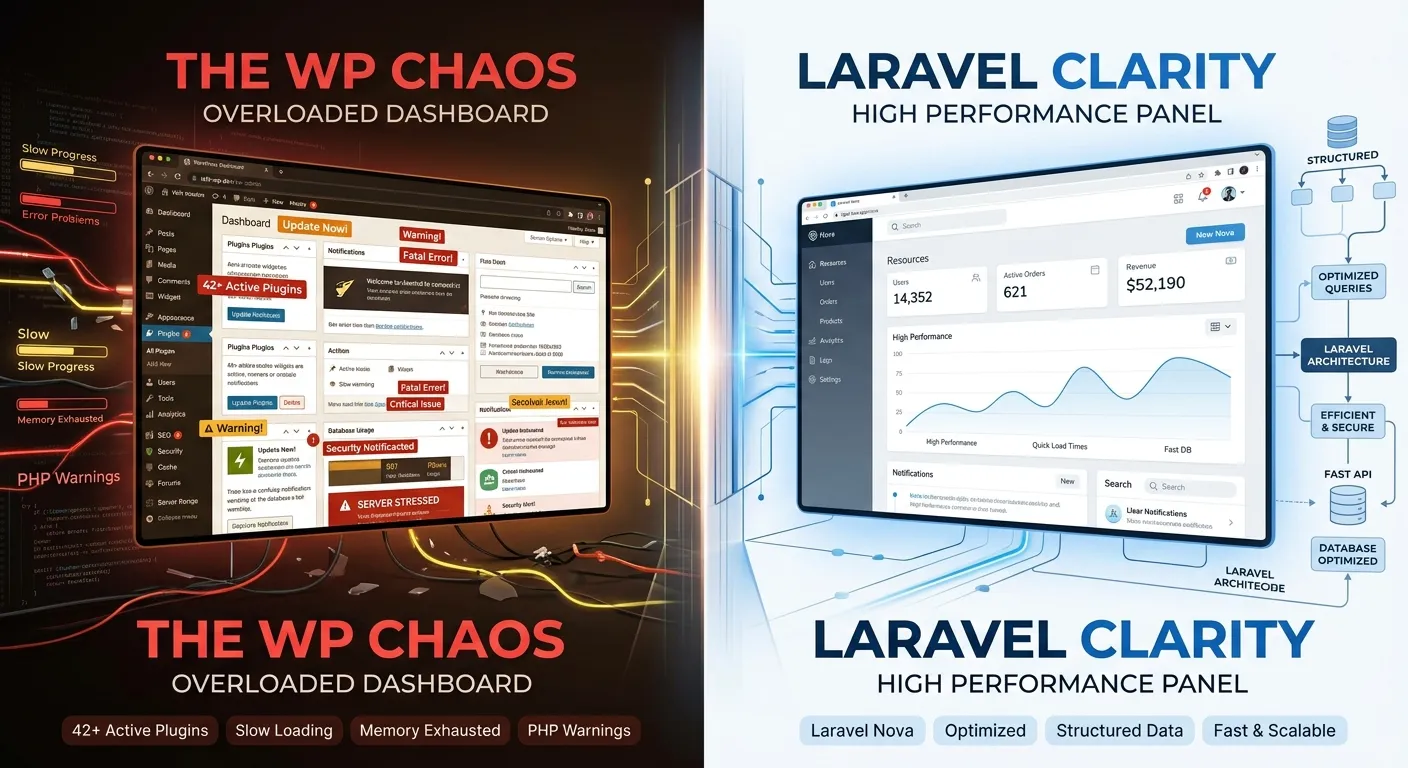
Many businesses start with WordPress, but hit a hard ceiling as they grow. Discover the fundamental architectural reasons why WordPress is not scalable and how modern Laravel solutions offer a cost-effective, high-performance future.
WordPress powers over 40% of the web, making it the default choice for millions of sites. Its ease of use is legendary. However, as traffic increases, functionality demands grow, and security becomes paramount, businesses often discover a painful truth: WordPress is not scalable by design. This isn't just about slow page loads; it's about architectural limitations that can stall growth, inflate costs, and create technical debt. Understanding these limitations is the first step toward a more robust, scalable solution like a custom Laravel CMS, where the long-term Laravel CMS cost is an investment in performance and control, not a recurring penalty for limitations.
Pro-Tip: Scalability Defined
True scalability means your application can handle increased load (more users, data, transactions) efficiently without requiring a complete rebuild. It's about horizontal scaling (adding more servers) and vertical optimization (efficient code). WordPress often fails at both, leading to expensive hardware upgrades as a stopgap.
The 5 Core Architectural Reasons WordPress Is Not Scalable
Monolithic Database Bottleneck
Every page view, plugin call, and widget typically triggers numerous complex SQL queries to a single, sprawling `wp_posts` and `wp_postmeta` database structure. As content grows, these queries slow down exponentially, creating a severe database bottleneck that can't be solved by simply upgrading your hosting plan.
Plugin Dependency & Bloat
Adding features means adding plugins. Each plugin injects its own CSS, JavaScript, and database queries, often poorly optimized. This"bloatware" effect compounds, leading to massive, slow-loading pages. Scaling requires adding more plugins for caching and optimization, creating a fragile house of cards.
Inefficient Caching
WordPress caching is often a patchwork of plugin solutions that break with updates or dynamic content, unlike application-level caching in modern frameworks.
Poor Horizontal Scaling
Its file-based architecture and session handling make distributing load across multiple servers (horizontal scaling) complex and unreliable.
Security Overhead
Scaling a WordPress site often means layering on security plugins and monitoring, adding more performance overhead to an already strained system.
The Scalable Alternative: Laravel CMS & Managing the True Cost
When evaluating the Laravel CMS cost, it's critical to look beyond initial development. A Laravel-based CMS, like the platform built with Waravel, is architecturally designed for scale from the ground up. It uses efficient Object-Oriented Programming, robust database Eloquent ORM, and built-in caching mechanisms (Redis, Memcached) that handle traffic spikes gracefully. The cost shifts from constantly fighting fires and upgrading hardware to building a stable, high-performance asset.
- ✓ Decoupled Architecture: Separate logic, presentation, and data layers allow for independent scaling.
- ✓ API-First Design: Easily serves headless frontends (React, Vue.js, mobile apps) without duplicating backend work.
- ✓ Optimized Performance: Lightweight, compiled code and efficient query builders reduce server load dramatically.
Your Path Forward: From WordPress Limits to Laravel Scale
Acknowledging that WordPress is not scalable for your ambitious project is the first step. The next is choosing a pragmatic, cost-effective migration strategy. Manual migration is complex and risky, but automated tools change the game.
Automated, Risk-Free Migration
Manual migration is a developer's nightmare, fraught with data loss and SEO-breaking errors. Automated platforms like Waravel's migration tool systematically transfer posts, pages, users, media, and—critically—SEO metadata and URLs. This process, detailed in guides like this complete walkthrough, preserves your search rankings while moving you to a scalable foundation.
Start Your MigrationReady to Build a Website That Grows With You?
Stop accepting that WordPress is not scalable as an unavoidable fact. Transition to a modern, scalable Laravel foundation with Waravel. Manage your content with unparalleled control, enjoy enterprise-grade performance, and turn your website from a liability into a scalable asset.