Duplicator WordPress Migration: A Complete Guide to Safe Site Transfers
SEO Description: Duplicator WordPress migration guide for safe site transfers, hosting moves, staging clones, SEO continuity, and expert migration support.
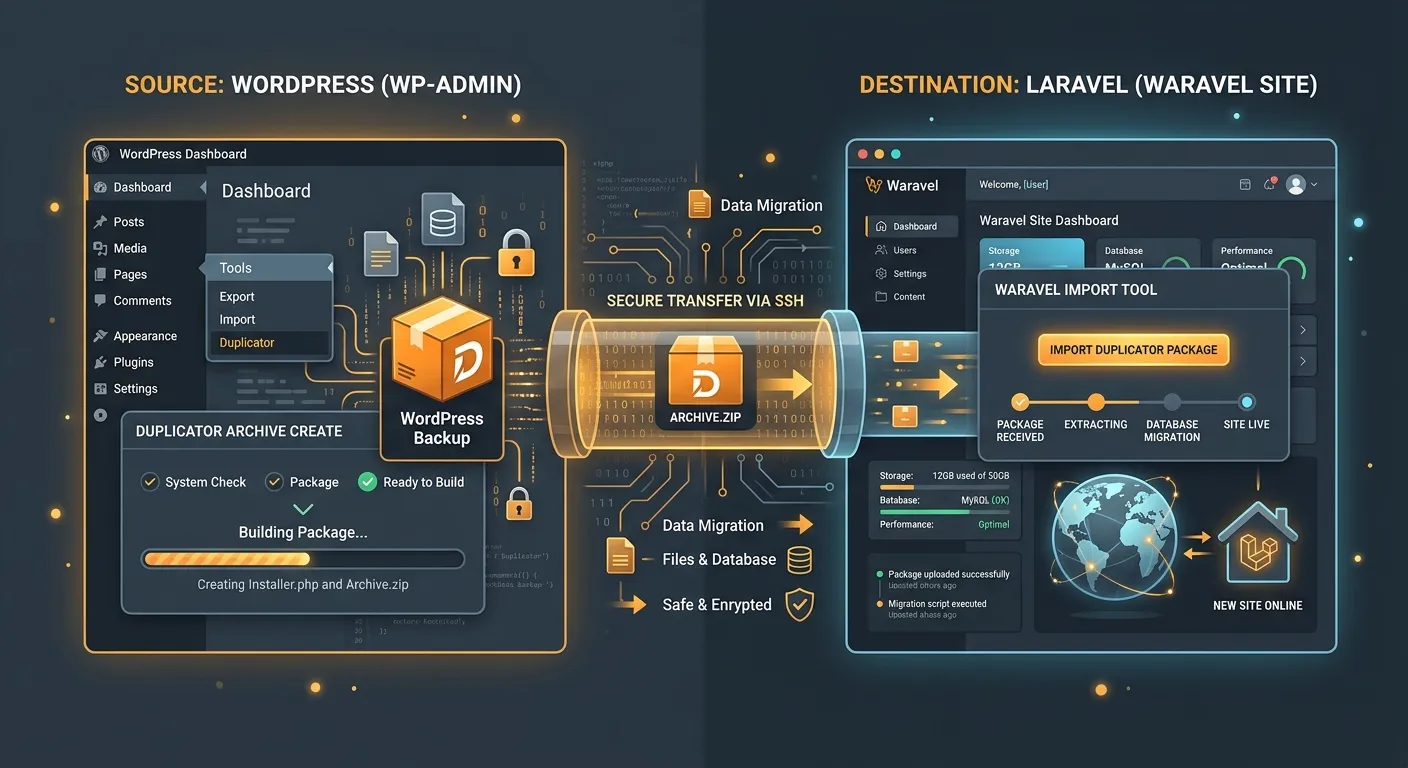
Duplicator WordPress migration is one of the most practical ways to move an existing website to a new host, domain, or staging environment without rebuilding every post, page, and plugin setting by hand. Instead of exporting content, recreating menus, and manually copying files, Duplicator packages the database and files into an archive that can be installed on a target server. For agencies, developers, and site owners, this can reduce transfer time significantly, but it still requires careful planning around backups, permalinks, SSL, and SEO continuity.
Why Choose Duplicator for WordPress Migration
Portable Site Snapshots
Duplicator is popular because it creates a portable snapshot of a WordPress site. The archive includes site files and a SQL dump of the database, so themes, uploads, settings, and content can move together. Compared with manual FTP and phpMyAdmin transfers, Duplicator WordPress migration often feels more repeatable, especially when moving sites for multiple clients. It also supports installer scripts that simplify unpacking the site on the destination server.
When It Works Best
Use Duplicator when you need a straightforward host change, staging clone, or client handoff. It is less suitable for highly customized multisite networks, large WooCommerce inventories, or migrations that require deep data transformation. If you are moving to a Laravel-based CMS, consider whether an automated migration workflow will reduce manual cleanup.
A Safe Duplicator WordPress Migration Checklist
Before running a migration, create a fresh database backup and keep it separate from the Duplicator package. Confirm that the source site is not in maintenance mode, update WordPress core, and note the PHP version required by the destination host. During a Duplicator WordPress migration, mismatched PHP versions can break plugins or prevent the installer from completing.
Migration Checklist
- Verify URL changes: update the new domain in the installer and test login, admin, and front-end pages.
- Check SSL and redirects: ensure the new host has certificates installed and that HTTP to HTTPS rules work.
- Inspect permalinks: re-save WordPress permalinks after migration to refresh .htaccess rules.
- Review SEO assets: sitemap, robots.txt, canonical tags, and redirects should remain intact.
- Scan for broken links: use a crawler or support tool after the move.
Common Issues During Duplicator WordPress Migration
The most common problems are not caused by WordPress itself, but by server limits. Large archives can fail during unpacking if PHP memory, upload limits, or execution time are too low. Database credentials may be wrong, table prefixes may differ, and multisite transfers need extra care. If a migration fails, do not overwrite the source site. Re-check logs, reduce archive size by excluding unnecessary files, and retry with a clean destination directory.
When Manual Migration Tools Are Not Enough
Duplicator works well for simple host changes, staging copies, and many standard WordPress sites. However, enterprise migrations may require content normalization, custom field mapping, URL rewriting, and long-term data governance. If your site includes WooCommerce, membership systems, custom plugins, or large media libraries, plan a test migration first. For teams that need a higher level of automation, Waravel packages and platform features can provide a clearer path from WordPress to a Laravel CMS environment.
Hire Staff Today for a Smooth Migration
A migration is not only a technical task; it is a business risk. If your team lacks time, experience, or 24/7 monitoring, you can hire staff today to manage staging, backups, DNS changes, and post-migration QA. A professional migration specialist can reduce downtime, preserve SEO rankings, and ensure the new site launches cleanly. If you are evaluating platforms, explore the Waravel portal, register to compare plans, or review pricing before committing to a larger project.
Hire Staff TodayConclusion
Duplicator WordPress migration remains a trusted option for moving WordPress sites quickly, but success depends on preparation. Create backups, test the destination environment, validate redirects, and monitor performance after launch. Whether you stay on WordPress or plan a future move to Laravel, document the process and choose tools that protect data integrity. For more guidance, visit the Waravel homepage, join the community, or review support resources.