Waravel Contact Forms: Build Fast, Secure, and High-Converting Inquiry Flows
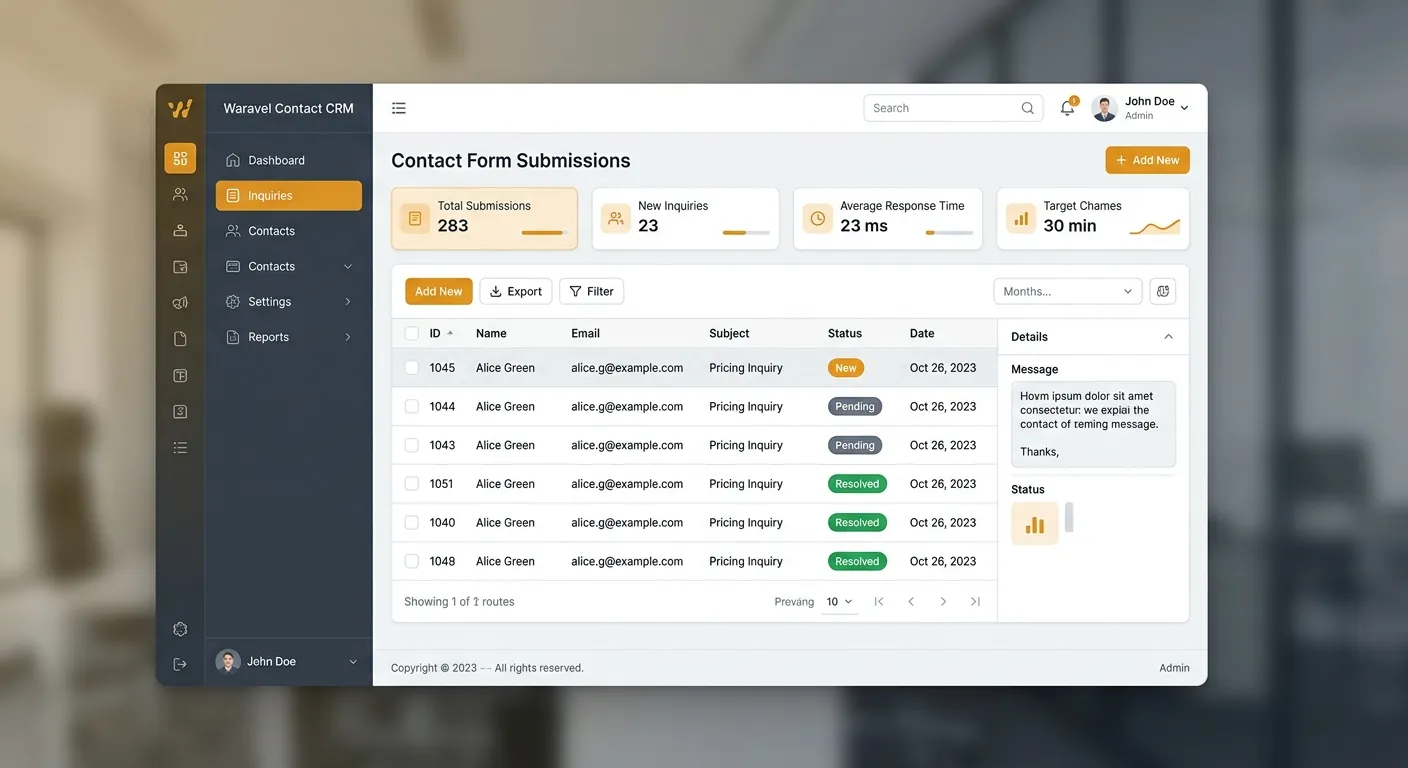
Contact forms are more than message boxes. In Waravel, waravel contact forms help businesses collect leads, support tickets, applications, and feedback while organizing data inside a modern Laravel CMS. Well-built forms reduce friction, improve trust, and turn visitors into revenue conversations.
If you plan a platform upgrade, include form workflows in the migration strategy. Review the WordPress to Laravel migration guide to protect pages, media, and structured data while improving speed and security.
Watch the admin dashboard walkthrough to see how pages, forms, and CMS workflows fit together.
Why Waravel Contact Forms Matter
Most websites fail at conversion because forms are slow, spammy, or confusing. Waravel combines structured content management, developer-friendly workflows, and migration-ready data handling. Your forms can align with pages, blog posts, landing pages, and job listings without creating technical debt.
Faster Response Cycles
Clean routing and organized submissions help support, sales, and recruiting teams respond sooner.
Better Lead Qualification
Use fields for company size, budget, job title, or project type to separate serious prospects from casual visitors.
Cleaner Migration Data
Structured fields are easier to export, filter, and analyze. See how automating your migration protects data integrity.
Core Features to Look for
Evaluate waravel contact forms as part of a broader content and data strategy. Compare community resources and packages before rebuilding pages.
Secure Submissions
Use validated fields, honeypot protection, rate limiting, and privacy language to reduce spam.
Custom Fields
Build forms for hiring, vendor onboarding, demo requests, support tickets, or event registration.
CRM-Ready Exports
Route submissions into structured records, CSV exports, or integrations for faster follow-up.
For advanced needs, explore the portal, pricing, and register for a workspace. If you are evaluating a Laravel CMS alternative, read this comparison.
Practical Setup Steps That Improve Conversion
-
1. Define the Goal First
Decide whether the form captures leads, support requests, applications, or feedback.
-
2. Place It Near the Right CTA
Put the form close to the home page hero, pricing page, or landing page.
-
3. Add Validation and Spam Protection
Use inline validation, accessible labels, and anti-spam techniques so legitimate users are never blocked.
-
4. Connect Notifications and Follow-Up
Email alerts, thank-you pages, and automation keep the conversation moving. If needed, visit support.
-
5. Track Performance
Measure submissions, completion rate, and response time, then refine fields, copy, and placement.
Migration, SEO, and Data Integrity
If your site runs on WordPress, do not treat forms as an afterthought. Contact data can contain leads, applications, or messages that should remain searchable after migration. Waravel’s automated migration tool helps preserve structured content and relationships. Learn how to migrate without losing data.
SEO improves when forms are lightweight and not dependent on bloated plugins. Faster pages support better Core Web Vitals, and clean URLs help crawlers understand your site. For a no-code CMS experience, see how to build and manage your Laravel CMS with zero coding.
Pro Tips for Better Results
Use conditional fields only when necessary. Test a three-field version first: name, email, and message. Then add one optional field for company, budget, or role.
- • Add a privacy note near the submit button.
- • Use thank-you pages to set expectations and track conversions.
- • Review spam filters monthly, not annually.
- • Archive completed inquiries to keep your database clean.
Use Forms to Support Hiring and Growth
Strong forms can support recruitment. If you need to hire staff today, create a clear application form, automate acknowledgements, and route candidates into a structured pipeline. Use the Waravel portal to set up pages, manage submissions, and connect with support when needed.
Hire Staff Todaywaravel contact forms are conversion tools, data capture systems, and migration assets. Build them with intention, protect them with validation, and connect them to your CMS so every inquiry has a clear path to action.