Modern CMS Architecture: Building for Speed, Scale, and Security
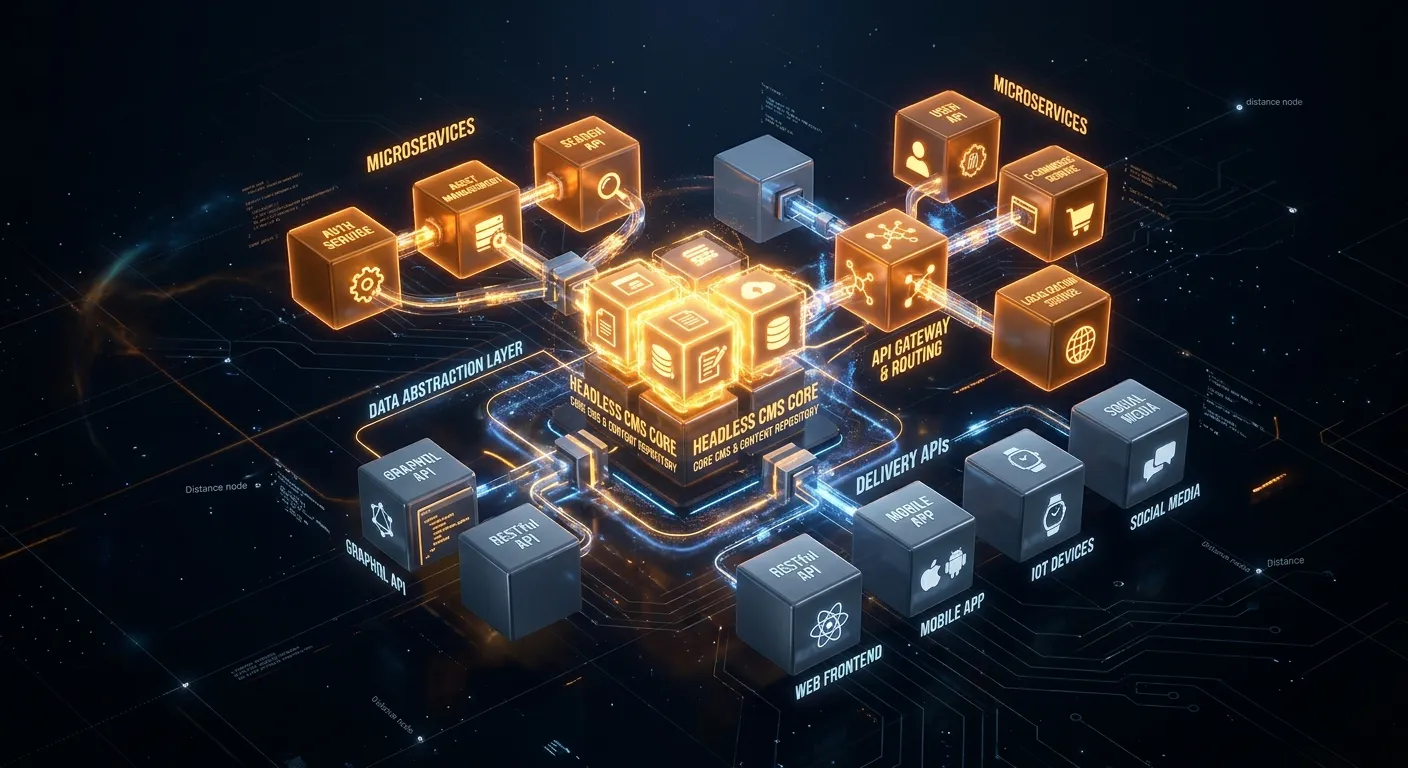
Gone are the days of monolithic, bloated systems. Discover the principles of a high-performance modern CMS architecture that empowers developers and delights users.
A modern CMS architecture is the backbone of any successful digital experience. It moves beyond simple content storage to become a flexible, API-driven platform that serves content seamlessly across websites, mobile apps, IoT devices, and future channels. This evolution is critical for businesses aiming to stay agile, secure, and competitive.
The core of a modern CMS architecture is its headless or hybrid approach. This separates the content repository (backend) from the presentation layer (frontend), granting unparalleled freedom in how and where content is displayed. Platforms like Waravel embody this principle, offering Laravel's power with CMS simplicity.
Core Pillars of Modern CMS Architecture
Let's break down the essential components that define a cutting-edge content management system.
1. API-First & Headless Core
Content is managed and delivered via robust RESTful or GraphQL APIs. This allows your content to power a React Native app, a static site built with Next.js, and a smartwatch display from a single source. An API-first modern CMS architecture eliminates vendor lock-in and tech stack constraints.
Explore API Features →2. Microservices & Modularity
Instead of a single, giant codebase, functionality is broken into independent, scalable services (e.g., user management, media processing, search). This enables teams to develop, update, and scale features independently, drastically improving development speed and system resilience.
Browse Modular Packages →3. Cloud-Native & Scalable
Built for the cloud from the ground up, leveraging containerization (Docker), orchestration (Kubernetes), and serverless functions. This ensures automatic scaling to handle traffic spikes, high availability across regions, and reduced infrastructure management overhead.
Join Cloud Discussions →Why Legacy Systems Struggle with Modern Demands
Traditional monolithic CMS platforms, like standard WordPress, often fall short. Their tightly coupled nature makes them slow, difficult to scale, and security-vulnerable. Migrating to a modern CMS architecture solves these critical pain points:
- Performance Bottlenecks: Every plugin shares the same database and memory, slowing down the entire site.
- Security Risks: A vulnerability in one plugin or theme can compromise the entire system.
- Development Friction: Making customizations often means hacking core files, leading to upgrade nightmares.
- Omnichannel Limitation: Delivering content beyond the website requires complex, brittle workarounds.
This is precisely why automated migration tools are invaluable. For instance, you can migrate WordPress to Laravel effortlessly, preserving your content while upgrading to a modern, secure, and scalable architecture.
Built-In Security by Design
Modern architectures minimize attack surfaces. Features like granular API permissions, regular automated security patches, and a framework with a strong security focus (like Laravel) are non-negotiable. Need help? Access dedicated support for security best practices.
Empowering Development Teams
A modern CMS architecture provides clean APIs, comprehensive documentation, and CLI tools. This allows developers to build features faster, integrate with modern frontend frameworks, and automate workflows. Explore how to build and manage your Laravel CMS with zero coding.
Driving Business Agility
Faster time-to-market for new campaigns, seamless omnichannel customer experiences, and reduced total cost of ownership. A scalable architecture means you pay for what you use and can grow without painful replatforming projects.
Implementing Your Modern CMS Architecture
Transitioning requires careful planning. Here is actionable advice:
Start with a Strategic Migration
Don't try to boil the ocean. Begin by migrating a key segment of your content or a specific digital property using a reliable tool. For example, learn how to migrate your entire WordPress site to Laravel without losing data. This de-risks the project and provides a proof of concept.
Evaluate platforms that offer a clear path from legacy systems. Consider Waravel as a powerful Laravel CMS October alternative, built for modern architectural needs.
Key Action Items
- Audit your current content and identify dependencies.
- Choose a platform with a true API-first, headless core.
- Plan for a phased rollout to minimize business disruption.
- Invest in training your team on the new modern CMS architecture.
Ready to Architect Your Future?
Building or migrating to a modern CMS architecture is the most strategic investment you can make in your digital presence. It unlocks speed, security, and limitless scalability.