Laravel Admin Extension: Build, Secure, and Hire Elite Laravel Developers for a Scalable Admin Panel
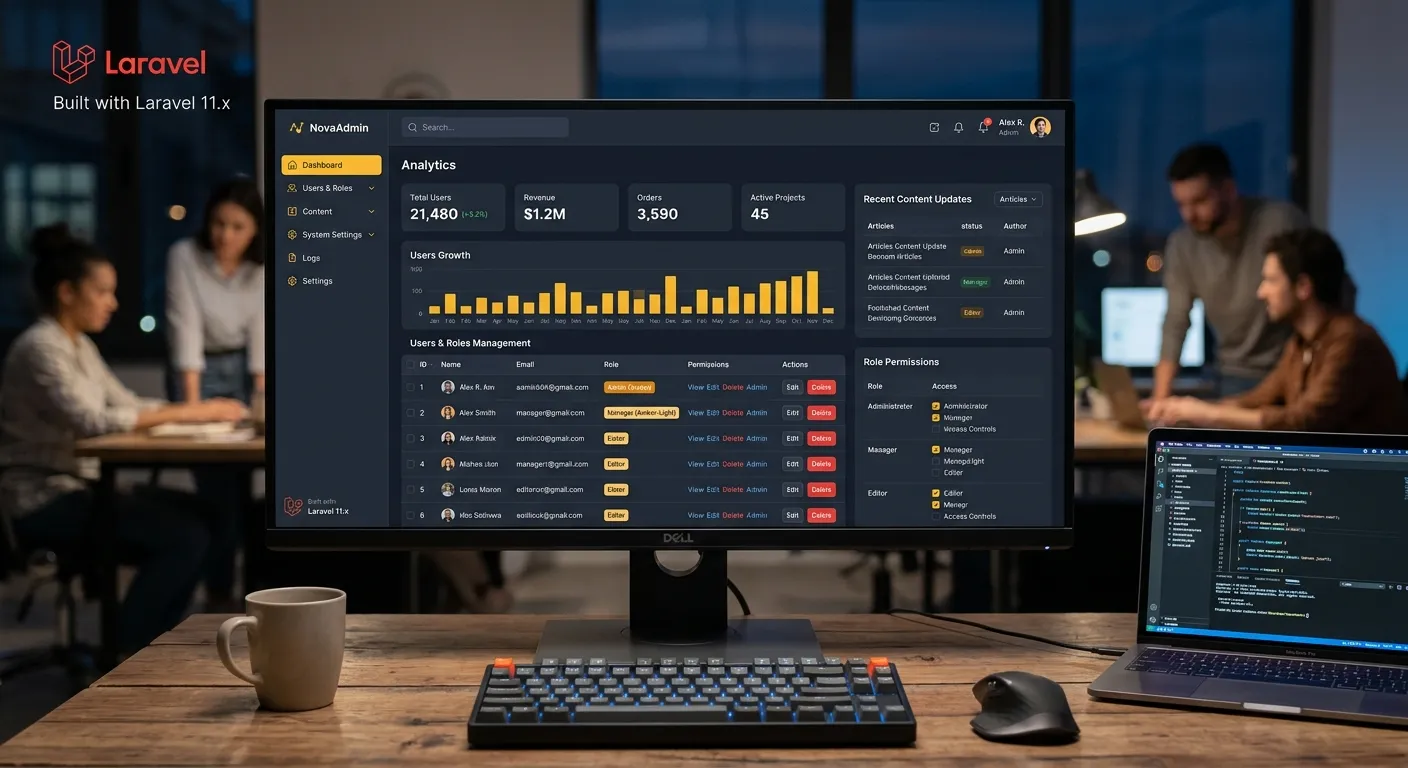
SEO Description: Hire elite Laravel developers, hire staff today, and explore a Laravel Admin Extension that streamlines content, roles, media, integrations, and performance for scalable modern applications.
A Laravel Admin Extension is the operational control layer behind a web application. It turns complex data, user actions, content workflows, and permission logic into a clean dashboard that teams can trust. Instead of treating the admin panel as a small utility, product owners should see it as a growth asset that reduces support tickets, speeds up content operations, and protects sensitive business data.
When you choose a Laravel Admin Extension, you are choosing a foundation for long-term maintainability. A well-built extension can support editors, moderators, finance teams, developers, and customers without forcing every workflow through the same interface. That is why many organizations look to hire elite Laravel developers who can design secure, modular, and high-performance admin experiences from day one.
From a business perspective, the admin layer determines how quickly teams can publish, approve, update, and respond. A poor admin slows decisions. A strong Laravel Admin Extension accelerates them by giving each role a focused workspace, reducing ambiguity, and making the system feel predictable. That predictability is what allows companies to scale operations without hiring more developers for every minor change.
About the Laravel Admin Extension
A Laravel Admin Extension is a packaged or custom-built module that adds administrative functionality to a Laravel application. It may include CRUD interfaces, role-based access control, media management, content scheduling, audit logs, settings, integrations, and reporting. In many Waravel-style implementations, the extension becomes the central Laravel Platform for managing pages, users, and business logic. This approach gives teams a clean separation between public-facing experiences and internal operations, while still using Laravel’s expressive syntax, routing, middleware, and database tools.
Another important benefit is consistency. A custom-built admin can become a patchwork of screens, but a packaged extension creates a shared design language. That consistency helps users learn faster and reduces support requests. It also makes it easier to introduce new modules, such as invoicing, inventory, or customer support, without redesigning the entire backend.
Interactive Overview: Core Categories of a Laravel Admin Extension
Core Admin Panel
The core category covers dashboard home, navigation, global settings, user management, and CRUD screens. It should provide fast access to key metrics, recent activity, and pending tasks. A good Laravel Admin Extension makes common actions obvious, reduces clicks, and exposes only the controls relevant to each role. This is where the system becomes usable for daily operations rather than a collection of disconnected forms.
Content and Media
This category includes pages, posts, taxonomies, media libraries, redirects, and preview workflows. Editors need a familiar interface with autosave, versioning, and clear publishing states. For organizations migrating from older CMS platforms, the Laravel Admin Extension should preserve content relationships while enabling richer automation. If you need help structuring this layer, explore the Core Features That Set Waravel Apart.
Roles and Security
Role-based access control is the backbone of a trustworthy admin system. The Laravel Admin Extension should support granular permissions, policy checks, login controls, and audit trails. Editors should not see billing data, and finance users should not edit customer-facing content unless explicitly allowed. This category also includes two-factor authentication, session management, and permission previews that help administrators verify access before saving changes.
Integrations and Workflow
A modern admin extension must connect to email, payments, queues, analytics, CRM, and external APIs. It should also support scheduled jobs, background imports, and approval workflows. The goal is to reduce manual handoffs. When the Laravel Admin Extension becomes the coordination point for data movement, teams gain faster execution, fewer errors, and a clearer path to scale without rebuilding the dashboard every quarter.
Key Features and Benefits in a Responsive Grid
Dynamic CRUD
Dynamic CRUD screens let teams create, edit, filter, and bulk-manage records without custom code for every table. Use reusable fields, validation rules, and role-aware columns to keep the admin fast and consistent.
Role-Based Access
Role-based access control prevents accidental damage by limiting what each user can see and do. A strong Laravel Admin Extension maps permissions to business functions, not just menu links, making governance easier as teams grow.
Media Library
A central media library improves asset reuse, alt-text management, and file optimization. Editors can upload, crop, organize, and attach media to content without touching server folders or breaking front-end templates.
Audit Logs
Audit logs create accountability. They record who changed content, when it changed, and which action triggered the update. This is essential for regulated industries, multi-author sites, and teams that need rollback confidence.
Queue Automation
Queue automation moves slow tasks out of the request cycle. Email notifications, imports, image processing, and webhook syncs can run in the background, keeping the admin responsive while supporting larger data volumes.
Performance Optimization
Performance optimization protects the admin experience under load. Efficient queries, caching, pagination, and selective eager loading keep dashboards usable even when records reach hundreds of thousands. For deeper guidance, see Performance Optimisation.
Reusable Fields
Reusable field types make the Laravel Admin Extension easier to extend. Instead of rebuilding forms for every resource, teams can define text, image, relation, date, and status fields once and apply them across modules with validation and permissions preserved.
Approval Workflows
Approval workflows support multi-step publishing, moderation, and review. A draft can move through states such as pending, approved, rejected, and published, with clear notifications and history. This is essential for teams that need governance without slowing down production.
Developer Tooling
Developer tooling includes seeders, factories, tests, debug panels, and package-friendly service providers. These tools make the Laravel Admin Extension maintainable across releases and reduce the risk of regressions when features evolve.
Why a Laravel Admin Extension Matters for Modern Product Teams
A Laravel Admin Extension matters because it connects business logic to human workflow. Developers may build APIs and migrations, but daily operations depend on screens that let people make decisions. If those screens are slow, confusing, or insecure, the entire application suffers. A strong extension reduces training time, improves data quality, and creates a stable environment where non-technical users can operate safely.
Modular Architecture for Long-Term Growth
Modular architecture is one of the most important design principles for any Laravel Admin Extension. Instead of one giant controller or a tangled set of admin views, the system should separate resources, policies, services, jobs, and UI components into clear packages. This makes upgrades safer and allows new modules to be added without touching unrelated functionality. It also helps when teams want to hire elite Laravel developers later, because a modular codebase is easier to onboard into and easier to audit.
A modular extension can also be versioned, tested, and documented as a reusable product rather than a one-off project.
Security, Roles, and Permission Design
Security cannot be an afterthought. A production-grade Laravel Admin Extension should enforce authorization at the route, controller, and policy level. Middleware should protect the admin entry point, while policies should control every create, update, delete, and restore action. Input validation, CSRF protection, safe file handling, and password hardening are mandatory. For regulated environments, the system should log authentication events and provide role previews so administrators can see the impact of a permission change before applying it.
The best admin systems make security visible, not invisible.
Pro Tip: Before hiring a team, ask how the Laravel Admin Extension handles authorization failures, file uploads, and session invalidation. These details reveal real security maturity faster than generic feature lists.
Performance, Queues, and Scalability
Admin panels often become slow because they load too much data at once. A scalable Laravel Admin Extension uses pagination, indexed queries, caching, and lazy-loaded relationships. Heavy operations should move to queues. Background jobs can handle imports, email delivery, webhook retries, and media processing. This keeps the dashboard responsive and prevents long-running tasks from blocking user requests. Performance should be measured in real admin workflows, not just homepage benchmarks.
If your admin is used by dozens of staff daily, speed becomes a direct productivity feature.
Migration and Legacy Integration
Many teams adopt a Laravel Admin Extension because they are moving away from legacy CMS or WordPress admin experiences. The migration should preserve URLs, user roles, content relationships, and SEO signals. It should also provide a fallback path if data mapping fails. When done well, the new admin feels familiar to editors while giving developers a cleaner, more secure foundation.
SEO, Analytics, and Content Governance
SEO and analytics are often handled outside the admin, but they should be visible inside it. A Laravel Admin Extension should expose meta titles, descriptions, structured data, redirects, canonical URLs, and performance insights. Content teams need to see how pages are performing before they publish changes. Governance also includes ownership, review cycles, and retention rules. When SEO controls are embedded in the admin workflow, teams stop guessing and start improving.
This is especially important for sites that rely on organic search and frequent content updates.
Real-World Use Cases
Real-world use cases show why the Laravel Admin Extension is so adaptable. A car dealership portal may need inventory, customer leads, and media galleries. A SaaS application may need subscription management, support tickets, and feature flags. An education platform may need course publishing, instructor roles, and progress tracking. In each case, the admin is not just a form builder; it is the operating system for business workflows. The best implementations tailor modules to the team while keeping a unified navigation and permission model.
That flexibility is what makes the extension valuable beyond a single project.
Practical Implementation Checklist
Use this checklist when planning or auditing a Laravel Admin Extension:
- Define roles and permissions before building screens.
- Use resource controllers and policies for consistent CRUD.
- Add audit logs for all destructive actions.
- Validate file uploads by type, size, and storage path.
- Queue long-running imports and notifications.
- Provide bulk actions with preview and undo.
- Test pagination on large datasets.
- Document extension installation, updates, and rollback steps.
Expert Insights: Hiring the Right Laravel Admin Extension Team
When you hire expert Laravel development teams for secure web apps, ask them to show how they design admin modules, not just how they code features. Strong teams start with permission matrices, data models, and workflow maps. They build reusable components, write tests for edge cases, and document how non-technical users will operate the dashboard. They also think about future integrations, upgrade paths, and supportability. The best Laravel Admin Extension work feels simple to the user but is engineered deeply underneath.
If a team cannot explain the admin architecture clearly, treat that as a red flag.
Common Mistakes to Avoid
The most common mistake is building an admin that only serves developers. Another is hardcoding permissions into views instead of using policies. Teams also often skip audit logs, ignore bulk-action safety, and overload dashboards with unnecessary data. A Laravel Admin Extension should be opinionated about workflow, but flexible enough to support different teams. Avoid creating a dashboard that looks impressive in a demo but becomes fragile under real user volume.
Plan for rollback, testing, and role changes from the beginning.
FAQ: Laravel Admin Extension
A Laravel Admin Extension is a module that adds administrative functionality to a Laravel application. It typically includes dashboards, CRUD screens, permissions, media management, settings, and integrations that help teams operate the platform efficiently.
A CMS admin focuses mainly on content, while a Laravel Admin Extension can manage content, users, business objects, workflows, and custom application logic. It is more flexible because it can be extended with Laravel services, queues, APIs, and packages.
Yes. Many teams migrate from WordPress to Laravel because they need stronger security, performance, and custom workflows. A well-designed Laravel Admin Extension can preserve editor familiarity while giving developers a cleaner, more scalable foundation.
Essential features include role-based access control, audit logs, media management, validation, bulk actions, queue support, caching, and clear navigation. These features protect data, improve performance, and help non-technical users work confidently.
Look for developers who understand Laravel policies, service providers, queues, testing, and admin UX. Ask for examples of modular extensions, migration work, and performance improvements. You can also hire staff today through a specialized Laravel talent page.
It can improve security when built correctly. Strong extensions enforce authorization through middleware and policies, validate inputs, protect uploads, log sensitive actions, and manage sessions securely. Security should be designed into the admin layer, not added later.
Yes. A mature Laravel Admin Extension can give editors, moderators, finance teams, and administrators separate workspaces. Role-aware dashboards and permission previews make it easier for each team to see only what they need.
A basic extension may take days, while a full enterprise admin can take weeks or months. Timeline depends on permissions, integrations, migration complexity, data volume, and how much custom workflow logic is required.
Ready to Hire Staff Today for Your Laravel Admin Extension?
A strong Laravel Admin Extension can transform your application’s operations, security, and scalability. If you need expert help building, customizing, or migrating your admin panel, connect with experienced Laravel developers who can deliver a maintainable, high-performance solution.
Hire Elite Laravel Developers Now