Unlock Superior Commerce: Your Guide to the Best Laravel Ecommerce CMS
Engineer scalable, high-performance online stores. Discover why a Laravel-based CMS is the definitive choice for businesses seeking robust security, unparalleled customization, and future-proof growth beyond traditional platforms.
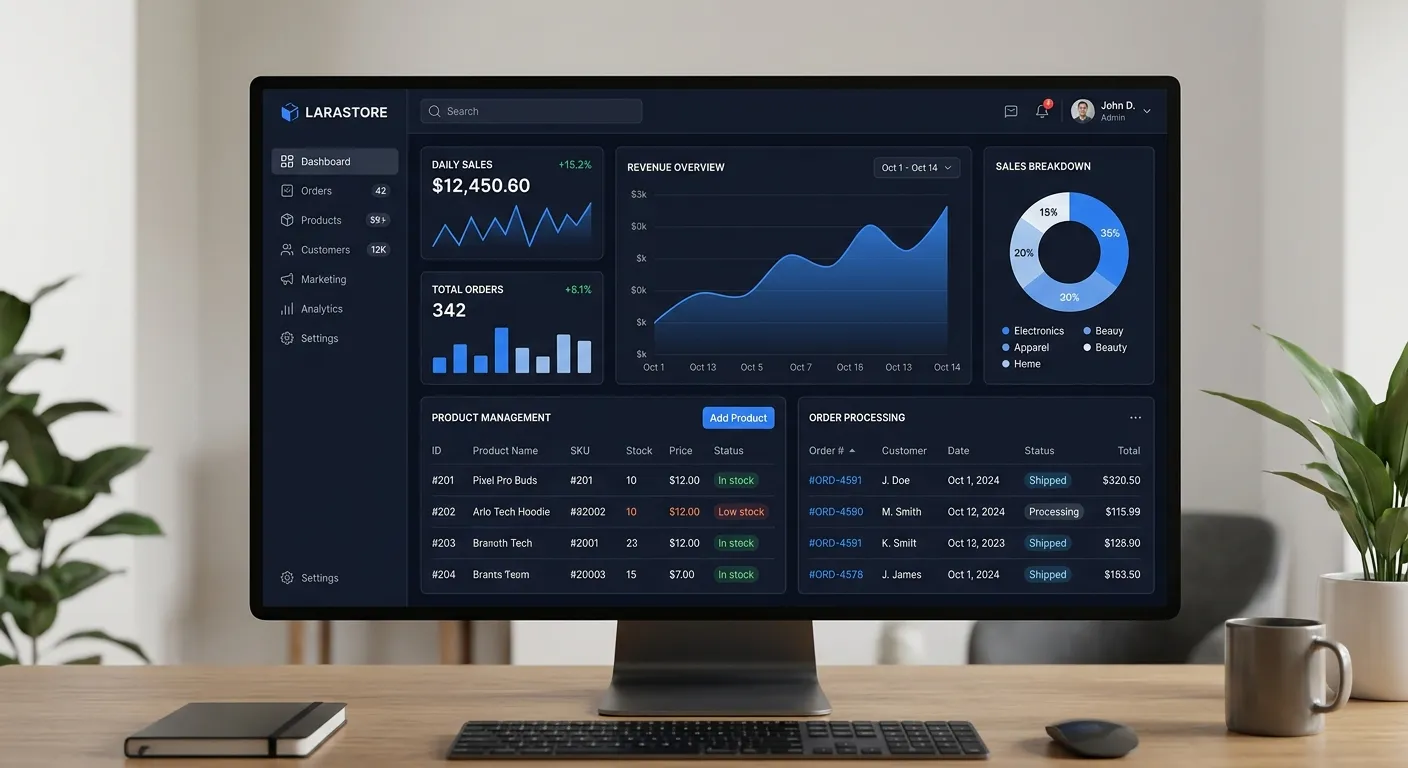
Navigating the Laravel Ecommerce Landscape
Choosing the right foundation is critical. Our interactive breakdown helps you identify the perfect Laravel-based CMS for your specific business model, technical requirements, and growth trajectory.
Built for Speed and Enterprise Load
The best Laravel ecommerce CMS solutions are engineered from the ground up for optimal performance. Unlike monolithic platforms that rely on countless plugins, Laravel's elegant architecture and efficient query handling via Eloquent ORM ensure rapid page loads and smooth database interactions, even with millions of SKUs.
Pro-Tip: Caching Strategy
Leverage Laravel's built-in Redis or Memcached drivers for full-page, query, and configuration caching. This native approach is far more efficient and secure than relying on third-party WordPress caching plugins, which often conflict and bloat your site. For a deep dive, see our Performance Optimisation guide.
Scalability is inherent. You can seamlessly integrate with cloud-based queues (like Redis or SQS), implement horizontal scaling for databases, and use Laravel Forge or Envoyer for zero-downtime deployments. This ensures your store remains agile during traffic surges, a common challenge for growing businesses that outgrow their initial platform.
Core Pillars of the Best Laravel Ecommerce CMS
These are the non-negotiable features that distinguish elite solutions from basic frameworks.
Enterprise-Grade Security
Laravel provides built-in protection against SQL injection, XSS, and CSRF attacks. A dedicated CMS built on it inherits this robust foundation, ensuring your customer data and transactions are safeguarded by design, not by plugin. This proactive security model is a primary reason businesses initiate a WordPress to Laravel migration.
Blazing-Fast Performance
Optimized asset compilation, efficient routing, and sophisticated caching mechanisms are native. This results in near-instantaneous page loads, directly improving SEO rankings, conversion rates, and user satisfaction. Performance is not an afterthought; it's the default state.
Modular & Extensible Architecture
Features are added as clean, maintainable packages, not plugins that spaghetti-code your core. This Service-Oriented Architecture (SOA) allows you to swap, upgrade, or disable functionality without breaking your entire store. Explore the vast possibilities in our Top Laravel Packages Guide.
Streamlined Admin & Workflow
A well-designed admin panel empowers your marketing and operations teams. Expect intuitive bulk operations, advanced product filtering, granular user role permissions, and seamless content management—all within a responsive interface that boosts productivity.
Built-in SEO & Marketing Tools
Beyond clean URLs, look for automatic sitemap generation, meta tag management, Open Graph control, and integration capabilities with analytics and CRM platforms. SEO should be structural, not reliant on a single plugin that can break with updates.
Multi-Vendor & B2B Ready
The best platforms support complex business models out-of-the-box or via stable extensions. This includes multi-storefront management, tiered pricing, custom catalogs for B2B clients, and marketplace functionalities, allowing you to scale your revenue model without changing your core technology.
Why Migrating to a Laravel Ecommerce CMS is a Strategic Upgrade
For businesses trapped on legacy platforms like WordPress/WooCommerce or outdated monolithic systems, migration is not just a technical change—it's a business transformation. The limitations of plugin-dependent architectures become severe bottlenecks at scale.
Overcoming Legacy Platform Limitations
- End Plugin Bloat & Conflicts: Every added plugin increases attack vectors and slows your site. A Laravel CMS consolidates functionality into a coherent, tested codebase.
- Regain Developer Velocity: Clean MVC architecture and comprehensive documentation mean new developers can contribute meaningfully faster, reducing your time-to-market for new features.
- Future-Proof Your Stack: Laravel's commitment to modern PHP standards and regular LTS releases ensures your store remains secure, compatible, and maintainable for years.
Real-World Impact: Businesses that migrate report significant reductions in hosting costs (due to efficiency), near-elimination of security-related downtime, and newfound ability to implement complex customer journeys that directly boost average order value (AOV). The process, once daunting, is now streamlined. Learn how you can migrate WordPress to Laravel effortlessly with modern tooling.
Migration Success Checklist
- 1 Audit & Inventory: Products, orders, customers, SEO URLs.
- 2 Data Mapping & Schema Design in Laravel.
- 3 Choose Your Migration Path: Automated tool or custom script.
- 4 Staging & Validation: Test functionality and data integrity thoroughly.
- 5 Go-Live & Monitor: Redirects, performance, and user acceptance.
For a detailed, step-by-step guide, see our resource on automated WordPress to Laravel migration.
Building Your Team for Laravel Ecommerce Success
The power of the best Laravel ecommerce CMS is fully realized with the right talent. Knowing the roles to fill is key to execution.
Laravel Backend Developer
Architects the core logic, API integrations, database schema, and payment gateways. They ensure the platform's engine runs smoothly, securely, and efficiently.
Frontend (Blade/JS) Specialist
Translates designs into interactive, responsive experiences using Laravel Blade templates, Tailwind CSS, and JavaScript frameworks like Alpine.js or Vue.js. They bridge design and functionality.
DevOps/SysAdmin
Manages server infrastructure, deployment pipelines (CI/CD), caching layers, and overall site performance & security. They keep the store online and fast under load.
Ready to Assemble Your A-Team?
Finding developers who truly understand the intersection of Laravel's elegance and ecommerce's demands is crucial. You need professionals who can not only build but also optimize and scale. The right talent will help you fully unlock the power of Laravel for your business.
Don't let a skills gap delay your project. Access a global pool of vetted Laravel experts who can hit the ground running.
Post a Job & Hire Top Talent NowFrequently Asked Questions
Get clear answers to common questions about implementing a Laravel-based ecommerce CMS.
The initial development cost can be higher due to custom work. However, the Total Cost of Ownership (TCO) is often lower. You eliminate recurring costs for dozens of premium plugins, reduce security incident expenses, and minimize developer hours spent fixing conflicts or hacking core files. For high-growth or complex businesses, the ROI is significantly positive. Consider it an investment in a scalable asset, not an ongoing expense on a fragile platform.
A well-built admin panel is designed for usability. In fact, it can be simpler because it includes only the features your business needs, laid out intuitively. The key is to involve non-technical stakeholders in the design phase. Many solutions also offer a Laravel Blade template system for content that is as easy as WordPress but more powerful. The goal is to give your team more control, not less. For insights into managing content and users, our guide on user migration covers important operational considerations.
Absolutely, and it's critical to do so. A proper migration involves meticulously mapping all old URLs to new ones and implementing 301 redirects. Since Laravel offers full control over routing and .htaccess (or server config), you can preserve every bit of link equity. The process should also involve auditing and improving meta data during the move. With careful planning, sites often see an improvement in rankings post-migration due to faster page speeds and cleaner code. Using a professional WordPress migration tool designed for Laravel can automate much of this.
Laravel requires a standard PHP hosting environment (PHP 8.2+, Composer, a database like MySQL/PostgreSQL). While shared hosting often won't suffice, modern cloud platforms like Laravel Forge, DigitalOcean, AWS, or managed Laravel hosting services make deployment straightforward. The"complexity" is a trade-off for performance and control. You gain the ability to fine-tune server settings, implement advanced caching, and scale resources independently—capabilities that are locked down on generic shared hosting. This is a prerequisite for running a serious online store.
Evaluate your business's uniqueness. If your needs are largely standard (catalog, cart, checkout, basic promotions), a robust package like Bagisto, Aimeos, or GetCandy can save time. However, if your business model involves complex workflows, unique subscription logic, deep B2B integration, or a highly differentiated customer experience, a custom build on the Laravel platform is the better long-term choice. It ensures you aren't fighting against a package's assumptions and can evolve precisely with your strategy. A detailed Laravel CMS comparison can help clarify the options.
Build the Ecommerce Engine Your Business Deserves
Stop compromising with platforms that limit your ambition. The best Laravel ecommerce CMS provides the security, performance, and flexibility to turn your vision into a scalable digital reality.
Whether you're planning a greenfield project or a strategic migration from a legacy system, the journey begins with the right team and the right technology. Explore our case studies to see real-world success stories and understand the transformative impact.
Have questions about implementation? Our experts are ready to guide you. Reach out today.