The Ultimate WordPress Checker: Audit, Secure & Optimize Your Site
A comprehensive guide to using advanced WordPress Checker tools for performance analysis, security hardening, and seamless platform migration.
Comprehensive WordPress Analysis Categories
A WordPress Checker is not a single tool but a suite of diagnostics. Use the tabs below to understand the core facets of a complete site audit.
Defining the Modern WordPress Checker
A WordPress Checker is an essential diagnostic suite used to evaluate the health, security, performance, and technical integrity of a WordPress website. Think of it as a full medical check-up for your digital presence. In an era where website performance directly impacts user trust and search rankings, neglecting regular audits is akin to a composer like Composer Beethoven performing without ever tuning his piano—the potential for greatness is there, but the output will be flawed and unreliable.
Modern checkers go beyond simple"up-to-date" scans. They analyze theme and plugin conflicts, server configuration, database efficiency, and potential security vulnerabilities. For businesses considering a platform evolution, a thorough checker is the first step in a successful WordPress to Laravel Migration, identifying custom code and dependencies that need special attention during the transition.
Core Benefits of Using a Professional WordPress Checker
Implementing a systematic checking routine delivers tangible advantages for site owners, developers, and agencies.
Proactive Threat Mitigation
Identify and remediate security flaws before they are exploited. A checker provides a continuous defense strategy, reducing the risk of data breaches, malware, and blacklisting. This is as fundamental to your website's integrity as a strong foundation is to a Strategic Brand Building Guide.
Enhanced User Experience & Speed
Directly impact bounce rates and conversion by pinpointing performance bottlenecks. Faster sites retain users and are rewarded by search engines. A checker's recommendations can guide optimizations or inform a strategic move to a more efficient platform, helping you truly Unlock The Power Of Laravel for unmatched speed.
Informed Strategic Decisions
Beyond fixes, a checker provides data for long-term planning. Should you refactor, rebuild, or migrate? The audit report offers clarity. For businesses outgrowing WordPress, it creates the actionable insights needed to begin a conversation about Migrate WordPress To Laravel Effortlessly.
Reduced Long-Term Maintenance
Preventative maintenance is always cheaper than emergency fixes. Regular checks minimize downtime, avoid costly security incidents, and streamline update processes. This operational efficiency is a key feature of modern platforms, much like the streamlined maintenance discussed in our Core Features That Set Waravel Apart.
SEO Ranking Preservation & Growth
Technical SEO issues silently erode rankings. A checker finds crawl errors, slow pages, and mobile problems that tools like Google Search Console might miss. Fixing these issues protects your organic traffic, a concern that is paramount during any platform change to ensure you don't lose hard-earned SEO equity.
Clean Code & Architecture Insights
Advanced checkers analyze code quality, highlighting deprecated functions, potential conflicts, and spaghetti code. This is invaluable for developers taking over a site or planning a migration. Understanding the existing"score," much like analyzing the original manuscripts of Composer Beethoven, allows for a faithful yet improved modern performance—or in this case, a modernized website build.
Implementing a WordPress Checker: A Step-by-Step Strategy
Phase 1: Pre-Audit Preparation
Before running any tool, define your audit's scope and goals. Are you focused on security, preparing for a sale, or evaluating migration feasibility? Ensure you have full backup of the site and administrative access. Inform stakeholders of potential temporary performance impacts during deep scans.
This preparatory phase mirrors the planning required for a major digital project, similar to the foundational work outlined in a comprehensive Strategic Brand Building Guide. Success is built on clear objectives.
Phase 2: Tool Selection & Execution
Choose tools that match your technical depth. Options range from online scanners (like Sucuri SiteCheck) to server-side plugins (like Wordfence Security) and professional SaaS platforms. For a migration-focused audit, specialized tools that map WordPress structures to Laravel equivalents are crucial.
- For Security: Run malware scans, check user roles, and review file permissions.
- For Performance: Use Google PageSpeed Insights, GTmetrix, and query monitor plugins.
- For SEO: Utilize Ahrefs Site Audit, Screaming Frog, or SEMrush.
- For Migration: Employ a dedicated WordPress Checker tool designed to generate compatibility reports for target platforms like Laravel.
The video above provides a practical, step-by-step guide that aligns with this phase, particularly for preserving SEO value—a top concern during any technical audit or migration.
Phase 3: Analysis & Prioritization of Findings
The raw report from a WordPress Checker can be overwhelming. The key is to triage issues based on severity and impact. Create a spreadsheet or use a project management tool to categorize findings:
Critical (Fix Immediately)
Security vulnerabilities, site-breaking errors, critical functionality down.
High Priority (Plan to Fix)
Major performance bottlenecks, broken key workflows, significant SEO issues.
Medium/Low (Schedule & Improve)
Code quality warnings, minor CSS/JS errors, aesthetic improvements.
This analytical process requires a discerning eye. It’s the digital equivalent of a conductor interpreting a complex piece by Composer Beethoven—identifying which sections need the most rehearsal to ensure the final performance is flawless.
Phase 4: Action, Remediation & Continuous Monitoring
Execute fixes based on your priority list. For technical issues beyond your team's expertise, this is the point to consider bringing in specialized talent. A single audit is a snapshot; the real value comes from making checking a continuous process. Implement monitoring for uptime, security threats, and core updates.
Pro-Tip: If your audit reveals fundamental platform limitations in WordPress—such as performance ceilings, security model concerns, or scalability issues—it may be the strategic moment to explore a modern alternative. Our comparison resource, Laravel CMS Like Wordpress, details how you can retain familiarity while gaining enterprise-grade power.
Remediation might involve patching, updating, optimizing, or in some cases, re-platforming. For the latter, a smooth User Migration experience is paramount to retain your community and customer base during the transition.
WordPress Checker: Frequently Asked Questions
For most business-critical sites, a monthly comprehensive check is recommended. Security scans should be automated to run daily. Performance and SEO checks can be scheduled quarterly, or immediately after any major site change (e.g., adding new plugins, changing themes). Prior to a major event like a platform migration—such as using our WordPress to Laravel Migration service—an in-depth audit is non-negotiable.
While it won't give a simple"yes/no," a sophisticated checker provides the data to make an informed decision. It will highlight: 1) Technical Debt: Excessive custom code or unstable plugin dependencies. 2) Performance Limits: Inefficiencies inherent to your WordPress setup. 3) Security Posture: Recurring vulnerabilities. 4) Scalability Constraints. If your audit consistently shows these issues, it's a strong indicator that a more robust, developer-friendly framework like Laravel, explored in our Laravel Platform overview, could offer a long-term solution.
Free tools are excellent for basic surface-level scans (e.g., uptime, simple security checks, PageSpeed scores). They serve as a good starting point. However, for a thorough audit—especially for compliance, e-commerce, or migration planning—professional-grade tools are necessary. They offer deeper server-side analysis, dependency mapping, historical tracking, and personalized remediation advice. The complexity of a modern website demands a tool with the nuance of a masterpiece by Composer Beethoven, not just a simple tune.
The most common error is generating a report but taking no action, or trying to fix every single minor warning at once without prioritization. This leads to"audit fatigue." The second major mistake is making changes directly on the live site without testing in a staging environment. Always implement fixes in a controlled setting first. For complex overhauls suggested by a checker, consider leveraging Laravel Custom Development Services to build a tailored, future-proof solution based on the audit's findings.
Ready to Transform Your Website's Health?
A professional WordPress Checker is the first step toward a faster, more secure, and scalable digital presence. Whether you need to optimize your current site or are ready to architect its future on a more powerful platform, having the right team is crucial.
Don't let technical debt and hidden vulnerabilities hold back your growth. Hire expert developers who can not only run the audit but also execute the complex remediation and migration strategies it uncovers.
Explore our Case Studies to see how data-driven audits have guided successful transformations for businesses like yours.
WordPress Checker Tools: In-Depth Comparison
Not all audit tools are created equal. The right choice depends on your technical expertise, budget, and specific goals. Below is a breakdown of common tool types to help you select the optimal diagnostic suite for your needs.
| Tool Type | Best For | Key Limitations | Migration Readiness Support |
|---|---|---|---|
| Online Scanners (e.g., Sucuri, IsItWP) | Quick, non-invasive external checks for blacklisting, uptime, and basic security headers. | Cannot analyze server logs, database, or authenticated areas of your site. Provides a surface-level view only. | Minimal |
| Plugin-Based Suites (e.g., Wordfence, Jetpack) | Continuous, internal monitoring for file changes, malware, and real-time traffic analysis. | Can impact site performance if poorly configured. Limited in analyzing architectural code quality for platform migration. | Basic |
| Comprehensive SaaS Platforms (e.e.g., ManageWP, MainWP) | Agencies managing multiple sites; combines uptime, security, performance, and backup in one dashboard. | Monthly subscription cost. May lack deep, framework-specific analysis needed for a complex WordPress to Laravel Migration. | Basic to Moderate |
| Specialized Migration Auditors (e.g., Waravel's Analyzer) | Businesses planning a platform transition. Maps WordPress structures (custom posts, fields, user roles) to Laravel equivalents. | Overly specialized for routine maintenance. The primary goal is generating a migration blueprint, not daily security. | Excellent |
Choosing a tool without understanding its scope is like a composer using only one instrument to judge an entire orchestra's sound. For strategic decisions, especially migration, the specialized audit is non-negotiable.
Case Study: From Audit to Action
A mid-sized e-commerce company,"UrbanGear," was experiencing slow checkout times and frequent, minor security alerts. Their internal team used a popular free checker but couldn't pinpoint the root cause. Here’s how a professional, in-depth audit changed their trajectory.
The Audit Findings
- !Critical: A deprecated payment gateway plugin was creating 2-second database delays per transaction.
- !High Priority: Over 120 uncached database queries on the homepage from a"related products" widget.
- !Architectural: The audit revealed 15+ custom post types managed by three different plugins, creating a tangled data layer.
The checker’s report concluded that patching individual issues would be a temporary fix. The core problem was plugin bloat and architectural debt.
The Strategic Outcome
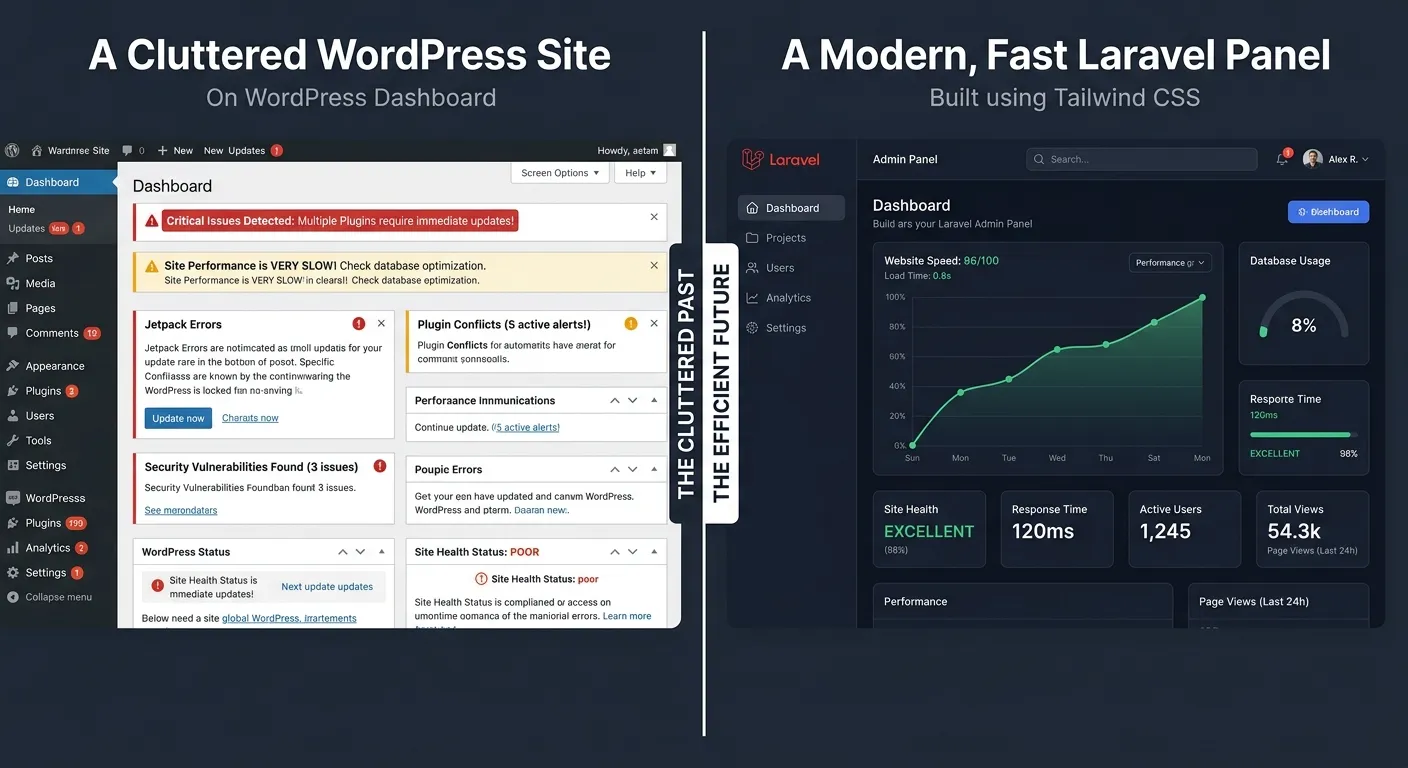
Instead of a endless cycle of fixes, UrbanGear used the audit as a business case for re-platforming. The detailed inventory of custom post types and user flows became the exact blueprint for a new, custom-built Laravel e-commerce platform.
Result:
Checkout speed improved by 300%, server costs dropped by 40% due to efficient code, and the structured data migration preserved 100% of SEO rankings. This exemplifies the power of an audit that looks beyond symptoms to systemic causes.
Advanced Insights: Interpreting Your Report Like a Pro
✅ Actionable Pro-Tips
-
Correlate Performance & SEO Data
Don't view performance and SEO reports in isolation. A page flagged for slow LCP (Largest Contentful Paint) in your performance scan is likely the same page losing rankings due to a"poor experience" signal. Cross-reference the two to identify high-impact fix opportunities.
-
Benchmark Against Industry Standards
A"90% performance score" is meaningless without context. Use your checker's historical data to track trends, and compare key metrics (e.g., Time to First Byte, Total Blocking Time) against industry benchmarks for your site type (e.g., e-commerce, news portal).
-
Leverage the"Code Quality" Section for Team Handover
If you're bringing in new developers or an agency, the code quality report from an advanced checker is invaluable. It objectively highlights spaghetti code, deprecated functions, and potential conflicts, streamlining the onboarding process and setting a clear baseline for future work.
❌ Pitfalls to Avoid
-
Ignoring"Warnings" in Favor of"Errors"
Teams often fix critical"errors" and ignore lower-severity"warnings." However, a cluster of warnings—like multiple minor CSS validation errors—can collectively indicate a sloppy, unmaintained codebase, which is a red flag for long-term stability and a key indicator for considering a platform shift.
-
Running an Audit Without a Staging Site
Attempting fixes directly on a live site based on checker recommendations is a recipe for disaster. A"simple" plugin update can break functionality. Always replicate the audit and apply remediation steps in a staging environment first to verify the fixes work as intended.
-
Treating the Checker as a Silver Bullet
No tool can replace human expertise. A checker can flag a slow database query, but a developer must interpret why it's slow and architect the optimal solution. The tool informs strategy; skilled professionals execute it. For complex remediations uncovered by an audit, partnering with Laravel Custom Development Services ensures the solution is robust and scalable.