Wordpress To Aem Migration: Hire Expert Teams to Modernize Your Content Management Software
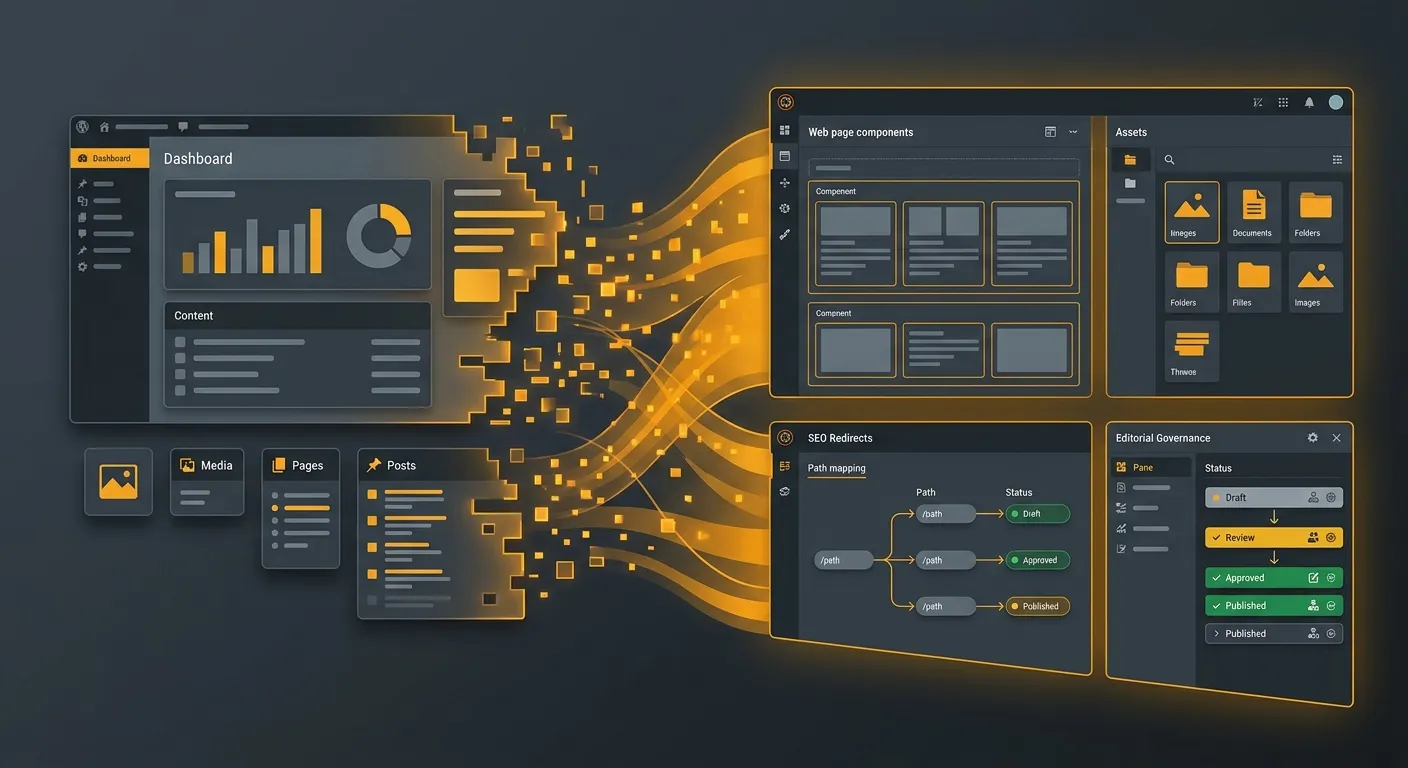
Looking for a strategic, security-first Wordpress To Aem Migration partner? This guide explains how to hire expert teams, preserve SEO equity, and transform a legacy Content Management Software stack into a governed, scalable Adobe Experience Manager platform. From content modeling to redirect planning, we break the migration into practical steps that reduce risk and accelerate launch.
Why Enterprises Move From Wordpress To Aem Migration Programs
Many organisations outgrow their original Content Management Software because editorial governance, multilingual publishing, digital asset management, and enterprise security requirements become too complex for a plugin-centric stack. A successful Wordpress To Aem Migration is not a simple lift-and-shift; it is a platform re-architecture that aligns content, components, workflows, and SEO with business objectives.
- ✓ Consolidate fragmented plugins into structured AEM components.
- ✓ Improve editorial control with workflows, approvals, and versioning.
- ✓ Support global campaigns with languages, locales, and content fragments.
- ✓ Reduce long-term maintenance risk through a governed architecture.
- ✓ Enable reusable templates, personalisation, and scalable digital operations.
The first mistake teams make is treating migration as a technical export. The better approach is to map business value: which pages matter most, which components editors use daily, which assets are reused across campaigns, and which URLs drive organic revenue. That way, your Wordpress To Aem Migration becomes a content operations upgrade, not just a platform swap.
Interactive Overview: Four Lanes of a Successful Wordpress To Aem Migration
Planning and Discovery
Start by auditing the current Wordpress environment. Identify content types, page templates, custom post types, taxonomies, plugins, metadata, media libraries, and integrations. A strong discovery phase prevents surprises during development and helps teams estimate the scope of the migration accurately.
- • Inventory all active pages, posts, landing pages, and campaign assets.
- • Document plugin dependencies that may require custom AEM components.
- • Map editorial roles, publishing workflows, and approval chains.
- • Define success metrics: traffic retention, publishing speed, security, and scalability.
Content and Structure
AEM rewards structured content. Instead of copying every page as a monolithic layout, break content into reusable components such as hero blocks, article templates, product cards, call-to-action modules, and content fragments. This improves consistency and makes future campaigns faster to build.
- • Convert custom post types into AEM models or templates.
- • Use content fragments for reusable blocks such as bios, legal text, or product benefits.
- • Standardise headings, metadata, and structured data fields.
- • Clean duplicate content before migration to reduce post-launch issues.
SEO and Redirect Strategy
SEO is the highest-risk area of any Wordpress To Aem Migration. Search engines may have indexed thousands of URLs, and many pages may carry backlinks, rankings, and conversion value. A detailed redirect map is essential to preserve organic traffic and protect link equity.
- • Export all existing URLs, titles, meta descriptions, and structured data.
- • Create one-to-one redirects wherever possible.
- • Avoid redirect chains and redirect loops.
- • Submit updated XML sitemaps and monitor Search Console for crawl errors.
Governance and Handover
A migration is only complete when business users can operate the new platform confidently. Governance includes permissions, publishing workflows, asset management rules, component guidelines, training, and support processes. Without it, teams may revert to workarounds that undermine the migration.
- • Define AEM groups, user roles, and content ownership.
- • Build editorial guides for page creation, component usage, and approvals.
- • Establish release management and environment promotion processes.
- • Plan post-launch monitoring, bug triage, and optimisation sprints.
About Our Approach to AEM Migration Services
Our team blends enterprise CMS expertise with practical migration engineering. We evaluate your current Content Management Software, map editorial roles, inventory pages, taxonomies, media, custom post types, and integrations, then translate those assets into AEM-friendly structures. For organisations that need a broader modernisation roadmap, our About Us page explains how we support platform migrations with disciplined delivery, reusable architecture, and long-term maintainability.
User access is often overlooked during a Wordpress To Aem Migration. Editors, authors, marketers, administrators, and regional teams must be re-mapped to AEM groups and permissions. Our User Migration resources help teams plan account provisioning, role inheritance, and training so business users can publish confidently after launch. The goal is not just a working system, but a usable system that editorial teams actually adopt.
We also recognise that some enterprises prefer a Laravel-based platform rather than AEM. If your architecture is moving toward a modern Content Management Software stack built on Laravel, our Wordpress To Laravel Migration guide provides a parallel approach to preserving content, SEO, and custom workflows while improving developer control and performance.
Key Features That Make AEM a Strong Enterprise Choice
Component-Driven Publishing
AEM encourages reusable components instead of hard-coded page layouts. This makes it easier to update designs, enforce brand consistency, and let editors build pages without developer assistance.
Enterprise Security
For regulated industries, security is a major driver. AEM supports role-based access, controlled publishing, audit trails, and deployment governance that reduce operational risk.
Digital Asset Management
Media libraries can become chaotic during migration. AEM’s DAM capabilities help organisations centralise images, videos, documents, and metadata with stronger search and reuse.
Multilingual Operations
Global sites need language versions, locale rules, and translation workflows. A structured migration helps teams manage international content more predictably than plugin-heavy systems.
Editorial Governance
Workflows, approvals, versioning, and scheduled publishing become more manageable when content is modeled correctly. This is especially important for large marketing and legal teams.
Scalable Architecture
A well-planned migration creates a foundation for future growth. New templates, personalisation, integrations, and site extensions can be added without destabilising the core platform.
Step-by-Step Wordpress To Aem Migration Framework
1. Audit the Existing Wordpress Estate
Begin with a full inventory of the current site. This is the foundation of a successful Wordpress To Aem Migration. Without a clear audit, teams underestimate content volume, ignore hidden dependencies, and create post-launch technical debt.
- • Count pages, posts, categories, tags, custom post types, and media files.
- • Identify plugins that provide functionality requiring AEM replacement.
- • Review analytics to prioritise high-traffic and high-conversion URLs.
- • Check structured data, forms, search functionality, and third-party scripts.
- • Document editorial processes and who owns each content section.
2. Define Content Modeling in AEM
AEM works best when content is modeled intentionally. During migration, avoid simply recreating old page templates one by one. Instead, identify patterns that can become reusable components.
For example, a product page may be broken into a product header, feature list, image gallery, related products component, and legal disclaimer fragment. This structure allows editors to assemble pages faster and keeps the platform maintainable over time.
Use clear path conventions such as /content/brand/en/section/page to support predictable navigation, permissions, and multilingual publishing.
3. Plan Digital Asset Management
Media migration is often more complex than expected. WordPress uploads may include duplicated files, inconsistent naming, missing alt text, and orphaned assets. A clean DAM strategy prevents these issues from moving into AEM.
- • Deduplicate images and remove unused assets.
- • Standardise file naming conventions.
- • Preserve alt text, captions, and copyright metadata.
- • Organise folders by brand, campaign, asset type, or locale.
4. Protect SEO and Redirects
Search visibility is the most critical business metric during a platform migration. A strong SEO plan should include URL mapping, canonical handling, structured data, sitemap updates, and post-launch monitoring.
Create a redirect spreadsheet that captures every source URL, destination URL, redirect type, reason, and owner. Prioritise URLs with backlinks, organic traffic, conversions, or campaign importance. Where content is consolidated, redirect carefully to the most relevant replacement page.
For performance, see our Performance Optimisation guide. Fast Core Web Vitals, clean markup, and efficient asset delivery are essential after a Wordpress To Aem Migration, especially when moving from a plugin-heavy environment to a more structured enterprise platform.
5. Test, Launch, and Monitor
Testing should cover more than visual regression. QA teams should validate page rendering, component behaviour, forms, search, permissions, multilingual versions, structured data, redirects, and editorial workflows.
- • Run automated link checks and redirect tests.
- • Compare key pages against the old site for content parity.
- • Test user roles, publish permissions, and approval flows.
- • Monitor Search Console, analytics, and error logs after launch.
- • Keep a rapid-response plan for broken redirects or missing assets.
Pro Tip
Do not migrate everything equally. Use a tiered content approach: Tier 1 pages are high-value and fully optimized, Tier 2 pages are standardised, and Tier 3 pages may be simplified or retired. This reduces migration effort while protecting the pages that matter most to revenue and search visibility.
Expert Insights: Common Pitfalls in AEM Migrations
Avoid Plugin Thinking
WordPress plugins often solve problems with configuration. AEM requires architectural thinking. A component should be designed for reuse, validation, permissions, and future editing—not just to replicate a plugin feature.
Teams that treat AEM as a replacement theme may end up recreating the same maintenance challenges. The better strategy is to design content models first, then build components around editorial needs.
Do Not Underestimate Change Management
A technical migration can succeed while user adoption fails. Editors may be unfamiliar with AEM workflows, DAM folders, component restrictions, or approval processes. Training and documentation are essential.
Involve business users early. Test the migration with real editorial scenarios, such as launching a campaign, updating legal text, creating a multilingual page, and replacing a hero image.
Frequently Asked Questions About Wordpress To Aem Migration
Hire Expert Teams for Your Next Wordpress To Aem Migration
Whether your organisation needs AEM component design, redirect mapping, DAM migration, QA, security review, or post-launch support, we help you hire the right specialists. Post a job today and receive a tailored migration plan for your Content Management Software environment, including content modeling, SEO preservation, governance, and launch readiness.
- ✓ Discovery and content audit support.
- ✓ AEM architecture and component planning.
- ✓ SEO migration and redirect strategy.
- ✓ Editorial training and post-launch optimisation.